
Text-to-SQL Explained: Why It Fails in Production and How to Fix It
Text-to-SQL fails by returning a plausible wrong number, not an error, and the cause is almost never the model. This guide covers the four things a schema cannot tell an LLM, the fan-out join that silently triples revenue, why the published benchmarks are measured against answer keys that are more than half wrong, what a semantic layer genuinely fixes and what it refuses, and the seven gates that make a text-to-SQL system safe to hand to a business user. With an interactive fan-out demo and a learning path.

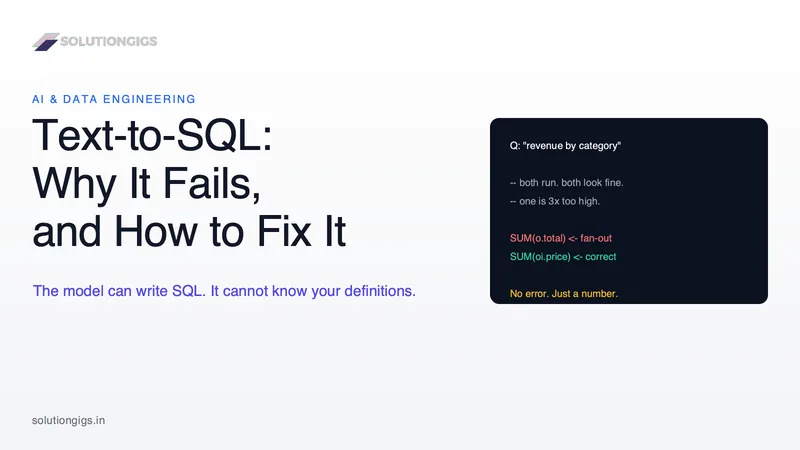
Quick Answer: Text-to-SQL converts a plain-English question into an executable SQL query using a large language model. Modern models write syntactically perfect SQL, so the failure mode is not a crash — it is a plausible wrong number returned with total confidence. The cause is almost never the model. It is that a database schema contains column names and types but not business meaning: which column is revenue, whether refunds count, which join path is certified, what grain a table is at. You raise accuracy by supplying that meaning through modelling and a semantic layer, and you make it safe to ship by adding deterministic gates around the model — a read-only role, a curated view layer, query validation, the SQL shown on screen, and permission to abstain.
Every team that puts a large language model near a data warehouse builds the same demo in an afternoon: a text box, a schema dump, an API call, a table of results. It works. Then it goes to twenty business users and, three weeks later, someone presents a revenue figure that is three times too high in a board meeting.
This guide is about the gap between those two moments. It covers what text-to-SQL actually is, the specific reason it fails, why the benchmark numbers you have read are not measuring what you think they are, what a semantic layer does and does not fix, and a concrete list of gates that make the thing safe to hand to a non-engineer. There is an interactive demo of the single most common silent failure, and a learning path at the end if you are picking this up from scratch.
What is text-to-SQL?
Text-to-SQL is the task of translating a natural-language question into an executable SQL query against a specific database. It is one of the oldest problems in natural language processing and one of the newest products in the data stack, because large language models finally made the translation good enough to be interesting.
A modern implementation is a pipeline, not a prompt:
- A user asks a question in plain English.
- The system assembles context — table and column names, types, descriptions, sample values, example queries.
- A model generates a candidate SQL query.
- The system executes it and renders the rows.
Every serious product in this space is a variation on those four steps. Databricks calls it AI/BI Genie, Snowflake calls it Cortex Analyst, and there is a long tail of open-source projects doing the same thing against Postgres. The differences between them are almost entirely in step 2 — how much meaning they can attach to the schema before the model sees it.
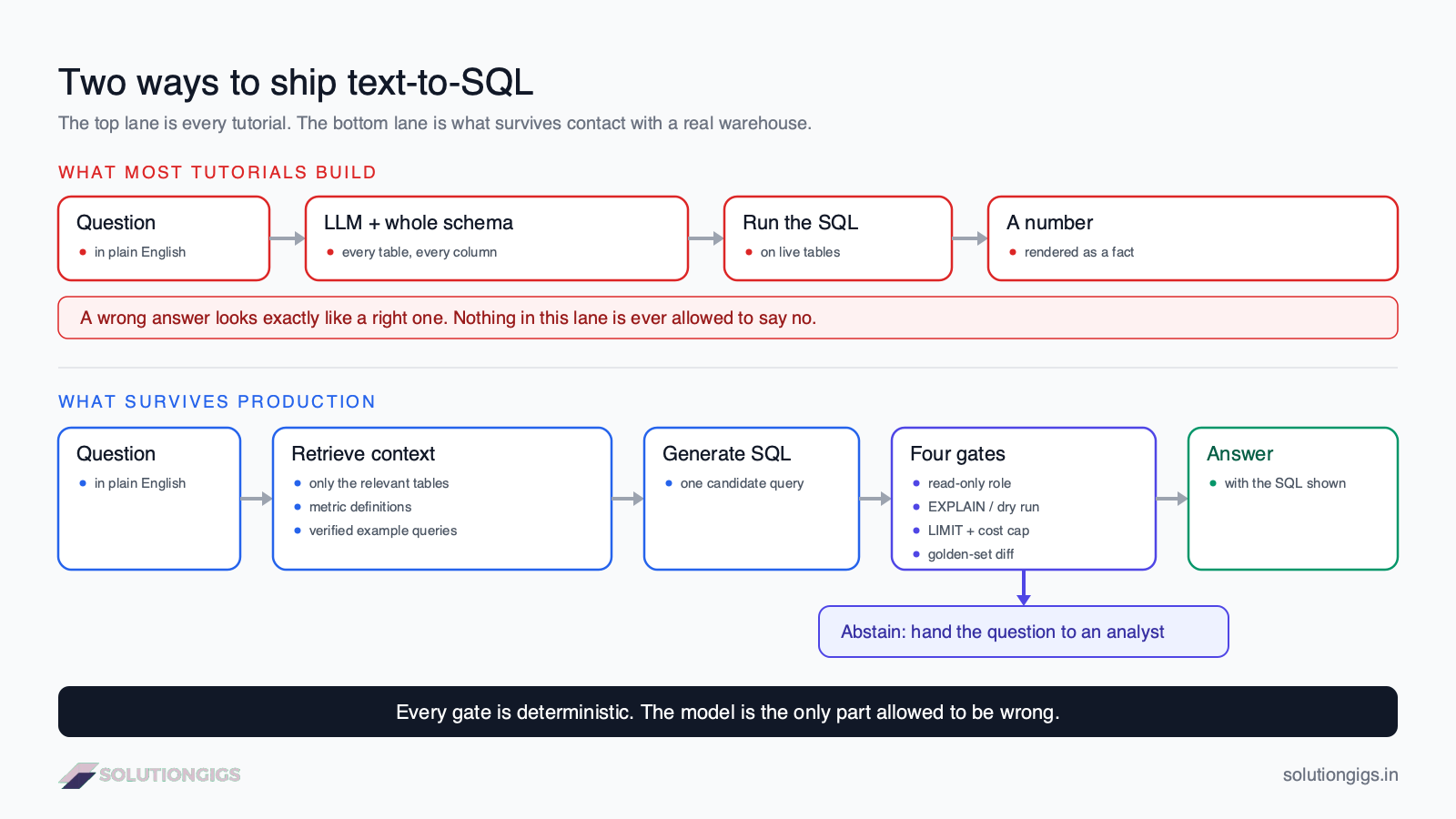
That diagram is the whole argument of this article in one picture. The top lane is what a tutorial builds. The bottom lane is what survives contact with a warehouse that real people query.
Why text-to-SQL fails: the answer is wrong, not missing
The defining property of a text-to-SQL failure is that it looks exactly like a success. A broken API call throws a 500. A broken SQL query throws a syntax error. A text-to-SQL system that has misunderstood your question returns a neat table of numbers, formatted correctly, with no indication that anything went wrong.
This matters more than any accuracy percentage, because it changes who bears the cost of the error. In a normal system, failures interrupt the person who can fix them. Here, failures propagate silently to a slide deck.
Everything else in this article follows from that one property. Gates matter because there is no natural gate. Evaluation matters because you cannot detect the failure by using the product. Showing the SQL matters because it is the only artefact a human can audit.
The four things a schema cannot tell a model
A model reading your schema sees names and types. Here is what it does not see, and what each gap produces:
| What the model cannot know | Why the schema does not say | What it produces |
|---|---|---|
| What a column means | amount, amt_net, value_usd and status = 'C' are opaque strings |
Correct SQL against the wrong column |
| How a metric is defined | "Revenue" might exclude refunds, internal accounts, cancelled orders and tax — none of that is in the DDL | Numbers that disagree with finance |
| The grain and the certified join path | Four join paths connect orders to products; only one is right, and the schema lists all four as valid |
Fan-out double-counting (below) |
| Who is allowed to see what | Row-level policy lives in your access model, not your column list | A model that cheerfully queries the salary table |
A better model closes none of these gaps. This is the sentence worth keeping: the model's job is syntax, and syntax was never the bottleneck. Only your organisation can supply the semantics, and the only question is whether you supply them deliberately or let the model guess.
The fan-out trap: one question, two valid queries, a 3× error
Here is the failure in its most common form. You have orders (one row per order, with a total) and order_items (one row per line item). Someone asks: what was revenue by product category last month?
Category lives on the product, so the query has to reach through order_items. The moment it does, each order row is duplicated once per line item. If the model then sums the order-level total, every order is counted as many times as it has items.
-- Wrong. Runs perfectly. Overstates revenue by the average basket size.
SELECT p.category, SUM(o.total) AS revenue
FROM orders o
JOIN order_items oi ON oi.order_id = o.id
JOIN products    p  ON p.id = oi.product_id
WHERE o.created_at >= DATE_TRUNC('month', CURRENT_DATE - INTERVAL '1 month')
GROUP BY p.category;

-- Right. Sum the column that is already at line-item grain.
SELECT p.category, SUM(oi.price) AS revenue
FROM orders o
JOIN order_items oi ON oi.order_id = o.id
JOIN products    p  ON p.id = oi.product_id
WHERE o.created_at >= DATE_TRUNC('month', CURRENT_DATE - INTERVAL '1 month')
GROUP BY p.category;
Both queries are valid SQL. Both return a table of categories and rupee amounts. Neither raises a warning. The first one is wrong by a factor equal to your average basket size — and it is wrong in the direction that makes everyone happy, which is the worst possible direction for an error to point.
Play with it below. Note in particular what happens when you set line items to 1.
Try it · the fan-out trap
One question, three queries, one silent lie
Three orders worth ₹1,800. Ask for revenue by product category and the model has to reach through order_items to find the category. Pick the query it writes, then set how many line items a typical order has.
Which SQL did the model write?
Reported revenue
₹5,400
What the dashboard shows
True revenue
₹1,800
Sum of the three order totals
Overstated by
3.0×
Scales with basket size
SELECT p.category, SUM(o.total)
FROM orders o
JOIN order_items oi ON oi.order_id = o.id
JOIN products p     ON p.id = oi.product_id
GROUP BY p.categoryORD-1₹1,000 counted 3× = ₹3,000
ORD-2₹500 counted 3× = ₹1,500
ORD-3₹300 counted 3× = ₹900
The join multiplies every order row by its item count before the SUM ever runs, so each order total is counted once per line item. Valid SQL, correct syntax, wrong grain.
The slider is the real lesson. On tidy demo data with one item per order, the bug does not exist. It appears when you point the same system at production. This is precisely why teams ship text-to-SQL confidently and get burned later: the pilot dataset structurally cannot reproduce the failure.
If the word "grain" is new to you, it is the single most valuable concept in this whole article — our guide to dimensional modelling and the star schema covers it properly, and SQL joins explained covers the mechanics of the duplication itself.
Why the benchmark numbers are not what you think
The published accuracy scores for text-to-SQL are measured against ground truth that is frequently wrong. This is the part of the field that almost no vendor page mentions, and it should change how you read every number in this space.
At CIDR 2026, Tengjun Jin, Yoojin Choi, Yuxuan Zhu and Daniel Kang of the University of Illinois published an in-depth analysis of annotation errors in the two most-cited text-to-SQL benchmarks. They inspected every problem by hand, executing the queries and checking them against the schema. What they found:
- 52.8% of problems in BIRD Mini-Dev (498 examples) contain at least one annotation error.
- 66.1% of the 121 Spider 2.0-Snow problems with publicly available gold queries contain one.
- The most common error class in both is a mismatch between the gold query and the actual data or schema — 57.8% of BIRD errors and 55% of Spider errors.
Then they re-scored five leading agents from the BIRD leaderboard on a corrected sample. Performance moved by −2 to +19 percentage points in absolute terms and rankings shifted by up to three places. One agent, CHESS, went from 62% to 81% and from fourth place to first — not because anyone changed its code, but because the answer key was fixed.
Two of their examples are worth reading, because they are the kind of mistake anyone would make. One gold query passes ST_POINT(26.75, 51.5) when Snowflake's ST_POINT expects longitude first, silently inverting the coordinates. Another asks for "grades 1 through 12" and the annotation uses an Enrollment (K-12) column that includes kindergarten.
Sit with that for a second. These are the same two failure modes the systems themselves have — a function used against its actual contract, and a column whose name does not mean what a reasonable reader assumes. Expert human annotators, given unlimited time and no pressure, produce them at a rate above 50%. That is the honest baseline for how hard "just write the right SQL" is.
What the headline numbers actually say
With that caveat attached, here is the current state of play:
| Benchmark | What it tests | Best reported score | Human baseline |
|---|---|---|---|
| BIRD | 12,751 question–SQL pairs, 95 databases, 33.4 GB, 37+ domains | 81.95% execution accuracy (AskData + GPT-4o) | 92.96% |
| Spider 2.0 | 632 enterprise workflow problems; databases often exceed 1,000 columns; multiple dialects; 100+ line queries | GPT-4o: 10.1% | — |
The Spider 2.0 row is the one to remember. The same GPT-4o that scored 86.6% on Spider 1.0 scored 10.1% on Spider 2.0. Nothing about the model changed. The databases got real.
That gap — between a clean 8-table academic schema and a warehouse with a thousand columns, a decade of naming drift and four plausible join paths — is the production problem. Any vendor quoting you a benchmark number without telling you which benchmark is quoting you a number about a different task than yours.
The practical takeaway: never choose a text-to-SQL tool on leaderboard position. Build a 30-question golden set from your own warehouse and run the candidates against it. The scoring section below covers how.
Does a semantic layer fix it?
A semantic layer fixes correctness inside the questions it models, and does nothing at all outside them. It is the strongest lever available, and it is not a silver bullet — the honest version of the trade-off is more useful than either sales pitch.
A semantic layer (dbt's Semantic Layer, Cube, Snowflake semantic views, a Databricks Genie space backed by Unity Catalog) is a definitions layer that sits between the model and the tables. Instead of generating raw SQL, the model selects a pre-defined metric and dimensions to slice it by; a deterministic compiler turns that selection into SQL. The join paths, filters and aggregation logic are written once by a human and reused every time.
In April 2026, dbt Labs published a benchmark comparing the two approaches on the ACME Insurance dataset (15 tables, 11 questions, each run 20 times):
| Model | Raw text-to-SQL | Via the semantic layer |
|---|---|---|
| Claude Sonnet 4.6 | 90.0% | 98.2% |
| GPT-5.3 Codex | 84.1% | 100% |
That is the number everybody shares. Here is the number almost nobody shares, from the same benchmark: on questions that required more entity hops than the semantic layer modelled, the semantic layer scored 0%, while raw text-to-SQL managed 70% and 100%.
A semantic layer cannot answer a question it does not know about — and that is a feature. It fails by refusing rather than by inventing. But it does mean the choice is not "more accurate versus less accurate." It is:
| Raw text-to-SQL | Semantic layer | |
|---|---|---|
| Coverage | Any question the schema can express | Only modelled metrics and dimensions |
| Consistency | Re-derives the logic every time; same question can yield different numbers | Same definition every time, for every user and every agent |
| Failure mode | A plausible wrong number | An explicit "I can't answer that" |
| Cost to add a question | Zero | A modelling change, reviewed and merged |
| Who owns correctness | The model, per request | Your data team, once |
Two more things the dbt authors state plainly, which you should carry over to your own build. First, they loaded the entire schema as context to make raw text-to-SQL work at all, and note this "isn't practical for larger datasets" — with 15 tables you can brute-force it; with a real warehouse you cannot. Second, better modelling improved both approaches. And a caveat of my own: 11 questions is a small benchmark. Treat the direction as solid and the decimal places as noise.
Seven gates that make text-to-SQL safe to ship
The model is the only component you cannot make deterministic. So make everything around it deterministic. These are ordered by how much protection they buy per hour of work.
1. Give it its own read-only database role. Not an application prompt saying "only write SELECT statements" — an actual GRANT. Create a dedicated user with SELECT on a specific schema, no DDL, no DML, a statement timeout and a row cap. A prompt instruction is a suggestion to a system that can be talked out of things; a database grant is not. If your generated SQL reaches the database with permission to DROP, you have built a prompt-injection target, because anything the model reads — including data rows — can carry instructions.
2. Point it at a curated view layer, not raw tables. Build a small set of wide, well-named, one-row-per-grain views for the questions people actually ask, and expose only those. This eliminates the fan-out class of bug at the source: if the exposed object is already at the right grain, the model cannot fan it out. Databricks' own Genie best-practices guidance says to stay focused and include only the necessary tables — ideally five or fewer. That is not a limitation of Genie. That is the shape of the problem.
3. Retrieve schema; do not dump it. Embed your table and column descriptions and retrieve only the relevant handful per question. Dumping a thousand columns into the prompt costs money, blows past what the model reliably attends to, and actively hurts accuracy by supplying distractors — this is the same failure that context engineering exists to solve, and the fix is the same: less context, better selected. If you have not built retrieval before, our RAG pipeline tutorial in Python is the mechanics, and vector databases explained is the storage layer.
4. Feed it verified example queries. A handful of your real, reviewed SQL queries in the prompt teaches join paths, filter conventions and naming quirks better than paragraphs of prose. Databricks' guidance is explicit that example SQL beats text instructions for complex questions. Treat this file as production code: reviewed, version-controlled, and updated when the schema moves.
5. Validate the query before you execute it. Parse it, reject anything that is not a single SELECT, run EXPLAIN or a dry run, and refuse queries whose estimated scan exceeds a cost cap. On BigQuery a dry run gives you bytes-billed for free. This catches malformed and ruinously expensive queries before they touch data.
6. Always show the generated SQL. Not behind a "details" toggle — on screen, next to the answer. It is the only auditable artefact in the system and the only way a competent user can catch a grain error. It also, quietly, teaches your organisation SQL.
7. Let it say "I don't know." A system that must always answer will always answer, including when it should not. Give the model an explicit abstain path — "if you are not confident the schema supports this question, return INSUFFICIENT_CONTEXT and say what is missing" — and route those to a human. Then track the abstention rate as a first-class metric, because a rising one is a to-do list for your semantic layer.
There is a principle under all seven, and it is the same one we apply to the AI search on this site: constrain the model's output to a set you have already validated, rather than trusting it to stay inside the lines. In ai_search.py, the model is shown candidate pages and told to copy their URLs — and then a _ground() function drops any URL that is not in the candidate set before the response is assembled. The model is never trusted to comply; compliance is enforced afterwards, in code. Text-to-SQL wants exactly that shape: generation is a proposal, and something deterministic decides whether the proposal ships.
How to evaluate text-to-SQL (the part everyone skips)
You cannot detect silent failures by using the product, so you need a measurement harness before you need a better prompt. Here is a workable one.
Build a golden set of 30–50 real questions. Pull them from your #data-help Slack channel or your analysts' ticket queue, not from your imagination. Real questions are ambiguous, use internal jargon and ask for metrics that need three definitions — which is exactly the distribution you need to measure.
Write the correct SQL and store the expected result, and have a second person review both. The CIDR paper is the argument for this step: expert annotators with no time pressure got it wrong more than half the time. Your golden set will have the same problem if one person writes it alone. When your system "fails" a case, check the answer key first — that instinct is the entire lesson of that paper.
Score on execution results, not query text. There are many correct ways to write the same query. Compare the returned rows — sorted, with a numeric tolerance — not the SQL string. This is what "execution accuracy" means on the public leaderboards, and it is the only metric that reflects what the user sees.
Report three numbers, not one:
| Metric | What it means | Target |
|---|---|---|
| Correct | Result matches the expected rows | As high as you can get it |
| Abstained | System declined to answer | Fine. This is safety working. |
| Confidently wrong | Returned a different answer with no caveat | The only number that can hurt you |
Most teams report a single accuracy figure, which merges the second and third rows into "not correct" and hides the distinction that matters. A system that is 60% correct and 40% abstaining is deployable. A system that is 85% correct and 15% confidently wrong probably is not.
Re-run the whole set on every schema change. Renaming, splitting or merging tables silently degrades a text-to-SQL system, and nothing will tell you. Wire the golden set into CI next to your data quality tests, and treat a drop the way you would treat a failing test. If your producers and consumers have data contracts, this is one more consumer with a stake in them.
When not to build text-to-SQL
Honest answer: often. Skip it when
- the same twenty questions get asked every week — that is a dashboard, and a dashboard is correct by construction;
- the numbers are regulated or externally reported — finance, compliance and anything audited need a single computed definition, not a re-derivation per question;
- your warehouse has no descriptions, no tests and no owner — you will be paying an LLM to guess at a mess, and the output will be confidently wrong at scale;
- nobody will own the golden set — an unmeasured text-to-SQL system decays silently, and you will find out from a customer.
The strongest version of this project is usually the least glamorous one: a semantic layer over well-modelled marts, a narrow set of certified metrics, and an assistant that answers within that set and abstains outside it.
Common mistakes
| Mistake | Why it hurts | Do this instead |
|---|---|---|
| Dumping the whole schema into the prompt | Costs tokens, adds distractors, does not scale past a demo | Retrieve the relevant tables per question |
| Enforcing read-only in the prompt | An instruction, not a permission | A read-only database role |
| Pointing it at raw normalised tables | Fan-out, wrong join paths, meaningless column names | Curated one-row-per-grain views |
| Judging on SQL string similarity | Many correct queries look different | Compare execution results |
| Hiding the generated SQL | Removes the only human audit surface | Show it beside every answer |
| Forcing an answer to every question | Guarantees confident nonsense on out-of-scope questions | An explicit abstain path |
| Picking a vendor by leaderboard rank | The answer keys are more than 50% wrong | Your own golden set |
| Treating it as an AI project | It is a data-modelling project with an AI front end | Fix the model of the data first |
How to learn text-to-SQL, in order
If you are learning this to build it — or to answer it in an interview — the order matters, because most of the difficulty is upstream of the AI.
| Step | Learn | Why it comes here |
|---|---|---|
| 1 | SQL joins, aggregation, window functions | You cannot audit generated SQL you cannot read. Start with SQL joins, GROUP BY and aggregations and window functions. |
| 2 | Grain and dimensional modelling | The single biggest source of silent failures. Star schemas and fact-table grain is the prerequisite everyone skips. |
| 3 | Warehouse fundamentals | Why analytics runs on columnar storage, and what that costs — OLAP vs OLTP. |
| 4 | Retrieval | Schema selection is a RAG problem. Build a RAG pipeline in Python once, from scratch. |
| 5 | Prompting and context discipline | Prompt engineering for the generation step, context engineering for deciding what not to send. |
| 6 | Evaluation | Build the golden set described above. This is the skill that separates a demo from a product. |
| 7 | Semantic layers | dbt's Semantic Layer, Cube, or Snowflake semantic views — read the modelling docs, not the marketing. |
Steps 1 to 3 are ordinary data engineering, and they are where most of the accuracy comes from. If you are building that foundation, our free Learn Data Engineering course walks the same ground in order, and how to become a data engineer covers the wider roadmap.
Reader poll
Where is text-to-SQL at your organisation?
Pick one to see how everyone else answered.
Frequently Asked Questions
What is the difference between text-to-SQL and a semantic layer?
Text-to-SQL has a model generate raw SQL against your tables for each question. A semantic layer has humans pre-define metrics and join paths, and the model only chooses which pre-defined metric to query. Text-to-SQL covers more questions; a semantic layer gives the same answer every time and refuses questions it cannot answer correctly. Most production systems use both, with the semantic layer handling certified metrics.
How accurate is text-to-SQL in 2026?
It depends entirely on the database, not the model. On BIRD, the best published systems reach about 82% execution accuracy against a 92.96% human baseline. On Spider 2.0, built from enterprise warehouses with over a thousand columns, GPT-4o scored 10.1% — the same model that scored 86.6% on the older, simpler Spider 1.0. Your number will land somewhere between, decided mostly by how well your data is modelled and documented.
Why does my text-to-SQL return different numbers for the same question?
Because generation is non-deterministic and the schema supports several defensible interpretations. Two runs can pick different join paths, different date-boundary conventions or different revenue columns, and both queries execute fine. This is called metric drift, and the only real fix is to remove the choice: define the metric once in a semantic layer or a certified view, so the model selects a definition instead of re-deriving one.
Can text-to-SQL be used safely with sensitive data?
Yes, with the access control outside the model. Give the system a dedicated read-only role whose grants already exclude sensitive columns and rows, so no prompt can widen its reach, and apply row-level security in the database. Never rely on an instruction like "do not query the salary table" — the model reads untrusted data, and untrusted data can carry instructions of its own.
Do I need a vector database for text-to-SQL?
Only for schema retrieval, and only once your schema is large. With ten tables, put the whole schema in the prompt. With hundreds, embed table and column descriptions plus example queries and retrieve the relevant few per question. That is a standard RAG setup, and pgvector inside your existing Postgres is usually enough before you reach for a dedicated store.
Is text-to-SQL going to replace data analysts?
No, and the shape of the failure explains why. These systems produce plausible answers that require SQL literacy and business context to audit — so they raise the value of the person who can check the query, not lower it. What they genuinely replace is the queue of small, well-specified, repetitive requests, which frees analysts for the modelling and definition work that makes the tool accurate in the first place.
What is the fastest way to improve accuracy on my own data?
Add column descriptions and a handful of verified example queries, and expose curated one-row-per-grain views instead of raw tables. In practice that combination moves accuracy more than any model upgrade, because it closes the semantic gaps the model was previously guessing at. Do it before you evaluate models — otherwise you are benchmarking your documentation debt.
Conclusion
Text-to-SQL is not an AI problem wearing a data-engineering costume. It is a data-engineering problem with an AI front end. Models write excellent SQL and will keep getting better at it, and none of that improvement addresses the actual failure: a schema does not tell anyone what revenue means, which join path is certified, or what grain a table is at. Supply that meaning through modelling, documentation and a semantic layer, and accuracy follows. Skip it, and a better model just produces confidently wrong answers faster.
So build it in this order. Fix the marts and the descriptions first. Put a read-only role and a curated view layer between the model and the tables. Show the SQL, let the thing abstain, and measure it with a golden set your team actually reviewed — reporting confidently wrong separately from declined to answer, because only one of those can hurt you. Read the leaderboards as research, not as procurement.
If you are learning this stack from the ground up, start with grain and joins — our free Learn Data Engineering course is built for exactly that. And if you need someone to build or audit a pipeline, a semantic layer or an AI feature on top of your data, tell us what you have today. You get a scope and a price within one business day.
Mohammed Yaseen
Founder, SolutionGigs
Mohammed builds data platforms and AI features on top of them — Spark and Kafka pipelines, lakehouse tables, and the retrieval systems that keep language models grounded in real data rather than guessing at it. LinkedIn →
Learn Data Engineering — Free Course
Free, no signup — right in your browser.
Learn Data Engineering — Free Course →More in Data Engineering
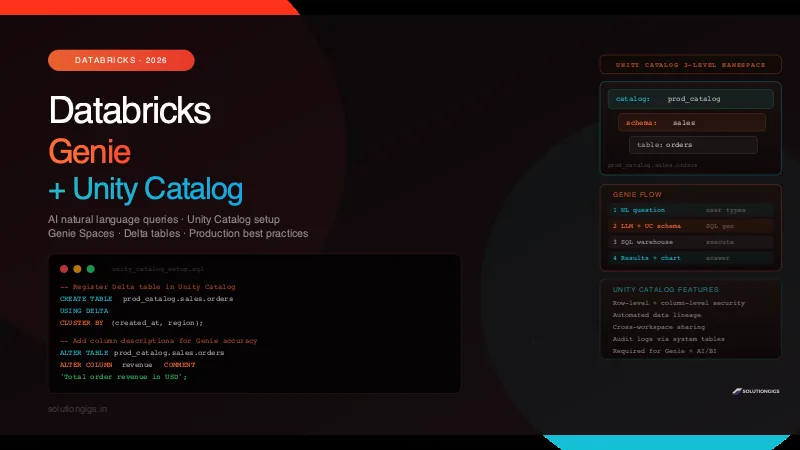
Databricks Genie Guide: Ask Your Data in Plain English
Databricks Genie lets anyone query data in plain English — no SQL needed. How it works, building Genie Spaces, Unity Catalog security, and production best practices.
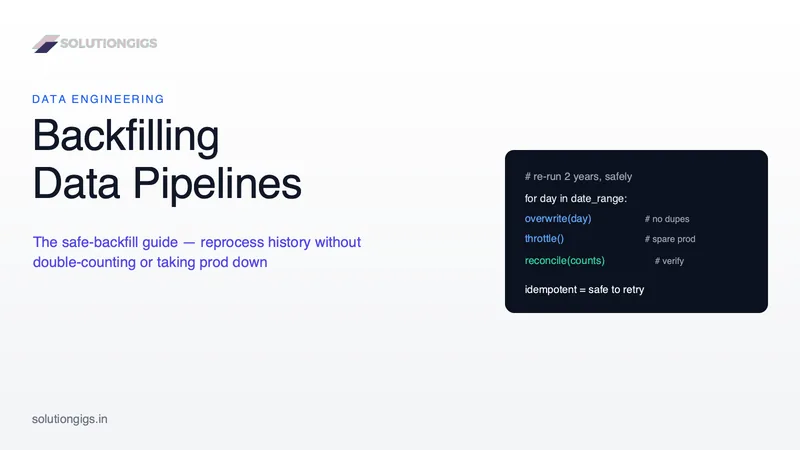
Backfilling Data Pipelines: The Safe Backfill Guide
Someone re-runs three months to add a column, the job appends instead of overwrites, and Monday's dashboard shows 4x the real revenue. Backfilling is one of the most common tasks in data engineering and the least documented. Learn what a backfill is, why they double-count and take prod down, and the four-step safe-backfill playbook — idempotent writes, parameterized date ranges, throttling, Airflow catchup vs backfill, and reconciliation — with real PySpark, SQL and Airflow.
Batch vs Streaming: Architecture, Latency Tradeoffs & Decision Rules
Batch vs streaming data processing explained — the real differences, latency and cost trade-offs, micro-batching, and a decision framework for when to choose each in 2026.