
Databricks Genie Guide: Ask Your Data in Plain English
Databricks Genie lets anyone query data in plain English — no SQL needed. How it works, building Genie Spaces, Unity Catalog security, and production best practices.

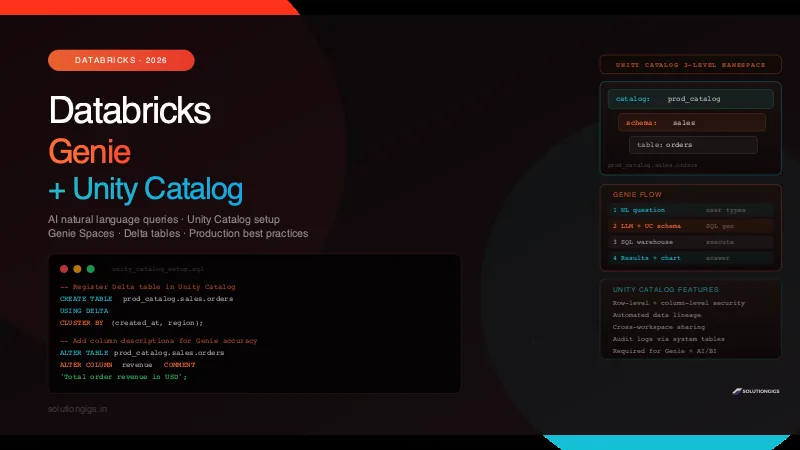
Quick Answer
Databricks AI/BI Genie is a conversational analytics tool that turns natural language questions into verified SQL queries and charts without writing code. Running on Unity Catalog, Genie uses curated data models, custom semantic instructions, and serverless SQL warehouses to deliver governed, accurate enterprise self-service analytics.
Most data teams hit the same wall. Your pipelines are solid — Spark jobs running, Delta tables clean, schemas documented — but the moment a stakeholder wants to ask "how did revenue trend last quarter by region?", someone has to write SQL. That someone is always a data engineer.
Databricks Genie is designed to break that bottleneck. It lets analysts, product managers, and executives ask natural language questions directly against your Unity Catalog data and get back SQL, results, and visualisations — without touching a notebook.
But Genie is only as good as the foundation underneath it. This guide covers both layers: the Unity Catalog setup that makes Genie reliable, and the Genie Space configuration that makes it accurate for your specific business domain.
What is Databricks AI/BI Genie?
Databricks AI/BI Genie is a conversational analytics interface within the Databricks platform that converts plain English questions into verified SQL queries, data tables, and visualizations. Powered by compound AI models over Unity Catalog metadata, Genie enables business stakeholders to explore governed enterprise data without writing code or submitting engineering tickets.
Under the hood, Genie is powered by a large language model (the exact model is managed by Databricks and changes over time) that:
- Reads your Unity Catalog table schemas, column names, descriptions, and relationships
- Takes a natural language question from the user
- Generates a SQL query against your tables
- Executes it on a SQL warehouse
- Returns results plus an optional chart or summary
The key distinction from generic AI chatbots: Genie is grounded in your actual data model. It does not hallucinate table names or columns — it works from the Unity Catalog metadata you have already defined.
Genie vs Other Databricks AI Features
| Feature | What it does | Who uses it |
|---|---|---|
| Genie | NL → SQL → results via UI | Analysts, business users |
| AI/BI Dashboards | Fixed dashboards with AI summaries | Executives, reporting |
Databricks AI Functions (ai_query, ai_classify) |
Call LLMs inside SQL | Data engineers, pipelines |
| DBRX / Model Serving | Serve fine-tuned LLMs | ML engineers |
| Assistant (notebook) | Code suggestions in notebooks | Data engineers |
Genie is explicitly for ad-hoc exploration by non-technical users. It is not a replacement for notebook-based engineering or production pipelines.
Unity Catalog: The Foundation Genie Runs On
Before you can use Genie, you must understand Unity Catalog — because everything Genie knows about your data comes from it.
What Is Unity Catalog?
Databricks Unity Catalog is a unified governance layer for all data and AI assets across your Databricks workspaces. It replaces the legacy per-workspace Hive metastore with a single, centralised metastore that spans multiple workspaces and clouds.
Unity Catalog provides:
- Centralised access control — one place to manage permissions across all workspaces
- Data lineage — automatic tracking of how data flows from source to destination
- Auditing — who queried what, when, from where
- Column-level and row-level security — fine-grained data masking and filtering
- Cross-workspace sharing — Delta Sharing for sharing tables across accounts
The 3-Level Namespace
Every object in Unity Catalog lives in a 3-level hierarchy:
catalog
  └── schema (database)
        └── table / view / volume / function
You reference any table as catalog_name.schema_name.table_name:
-- Legacy Hive metastore (per-workspace, 2-level)
SELECT * FROM sales_db.orders;

-- Unity Catalog (centralised, 3-level)
SELECT * FROM prod_catalog.sales.orders;
This matters for Genie because it uses the fully qualified name when generating queries. If your Genie Space includes prod_catalog.sales.orders, Genie will always generate SELECT ... FROM prod_catalog.sales.orders — no ambiguity.
Unity Catalog vs Legacy Hive Metastore
| Feature | Unity Catalog | Legacy Hive Metastore |
|---|---|---|
| Scope | Across all workspaces | Per workspace |
| Access control | Attribute-based (ABAC) | ACLs |
| Row-level security | Native support | Requires views |
| Column masking | Native support | Requires views |
| Data lineage | Automatic | Not available |
| Delta Sharing | Supported | Not supported |
| Genie / AI/BI | Required | Not supported |
| Volumes (files) | Supported | Not supported |
If you are still on the Hive metastore, migrating to Unity Catalog is not optional — it is the prerequisite for every modern Databricks feature including Genie, AI/BI Dashboards, and Lakehouse Federation.
Setting Up Unity Catalog
Step 1 — Create a Unity Catalog metastore (account admin required)
In the Databricks account console:
Account Console → Data → Create Metastore
→ Name: prod-metastore
→ Region: same as your workspace
→ S3/ADLS/GCS path: s3://your-bucket/unity-catalog/ (root storage)
→ Create
Step 2 — Attach the metastore to your workspace
Account Console → Data → [your metastore] → Assign Workspaces
→ Select the workspace → Assign
Step 3 — Create a catalog
In the workspace:
CREATE CATALOG IF NOT EXISTS prod_catalog
COMMENT 'Production data catalog for analytics';
Step 4 — Create schemas and register tables
-- Create schema
CREATE SCHEMA IF NOT EXISTS prod_catalog.sales
COMMENT 'Sales and orders data';

-- Register an existing Delta table
CREATE TABLE IF NOT EXISTS prod_catalog.sales.orders
USING DELTA
LOCATION 's3://your-bucket/delta/sales/orders/'
COMMENT 'Customer orders with status, amount, region';
Delta tables store their data as columnar Parquet files underneath, which is why Genie's scans over them are fast. If you're deciding how to land data before Databricks, see Parquet vs ORC vs Avro — analytical tables belong in a columnar format, streaming ingestion in row-based Avro.
Step 5 — Add column comments (critical for Genie accuracy)
Column descriptions are how Genie understands what each field means. Do not skip this:
ALTER TABLE prod_catalog.sales.orders
ALTER COLUMN order_id COMMENT 'Unique identifier for each order';

ALTER TABLE prod_catalog.sales.orders
ALTER COLUMN order_status COMMENT 'Current status: PENDING, CONFIRMED, SHIPPED, DELIVERED, CANCELLED';

ALTER TABLE prod_catalog.sales.orders
ALTER COLUMN region COMMENT 'Geographic region: APAC, EMEA, AMER, India';

ALTER TABLE prod_catalog.sales.orders
ALTER COLUMN revenue COMMENT 'Total order revenue in USD (not including tax)';

ALTER TABLE prod_catalog.sales.orders
ALTER COLUMN created_at COMMENT 'Order creation timestamp in UTC';
Poor column names + no comments = Genie generating wrong SQL. This investment pays dividends across all Databricks AI features, not just Genie.
Row-Level Security and Column Masking
Unity Catalog lets you control what data each user or group can see — and Genie respects these policies automatically.
Row-level filter (only show a user their region's data):
-- Create a row filter function
CREATE FUNCTION prod_catalog.sales.row_filter_by_region(region STRING)
  RETURNS BOOLEAN
  RETURN is_account_group_member('emea_team') = (region = 'EMEA')
    OR is_account_group_member('apac_team') = (region = 'APAC')
    OR is_account_group_member('data_admins');

-- Apply to the table
ALTER TABLE prod_catalog.sales.orders
SET ROW FILTER prod_catalog.sales.row_filter_by_region ON (region);
Column mask (hide PII from non-admins):
-- Mask email unless user is in pii_access group
CREATE FUNCTION prod_catalog.sales.mask_email(email STRING)
  RETURNS STRING
  RETURN CASE
    WHEN is_account_group_member('pii_access') THEN email
    ELSE CONCAT(LEFT(email, 2), '***@***.com')
  END;

ALTER TABLE prod_catalog.customers
ALTER COLUMN email SET MASK prod_catalog.sales.mask_email;
When a Genie user asks "list customer emails for cancelled orders", they will see masked emails if they do not have pii_access — without any special configuration in Genie itself.
Data Lineage in Unity Catalog
Unity Catalog automatically captures lineage for every SQL query run against registered tables. In the UI:
Catalog Explorer → [table] → Lineage tab
You see upstream sources (where this table's data came from) and downstream consumers (which tables, dashboards, and notebooks read this table). This is invaluable for:
- Debugging pipeline failures (which upstream source changed?)
- Assessing impact before schema changes
- Compliance and audit trails
Lineage is passive — no configuration needed, it starts recording the moment Unity Catalog is enabled.
Creating a Genie Space: Step-by-Step
A Genie Space is a configured instance of Genie scoped to a specific set of tables, with custom instructions for your business domain. Think of it as a Genie that knows your data model.
Prerequisites
Before creating a Genie Space:
- Unity Catalog enabled on your workspace
- Tables registered in Unity Catalog with column comments
- A SQL warehouse running (Serverless recommended)
- User has
USE CATALOG,USE SCHEMA, andSELECTpermissions on the relevant tables - Databricks workspace on Premium tier or above
Step 1 — Open Genie
In the Databricks workspace sidebar:
New → Genie Space
Or via the navigation: Genie (under the AI/BI section in the left sidebar).
Step 2 — Configure Basic Settings
| Field | What to set |
|---|---|
| Name | Something domain-specific: "Sales Analytics Genie", "Operations Dashboard" |
| Description | Brief description of what data is available — users see this |
| SQL Warehouse | Select a Serverless or Pro SQL warehouse |
Step 3 — Add Tables
Click Add tables and select from your Unity Catalog:
prod_catalog.sales.orders
prod_catalog.sales.customers
prod_catalog.sales.products
prod_catalog.sales.returns
Add every table a user might ask about. Genie uses the schema of all added tables to generate JOIN queries. If a table is missing, Genie cannot join to it.
Step 4 — Write Genie Instructions (The Most Important Step)
Genie instructions tell the LLM how to interpret your business data. This is the single biggest lever for improving accuracy.
Open the Instructions panel and write domain-specific context:
## Business Context
This Genie Space covers SolutionGigs sales data from 2022 to present.
Revenue is always in USD. Fiscal year runs April to March.
"Active customers" means customers with at least one order in the last 90 days.
"Churn" means no order in the last 180 days.

## Key Metrics
- "GMV" = sum(revenue) from orders where order_status != 'CANCELLED'
- "Net revenue" = GMV minus sum(refund_amount) from returns table
- "Conversion rate" = confirmed orders / total order attempts (including PENDING)

## Table Relationships
- orders.customer_id → customers.customer_id (many-to-one)
- orders.product_id → products.product_id (many-to-one)
- returns.order_id → orders.order_id (many-to-one)

## Important Rules
- Always filter out order_status = 'TEST' from any analysis
- Use created_at for order date filters, not updated_at
- "Region" in questions means the 'region' column in orders table
- When asked about "top N", default to N=10 unless specified

## Date Conventions
- "Last quarter" = previous calendar quarter
- "YTD" = January 1 of current year to today
- "Last month" = previous calendar month, not the last 30 days
Good instructions eliminate the most common Genie failures: wrong metric definitions, missing filters, and ambiguous column names.
Step 5 — Add Verified Queries (Optional but Powerful)
Genie lets you pre-seed verified queries — SQL you have manually written and validated. When a user's question closely matches a verified query, Genie uses it directly instead of generating new SQL.
Click Add verified query and add your most critical business metrics:
-- Verified: Monthly GMV by region
SELECT
  DATE_TRUNC('month', created_at) AS month,
  region,
  SUM(revenue)                    AS gmv,
  COUNT(DISTINCT order_id)        AS order_count
FROM prod_catalog.sales.orders
WHERE order_status NOT IN ('CANCELLED', 'TEST')
GROUP BY 1, 2
ORDER BY 1 DESC, 3 DESC;
Label it: "Monthly GMV by region". When someone asks "show me GMV by region this year", Genie recognises the intent and runs your verified SQL with a date filter applied — guaranteed correctness.
Step 6 — Set Permissions and Publish
Share → Add users or groups → Can view / Can edit
Users with Can view can ask questions. Users with Can edit can modify instructions and add verified queries.
Natural Language to SQL: Real Examples
Here is how Genie translates natural language questions into SQL against our example schema.
Example 1 — Simple Aggregation
User asks: "What was total revenue last month?"
Genie generates:
SELECT
  SUM(revenue) AS total_revenue
FROM prod_catalog.sales.orders
WHERE order_status NOT IN ('CANCELLED', 'TEST')
  AND created_at >= DATE_TRUNC('month', DATEADD(month, -1, CURRENT_DATE()))
  AND created_at <  DATE_TRUNC('month', CURRENT_DATE());
Notice Genie applied the "TEST" filter from the instructions automatically — without the user knowing it exists.
Example 2 — Multi-Table JOIN
User asks: "Top 10 customers by revenue in APAC this year"
Genie generates:
SELECT
  c.customer_name,
  c.customer_id,
  SUM(o.revenue) AS total_revenue,
  COUNT(o.order_id) AS order_count
FROM prod_catalog.sales.orders o
JOIN prod_catalog.sales.customers c ON o.customer_id = c.customer_id
WHERE o.region = 'APAC'
  AND o.order_status NOT IN ('CANCELLED', 'TEST')
  AND o.created_at >= DATE_TRUNC('year', CURRENT_DATE())
GROUP BY c.customer_name, c.customer_id
ORDER BY total_revenue DESC
LIMIT 10;
Example 3 — Time-Series with a Business Metric
User asks: "Show me weekly churn rate trend for the last 3 months"
Genie generates (using the churn definition from instructions):
WITH weekly_cohorts AS (
  SELECT
    DATE_TRUNC('week', created_at) AS cohort_week,
    customer_id
  FROM prod_catalog.sales.orders
  WHERE created_at >= DATEADD(month, -3, CURRENT_DATE())
    AND order_status NOT IN ('CANCELLED', 'TEST')
),
last_order AS (
  SELECT
    customer_id,
    MAX(created_at) AS last_order_date
  FROM prod_catalog.sales.orders
  WHERE order_status NOT IN ('CANCELLED', 'TEST')
  GROUP BY customer_id
)
SELECT
  wc.cohort_week,
  COUNT(DISTINCT wc.customer_id)                                              AS customers,
  COUNT(DISTINCT CASE WHEN lo.last_order_date < DATEADD(day, -180, CURRENT_DATE())
                      THEN wc.customer_id END)                               AS churned,
  ROUND(churned * 100.0 / NULLIF(customers, 0), 2)                           AS churn_rate_pct
FROM weekly_cohorts wc
JOIN last_order lo ON wc.customer_id = lo.customer_id
GROUP BY 1
ORDER BY 1;
This level of complexity is achievable because the instructions explicitly defined "churn" as "no order in the last 180 days."
Example 4 — Genie Asking for Clarification
User asks: "How are we doing?"
Genie responds: "I can show you several metrics — GMV, order count, new vs returning customers, or churn rate. Which would be most useful, or should I show a summary of all key metrics for this month?"
Genie does not guess on ambiguous questions — it asks for clarification, which is the correct behaviour for a production analytics tool.
Delta Tables + Genie: Getting the Best Performance
Genie queries execute on SQL warehouses against Delta tables. The performance of the underlying Delta table directly determines how fast Genie responds.
Use Liquid Clustering for Analytics Tables
Liquid Clustering (introduced in Delta 3.1, available on Databricks Runtime 13.3+) automatically optimises the physical layout of your Delta table for the query patterns you have. Unlike static partitioning, it adapts over time.
-- Create table with Liquid Clustering
CREATE TABLE prod_catalog.sales.orders
USING DELTA
CLUSTER BY (created_at, region, order_status)  -- columns Genie will filter on most
AS SELECT * FROM staging.raw_orders;

-- Enable on existing table
ALTER TABLE prod_catalog.sales.orders
CLUSTER BY (created_at, region, order_status);

-- Run optimize to apply clustering
OPTIMIZE prod_catalog.sales.orders;
For Genie, cluster on the columns your users will most likely filter or group by. Date columns and categorical columns with low-to-medium cardinality (region, status, category) are the right choices.
Z-ORDER for Existing Tables (Pre-3.1 Runtime)
If you are on an older runtime without Liquid Clustering:
OPTIMIZE prod_catalog.sales.orders
ZORDER BY (created_at, region);
Run this in a scheduled job — nightly or after bulk loads.
Statistics for Large Tables
Delta maintains column statistics automatically, but you can force a refresh after large writes:
ANALYZE TABLE prod_catalog.sales.orders
COMPUTE STATISTICS FOR ALL COLUMNS;
Without up-to-date statistics, the SQL warehouse query planner makes poor decisions and Genie queries run slowly.
Partitioning Strategy
For tables with billions of rows, partitioning by a high-cardinality date column keeps file counts manageable:
CREATE TABLE prod_catalog.sales.orders_partitioned
USING DELTA
PARTITIONED BY (order_date DATE)   -- DATE, not TIMESTAMP — avoids too many partitions
AS SELECT
  *,
  CAST(created_at AS DATE) AS order_date
FROM prod_catalog.sales.orders;
Genie-generated queries almost always include a date filter. A partitioned table means the warehouse scans only the relevant date partitions, not the entire table.
Using Databricks AI Functions Alongside Genie
Genie handles ad-hoc queries. Databricks AI Functions handle AI-augmented data at pipeline scale — they are complementary, not competing.
AI Functions let you call LLMs directly inside SQL queries, enriching your Delta tables with AI-generated columns that Genie can then query.
ai_classify — Categorise Text at Scale
-- Add a sentiment column to your orders feedback table
UPDATE prod_catalog.sales.order_feedback
SET ai_sentiment = ai_classify(
  feedback_text,
  ARRAY('POSITIVE', 'NEGATIVE', 'NEUTRAL', 'ESCALATION_REQUIRED')
)
WHERE ai_sentiment IS NULL;
Once this runs as a nightly job, Genie users can ask "show me orders with escalation-required feedback this week" — and Genie queries the pre-computed ai_sentiment column, which is fast and cheap.
ai_summarize — Generate Descriptions
-- Summarise long support tickets into one line
SELECT
  ticket_id,
  ai_summarize(ticket_body, 50) AS short_summary,
  created_at
FROM prod_catalog.support.tickets
WHERE created_at >= CURRENT_DATE() - INTERVAL 7 DAYS;
ai_query — Call Any Model Endpoint
-- Call a Databricks-served model for custom inference
SELECT
  order_id,
  ai_query(
    'my_model_endpoint',
    STRUCT(customer_id, order_history, region)
  ) AS churn_probability
FROM prod_catalog.sales.orders
WHERE order_status = 'DELIVERED';
The pattern: use AI Functions to pre-compute AI-enriched columns in your Delta tables, then let Genie query those columns with natural language. The heavy LLM work happens once at pipeline time, not at query time.
Unity Catalog Data Lineage: Seeing the Full Picture
Genie is useful precisely because it can query clean, well-governed data. Unity Catalog lineage shows you how that clean data was produced — and what downstream processes depend on it.
Viewing Lineage in the UI
Databricks workspace → Catalog Explorer
→ [your catalog] → [schema] → [table]
→ Lineage tab
You see:
- Upstream — notebooks, jobs, SQL queries that wrote to this table
- Downstream — tables, dashboards, Genie Spaces, and ML models that read from this table
Lineage via API
For programmatic access to lineage data:
from databricks.sdk import WorkspaceClient

w = WorkspaceClient()

lineage = w.lineage_tracking.table_lineage(
    table_name="prod_catalog.sales.orders",
    include_entity_lineage=True
)

for upstream in lineage.upstreams:
    print(f"Upstream: {upstream.table_info.name} → {upstream.event_type}")

for downstream in lineage.downstreams:
    print(f"Downstream: {downstream.table_info.name}")
Why Lineage Matters for Genie Users
If a Genie user reports "the revenue numbers look wrong since yesterday", lineage immediately tells you:
- Which upstream job last wrote to
prod_catalog.sales.orders - What time it ran and whether it succeeded
- Whether any schema change was made upstream
Without Unity Catalog lineage, this diagnosis involves grep-ing through job logs. With it, it is three clicks.
Connecting Genie to Real-Time Data: Delta + Kafka
Genie is designed for interactive analytics, which means the data it queries should be as fresh as possible. For near-real-time freshness, combine Spark Structured Streaming with Delta's ACID writes.
# Write Kafka events directly to a Delta table in Unity Catalog
from pyspark.sql import SparkSession
from pyspark.sql.functions import from_json, col
from pyspark.sql.types import StructType, StringType, DoubleType, TimestampType

spark = SparkSession.builder \
    .config("spark.sql.catalog.prod_catalog", "com.databricks.sql.transaction.tahoe.catalog.DeltaCatalog") \
    .getOrCreate()

order_schema = StructType() \
    .add("order_id", StringType()) \
    .add("customer_id", StringType()) \
    .add("revenue", DoubleType()) \
    .add("region", StringType()) \
    .add("order_status", StringType()) \
    .add("created_at", TimestampType())

stream = (
    spark.readStream
    .format("kafka")
    .option("kafka.bootstrap.servers", "broker:9092")
    .option("subscribe", "orders")
    .option("startingOffsets", "latest")
    .load()
    .select(from_json(col("value").cast("string"), order_schema).alias("data"))
    .select("data.*")
)

(
    stream.writeStream
    .format("delta")
    .outputMode("append")
    .option("checkpointLocation", "s3://your-bucket/checkpoints/orders/")
    .toTable("prod_catalog.sales.orders")   # writes directly to Unity Catalog table
)
This pipeline feeds Kafka consumer events into a Unity Catalog Delta table that Genie queries in real time. Users asking "how many orders in the last hour?" get data that is minutes old, not hours.
For long-term storage efficiency and schema evolution on these tables, Apache Iceberg on Databricks is worth evaluating for your archival tier, while Delta remains the right choice for the hot analytics layer that Genie reads from.
Genie Limitations: When It Fails and Why
Genie is powerful, but it has well-defined failure modes. Know these before you roll it out to your organisation.
1. Undocumented Schemas
If your tables have column names like col_1, amt, dt, flg_x with no comments, Genie will guess wrong. The fix is not in Genie — it is adding column descriptions to Unity Catalog.
-- Bad: Genie cannot guess what these mean
ALTER TABLE prod_catalog.sales.orders
ALTER COLUMN amt COMMENT 'Total order amount in USD including shipping, excluding tax';

ALTER TABLE prod_catalog.sales.orders
ALTER COLUMN flg_x COMMENT 'Boolean flag: TRUE if order was placed via mobile app';
2. Complex Multi-Level Aggregations
Genie handles one-level aggregations well (GROUP BY, SUM, COUNT). It struggles with:
- Running totals (window functions over time)
- Cohort analysis requiring multiple CTEs
- Recursive or self-referencing queries
Workaround: pre-compute these as materialised views or summary tables in Unity Catalog, then let Genie query the simple summary.
3. Tables Without Clustering Keys
On a 10-billion-row table with no clustering, every Genie query scans the full table. A 2-second query becomes a 90-second query. Apply Liquid Clustering or Z-ORDER before exposing a large table in Genie.
4. Ambiguous Business Terminology
If your data model uses different column names for the same concept across tables (order_date in one table, placed_at in another, created_ts in a third), Genie will join them incorrectly.
Fix: in Genie instructions, explicitly state: "Order date is 'created_at' in the orders table and 'order_date' in the orders_archive table — they represent the same concept."
5. Write Operations Are Not Possible
Genie only executes SELECT queries. It cannot INSERT, UPDATE, DELETE, or MERGE. A user asking "cancel order #12345" will get an error. Genie is read-only by design.
6. Cross-Catalog Queries
Genie cannot query tables from catalogs it was not configured with. If your data spans prod_catalog and archive_catalog, you either add tables from both or create a Unity Catalog view that spans them.
Databricks AI/BI Genie Best Practices
The 6 essential Databricks AI/BI Genie best practices for enterprise deployment are:
- Scope Spaces by Business Domain: Organize Genie Spaces by department (Sales, Finance, Operations) rather than individual tables, matching natural user query patterns.
- Seed 20+ Verified Queries: Pre-load verified gold-standard SQL queries for core KPIs so critical business metrics always return 100% accurate results.
- Enforce Descriptive Unity Catalog Metadata: Document all columns, primary keys, and table descriptions in Unity Catalog to provide context for the underlying LLM.
- Audit Queries via System Tables: Query
system.access.auditto detect failed natural language questions and convert them into new verified queries. - Set SQL Warehouse Auto-Stop to 10 Minutes: Use Databricks Serverless SQL Warehouses with aggressive 10-minute idle timeouts to prevent runaway cloud compute costs.
- Version-Control Instructions in Git: Export Genie Space JSON configurations via the Databricks REST API and track semantic instruction revisions in version control.
-- What questions are users asking Genie?
SELECT
  request_params.genie_space_id,
  request_params.question,
  response.sql_generated,
  action_date,
  user_identity.email
FROM prod_catalog.system.access.audit
WHERE service_name = 'aiBI'
  AND action_name = 'genieQuery'
ORDER BY action_date DESC
LIMIT 100;
The questions users ask but Genie fails on are your highest-value verified query candidates.
import requests

# Export Genie Space config
response = requests.get(
    f"{DATABRICKS_HOST}/api/2.0/genie/spaces/{SPACE_ID}",
    headers={"Authorization": f"Bearer {TOKEN}"}
)
space_config = response.json()

# Save to git-tracked file
with open(f"genie-spaces/{space_config['name']}.json", "w") as f:
    import json
    json.dump(space_config, f, indent=2)
Frequently Asked Questions
What is Databricks Genie?
Databricks Genie is an AI-powered natural language analytics interface built into Databricks. It lets business users and analysts ask questions in plain English and get back SQL queries, charts, and data answers — without writing code. Genie is powered by a large language model that understands your data's schema through Unity Catalog, and can be fine-tuned with custom instructions for your business terminology. It requires Unity Catalog to be enabled.
What is Unity Catalog in Databricks?
Databricks Unity Catalog is a unified governance layer for all your data and AI assets across Databricks workspaces. It organises assets in a 3-level namespace: catalog → schema → table. Unity Catalog provides centralised access control (row-level and column-level security), automated data lineage tracking, cross-workspace data sharing, and a single metastore across all clouds. It replaces the legacy per-workspace Hive metastore.
How do I create a Genie Space in Databricks?
To create a Genie Space: (1) Enable Unity Catalog on your workspace. (2) Navigate to New → Genie Space. (3) Add the Unity Catalog tables Genie should query. (4) Write instructions explaining your data model and business terminology. (5) Set a SQL warehouse for execution. (6) Add verified queries for your most critical metrics. (7) Share with your team. Users can then ask natural language questions in the Genie chat interface.
Does Databricks Genie require Unity Catalog?
Yes. Databricks Genie requires Unity Catalog to be enabled on your workspace. Genie uses Unity Catalog metadata — table schemas, column descriptions, data lineage, and access controls — to generate accurate SQL. Legacy Hive metastore workspaces must be migrated to Unity Catalog before using Genie.
What SQL warehouse does Genie use?
Genie uses a Databricks SQL warehouse to execute the queries it generates. You configure the SQL warehouse when setting up a Genie Space. Serverless SQL warehouses are recommended — they start in ~3 seconds and scale automatically. Genie does not use Databricks clusters, only SQL warehouses.
What are the limitations of Databricks Genie?
Databricks Genie works best on well-documented Delta tables. Known limitations include: struggles with complex multi-step aggregations (pre-compute these as summary tables), requires Liquid Clustering on large tables for acceptable performance, cannot perform write operations (SELECT only), cannot query tables outside the configured catalog, and accuracy degrades significantly on tables with undocumented column names. Always validate generated SQL before trusting results in production reports.
How is Databricks Genie different from Databricks AI Functions?
Databricks Genie is a UI-based natural language interface for querying data — it translates questions to SQL and shows results. Databricks AI Functions (ai_query, ai_classify, ai_summarize) are SQL functions that call LLMs inside a query to enrich or analyse data at pipeline scale. They serve different purposes: Genie is for analysts asking ad-hoc questions; AI Functions are for data engineers building AI-augmented pipelines.
Conclusion
Databricks Genie is a genuine productivity multiplier — when the foundation underneath it is solid.
The constraints below are not Genie-specific, either. Every plain-English querying tool fails the same way — a plausible wrong number rather than an error — and the fixes are the same: curated grain-declared tables, verified example queries, and a way to measure accuracy. Our vendor-neutral guide to why text-to-SQL fails and how to fix it covers the gates and the evaluation harness.
The investment is front-loaded: registering tables in Unity Catalog, writing column descriptions, applying Liquid Clustering, and crafting domain-specific Genie instructions. That work takes a day or two for a typical data domain. The payoff is a self-service analytics layer that genuinely reduces ad-hoc query requests to your data team.
The key decisions that determine Genie success:
- Unity Catalog first — migrate off Hive metastore, add column comments to every table
- Seed verified queries — do not launch without 15–20 pre-validated critical metrics
- Write explicit instructions — define every business term Genie will encounter
- Optimise Delta tables — Liquid Clustering on any table over 100 million rows
- Pre-compute complex metrics — summary tables for anything beyond one-level aggregation
For teams already running Spark Streaming pipelines into Delta tables, Genie adds the analytics layer that makes all that pipeline investment visible to the business — without requiring every stakeholder to learn SQL.
The free tools at solutiongigs.in — SQL formatter, JSON formatter, regex tester — are useful utilities when working with the SQL Genie generates and the JSON configurations Genie Spaces export.
Rolling Genie out beyond a demo means the unglamorous part: real table descriptions, a declared grain, and a semantic layer Genie can trust. That's the work most teams defer and then blame the model for. Tell us what your gold layer looks like and we'll scope exactly that — a price within one business day, or a straight no.
Mohammed Yaseen
Founder, SolutionGigs
Mohammed builds and operates large-scale data pipelines using Databricks, Apache Spark, Kafka, and Delta Lake. He has migrated production data platforms to Unity Catalog and built Genie Spaces used by non-technical business teams to self-serve analytics independently of the data engineering team. LinkedIn →
More in Data Engineering
Databricks Unity Catalog Explained: The Model, the Gates, the Traps
Unity Catalog is an authorization boundary, not a catalog you browse — and most problems are a query stopped at one of five gates, not a missing GRANT. This guide covers the object model, the five gates, and the traps that break real workspaces: the one-metastore-per-region rule that kills most isolation designs, the compute access mode that makes Unity Catalog invisible to Terraform-created jobs, the seven-day (not thirty-day) undrop clock on managed tables, and what the open-source Unity Catalog actually is.
Delta Lake vs Iceberg: How to Choose
Delta Lake vs Apache Iceberg compared — architecture, features, ecosystem, and a clear decision guide for choosing an open table format for your lakehouse in 2026.
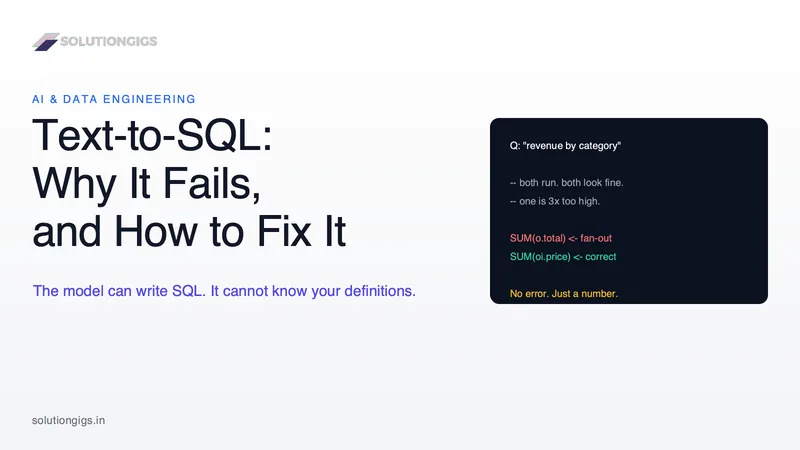
Text-to-SQL Explained: Why It Fails in Production and How to Fix It
Text-to-SQL fails by returning a plausible wrong number, not an error, and the cause is almost never the model. This guide covers the four things a schema cannot tell an LLM, the fan-out join that silently triples revenue, why the published benchmarks are measured against answer keys that are more than half wrong, what a semantic layer genuinely fixes and what it refuses, and the seven gates that make a text-to-SQL system safe to hand to a business user. With an interactive fan-out demo and a learning path.