
Apache Iceberg Tables: Complete Guide with PySpark Examples
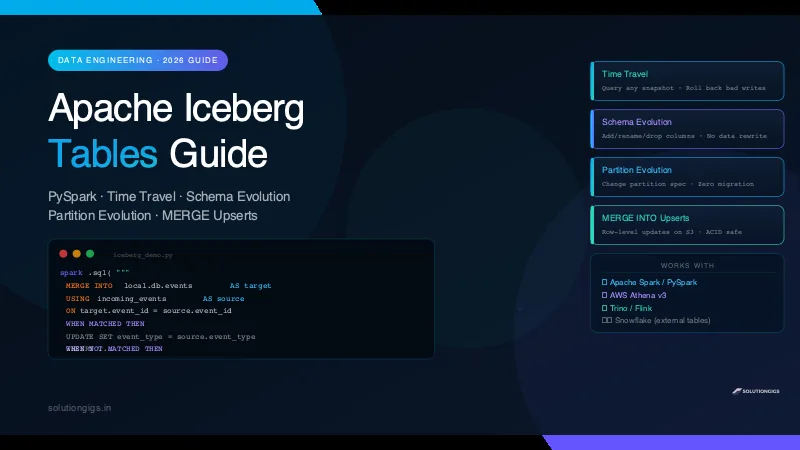
A data engineer's practical guide to Apache Iceberg — time travel, schema evolution, partition evolution, and MERGE upserts with real PySpark code you can run today. Built from production Spark/EMR experience.

Quick Answer
An Apache Iceberg table is an open table format that adds ACID transactions, time travel, schema evolution, and partition evolution on top of Parquet files in object storage. It lets data engineers safely update, delete, and version massive datasets without rewriting entire partitions. Works natively with PySpark, Trino, Flink, and AWS Athena.
If you've ever had a 3 AM page because someone ran a bad DELETE on a Hive table and wiped a production partition — you'll understand exactly why Apache Iceberg exists.
I've run Spark pipelines on EMR processing hundreds of millions of events daily. Before Iceberg, fixing a bad write meant restoring from S3 backups, replaying hours of Kafka messages, and explaining to the team why the dashboard was wrong. After migrating to Iceberg, a bad write is just: roll back to the last snapshot, done.
This guide covers everything you need to use Apache Iceberg in production — with working PySpark code you can run today.
What Is an Apache Iceberg Table?
Apache Iceberg is an open table format for analytic datasets at petabyte scale. It was created by Netflix engineers and is now a top-level Apache project.
Think of it as a layer that sits between your query engine (Spark, Trino, Athena) and your raw Parquet files on S3. This layer tracks:
- Which files belong to the current table snapshot
- The full history of every write operation
- Column types, partition specs, and sort orders
The result is a table that behaves like a database — with ACID guarantees, safe concurrent writes, and the ability to query any point in history.
Iceberg vs Hive Table: The Core Difference
| Feature | Hive Table | Iceberg Table |
|---|---|---|
| ACID transactions | No (unless ORC + LLAP) | Yes — every write |
| Time travel | No | Yes — snapshot-based |
| Schema evolution | Limited, risky | Safe — add/drop/rename columns |
| Partition evolution | No — must rewrite | Yes — no rewrite needed |
| Row-level updates | No | Yes — MERGE INTO |
| Concurrent writers | Unsafe | Safe |
| Engine support | Hive, Spark | Spark, Trino, Flink, Athena, Snowflake |
Setting Up Iceberg with PySpark (Quickstart)
Before any code, you need the Iceberg Spark runtime. The version depends on your Spark + Scala combination.
# For Spark 3.5 + Scala 2.12
pip install pyspark==3.5.0

# Download the Iceberg runtime jar (or add to spark-submit --packages)
# org.apache.iceberg:iceberg-spark-runtime-3.5_2.12:1.5.2
Starting a SparkSession with Iceberg
from pyspark.sql import SparkSession

spark = (
    SparkSession.builder
    .appName("IcebergDemo")
    .config("spark.jars.packages", "org.apache.iceberg:iceberg-spark-runtime-3.5_2.12:1.5.2")
    .config("spark.sql.extensions", "org.apache.iceberg.spark.extensions.IcebergSparkSessionExtensions")
    .config("spark.sql.catalog.local", "org.apache.iceberg.spark.SparkCatalog")
    .config("spark.sql.catalog.local.type", "hadoop")
    .config("spark.sql.catalog.local.warehouse", "/tmp/iceberg-warehouse")
    .getOrCreate()
)
For AWS EMR / S3: Replace
hadoopcatalog withgluecatalog and pointwarehouseto your S3 bucket. The rest of the code is identical.
Create Your First Iceberg Table
spark.sql("""
    CREATE TABLE local.db.events (
        event_id     BIGINT,
        user_id      BIGINT,
        event_type   STRING,
        payload      STRING,
        created_at   TIMESTAMP
    )
    USING iceberg
    PARTITIONED BY (days(created_at))
""")
Notice PARTITIONED BY (days(created_at)) — this is hidden partitioning. Iceberg automatically partitions by day from the timestamp. No manual dt=2026-06-23 partition column needed in your data.
Insert Data
from pyspark.sql import Row
from datetime import datetime

rows = [
    Row(event_id=1, user_id=101, event_type="click", payload='{"page":"home"}', created_at=datetime(2026, 6, 20, 10, 0, 0)),
    Row(event_id=2, user_id=102, event_type="purchase", payload='{"item":"pro"}', created_at=datetime(2026, 6, 21, 14, 0, 0)),
    Row(event_id=3, user_id=103, event_type="click", payload='{"page":"pricing"}', created_at=datetime(2026, 6, 22, 9, 0, 0)),
]

df = spark.createDataFrame(rows)
df.writeTo("local.db.events").append()
Time Travel — Query Any Point in History
Every write to an Iceberg table creates a new snapshot. You can query any snapshot by ID or by timestamp — no backups needed.
List All Snapshots
spark.sql("SELECT snapshot_id, committed_at, operation FROM local.db.events.snapshots").show()
+-------------------+--------------------+---------+
|        snapshot_id|        committed_at|operation|
+-------------------+--------------------+---------+
|5674839201837462910|2026-06-20 10:01:23|   append|
|8921038472019384756|2026-06-21 14:02:11|   append|
|3847201938472016473|2026-06-22 09:03:45|overwrite|
+-------------------+--------------------+---------+
Query by Snapshot ID
# Read exactly what the table looked like after the first write
df_snapshot = spark.read \
    .option("snapshot-id", "5674839201837462910") \
    .table("local.db.events")

df_snapshot.show()
Query by Timestamp
# What was in the table at 11pm on June 21?
df_history = spark.read \
    .option("as-of-timestamp", "1750550400000") \  # epoch ms
    .table("local.db.events")

df_history.show()
SQL Syntax for Time Travel
-- By timestamp
SELECT * FROM local.db.events
TIMESTAMP AS OF '2026-06-21 23:00:00';

-- By snapshot ID
SELECT * FROM local.db.events
VERSION AS OF 5674839201837462910;
Real use case: A bad pipeline ran at 2am and overwrote good data. With time travel, you SELECT from the snapshot just before the bad write, write the result back to the table, and the problem is fixed in minutes — not hours of Kafka replay.
Schema Evolution — Change Columns Without Rewriting Data
Iceberg tracks columns by internal ID, not by name. This means you can safely rename, add, or drop columns and Iceberg will still read old Parquet files correctly.
Add a Column
spark.sql("ALTER TABLE local.db.events ADD COLUMN region STRING AFTER user_id")
Done. Old files don't have region — Iceberg returns null for those rows. New writes include the column. No data migration.
Rename a Column
spark.sql("ALTER TABLE local.db.events RENAME COLUMN payload TO event_payload")
Old Parquet files had the column stored with an internal ID. Iceberg maps the old ID to the new name. All old data reads correctly under the new name.
Drop a Column
spark.sql("ALTER TABLE local.db.events DROP COLUMN region")
The column is removed from new reads. Old Parquet files still have the bytes on disk, but Iceberg ignores them. No data rewrite.
Change Column Type (Safe Promotions Only)
# INT → BIGINT is safe (widening)
spark.sql("ALTER TABLE local.db.events ALTER COLUMN event_id TYPE BIGINT")

# BIGINT → INT is NOT safe — Iceberg will reject it
Safe type promotions: int → long, float → double, decimal(p,s) → decimal(p2,s) where p2 > p.
Partition Evolution — Change Partitioning Without Migration
This is one of Iceberg's most powerful features. Traditional Hive tables require full data rewrites to change partitioning. Iceberg does not.
Original Partition: By Day
# Table was created with daily partitioning
spark.sql("""
    CREATE TABLE local.db.telemetry_events (
        metric_id   BIGINT,
        host        STRING,
        value       DOUBLE,
        ts          TIMESTAMP
    )
    USING iceberg
    PARTITIONED BY (days(ts))
""")
After 6 months, query patterns shift — most queries filter by host AND day. You want to add host to the partition spec.
Add a Partition Field (No Data Rewrite)
spark.sql("ALTER TABLE local.db.telemetry_events ADD PARTITION FIELD host")
From this moment:
- New data is written into
ts_day=2026-06-23/host=prod-server-01/style partitions - Old data stays in
ts_day=2026-01-01/partitions unchanged - Queries spanning old and new data work transparently — Iceberg merges both partition specs at query time
# This query works across both old (day-only) and new (day+host) partitions
spark.sql("""
    SELECT date_trunc('day', ts) as day, host, avg(value) as avg_val
    FROM local.db.telemetry_events
    WHERE ts >= '2026-01-01'
    GROUP BY 1, 2
""").show()
Row-Level Updates and Deletes (MERGE INTO)
Raw Parquet files are immutable — you can't update a row in place. Iceberg solves this with copy-on-write or merge-on-read strategies, exposed through standard SQL. If your table mutates rows often, the merge-on-read path is exactly what Apache Iceberg v3 improves, by replacing accumulating position delete files with one deletion vector per data file.
UPDATE a Single Column
spark.sql("""
    UPDATE local.db.events
    SET event_type = 'purchase_confirmed'
    WHERE event_type = 'purchase' AND user_id = 102
""")
DELETE Rows
spark.sql("""
    DELETE FROM local.db.events
    WHERE event_id = 3
""")
MERGE INTO (Upsert) — The Most Useful Operation
This is the pattern I use daily in production pipelines. You have a batch of incoming events — some are new rows, some are updates to existing rows.
# Incoming batch — could be new events or corrections to existing ones
incoming = [
    Row(event_id=2, user_id=102, event_type="refund", payload='{"item":"pro","reason":"cancel"}', created_at=datetime(2026, 6, 21, 14, 0, 0)),
    Row(event_id=4, user_id=104, event_type="signup", payload='{"plan":"free"}', created_at=datetime(2026, 6, 23, 8, 0, 0)),
]
df_incoming = spark.createDataFrame(incoming)
df_incoming.createOrReplaceTempView("incoming_events")

spark.sql("""
    MERGE INTO local.db.events AS target
    USING incoming_events AS source
    ON target.event_id = source.event_id

    WHEN MATCHED THEN
        UPDATE SET
            target.event_type  = source.event_type,
            target.payload     = source.payload

    WHEN NOT MATCHED THEN
        INSERT (event_id, user_id, event_type, payload, created_at)
        VALUES (source.event_id, source.user_id, source.event_type, source.payload, source.created_at)
""")
After MERGE: event_id=2 is updated to refund, event_id=4 is inserted as a new row.
Production tip: Always join on the primary key AND a time range (
AND target.created_at >= '2026-06-01') to limit the files Iceberg must scan. MERGE without a time filter on a petabyte table will scan everything.
Because each MERGE commits atomically as a new snapshot, an Iceberg table also makes an excellent transactional sink for streaming — writing micro-batches with foreachBatch + MERGE gives you exactly-once processing in Spark Structured Streaming without hand-rolled deduplication.
Snapshot Management — Keep S3 Clean
Every write creates a new snapshot and new Parquet files. Old files accumulate. You must expire old snapshots on a schedule.
Expire Snapshots Older Than 7 Days
from datetime import datetime, timedelta

cutoff = datetime.utcnow() - timedelta(days=7)
cutoff_ts = int(cutoff.timestamp() * 1000)  # Iceberg needs epoch ms

spark.sql(f"""
    CALL local.system.expire_snapshots(
        table => 'db.events',
        older_than => TIMESTAMP '{cutoff.strftime('%Y-%m-%d %H:%M:%S.000')}'
    )
""")
Remove Orphan Files
Files that were written but never committed (crashed jobs) linger on S3. Clean them up:
spark.sql("""
    CALL local.system.remove_orphan_files(
        table => 'db.events',
        older_than => TIMESTAMP '2026-06-16 00:00:00.000'
    )
""")
Rewrite Small Files (Compaction)
Streaming pipelines produce many tiny Parquet files. Compact them for faster queries:
spark.sql("""
    CALL local.system.rewrite_data_files(
        table => 'db.events',
        strategy => 'sort',
        sort_order => 'event_id ASC'
    )
""")
Run compaction weekly on high-write tables. On Telemetrix's pipeline, compaction cut Athena query costs by ~40% by reducing file count from thousands to dozens per partition.
Apache Iceberg with AWS Athena
If you're already on AWS, Athena v3 supports Iceberg out of the box — no Spark cluster needed for most operations.
Create an Iceberg Table in Athena
CREATE TABLE events_iceberg (
    event_id    BIGINT,
    user_id     BIGINT,
    event_type  VARCHAR,
    created_at  TIMESTAMP
)
LOCATION 's3://your-bucket/iceberg/events/'
TBLPROPERTIES (
    'table_type'        = 'ICEBERG',
    'format'            = 'parquet',
    'write_compression' = 'snappy'
);
MERGE INTO in Athena
MERGE INTO events_iceberg AS target
USING incoming_batch AS source
ON target.event_id = source.event_id
WHEN MATCHED THEN
    UPDATE SET event_type = source.event_type
WHEN NOT MATCHED THEN
    INSERT VALUES (source.event_id, source.user_id, source.event_type, source.created_at);
Time Travel in Athena
SELECT * FROM events_iceberg
FOR TIMESTAMP AS OF TIMESTAMP '2026-06-20 10:00:00 UTC';
Common Mistakes Data Engineers Make with Iceberg
Everything below is the short version. For the full production picture — how to test Iceberg pipelines properly, and the nine failure modes in the order they actually bite — see Apache Iceberg in Production. If the table you want to run this on already exists in Hive, start instead with Hive to Iceberg migration —
snapshot,migrateandadd_filesget you an Iceberg table without rewriting a single file.
1. Skipping snapshot expiry — Without expire_snapshots, old Parquet files accumulate on S3 indefinitely. Set up a weekly Lambda or Spark job to expire snapshots older than your SLA window.
2. MERGE without a partition filter — A MERGE that touches the full table rewrites every affected file. Always add a time range predicate to limit the scan scope.
3. Using wrong catalog config — Iceberg needs a catalog (Hadoop, Glue, Hive, REST). Mixing catalog configs between Spark and Athena causes table-not-found errors. Use Glue Data Catalog as the single source of truth on AWS. If you're weighing which catalog to standardise on, see our Iceberg catalog comparison — and note that registering one table in two catalogs can silently lose data.
4. Over-partitioning — Iceberg's hidden partitioning makes it tempting to add many partition fields. Each extra field multiplies the directory tree. Start with one time-based partition (days or months) and only add more if query plans show full partition scans.
5. Ignoring rewrite_data_files — Streaming ingestion creates thousands of tiny files. Without compaction, Athena and Trino query planning slows down as the file list grows. Schedule compaction.
solutiongigs.in Data Tools
Working with large-scale data pipelines and need to inspect or convert files quickly? The free tools at solutiongigs.in handle Parquet previews, JSON/CSV conversion, and SQL formatting without any local setup. Useful when you need a quick look at Iceberg metadata files or output Parquet without spinning up a Spark session.
Frequently Asked Questions
What is an Apache Iceberg table?
An Apache Iceberg table is an open table format designed for huge analytic datasets. It adds ACID transactions, time travel, schema evolution, and partition evolution on top of plain Parquet or ORC files stored in object storage like S3. Unlike Hive tables, Iceberg tracks every change in metadata files, making large-scale data lake operations safe and reliable.
What is the difference between Iceberg and Delta Lake?
Both Iceberg and Delta Lake solve the same core problem — ACID transactions on data lakes. The key differences: Iceberg is engine-agnostic and works natively with Spark, Trino, Flink, Athena, and Snowflake. Delta Lake originated from Databricks and has tighter Spark integration but historically had less support in non-Spark engines. Iceberg's partition evolution is more flexible — you can change partitioning without rewriting data, which Delta Lake cannot do.
Does Apache Iceberg work with AWS Athena?
Yes. AWS Athena v3 supports Apache Iceberg tables natively. You can create, query, and run MERGE/UPDATE/DELETE on Iceberg tables directly from Athena SQL — no Spark cluster needed for most operations. Iceberg tables on Athena store data in S3 and use the AWS Glue Data Catalog to track metadata.
How does Iceberg time travel work?
Iceberg time travel works through snapshots. Every write operation (INSERT, UPDATE, DELETE, MERGE) creates a new snapshot with a unique snapshot ID and timestamp. To query historical data, you specify either a snapshot ID or a timestamp in your query. Iceberg reads the metadata files for that snapshot and fetches exactly the Parquet files that were valid at that point in time — no data is overwritten.
Can you update individual rows in an Iceberg table?
Yes. Apache Iceberg supports row-level updates and deletes using copy-on-write or merge-on-read strategies. The MERGE INTO statement lets you upsert data — inserting new rows and updating existing ones in a single operation. This is one of Iceberg's biggest advantages over raw Parquet files, which are immutable and cannot be updated in place.
What is schema evolution in Iceberg?
Schema evolution in Iceberg means you can add, drop, rename, or reorder columns without rewriting existing data files. Iceberg tracks column IDs internally — not just column names — so a renamed column is still correctly read in old data files. This is safe to do in production because existing queries continue to work and existing Parquet files are not touched.
How do I expire old Iceberg snapshots?
Use the expire_snapshots procedure to remove old snapshots and reclaim S3 storage. In PySpark: CALL catalog.system.expire_snapshots('db.table', TIMESTAMP '2026-01-01 00:00:00.000'). This deletes snapshot metadata and orphaned data files older than the given timestamp. Always keep at least a few days of snapshots for recovery. Run this on a schedule — weekly is a common cadence in production.
Conclusion
Apache Iceberg tables solve the problems that have made data lake engineering painful for years — bad writes you can't roll back, partition changes that require full rewrites, schema changes that break downstream jobs, and row-level updates that require overwriting entire partitions.
The key things to take away:
- Time travel lets you roll back any bad write in minutes — query any snapshot by ID or timestamp
- Schema evolution is safe — add, rename, and drop columns without touching existing Parquet files
- Partition evolution changes your partitioning strategy with no data migration
- MERGE INTO gives you real upserts on object storage — pair it with a partition filter in production
- Snapshot expiry + compaction keep S3 costs under control — schedule both
If you're running Spark on EMR or using Athena and you're still on raw Hive tables, Iceberg is the migration that pays for itself the first time a bad pipeline runs at 3am.
Need to inspect Parquet files or convert data formats without spinning up a cluster? Try the free tools at solutiongigs.in — no sign-up, no watermarks.
Building this on real data and hitting something the guide doesn't cover — a MERGE that's too slow, a catalog that won't connect, snapshots piling up? Tell me what you're seeing and I'll tell you which part of the setup is fighting you.
Mohammed Yaseen
Founder, SolutionGigs
Mohammed has built and operated data pipelines processing hundreds of millions of events daily on AWS EMR and Spark — including Iceberg table migrations on production Kafka + Athena infrastructure. He founded SolutionGigs to bring production-grade engineering tools and tutorials to the developer community. LinkedIn →
Try Free Parquet to CSV Converter
Free, no signup — right in your browser.
Try Free Parquet to CSV Converter →More in Data Engineering
Apache Iceberg Hidden Partitioning: A Complete Guide
Apache Iceberg hidden partitioning lets the engine — not the analyst — apply partition transforms like days(order_ts) or bucket(16, customer_id), so queries prune files from a normal predicate with no dt= column and no accidental full-table scans. This guide covers how hidden partitioning works under the hood, the four partition transforms, file pruning, partition evolution (change the layout with no rewrite), and Hive vs Iceberg partitioning — plus the common mistakes that create a small-files disaster.
SCD Type 2 with Apache Iceberg MERGE INTO Explained
Overwrite a dimension value and the old truth is gone forever. SCD Type 2 preserves it — and Apache Iceberg finally makes it practical on a data lake with atomic MERGE INTO. This hands-on guide covers the one-MERGE gotcha (why closing the old row and inserting the new one needs the union trick), hash-based change detection, idempotency, and how Iceberg snapshots give you a second history layer. Real Spark SQL + PySpark.
Delta Lake vs Iceberg: How to Choose
Delta Lake vs Apache Iceberg compared — architecture, features, ecosystem, and a clear decision guide for choosing an open table format for your lakehouse in 2026.