
Vector Databases Explained: The Engine Behind AI Search & RAG
What is a vector database and why does every AI app need one? Learn how embeddings, similarity search, and vector DBs power RAG — plus a comparison of Pinecone, Weaviate, Chroma, Qdrant, Milvus and pgvector.

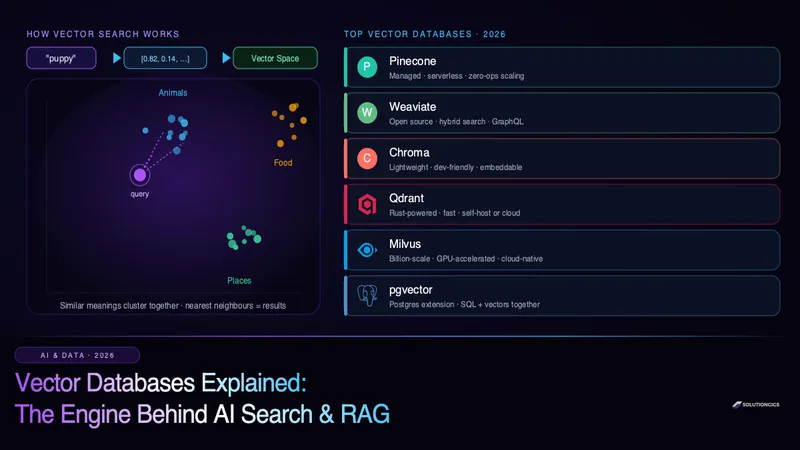
Quick Answer: A vector database is a specialised database that stores data as high-dimensional vectors called embeddings and searches them by meaning rather than exact keywords. When you ask an AI app a question, the query is converted into an embedding, and the vector database instantly finds the most semantically similar items using nearest-neighbour search. This is the technology that powers AI-driven search, recommendation engines, and Retrieval-Augmented Generation (RAG) — the standard way to give large language models access to your private, up-to-date data.
Every AI application you've used recently — a chatbot that answers questions about a company's docs, a "find similar products" feature, a semantic search bar that understands intent — is almost certainly running on a vector database.
Yet most explanations jump straight to comparing products before explaining what the thing actually is or why it exists. This guide fixes that. We'll build the concept from the ground up: what embeddings are, how similarity search works, why LLMs need vector databases, and finally a practical comparison of the six leading options in 2026.
By the end, you'll understand not just the "what" but the "when" — which vector database fits your project, and when you don't need a dedicated one at all.
What Is a Vector Database?
A vector database is a database built to store and query embeddings — numerical vectors that capture the meaning of unstructured data like text, images, and audio.
Traditional databases are brilliant at exact matches. Ask a SQL database WHERE email = '[email protected]' and it returns the precise row. But ask it to "find documents similar in meaning to this paragraph" and it falls apart — because relational databases match symbols, not semantics.
Vector databases solve exactly this. They don't ask "does this value equal that value?" They ask "which stored items are closest in meaning to what I'm looking for?"
That single shift — from exact matching to similarity matching — is what makes modern AI features possible.
Understanding Embeddings: The Foundation
You cannot understand vector databases without first understanding embeddings.
An embedding is a list of numbers that represents the meaning of a piece of data.
An embedding model (like OpenAI's text-embedding-3, Cohere's Embed, or an open-source model such as all-MiniLM-L6-v2) takes an input and outputs a vector — typically 384, 768, or 1,536 numbers long:
"happy puppy"     →  [ 0.82, 0.14, -0.33, 0.51, ... ]   (1,536 dimensions)
"joyful dog"      →  [ 0.79, 0.18, -0.29, 0.48, ... ]   ← very close!
"quarterly taxes" →  [-0.44, 0.62,  0.11, -0.7, ... ]   ← far away
The magic is this: semantically similar inputs produce vectors that are close together in space. "Happy puppy" and "joyful dog" land near each other even though they share zero words. "Quarterly taxes" lands far away.
Each dimension loosely encodes some latent feature of meaning learned by the model. You never interpret individual numbers — what matters is the relative distance between vectors.
How Similarity Is Measured
To find "close" vectors, vector databases compute a distance or similarity metric between them. The three most common:
| Metric | What it measures | Common use |
|---|---|---|
| Cosine similarity | Angle between vectors (direction) | Text embeddings (most common) |
| Euclidean (L2) distance | Straight-line distance | Image embeddings |
| Dot product | Magnitude + direction combined | Recommendation systems |
For text, cosine similarity is the default: two vectors pointing in the same direction are considered similar regardless of their length.
How Vector Search Actually Works
Here is the end-to-end flow that happens in milliseconds every time you use an AI search feature:
- Indexing (once, upfront): Every document, image, or record is passed through an embedding model and stored as a vector in the database.
- Query embedding: When a user searches, their query is passed through the same embedding model to produce a query vector.
- Nearest-neighbour search: The database finds the stored vectors closest to the query vector.
- Return results: The original items behind those nearest vectors are returned, ranked by similarity.
The Speed Problem — and ANN Indexes
There's a catch. Comparing a query vector against every stored vector (called a brute-force or "flat" search) is accurate but slow — checking 100 million vectors per query doesn't scale.
Vector databases solve this with Approximate Nearest Neighbour (ANN) indexes. They trade a tiny, usually negligible amount of accuracy for enormous speed gains. The dominant algorithms:
- HNSW (Hierarchical Navigable Small World) — builds a layered graph so searches "hop" quickly toward the nearest neighbours. The most popular index; excellent recall and speed. Used by Qdrant, Weaviate, Milvus, and pgvector.
- IVF (Inverted File Index) — partitions vectors into clusters and only searches the most relevant clusters. Great for very large datasets.
- Product Quantization (PQ) — compresses vectors to reduce memory footprint, often combined with IVF for billion-scale data.
With HNSW, a vector database can return the top matches from tens of millions of vectors in under 10 milliseconds.
Why LLMs Need Vector Databases: RAG Explained
This is the reason vector databases exploded in popularity.
Large language models have two hard limitations:
- A knowledge cutoff — they don't know anything that happened after training, and they've never seen your private company data.
- A limited context window — you can't paste your entire 10,000-page knowledge base into a single prompt.
Retrieval-Augmented Generation (RAG) solves both. Instead of relying on what the model memorised, you:
- Store your documents as embeddings in a vector database.
- When a user asks a question, embed the question and retrieve the most relevant chunks from the vector database.
- Inject those chunks into the prompt as context.
- The LLM answers using your data — accurately, with citations, and up to date.
User question
     ↓ (embed)
Query vector → Vector DB → top-k relevant chunks
     ↓
[chunks + question] → LLM → grounded answer
This is why nearly every production AI assistant, documentation chatbot, and internal knowledge tool in 2026 has a vector database at its core. If you want the full build, see our step-by-step guide on building a RAG pipeline in Python.
Soft CTA: Building an AI feature and not sure how to architect retrieval? See how SolutionGigs can connect you with an AI engineer →
Vector Database vs Traditional Database
| Aspect | Traditional (SQL/NoSQL) | Vector Database |
|---|---|---|
| Matches by | Exact values / ranges | Semantic similarity |
| Query example | WHERE city = 'Mumbai' |
"Find text similar to this" |
| Data type | Structured rows/documents | High-dimensional vectors |
| Index type | B-tree, hash | HNSW, IVF, PQ |
| Returns | Exact matches | Ranked nearest neighbours |
| Best for | Transactions, lookups | AI search, RAG, recommendations |
They are not competitors — they're complementary. Most real applications use both: a relational database for structured data and transactions, and a vector database (or a vector-enabled extension) for semantic retrieval.
It's worth being precise about which traditional database you're comparing against, because "traditional" covers two very different things. A transactional database (PostgreSQL, MySQL) is built for point lookups by key; an analytical database (a warehouse, ClickHouse, DuckDB) is built for scanning and aggregating millions of rows. A vector database is a third shape entirely — built for approximate nearest-neighbour search in high-dimensional space. Three access patterns, three index structures, three storage layouts. Our guide to OLAP vs OLTP covers the first two; this article covers the third.
The 6 Best Vector Databases in 2026
Here's an honest, practical comparison of the leading options.
1. Pinecone — Best Fully-Managed Option
Pinecone is the most popular managed vector database. It's serverless, so you never provision or tune infrastructure — you send vectors and queries, Pinecone handles scaling, replication, and index optimisation automatically.
- Pros: Zero ops, excellent performance, generous free tier, strong metadata filtering, serverless pricing.
- Cons: Closed-source and cloud-only — no self-hosting; costs grow at very high scale.
- Best for: Teams that want production-grade vector search without managing infrastructure.
2. Weaviate — Best Open-Source, Feature-Rich
Weaviate is an open-source vector database with built-in hybrid search (combining keyword + vector), a GraphQL API, and optional built-in vectorisation modules that call embedding models for you.
- Pros: Open source, hybrid search out of the box, rich filtering, self-host or managed cloud.
- Cons: More concepts to learn; heavier than lightweight options.
- Best for: Teams wanting a powerful open-source platform with hybrid search.
3. Chroma — Best for Prototyping
Chroma is a lightweight, developer-first vector database that runs embedded in your Python application with almost no setup. pip install chromadb and you're storing vectors in minutes.
- Pros: Dead-simple API, perfect for local development and notebooks, open source.
- Cons: Less battle-tested at massive scale; production deployment is newer.
- Best for: Prototypes, RAG experiments, small-to-mid apps, and learning.
4. Qdrant — Best Performance (Rust-Powered)
Qdrant is a high-performance open-source vector database written in Rust. It's known for speed, memory efficiency, and advanced payload filtering, with both self-hosted and managed cloud options.
- Pros: Very fast, efficient, excellent filtering, great docs, open source.
- Cons: Smaller ecosystem than Pinecone/Weaviate (though growing fast).
- Best for: Performance-sensitive workloads that want open source with a managed option.
5. Milvus — Best for Billion-Scale
Milvus is a cloud-native, open-source vector database engineered for massive scale — billions of vectors with GPU acceleration and distributed architecture. It's a graduated CNCF project.
- Pros: Handles the largest workloads, GPU support, horizontally scalable, mature.
- Cons: Operationally complex to self-host; overkill for small projects.
- Best for: Enterprise-scale vector search with hundreds of millions to billions of vectors.
6. pgvector — Best if You Already Use PostgreSQL
pgvector is an open-source extension that adds vector storage and search directly to PostgreSQL. Your embeddings live in the same database as your relational data — no new service to run.
- Pros: No extra infrastructure, SQL + vectors together, transactional consistency, free.
- Cons: Less specialised tuning than dedicated engines; scaling limits at tens of millions of vectors.
- Best for: Teams already on PostgreSQL wanting to add semantic search without new infrastructure.
Comparison Table: Vector Databases at a Glance
| Database | Open Source | Managed Cloud | Hybrid Search | Best For |
|---|---|---|---|---|
| Pinecone | ❌ | ✅ | ✅ | Zero-ops production |
| Weaviate | ✅ | ✅ | ✅ | Feature-rich OSS |
| Chroma | ✅ | Limited | ❌ | Prototyping & RAG |
| Qdrant | ✅ | ✅ | ✅ | High performance |
| Milvus | ✅ | ✅ | ✅ | Billion-scale |
| pgvector | ✅ | (via any PG host) | Via SQL | Existing Postgres stacks |
How to Choose: A Simple Decision Framework
Ask yourself three questions:
1. Do you already use PostgreSQL and have under ~5 million vectors? → Start with pgvector. Don't add infrastructure you don't need yet.
2. Do you want zero operational overhead and are happy with a managed cloud? → Pinecone (closed) or Weaviate/Qdrant Cloud (open-source-backed).
3. Are you prototyping or learning? → Chroma locally, then graduate to a production engine when you ship.
4. Do you have hundreds of millions of vectors or strict latency SLAs at high QPS? → Milvus or Qdrant.
The most common mistake teams make is reaching for a heavyweight distributed vector database on day one. Start simple. Most applications never outgrow pgvector or a single-node Qdrant instance.
A Minimal Vector Search Example (pgvector)
Here's how little code it takes to get semantic search working with PostgreSQL + pgvector:
-- Enable the extension
CREATE EXTENSION IF NOT EXISTS vector;

-- A table with a 1536-dimension embedding column
CREATE TABLE documents (
    id      bigserial PRIMARY KEY,
    content text,
    embedding vector(1536)
);

-- Add an HNSW index for fast approximate search
CREATE INDEX ON documents
    USING hnsw (embedding vector_cosine_ops);

-- Find the 5 most similar documents to a query vector
SELECT content
FROM documents
ORDER BY embedding <=> '[0.82, 0.14, ...]'
LIMIT 5;
The <=> operator computes cosine distance. That single ORDER BY ... LIMIT 5 is semantic search — the core of every RAG system — running inside plain PostgreSQL.
To generate the embeddings you'd feed in here, you can run an embedding model locally for free with Ollama or use a hosted API. And if you want to run the retrieval-and-generation loop end to end, our RAG pipeline tutorial walks through the full Python implementation.
Common Mistakes to Avoid
- Using different embedding models for indexing and querying. The query and stored vectors must come from the same model, or distances are meaningless.
- Ignoring chunking strategy. How you split documents before embedding massively affects retrieval quality. Chunks that are too large dilute meaning; too small lose context.
- Skipping metadata filtering. Combine vector similarity with structured filters (date, category, user) for far better results.
- Over-engineering early. Don't deploy a distributed Milvus cluster for 50,000 vectors. Start with pgvector or Chroma.
- Forgetting to re-embed after model upgrades. Switching embedding models means re-indexing your entire corpus.
Frequently Asked Questions
What is a vector database?
A vector database stores and searches high-dimensional vectors called embeddings — numerical representations of text, images, or audio. Rather than matching exact keywords, it finds items by semantic similarity using nearest-neighbour search. It is the core infrastructure behind AI search, recommendation engines, and Retrieval-Augmented Generation (RAG).
Why do AI applications need a vector database?
LLMs have a limited context window and no knowledge of your private or recent data. A vector database lets you store documents as embeddings and retrieve the most relevant chunks for any query, feeding them to the LLM as context. This powers RAG, allowing AI to answer questions about data it was never trained on — accurately and with citations.
What is the difference between a vector database and a regular database?
A regular database matches exact values (WHERE name = 'John'). A vector database matches by meaning — it finds items whose embeddings are closest to a query embedding, even with no shared keywords. Traditional databases use B-tree indexes; vector databases use approximate nearest-neighbour indexes like HNSW or IVF.
What are embeddings in a vector database?
An embedding is a vector of numbers representing the meaning of data. An embedding model converts text like "happy puppy" into something like [0.82, 0.14, -0.33, …] with hundreds or thousands of dimensions. Items with similar meanings produce vectors close together in space, which is what makes similarity search possible.
Which is the best vector database in 2026?
There's no single best — it depends on your needs. Pinecone leads for fully managed zero-ops scaling. Weaviate and Qdrant are top open-source choices with hybrid search. Chroma is ideal for prototyping. Milvus handles billion-scale workloads. pgvector is best if you already run PostgreSQL and want vectors beside your relational data.
Is pgvector good enough, or do I need a dedicated vector database?
For most applications under a few million vectors, pgvector is excellent — it keeps vectors in the same PostgreSQL database as your other data, simplifying your stack. You typically need a dedicated engine like Pinecone, Qdrant, or Milvus when you scale past tens of millions of vectors, need sub-10ms latency at high QPS, or require advanced hybrid search at scale.
What is HNSW in vector databases?
HNSW (Hierarchical Navigable Small World) is the most popular approximate nearest-neighbour indexing algorithm. It builds a layered graph that lets searches jump quickly toward the nearest vectors, delivering millisecond queries over millions of vectors while trading a tiny amount of accuracy for a huge speed gain.
Conclusion
Vector databases are the quiet workhorses of the AI era. Every time an application understands what you mean rather than just what you typed — semantic search, recommendations, a chatbot that knows your docs — a vector database is doing the heavy lifting behind the scenes.
The key mental model is simple: embeddings turn meaning into numbers, and vector databases find the closest numbers fast. Master that, and the entire landscape of AI search and RAG becomes clear.
Choosing the store is the easy half. Keeping what's inside it in sync with your source is the half that decides whether answers stay true — AI data pipelines covers that side.
Start small. If you're on PostgreSQL, add pgvector. If you're prototyping, use Chroma. Reach for Pinecone, Qdrant, Weaviate, or Milvus when real scale demands it — not before.
Ready to build an AI feature powered by vector search? SolutionGigs connects you with vetted AI and backend engineers who have shipped production RAG systems and semantic search at scale. Post your project on solutiongigs.in today — it's free to post →
Mohammed Yaseen
Founder, SolutionGigs
Mohammed builds AI and data systems — from RAG pipelines and semantic search to production vector infrastructure. He founded SolutionGigs to connect teams with engineers who've shipped exactly these AI features. LinkedIn →
More in AI & Data
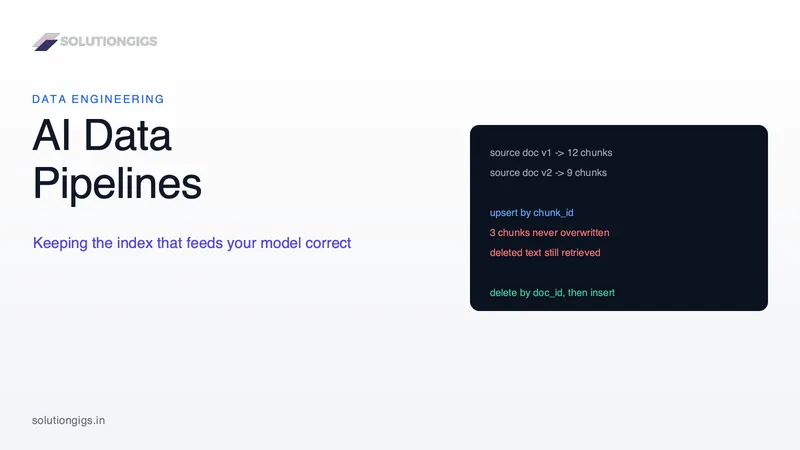
AI Data Pipelines: How to Build One That Doesn't Go Stale
An AI data pipeline is easy to build once and hard to keep correct. This guide covers the sync problems that only appear in production: the chunk-boundary trap that leaves deleted text retrievable, why vector deletions are harder than inserts, what an embedding model upgrade actually costs, and how to choose a freshness target you can defend. The core reframe: your vector index is a materialised view over your source content, so every one of these problems already has a known data engineering answer.
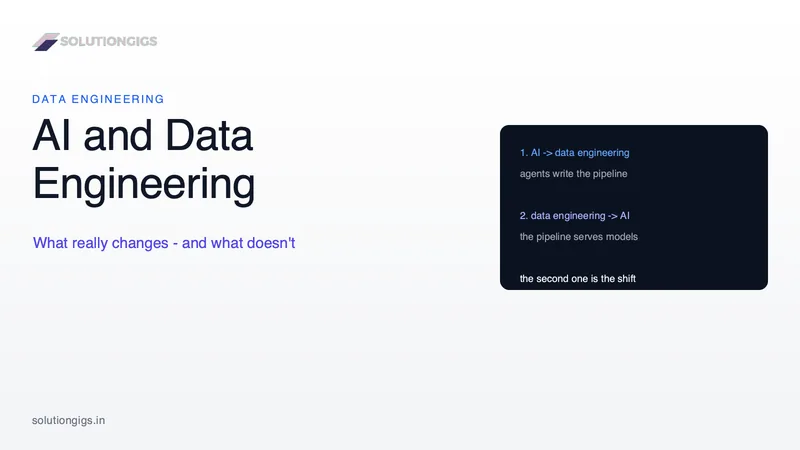
AI and Data Engineering: What Really Changes and What Doesn't
AI changed data engineering in two directions at once, and most articles only cover one: agents that write pipelines, and pipelines that serve models. This guide separates them, then defines what "AI-ready data" actually means as a specification rather than a slogan - a ten-dimension comparison against the BI-ready standard, a decision table for what to delegate to agents and what to never hand over, and a 90-day plan to get a platform ready.
JPG to PNG Converter — Free Online, Lossless Output
Convert JPG images to PNG online for free. Get lossless PNG with transparency support — perfect for logos, screenshots, and web graphics. No account, instant download.