
Ollama Tutorial: Run LLMs Locally for Free — Python Guide
Run Llama 3.3, Mistral, Qwen 2.5, and 100+ open-source LLMs on your own machine for free with Ollama. Full Python tutorial — streaming, structured output, local RAG, and tool calling. No API key needed.

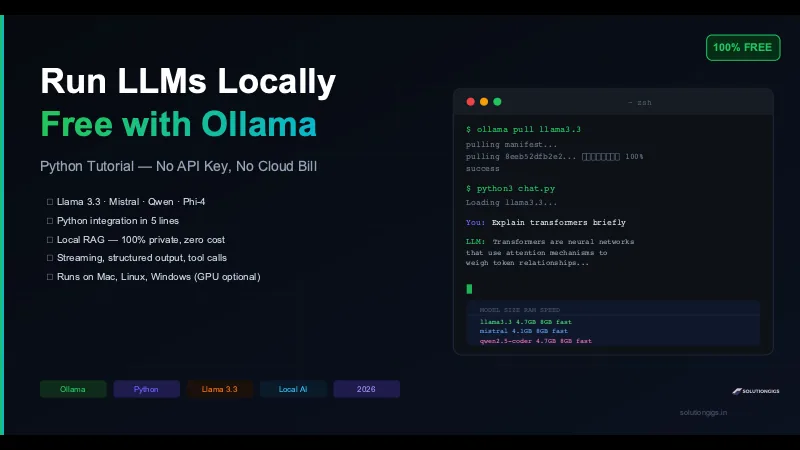
Quick Answer
Ollama lets you run Llama 3.3, Mistral, Qwen 2.5, and 100+ other open-source LLMs entirely on your own machine — no API key, no cloud bill, no data leaving your network. Install in 2 minutes, pull a model, call it from Python using the OpenAI SDK (it's API-compatible). 8GB RAM handles 7B models; 16GB handles up to 32B. This guide covers installation, Python integration, streaming, structured output, local RAG, and tool calling.
GPT-4o costs money. Claude costs money. Every API call is logged, every token billed.
For development work, experimentation, privacy-sensitive data, and high-volume pipelines — paying per token stops making sense fast.
Ollama fixes this. It's an open-source runtime that downloads, manages, and runs state-of-the-art LLMs on your own hardware. The models run locally. The API is OpenAI-compatible. Your data never leaves your machine.
This guide goes from zero to a working Python integration — including streaming, structured JSON output, a local RAG pipeline, and tool calling.
Why Run an LLM Locally in 2026?
| Reason | Detail |
|---|---|
| Cost | Zero per-token cost. Run millions of requests for free. |
| Privacy | Medical records, legal docs, internal IP — nothing leaves your machine. |
| Latency | No network round trip. On Apple Silicon, 40–80 tok/sec is common. |
| No rate limits | No 429 errors. No throttling. No quota resets. |
| Experimentation | Try 50 prompts in 5 minutes without watching a billing meter. |
| Offline | Works on a plane, on a ship, in a datacenter with no outbound internet. |
The tradeoff: local 8B models are noticeably below GPT-4o on hard reasoning tasks. For simple tasks — summarization, extraction, classification, drafting, Q&A over your own docs — the gap is small enough not to matter.
Step 1 — Install Ollama
macOS / Linux:
curl -fsSL https://ollama.com/install.sh | sh
Windows: Download the installer from ollama.com. Runs natively on Windows 11.
Verify:
ollama --version
# ollama version 0.33.3  (current as of September 2026)
Ollama starts a background service automatically. The local API runs at http://localhost:11434.
Step 2 — Pull Your First Model
ollama pull llama3.3
This downloads the 4.7GB quantized version of Llama 3.3 8B. First pull takes a few minutes — subsequent starts are instant from local cache. Every code example below uses llama3.3, but the model name is just a string — swap in any tag you've pulled and nothing else changes.
Other models worth pulling:
ollama pull qwen3.5          # current Qwen generation — strongest all-rounder
ollama pull gemma4           # Google's latest small model, easy on VRAM
ollama pull deepseek-r1      # reasoning model — thinks before answering
ollama pull mistral          # 4.1GB — fast, great for instruction following
ollama pull qwen2.5-coder    # purpose-built for code completion
ollama pull nomic-embed-text # 274MB — embeddings for local RAG (no GPU needed)
Model names move faster than tutorials. New generations land in the Ollama library every few weeks, and tags are added without removing the old ones — so the commands above keep working even after they stop being the newest option. Run
ollama listto see what you have and browse ollama.com/library for the current generation and its exact tag before assuming a name from any guide (including this one) is still the best pick. See also our open-source LLM comparison.
List what you've pulled:
ollama list
Test it immediately in the terminal:
ollama run llama3.3
# > Hello! How can I help you today?
Press Ctrl+D to exit the interactive session.
Step 3 — Call Ollama from Python
Ollama exposes an OpenAI-compatible REST API. Use the official OpenAI Python SDK — just change the base URL:
pip install openai
from openai import OpenAI

# Point the OpenAI SDK at your local Ollama instance
client = OpenAI(
    base_url="http://localhost:11434/v1",
    api_key="ollama"  # required by the SDK, value doesn't matter
)

response = client.chat.completions.create(
    model="llama3.3",
    messages=[
        {"role": "system", "content": "You are a concise technical assistant."},
        {"role": "user", "content": "Explain what a transformer model is in 3 sentences."}
    ]
)

print(response.choices[0].message.content)
That's it. If you have existing OpenAI code, swap two lines and your entire codebase runs locally.
Step 4 — Streaming Responses
Streaming prints tokens as they generate rather than waiting for the full response — much better UX for long outputs:
stream = client.chat.completions.create(
    model="llama3.3",
    messages=[{"role": "user", "content": "Write a Python function to parse JWT tokens."}],
    stream=True
)

for chunk in stream:
    delta = chunk.choices[0].delta.content
    if delta:
        print(delta, end="", flush=True)

print()  # newline after stream completes
Streaming works identically to the OpenAI API — same SDK, same interface, same code.
Step 5 — Structured JSON Output
For pipelines that need machine-readable output, force the model to return valid JSON:
import json

response = client.chat.completions.create(
    model="llama3.3",
    messages=[
        {
            "role": "system",
            "content": "You are a data extraction assistant. Always respond with valid JSON only. No explanation."
        },
        {
            "role": "user",
            "content": """Extract the following from this job posting:
- job_title
- company_name
- location
- salary_range (null if not mentioned)
- remote (true/false)

Job posting:
Senior Python Engineer at DataFlow Inc. — Remote OK. San Francisco, CA. $180k-$220k.
"""
        }
    ],
    response_format={"type": "json_object"}  # supported in Ollama 0.5+
)

data = json.loads(response.choices[0].message.content)
print(data)
# {'job_title': 'Senior Python Engineer', 'company_name': 'DataFlow Inc.',
#  'location': 'San Francisco, CA', 'salary_range': '$180k-$220k', 'remote': True}
Tip: If the model keeps wrapping JSON in markdown code fences, add "Return only raw JSON, no markdown" to the system prompt.
Step 6 — Build a Fully Local RAG Pipeline
Combine Ollama's embedding model with ChromaDB and an Ollama chat model to build a RAG pipeline that costs exactly $0 and never sends data to any cloud:
pip install chromadb ollama
import ollama
import chromadb

# --- INDEXING ---

def embed_local(texts: list[str]) -> list[list[float]]:
    """Embed texts using Ollama's local embedding model."""
    embeddings = []
    for text in texts:
        result = ollama.embeddings(model="nomic-embed-text", prompt=text)
        embeddings.append(result["embedding"])
    return embeddings


def index_documents(chunks: list[str], sources: list[str]):
    client = chromadb.PersistentClient(path="./local_chroma")
    try:
        client.delete_collection("local_rag")
    except Exception:
        pass

    collection = client.create_collection(
        "local_rag",
        metadata={"hnsw:space": "cosine"}
    )

    embeddings = embed_local(chunks)

    collection.add(
        ids=[str(i) for i in range(len(chunks))],
        documents=chunks,
        embeddings=embeddings,
        metadatas=[{"source": s} for s in sources]
    )
    print(f"Indexed {len(chunks)} chunks locally.")


# --- QUERYING ---

def local_rag_query(question: str, top_k: int = 4) -> str:
    client = chromadb.PersistentClient(path="./local_chroma")
    collection = client.get_collection("local_rag")

    # Embed the question locally
    query_embedding = ollama.embeddings(
        model="nomic-embed-text", prompt=question
    )["embedding"]

    # Retrieve relevant chunks
    results = collection.query(
        query_embeddings=[query_embedding],
        n_results=top_k,
        include=["documents", "metadatas"]
    )

    context = "\n\n".join(results["documents"][0])

    # Generate answer locally
    response = ollama.chat(
        model="llama3.3",
        messages=[
            {
                "role": "system",
                "content": "Answer using only the provided context. If the answer isn't there, say so."
            },
            {
                "role": "user",
                "content": f"Context:\n{context}\n\nQuestion: {question}"
            }
        ]
    )

    return response["message"]["content"]


# Example
if __name__ == "__main__":
    chunks = [
        "Our refund policy allows returns within 30 days of purchase.",
        "To reset your password, go to Settings > Security > Reset Password.",
        "Premium plans include unlimited API access and priority support.",
        "Business hours are Monday to Friday, 9 AM to 6 PM IST."
    ]
    sources = ["policy.txt", "help.txt", "pricing.txt", "contact.txt"]

    index_documents(chunks, sources)

    print(local_rag_query("How do I reset my password?"))
    print(local_rag_query("What does the premium plan include?"))
This is completely private. Zero API calls. Zero cost. Runs on an 8GB MacBook.
For the full RAG implementation with chunking and PDF support, see our RAG pipeline Python tutorial.
Step 7 — Tool Calling (Function Calling)
Ollama supports tool calling on models that have been instruction-tuned for it (Llama 3.3, Mistral, Qwen 2.5, Phi-4):
import json

tools = [
    {
        "type": "function",
        "function": {
            "name": "get_weather",
            "description": "Get current weather for a city",
            "parameters": {
                "type": "object",
                "properties": {
                    "city": {"type": "string", "description": "City name"},
                    "unit": {"type": "string", "enum": ["celsius", "fahrenheit"]}
                },
                "required": ["city"]
            }
        }
    }
]

response = client.chat.completions.create(
    model="llama3.3",
    messages=[{"role": "user", "content": "What's the weather in Mumbai right now?"}],
    tools=tools,
    tool_choice="auto"
)

# Check if model wants to call a tool
if response.choices[0].message.tool_calls:
    tool_call = response.choices[0].message.tool_calls[0]
    function_name = tool_call.function.name
    arguments = json.loads(tool_call.function.arguments)
    print(f"Tool called: {function_name}")
    print(f"Arguments: {arguments}")
    # {'city': 'Mumbai', 'unit': 'celsius'}

    # Your code would now call the actual weather API here
    # Then pass the result back to the model for a final response
Tool calling works the same way as OpenAI's function calling — same format, same SDK, local execution.
Model Comparison: Which Ollama Model for What?
| Task | Model to start with | RAM Needed | Why |
|---|---|---|---|
| General chat / Q&A | qwen3.5 or llama3.3 |
8GB | Balanced instruction following; Qwen is the newer generation |
| Coding / debugging | qwen2.5-coder |
8GB | Purpose-built for code rather than general chat |
| Complex reasoning | deepseek-r1 |
8GB | Thinks before answering — much better on logic and math |
| Fast responses | mistral |
8GB | Smaller, noticeably faster output |
| Low VRAM / laptop | gemma4 |
8GB | Google's small model line, tuned to fit modest GPUs |
| Local embeddings | nomic-embed-text |
1GB | Fast, accurate, purpose-built for RAG |
Treat this as a starting point keyed to the task, not a ranking — the "best" tag in each row changes every few weeks, but the task-to-model-type mapping (reasoning model for logic, code model for code, small model for low VRAM) is stable.
Using Ollama with the Native Python Library
Alternatively, skip the OpenAI SDK and use Ollama's own Python client:
pip install ollama
import ollama

# Simple chat
response = ollama.chat(
    model="llama3.3",
    messages=[{"role": "user", "content": "What is Retrieval-Augmented Generation?"}]
)
print(response["message"]["content"])

# Streaming
for chunk in ollama.chat(
    model="llama3.3",
    messages=[{"role": "user", "content": "Write a haiku about Python."}],
    stream=True
):
    print(chunk["message"]["content"], end="", flush=True)

# Generate (completion, not chat)
response = ollama.generate(model="llama3.3", prompt="The capital of France is")
print(response["response"])
The native library is slightly simpler for pure Ollama use. The OpenAI SDK is better when you want your code to work against both OpenAI and Ollama without changes.
Serve Ollama as a Multi-User API
By default Ollama only accepts connections from localhost. To expose it on your network (for a team or a remote server):
OLLAMA_HOST=0.0.0.0 ollama serve
Now any machine on your network can call http://your-server-ip:11434/v1. Useful for:
- A shared local LLM for your development team
- A private GPU server that your laptops call
- Running Ollama on a cloud VM while calling it from anywhere
For production multi-user deployment, put Nginx in front with rate limiting and optional auth headers.
Common Issues and Fixes
Model is slow on CPU
By default Ollama uses CPU if no GPU is detected. On CPU, expect 5–15 tokens/second for 7B models — slow but functional.
Fix: On Apple Silicon, Ollama automatically uses the Neural Engine — you don't need to do anything. On NVIDIA, ensure CUDA drivers are installed and Ollama detects them:
ollama run llama3.3
# Look for: "using GPU" in the startup log
connection refused on port 11434
Ollama isn't running.
Fix:
ollama serve  # starts the server in foreground
# or
ollama list   # this also starts the server as a side effect
Model gives incoherent output
The model is running at too low a precision for your hardware — quantization level mismatch.
Fix: Pull the q4_K_M variant explicitly which is the best quality/speed balance:
ollama pull llama3.3:8b-instruct-q4_K_M
Out of memory crash
You pulled a model too large for your RAM.
Fix: Use a smaller quantization. Rule of thumb: model file size ≈ 1.25× the RAM needed at runtime.
Frequently Asked Questions
What is Ollama and how does it work?
Ollama is an open-source tool that downloads and runs large language models entirely on your own machine. It wraps models like Llama 3.3, Mistral, and Qwen 2.5 in a REST API at localhost:11434. No internet needed after the initial model download, no API key, no usage cost. The API is OpenAI-compatible, so existing Python code works with a two-line change.
What hardware do I need to run Ollama?
8GB RAM runs 7B–8B models (Llama 3.3 8B, Mistral 7B) comfortably on CPU. 16GB handles 14B–32B models. A GPU is optional but speeds things up: NVIDIA RTX 3060+ or any Apple Silicon M-series chip accelerates generation to 40–80 tokens/second. Models larger than your available RAM will be slow or won't load.
Which is the best Ollama model for coding?
Start with qwen2.5-coder — it is purpose-built for code rather than general chat, at the same RAM cost (8GB) as a comparable general model. For debugging complex multi-file issues, the reasoning model deepseek-r1 is worth trying instead. Pull with: ollama pull qwen2.5-coder. Check ollama.com/library for the current generation — coding-model tags turn over quickly.
Is Ollama compatible with the OpenAI Python SDK?
Yes. Set base_url="http://localhost:11434/v1" and api_key="ollama" when creating the OpenAI client. All SDK features work — chat, streaming, structured output, tool calling — exactly as with the real OpenAI API.
Can I use Ollama for RAG?
Yes. Use ollama pull nomic-embed-text for local embeddings, ChromaDB as the vector store, and any Ollama chat model for generation. The full pipeline is free, private, and runs on an 8GB laptop. See the RAG pipeline Python tutorial for the full implementation.
How fast is Ollama compared to GPT-4o?
On Apple Silicon or a GPU-equipped machine: 40–80 tokens/second, roughly the same perceived speed as GPT-4o streaming. On CPU only: 5–15 tokens/second, noticeably slower for long outputs. Quality-wise, Llama 3.3 8B matches GPT-3.5 for most common tasks and is 15–20% behind GPT-4o on hard reasoning. For most developer tasks the gap is acceptable, especially at zero cost.
What is the difference between Ollama and LM Studio?
Ollama is a CLI and server tool built for developers — ideal for Python scripts, API servers, and CI pipelines. LM Studio is a desktop GUI for non-technical users who want to chat visually with models. Both run models locally. Use Ollama when you're building applications; use LM Studio when you just want to explore models interactively. Many developers use both.
Conclusion
Ollama makes running a local LLM as simple as ollama pull + three lines of Python. For development workflows, privacy-sensitive pipelines, and high-volume tasks where cloud API costs add up — it's the right default in 2026.
What you can do right now:
- Simple chat: swap your OpenAI base URL, zero other code changes
- Streaming: identical API to the cloud, instant results
- Structured output: JSON mode works on Llama 3.3 and Qwen 2.5
- Local RAG:
nomic-embed-text+ ChromaDB + any chat model = fully private document Q&A - Tool calling: function calling works on instruction-tuned models
For heavier workloads — complex reasoning, long documents, highest accuracy — GPT-4o or Claude still win. But for the 80% of tasks where a local 8B model is good enough, you no longer need to pay for it.
Want to connect your local Ollama model to external tools and APIs? Read our guide on building MCP servers in Python to expose your Ollama backend as a tool Claude can call — the best of both worlds.
Need help building a production AI pipeline using local or cloud LLMs? SolutionGigs connects you with vetted AI engineers — free to post.
Mohammed Yaseen
Founder, SolutionGigs
Mohammed builds AI-powered tools and data pipelines. He has shipped production LLM systems on both cloud and local infrastructure, including privacy-first RAG pipelines using Ollama and open-source models. LinkedIn →
More in AI Development
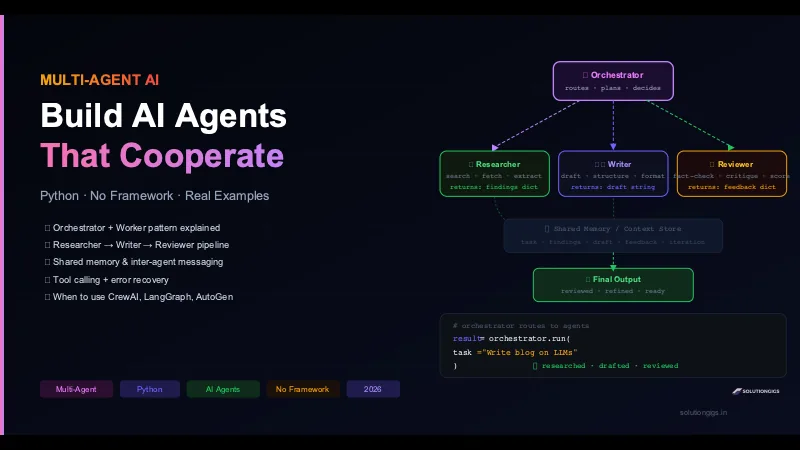
How to Build a Multi-Agent AI System in Python
Build a multi-agent AI system in Python from scratch — orchestrator, researcher, writer, and reviewer agents that cooperate. Includes parallel execution, tool calling, shared memory, and error recovery. No framework required.
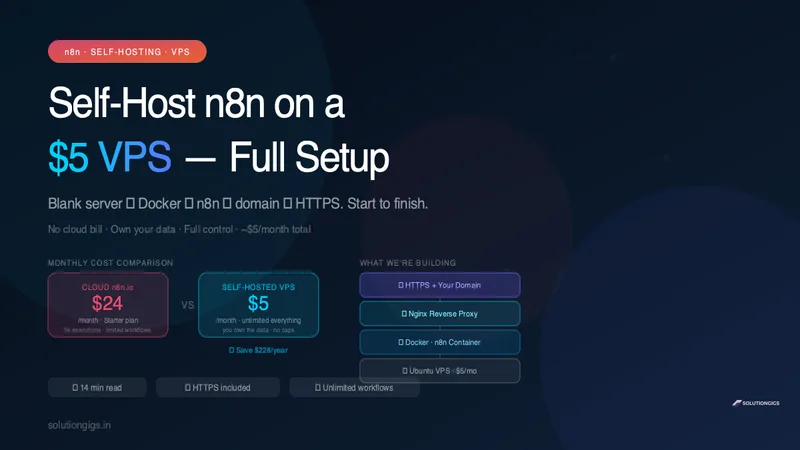
Self-Host n8n on a $5 VPS — Full Setup, Start to Finish
Blank Ubuntu VPS to a secured, production-ready n8n instance with Docker, Nginx, and HTTPS — for about $5/month. Includes firewall setup, auto-start on reboot, and a real cost breakdown vs cloud n8n.
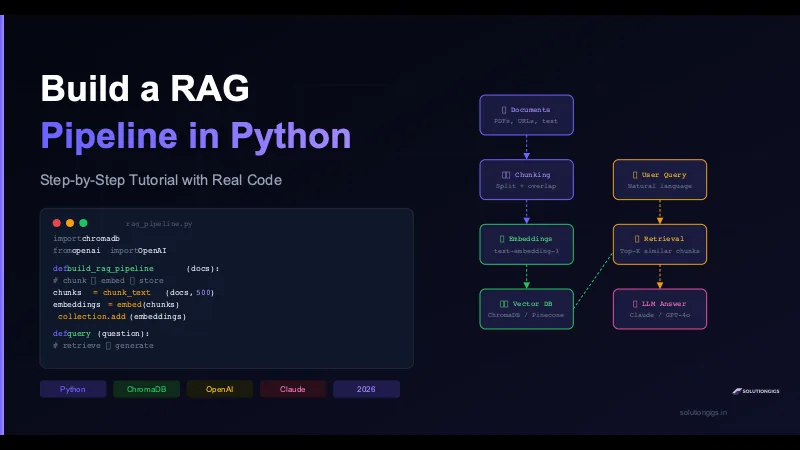
Build a RAG Pipeline in Python: Step-by-Step Tutorial
Build a RAG pipeline in Python from scratch — chunk documents, create embeddings, store in ChromaDB, and generate grounded answers with GPT-4o or Claude. Full working code, common mistakes, and production upgrades.