
AI Reasoning Models Explained: When to Use Them
o3, Claude extended thinking, Gemini 2.5 Pro thinking mode — what AI reasoning models actually do, when they beat fast models by 23–39% accuracy, when they're overkill, real API code, and a decision framework for production.

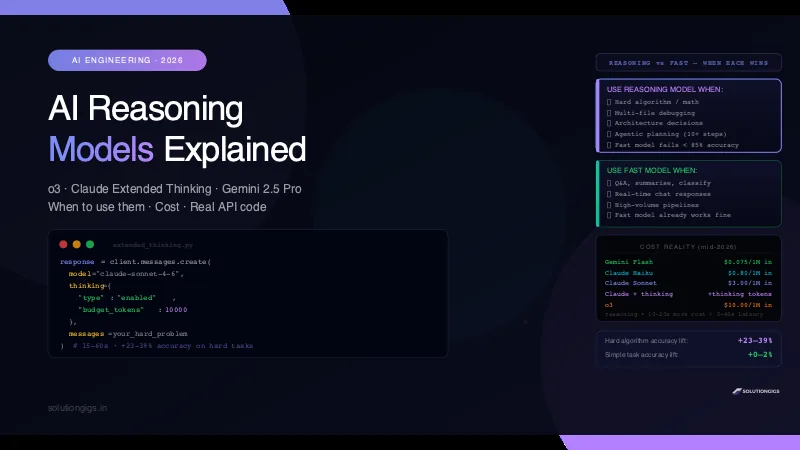
Quick Answer
AI reasoning models (o3, Claude extended thinking, Gemini 2.5 Pro thinking mode) generate a hidden chain-of-thought before answering — letting them tackle hard math, complex debugging, and multi-step logic that trips up standard models. They cost 10–20× more and add 5–60 seconds of latency. Use them when accuracy on hard problems matters more than speed. Use fast models (GPT-4o, Claude Haiku, Gemini Flash) for everything else.
OpenAI o3 costs roughly 20× more per token than GPT-4o. Claude with extended thinking can take 45 seconds to respond. Gemini 2.5 Pro thinking mode burns through tokens at a rate that makes your billing dashboard uncomfortable.
Are they worth it?
The honest answer: sometimes yes, often no — and the difference matters a lot if you are building products or pipelines at scale. This guide explains exactly what reasoning models do, where they outperform fast models by a meaningful margin, and where you are just paying a premium for the same result.
What AI Reasoning Models Actually Do
AI reasoning models are large language models that think before they answer.
A standard model like GPT-4o or Claude Haiku takes your prompt and generates a response token by token — effectively one forward pass through the network. It is fast and cheap, and it is excellent at the vast majority of tasks.
A reasoning model does something different. Before generating the final answer, it produces an internal chain of thought — a scratchpad of reasoning steps that is invisible in the final output but shapes it profoundly.
Standard model:
  Prompt → [single forward pass] → Answer

Reasoning model:
  Prompt → [think: break down the problem]
          → [think: check approach A]
          → [think: approach A fails, try B]
          → [think: verify B is correct]
          → Final Answer
The thinking is not just token generation for show. The model genuinely uses the scratchpad to explore alternatives, catch errors, and revise its approach — much like how a human engineer thinks through a hard problem on paper before committing to a solution.
The Three Major Reasoning Models in 2026
| Model | Provider | Thinking mechanism | Best for |
|---|---|---|---|
| o3 | OpenAI | Internal chain-of-thought (hidden) | Math, science, hard code |
| Claude Opus 5 (adaptive thinking) | Anthropic | Summarized thinking blocks via API | Complex reasoning, agentic tasks, coding |
| Gemini 2.5 Pro (thinking mode) | Internal reasoning (partially visible) | Long-context reasoning, multimodal | |
| o4-mini | OpenAI | Lightweight reasoning | Faster/cheaper reasoning tasks |
How Claude Extended Thinking Works
Claude's implementation is the most transparent — you can see the thinking in the API response. This makes it the easiest to debug and tune.
Basic API Call with Extended Thinking
import anthropic

client = anthropic.Anthropic()

response = client.messages.create(
    model="claude-opus-5",
    max_tokens=16000,
    thinking={"type": "adaptive", "display": "summarized"},
    output_config={"effort": "high"},   # low | medium | high | xhigh | max
    messages=[{
        "role": "user",
        "content": """
        I have a Kafka consumer group with 12 partitions.
        Some partitions have growing lag, others are at zero.
        Consumer count is 8. Processing time per message: ~50ms.
        Incoming rate: 8,000 messages/second total.

        Diagnose the bottleneck and give me the exact config changes to fix it.
        """
    }]
)

# Response contains both thinking blocks and the final answer
for block in response.content:
    if block.type == "thinking":
        print("THINKING:", block.thinking[:200], "...")  # Claude's scratchpad
    elif block.type == "text":
        print("ANSWER:", block.text)
The thinking block shows a summary of how Claude reasoned through the problem — which constraints it identified, which approaches it considered, where it caught its own mistakes.
Gotcha that costs people an hour: on current Claude models,
displaydefaults to"omitted". You still getthinkingblocks in the response, but their text is empty — so a UI that streams reasoning shows a long silent pause instead. Setdisplay: "summarized"explicitly, as above, if you surface reasoning to users. The raw chain of thought is never returned on any model; a summary is the most you get.
Tuning reasoning depth: effort, not token budgets
This is the part of the API that changed, and it's the most common source of stale tutorial code. The old fixed thinking budget — thinking={"type": "enabled", "budget_tokens": N} — is removed on current Claude models and returns a 400 error. It has been replaced by two parameters that work together:
thinking={"type": "adaptive"}— Claude decides when and how much to think, per request. There is no token count to guess at.output_config={"effort": ...}— how hard to work overall, across thinking and tool calls:low,medium,high(the default),xhigh,max.
# Latency-sensitive, not intelligence-sensitive (chat, lookups, classification)
output_config={"effort": "low"}

# Cost-conscious production default
output_config={"effort": "medium"}

# Most intelligence-sensitive work — the recommended minimum
output_config={"effort": "high"}

# Coding and agentic workloads — the sweet spot for these
output_config={"effort": "xhigh"}

# Correctness matters more than cost; can overthink simpler tasks
output_config={"effort": "max"}
Rule of thumb: start at high, use xhigh for coding and agentic loops, and sweep downward on your own evals — low and medium are stronger on current models than the level names suggest, and stepping down is the main cost lever you have. Raising effort is also the right fix for shallow reasoning; prompting a low-effort model to "think carefully" is a worse lever than just paying for high.
One sizing note that bites people: max_tokens caps thinking plus the response together. A request tuned tightly around its answer on an older model can now truncate mid-sentence once thinking is on. At xhigh or max, start around 64,000 and tune down.
Streaming with Extended Thinking
with client.messages.stream(
    model="claude-opus-5",
    max_tokens=16000,
    thinking={"type": "adaptive", "display": "summarized"},
    messages=[{"role": "user", "content": your_prompt}]
) as stream:
    for event in stream:
        if hasattr(event, 'type'):
            if event.type == 'content_block_start':
                block_type = event.content_block.type
                if block_type == 'thinking':
                    print("\n[Thinking...]", end="", flush=True)
                elif block_type == 'text':
                    print("\n[Answer]: ", end="", flush=True)
            elif event.type == 'content_block_delta':
                if hasattr(event.delta, 'thinking'):
                    pass   # thinking delta — skip printing or log to debug
                elif hasattr(event.delta, 'text'):
                    print(event.delta.text, end="", flush=True)
Streaming is important for UX — reasoning models can take 15–45 seconds before producing a single output token without streaming.
Benchmark Reality: Where Reasoning Models Actually Win
The benchmark numbers are real, but context matters.
| Task type | Fast model (GPT-4o / Claude Haiku) | Reasoning model (o3 / Claude thinking) | Delta |
|---|---|---|---|
| Simple Q&A | 94% | 95% | +1% — not worth the cost |
| Text summarisation | 91% | 92% | +1% — not worth the cost |
| Basic code generation | 87% | 91% | +4% — marginal |
| Complex algorithm design | 61% | 84% | +23% — significant |
| Multi-step math (AIME) | 48% | 87% | +39% — huge |
| Hard debugging (SWE-bench) | 38% | 67% | +29% — significant |
| Ambiguous requirements → architecture | 52% | 79% | +27% — significant |
| JSON formatting | 99% | 99% | 0% — waste of money |
The pattern is clear: reasoning models shine on tasks where the fast model already fails. On tasks where the fast model scores 85%+, reasoning adds little.
When Reasoning Models Win: 6 Real Use Cases
1. Hard Algorithmic Problems
A standard model will often produce a solution that looks correct but has an off-by-one error or a missed edge case. A reasoning model works through the algorithm step by step, checks boundary conditions explicitly, and catches the mistake before outputting.
Use reasoning for: competitive programming, complex database query optimisation, algorithm design with subtle correctness requirements.
2. Multi-File Codebase Debugging
When a bug requires tracking a value across 5 files and 3 layers of abstraction, a standard model loses the thread. A reasoning model traces the execution path methodically.
# Good use case for reasoning: debugging a subtle race condition
prompt = """
Here are 4 Python files from our Kafka consumer pipeline.
The consumer occasionally processes the same message twice
despite enable.auto.commit=False and explicit commits.
Find the exact cause and the fix.

[file contents...]
"""
# Use adaptive thinking at effort="xhigh"
3. Architecture Decisions with Competing Constraints
"Should we use Kafka or SQS here, given our latency requirements, team expertise, and budget?" — this is exactly the kind of multi-constraint trade-off reasoning models handle well. They weigh each constraint against each other rather than pattern-matching to the most common answer.
4. Ambiguous Requirements → Concrete Spec
When a requirements doc is vague or contradictory, a reasoning model identifies the ambiguities, makes explicit assumptions, and produces a coherent spec. A fast model glosses over the contradictions.
5. Math and Science Calculations
Compound interest calculations, statistical analysis, physics problems — anything requiring multi-step arithmetic that must be exact. Fast models hallucinate intermediate values; reasoning models check their arithmetic.
6. Agentic Tasks with Many Steps
When an AI agent must plan and execute 10+ steps — like our SEO blog post skill that writes, images, updates JSON, and verifies the sitemap — reasoning models are better at maintaining the overall plan while executing individual steps. They are less likely to drift or skip a required step.
When Reasoning Is Overkill: Save Your Budget
Do not use reasoning models for:
- Chatbot responses — users want speed; a 30-second thinking delay kills UX
- Text summarisation — fast models already nail this
- Format conversion — JSON → CSV, markdown → HTML, etc.
- Classification tasks — sentiment, intent, category
- RAG retrieval answers — the bottleneck is retrieval quality, not model reasoning
- High-volume pipelines — 1M events/day × 20× cost = not viable
- Any task where GPT-4o / Claude Haiku already gets it right
A practical test: run your task 20 times with a fast model and measure accuracy. If it's above 88%, the reasoning model will not move the needle enough to justify the cost.
Cost and Latency Reality Check
Here are real numbers to budget against (mid-2026 pricing):
| Model | Input $/1M tokens | Output $/1M tokens | Avg latency (medium task) |
|---|---|---|---|
| GPT-4o | $2.50 | $10.00 | 2–5 seconds |
| o3 | $10.00 | $40.00 | 15–45 seconds |
| o4-mini | $1.10 | $4.40 | 5–15 seconds |
| Claude Haiku 4.5 | $1.00 | $5.00 | 1–3 seconds |
| Claude Sonnet 5 | $3.00 | $15.00 | 3–8 seconds |
| Claude Opus 5 (adaptive thinking) | $5.00 | $25.00 | 15–60 seconds |
| Gemini Flash | $0.075 | $0.30 | 1–2 seconds |
| Gemini 2.5 Pro thinking | $1.25 | $10.00 | 10–40 seconds |
Thinking tokens on Claude are billed at the input rate and count toward max_tokens. Because adaptive thinking decides depth per request, you no longer pre-commit to a token count — effort is the dial, and stepping from high down to medium is the cheapest meaningful saving available.
Budget formula for a pipeline:
Monthly cost = daily_calls × avg_thinking_tokens × (input_price / 1M) × 30

Example: 1,000 calls/day × 5,000 thinking tokens × ($3/1M) × 30
= $450/month in thinking tokens alone — before output costs
Decision Framework: Which Model to Use
START: What is the task?
  │
  ├─ Simple (Q&A, format, summarise, classify)
  │    └─ Use FAST model (Haiku / Flash / GPT-4o)
  │
  ├─ Medium (code generation, content, RAG answers)
  │    └─ Use STANDARD model (Sonnet / GPT-4o)
  │         └─ If accuracy < 85%: try reasoning
  │
  └─ Hard (multi-step logic, complex debugging, maths,
           architecture decisions, agentic planning)
       └─ Start with REASONING model
            └─ If latency is a problem: try o4-mini or
               Claude at effort="low" or "medium"
The practical rule: if a fast model already solves it — use the fast model. Only reach for a reasoning model when you have a demonstrated accuracy problem, not as a default upgrade.
For building AI agents that use these models effectively, see what AI agents are and how to build reusable Claude skills that can switch model tiers based on task complexity. For connecting reasoning models to external tools and APIs, building MCP servers lets your reasoning model call real-world capabilities mid-thought.
Practical Patterns for Production
Pattern 1 — Tiered Routing
Route tasks to the cheapest model that can handle them:
def get_model_for_task(task_complexity: str) -> tuple[str, dict]:
    if task_complexity == "simple":
        return "claude-haiku-4-5-20251001", {}
    elif task_complexity == "medium":
        return "claude-sonnet-5", {}
    elif task_complexity == "hard":
        return "claude-opus-5", {
            "thinking": {"type": "adaptive"},
            "output_config": {"effort": "high"},
        }

# Classify the task first (using a fast model — cheap!)
complexity = classify_task_complexity(user_query)   # fast model
model, extra_params = get_model_for_task(complexity)
response = call_claude(model, user_query, **extra_params)
Pattern 2 — Verify with Reasoning, Execute with Fast
Use a reasoning model once to plan and verify the approach, then execute the plan with a fast model:
# Step 1: Reason about the approach (slow, expensive — once)
plan = call_claude_thinking(
    "Design the algorithm for X. Output a numbered step-by-step plan.",
    effort="xhigh",
)

# Step 2: Execute each step (fast, cheap — many times)
results = []
for step in parse_plan(plan):
    result = call_claude_fast(f"Execute this step: {step}")
    results.append(result)
Pattern 3 — Cache Reasoning Results
Reasoning model outputs for static problems are deterministic enough to cache:
import hashlib, json

def reasoning_with_cache(prompt: str, cache: dict, effort: str = "high"):
    key = hashlib.md5(prompt.encode()).hexdigest()
    if key in cache:
        return cache[key]   # skip the expensive call
    result = call_claude_thinking(prompt, effort=effort)
    cache[key] = result
    return result
The Bigger Picture: Next-Generation AI in 2026
Reasoning models are one piece of the new AI stack that is emerging in 2026:
- Reasoning models — for hard accuracy-critical tasks
- Fast models — for high-volume, latency-sensitive tasks
- Multimodal models — for vision, audio, document understanding
- Agent frameworks — for orchestrating multi-step workflows
- MCP tools — for connecting models to real-world capabilities
The engineers who will build the best AI products in the next two years are not the ones who blindly use the most powerful model for everything — they are the ones who understand where each model tier earns its cost.
The free developer tools at solutiongigs.in — JSON formatter, SQL formatter, regex tester — are useful when working with the structured outputs that reasoning models produce, especially for debugging agentic pipelines.
Frequently Asked Questions
What are AI reasoning models?
AI reasoning models are large language models that generate an internal chain of thought — a hidden scratchpad of thinking steps — before producing their final answer. This thinking process lets the model break down complex problems, check its own work, and catch errors before responding. Examples include OpenAI o3, Claude Opus 5 with adaptive thinking, and Gemini 2.5 Pro thinking mode. They trade higher cost and latency for significantly better accuracy on hard problems.
What is the difference between o3 and GPT-4o?
GPT-4o generates a response directly — fast, cheap, excellent for most tasks. o3 generates an internal chain of thought first, reasoning step by step before the final answer. o3 is significantly more accurate on hard math, complex code, and multi-step logic, but costs roughly 10–20× more per token and takes 5–45 seconds longer. Use GPT-4o for speed-sensitive tasks; use o3 when accuracy on genuinely hard problems matters more than cost or latency.
How do I enable Claude extended thinking?
Set thinking={"type": "adaptive"} and control depth with output_config={"effort": "high"} (low, medium, high, xhigh, or max). The older fixed budget_tokens parameter is removed on current Claude models and returns a 400. Add "display": "summarized" if you want to show the reasoning — the default returns thinking blocks with empty text.
When should I NOT use a reasoning model?
Avoid reasoning models for simple Q&A, text summarisation, format conversion, chatbot responses requiring sub-second latency, high-volume pipelines where cost matters, and any task where a fast model already achieves 85%+ accuracy. Reasoning models add 5–60 seconds of latency and cost 10–20× more per request. If your current model solves the task correctly most of the time, a reasoning model will not meaningfully improve results.
Are reasoning models better at coding?
Yes, for hard coding problems. They significantly outperform standard models on algorithmic challenges, complex multi-file debugging, system architecture design, and tasks requiring correctness at every step. On SWE-bench (real GitHub issues), o3 and Claude with extended thinking score 20–30 percentage points higher than their non-reasoning equivalents. For simple code generation — writing a function, fixing a syntax error — a fast model is sufficient.
How much do reasoning models cost compared to fast models?
As of mid-2026: o3 costs roughly $10–15 per million output tokens vs $2.50 for GPT-4o. Claude with extended thinking adds thinking token costs at the input rate on top of standard Sonnet pricing — a 10,000 thinking-token request adds ~$0.03 per call. Gemini 2.5 Pro thinking is priced similarly. Budget 5–20× more per request compared to a fast model, depending on thinking token usage.
What is the thinking token budget in Claude extended thinking?
The thinking token budget is the maximum number of tokens Claude can use for its internal reasoning before producing the final answer. A budget of 1024 tokens gives a quick think for moderately complex tasks. A budget of 10,000+ tokens allows deep reasoning through very hard problems. You are billed for thinking tokens at the input token rate. Start with 5,000 for most tasks and increase only if accuracy is insufficient.
Conclusion
AI reasoning models are a genuine step forward — not hype. They solve problems that stumped standard models for years: hard mathematics, complex multi-step debugging, architecture decisions with competing constraints. The benchmark gaps are real and significant.
But they are a precision tool, not a universal upgrade.
The practical framework:
- Task is simple or fast models already work → use fast models, save 10–20× on cost
- Task is hard and accuracy matters more than latency → use reasoning models
- Need both speed and accuracy → route tasks by complexity, or use reasoning to plan and fast models to execute
- Building agents → reasoning models for planning steps, fast models for execution steps
In production, the right answer is almost always a tiered architecture — not "use reasoning everywhere" and not "never use reasoning." Build the routing logic, measure where your fast model fails, and only reach for extended thinking where the accuracy lift justifies the cost.
The next generation of AI applications will be built by engineers who treat model selection as a deliberate engineering decision — not a default.
Mohammed Yaseen
Founder, SolutionGigs
Mohammed builds AI-powered products at SolutionGigs using Claude, Gemini, and OpenAI APIs — including agentic pipelines that route tasks across model tiers based on complexity. He writes practical AI engineering guides for developers who want production-ready systems, not just impressive demos. LinkedIn →
More in AI Development
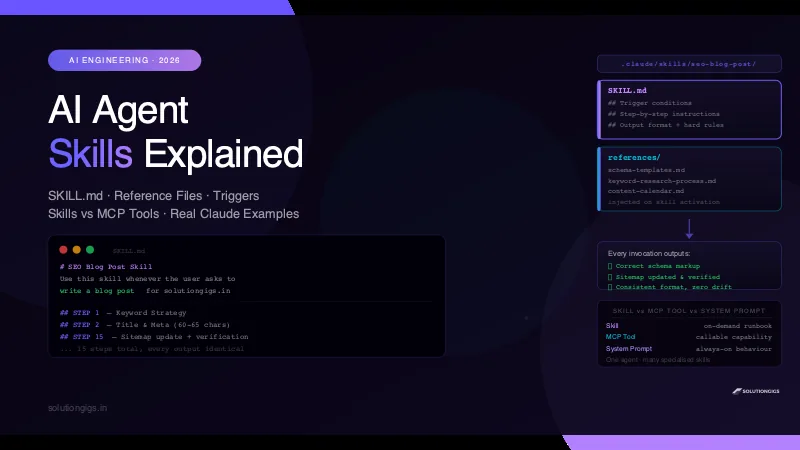
AI Agent Skills Explained: Build Reusable Claude Skills
AI agent skills turn good one-off AI interactions into repeatable systems. Learn what skills are, how Claude Code loads SKILL.md files, how to write your own skill with reference files, and when to use skills vs MCP tools vs system prompts — with real examples.
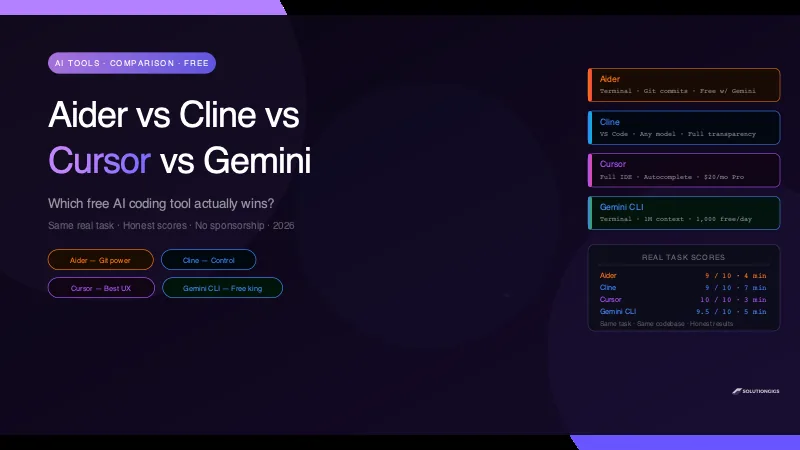
Aider vs Cline vs Cursor vs Gemini CLI: Which Free AI Coding Tool Wins?
I gave Aider, Cline, Cursor, and Gemini CLI the exact same real task and scored them on speed, quality, cost, and ease of setup. Honest results — no sponsorship, including where each tool breaks.
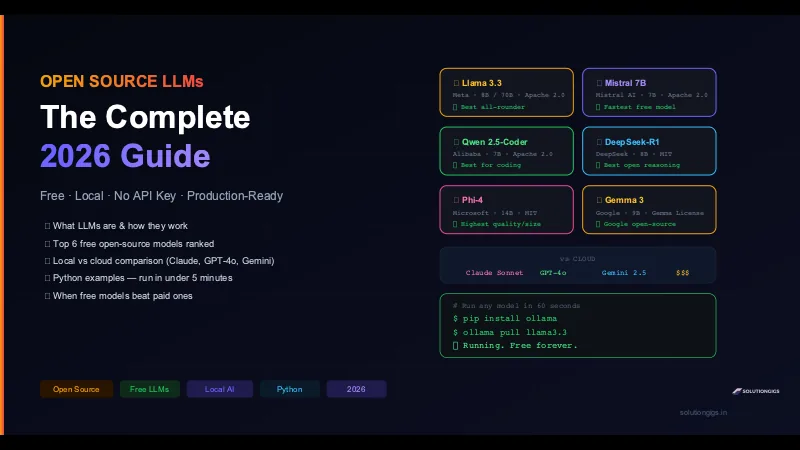
Best Open Source LLMs: Free Models Ranked
The best free open-source LLMs of 2026, ranked: Llama 3.3, Qwen 2.5-Coder, DeepSeek-R1, Phi-4, Mistral & Gemma — with Python examples and when they beat GPT-4o.