
AI Agent Skills Explained: Build Reusable Claude Skills
AI agent skills turn good one-off AI interactions into repeatable systems. Learn what skills are, how Claude Code loads SKILL.md files, how to write your own skill with reference files, and when to use skills vs MCP tools vs system prompts — with real examples.

Quick Answer
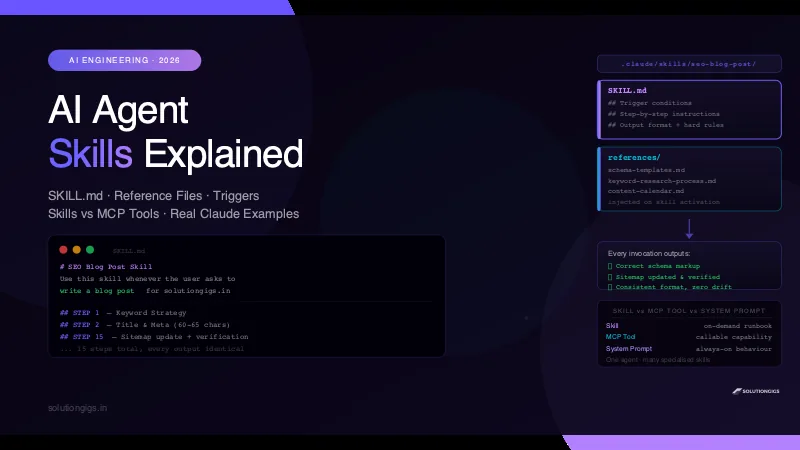
AI agent skills are reusable instruction modules that extend an agent's behaviour for a specific task — loaded on demand, not baked into the system prompt. In Claude Code, a skill is a SKILL.md file inside .claude/skills/<skill-name>/. When triggered, it injects step-by-step instructions and reference files into the agent's context. Skills make agents composable: one base agent, many specialised capabilities, each consistent and repeatable.
The first time I used Claude Code without a skill, I spent 10 minutes in the chat explaining exactly how I wanted an SEO blog post structured — the metadata format, the schema markup, the author bio template, the sitemap update step. It worked. The second time, I repeated the same 10 minutes. The third time I got annoyed and built a skill instead.
That seo-blog-post skill now generates a complete, production-ready blog post for solutiongigs.in in a single command — consistent schema, correct sitemap updates, right tone, every time. No prompting, no repeating myself, no drift between posts.
That is what AI agent skills are for: turning a good one-off interaction into a repeatable system.
What Are AI Agent Skills?
An AI agent skill is a packaged set of instructions that an agent loads for a specific task type. Instead of re-explaining a complex process every time, you write it once as a skill — and the agent follows it consistently on every invocation.
Think of it like this:
- System prompt = the agent's personality and general behaviour (always loaded)
- MCP tool = a capability the agent can call (read a file, run a query, hit an API)
- Skill = a specialised runbook for a specific task (loaded on demand)
A skill does not give the agent new capabilities. It gives the agent a detailed, reliable process for applying the capabilities it already has.
Why Skills Exist
Without skills, every complex task requires you to re-explain the process. You either:
- Write a long prompt every time (slow, inconsistent, drifts over time)
- Put everything in the system prompt (bloated, always in context, unmanageable at scale)
- Build a skill (written once, loaded when needed, consistent forever)
Skills are the equivalent of writing a standard operating procedure and handing it to the agent at the start of a task — rather than explaining the procedure from scratch every time.
How Claude Code Skills Work
Claude Code discovers skills by scanning the .claude/skills/ directory at conversation start. For each subfolder that contains a SKILL.md file, Claude reads the skill name and description and adds it to its available skills list.
.claude/
  skills/
    seo-blog-post/
      SKILL.md              ← instructions + trigger conditions
      references/
        schema-templates.md ← supporting reference files
        keyword-research-process.md
        content-calendar.md
    code-review/
      SKILL.md
    deploy-checker/
      SKILL.md
When you invoke a skill — either by typing /skill-name or when Claude detects a trigger phrase from the skill's description — Claude Code:
- Reads the full
SKILL.mdinto context - Loads any referenced files from the
references/folder - Executes the skill instructions with your input as arguments
The skill runs inside the same conversation, with access to all the same tools (file read/write, bash, search) the base agent has. The skill simply tells it what to do with those tools and in what order.
Anatomy of a SKILL.md File
A well-written SKILL.md has three sections:
1. Header — Name, Description, and Triggers
The header tells Claude when to activate the skill. This is critical — a vague description causes the skill to fire at the wrong time, or never.
# SEO Blog Post Skill — solutiongigs.in

Write every blog post to rank #1 on Google for solutiongigs.in.
Use this skill whenever the user asks to write a blog post, article,
or web content for solutiongigs.in — even if they don't mention SEO.

Also trigger for: "rank on Google", "write content for the website",
"blog for our site", "help us get traffic".
Rules for a good trigger description:
- Be specific about which site or project this applies to
- List exact phrases that should activate it
- Mention what NOT to trigger on (avoids false positives)
- One skill = one task type. Don't bundle unrelated tasks.
2. Step-by-Step Instructions — The Core
This is the runbook. Write it like you're briefing a very capable engineer who has never done this task before.
## STEP 1 — Keyword Strategy

### 1.1 Primary Keyword Rules
- One primary keyword per post. Do NOT target multiple competing keywords.
- Place primary keyword in: Title, H1, first 100 words, one H2,
  meta description, URL slug, and image alt text.
- Keyword density: 1%–1.5% max. No stuffing.

## STEP 2 — Title & Meta

### 2.1 Title Tag (60–65 characters)
Formula: [Primary Keyword] — [Benefit or Year]
Rules:
- Include primary keyword near the front.
- Add a power word: Best, Complete, Proven, Ultimate.
- Include year if time-sensitive.
Key principles for skill instructions:
| Do | Don't |
|---|---|
| Numbered steps in order | Vague guidance ("write well") |
| Explicit output format | Assumed knowledge |
| Hard rules ("NEVER do X") | Soft suggestions only |
| Examples with real values | Abstract descriptions |
| Verification steps at the end | Trust-but-don't-verify |
3. Reference Files
Large supporting content that the agent needs but shouldn't memorise lives in references/. The skill instructions point to these files, and Claude loads them when the skill activates.
references/
  schema-templates.md       ← ready-to-paste JSON-LD markup
  keyword-research-process.md ← detailed research workflow
  content-calendar.md       ← topic clusters and content plan
In SKILL.md you reference them like this:
## Reference Files

- `references/schema-templates.md` — paste these into every post's <head>
- `references/keyword-research-process.md` — run this before choosing a keyword
- `references/content-calendar.md` — check this before picking a topic
When the skill fires, Claude loads the content of these files alongside the instructions — giving the agent the full context it needs without permanently occupying the system prompt.
Real Example: The seo-blog-post Skill
Here is the complete folder structure of the seo-blog-post skill used to write every blog post on solutiongigs.in:
.claude/skills/seo-blog-post/
  SKILL.md                          ← 15-step SEO process (2,500 words)
  references/
    schema-templates.md             ← Article, FAQPage, BreadcrumbList JSON-LD
    keyword-research-process.md     ← How to pick and validate keywords
    content-calendar.md             ← Topic clusters and 30-day plan
The SKILL.md covers 15 explicit steps in order:
- Keyword strategy (primary + LSI + long-tail)
- Title and meta description formulas
- Content structure (H1 → H2 → H3 hierarchy)
- Feature image specs (1200×630px, SVG with logo watermark)
- E-E-A-T signals (author bio, experience signals, external citations)
- On-page SEO checklist (20 items)
- FAQ section (7 questions, 40–80 word answers)
- Schema markup (Article + FAQPage + BreadcrumbList)
- Internal linking strategy
- AEO (Answer Engine Optimization for ChatGPT/Perplexity citations)
- YouTube/video recommendation
- Content freshness rules
- Full output format (exact order of every section)
- What not to do (common mistakes)
- Sitemap update + verification script (mandatory last step)
Every post produced by this skill: consistent metadata format, correct schema, correct SVG image with logo watermark, correct posts.json entry, sitemap updated and verified. Zero manual steps.
The output quality stays the same whether it's the first post or the fiftieth — because the process is codified, not remembered.
Skills vs MCP Tools vs System Prompt
Knowing which mechanism to use for what is half the battle.
| System Prompt | MCP Tool | Skill | |
|---|---|---|---|
| What it is | Always-on behaviour | Callable function/API | On-demand runbook |
| When to use | Core personality, universal rules | External capability (read file, run query) | Complex, repeatable task |
| Context cost | Always consumed | Schema always consumed; result only when called | Description always consumed; full body only when active |
| Scope | Global | Single action | End-to-end workflow |
| Example | "Always respond in English" | "Read file at path X" | "Write an SEO blog post" |
| Written by | Agent developer | Tool developer | Power user / team |
Decision rule:
- Does the agent need a new capability? → MCP tool
- Should the agent always behave a certain way? → System prompt
- Do you have a multi-step process you repeat? → Skill
One correction worth internalising about that context-cost row: an MCP tool is not free until called. Its name, description, and input schema must sit in the context window on every turn so the model knows the tool exists — only the result is pay-per-use. The same applies to skills: the description is always loaded so the agent knows when the skill is relevant, and only the full body loads on activation. That progressive-disclosure design is exactly why skills scale better than stuffing every runbook into the system prompt, and it's the same principle behind deferring tool schemas until a tool-search step surfaces them. Our guide to context engineering covers how to budget this properly.
For building MCP tools with Python, see how to turn any API into an MCP tool and what MCP servers are. Skills and MCP tools are complementary — a skill often calls MCP tools as part of its process.
How to Write Your Own Claude Code Skill
Step 1 — Create the Folder Structure
mkdir -p .claude/skills/your-skill-name/references
touch .claude/skills/your-skill-name/SKILL.md
Step 2 — Write the SKILL.md Header
# Your Skill Name — context about which project/site this applies to

One paragraph describing exactly what this skill does.
Use this skill when the user asks to [specific task].

Also trigger for: [list exact phrases], [more phrases].
Do NOT trigger for: [false positive cases].
Step 3 — Write the Instructions as Numbered Steps
## STEP 1 — [First major phase]

### 1.1 [Substep]
- Rule: [specific, testable rule]
- Rule: [another rule]

### 1.2 [Substep]
[Instructions]

## STEP 2 — [Second major phase]
[Instructions]
Write instructions at the level of detail where a brand-new team member could follow them without asking a single question. Vague instructions produce inconsistent output. Specific instructions produce reliable output.
Step 4 — Add Reference Files
Put any large supporting context into references/:
# Examples of what belongs in references/
echo "## JSON-LD Templates..." > .claude/skills/your-skill/references/schema-templates.md
echo "## Brand Voice Guide..." > .claude/skills/your-skill/references/brand-guide.md
Reference them at the bottom of SKILL.md:
## Reference Files
- `references/schema-templates.md` — use these templates for all schema markup
- `references/brand-guide.md` — follow these tone and style rules
Step 5 — Test and Refine
Invoke the skill: /your-skill-name [input]
The first run will reveal gaps — steps that were obvious to you but ambiguous to the agent, output format details you forgot to specify, edge cases you didn't anticipate. Fix the SKILL.md after each run. After 3–5 iterations, the output should be consistent and require no post-processing.
Practical Skill Ideas for Developers
| Skill name | What it does |
|---|---|
seo-blog-post |
Writes full SEO-optimised blog posts with schema, sitemap |
code-review |
Reviews a diff for bugs, security issues, and simplifications |
pr-description |
Generates a structured PR description from git diff |
api-doc |
Writes OpenAPI docs for a new endpoint |
incident-report |
Generates a post-mortem from logs and timeline |
deploy-checklist |
Runs pre-deploy checks and generates a sign-off checklist |
onboarding-guide |
Generates a new-engineer onboarding doc from codebase structure |
Any multi-step process you find yourself explaining to an AI agent more than twice is a good candidate for a skill.
Skills and the Broader AI Agent Ecosystem
Skills are one layer in a complete AI agent architecture. The full picture:
User request
    ↓
Agent (base personality + system prompt)
    ↓
Skill activated (SKILL.md + reference files injected)
    ↓
Agent executes skill steps, calling tools as needed:
    → MCP tools (file read/write, bash, search, APIs)
    → Sub-agents (spawned for parallel tasks)
    ↓
Structured output (post, review, doc, report)
If you want to understand what AI agents are more broadly — the types, how they reason, how they chain tool calls — that's a good foundation before diving into skills.
The free developer tools at solutiongigs.in — JSON formatter, SQL formatter, regex tester — are useful when building and debugging the output your skills produce, especially when testing schema markup or structured data.
Frequently Asked Questions
What are AI agent skills?
AI agent skills are reusable instruction modules that extend what an AI agent can do without changing its core system prompt. A skill is loaded on demand when the agent recognises a trigger phrase or task type, injecting a focused set of instructions and reference material for that specific capability. In Claude Code, skills are stored as SKILL.md files inside .claude/skills/ and activated via /skill-name or trigger keywords.
What is the difference between an AI skill and an MCP tool?
An MCP tool gives an AI agent the ability to call external APIs, read files, or execute code — it extends what the agent can DO. A skill gives the agent specialised knowledge and a step-by-step process for a specific task — it extends how the agent THINKS and BEHAVES. MCP tools are about capability; skills are about methodology. In practice, a skill often orchestrates multiple MCP tool calls in the right order.
How do Claude Code skills work?
Claude Code discovers skills by scanning the .claude/skills/ directory at conversation start. Each skill is a folder containing a SKILL.md file and optional reference files. When you invoke /skill-name or Claude recognises a trigger, it loads the full SKILL.md content into context and follows its instructions. Reference files in the references/ subfolder are loaded alongside the instructions.
How do I write a SKILL.md file?
A SKILL.md file has three parts: a header describing the skill's name and trigger conditions, a numbered step-by-step instruction section, and references to supporting files. Write it like a precise runbook — numbered steps, explicit output formats, hard rules. The more specific the instructions, the more consistent the agent's behaviour. Test with 3–5 real invocations and fix gaps after each run.
Can I use skills with agents other than Claude Code?
The SKILL.md format is specific to Claude Code. However, the underlying pattern — loading task-specific instruction modules into an agent's context on demand — applies to any agent framework. In LangChain, CrewAI, or custom OpenAI agents, you implement the same idea by dynamically injecting system prompt sections based on the detected task.
How many skills can Claude Code have?
There is no hard limit, but all skill names and descriptions are loaded into context at conversation start. More skills means more context consumed before any work begins. In practice, 5–15 focused skills is healthy. Keep each skill tightly scoped to one task type. If a skill's SKILL.md is very large, consider splitting it into multiple focused skills.
What should I put in a skill's reference files?
Reference files contain supporting context too large or too static for SKILL.md itself — templates, lookup tables, brand style guides, schema definitions, API response examples, or process documentation. Good candidates: JSON schemas, HTML templates, keyword lists, competitor analysis. They are loaded when the skill activates, giving the agent full context without permanently occupying the system prompt.
Conclusion
AI agent skills are the bridge between a powerful but inconsistent AI agent and a reliable, repeatable system. You write the process once — every step, every rule, every output format — and the agent follows it every single time without drift, without you re-explaining, without subtle variations creeping in.
The pattern is simple:
- One skill = one repeatable task type
- SKILL.md = the runbook (numbered steps, explicit outputs, hard rules)
- references/ = supporting context (templates, schemas, brand guides)
- Trigger description = when to activate (be specific to avoid false positives)
The seo-blog-post skill on solutiongigs.in has produced every data engineering article in our cluster — Iceberg, Kafka, Spark Streaming — with consistent schema markup, correct sitemap updates, and the right author bio, every single time. That consistency compounds: each post builds topical authority because none of them cut corners.
Whatever your repeatable task is — PR descriptions, code reviews, incident reports, deployment checklists — it's a skill waiting to be written.
Mohammed Yaseen
Founder, SolutionGigs
Mohammed builds and uses Claude Code skills in production at SolutionGigs — including the seo-blog-post skill that powers every article on this site. He writes about practical AI engineering patterns for developers who want reliable, repeatable AI systems, not just impressive demos. LinkedIn →
More in AI Development
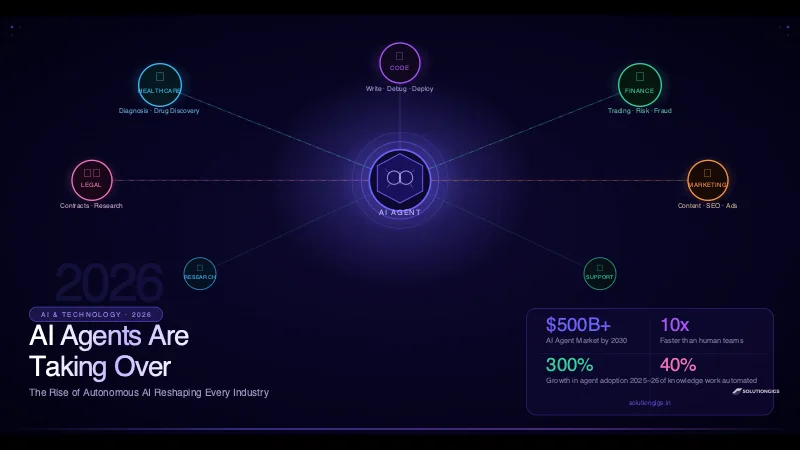
AI Agents: How Autonomous AI Is Changing the World
AI agents are autonomously handling healthcare, finance, legal, and software tasks in 2026. Learn how they work, which industries they're transforming, the top platforms, and how to build your first agent.
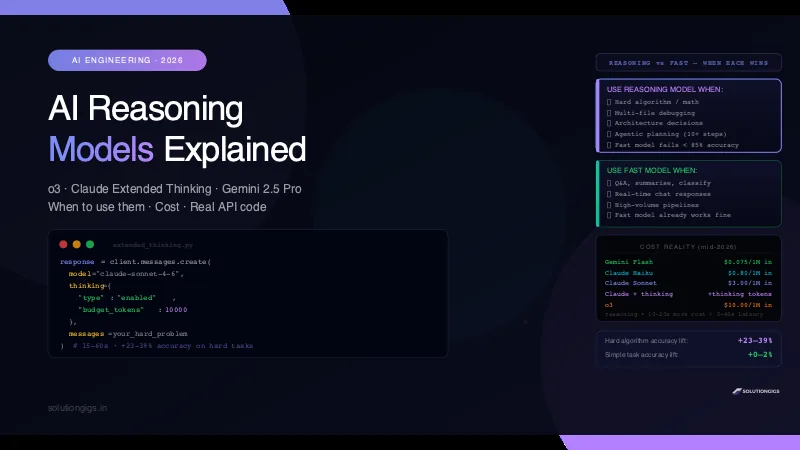
AI Reasoning Models Explained: When to Use Them
o3, Claude extended thinking, Gemini 2.5 Pro thinking mode — what AI reasoning models actually do, when they beat fast models by 23–39% accuracy, when they're overkill, real API code, and a decision framework for production.
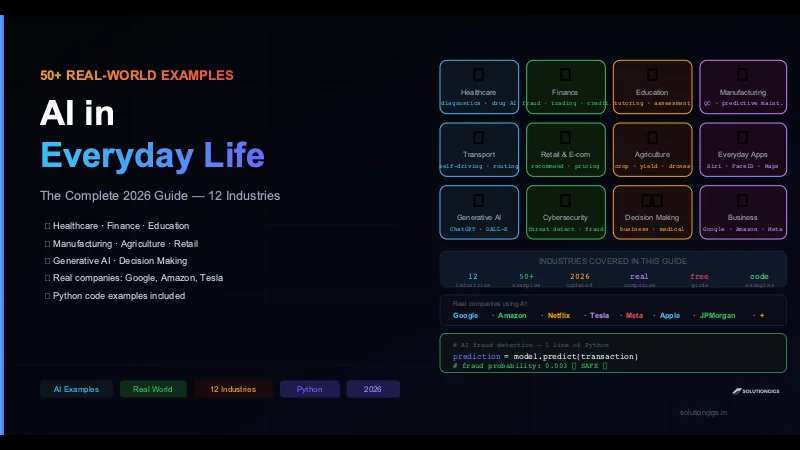
50+ Examples of AI in Everyday Life — The Complete Guide
50+ real examples of AI in everyday life across 12 industries — healthcare, finance, education, manufacturing, agriculture, retail, and generative AI. Real companies, how they work, and Python code included.