
Turn Any API Into an MCP Tool: Claude + Python Tutorial
Got an existing API? Wrap it as an MCP tool so Claude can call it directly — real example with Bearer token auth, structured error returns, and the 2 failure modes that break most MCP servers in production.
Last Updated: July 2026 · 12 min read
What You'll Build
A production-ready MCP server that wraps a real REST API — complete with Bearer token auth, structured output, error handling, and the two debugging techniques that actually matter when things break.
This post is the direct follow-up to What Is an MCP Server? — we skip the basics and go straight to wrapping a real API.
You built your first MCP server. It works with a toy example. Now the real question is: how do you wrap an actual production API — one with authentication, rate limits, and real error states — so that Claude can call it reliably?
That's exactly what this tutorial covers. We'll take a real endpoint from solutiongigs.in and turn it into a fully working MCP tool with auth, structured return values, and graceful error handling. Then I'll show you the two failure modes that trip up almost every MCP server in production, and how to debug them fast.
The Pattern: API → MCP Tool in 5 Minutes
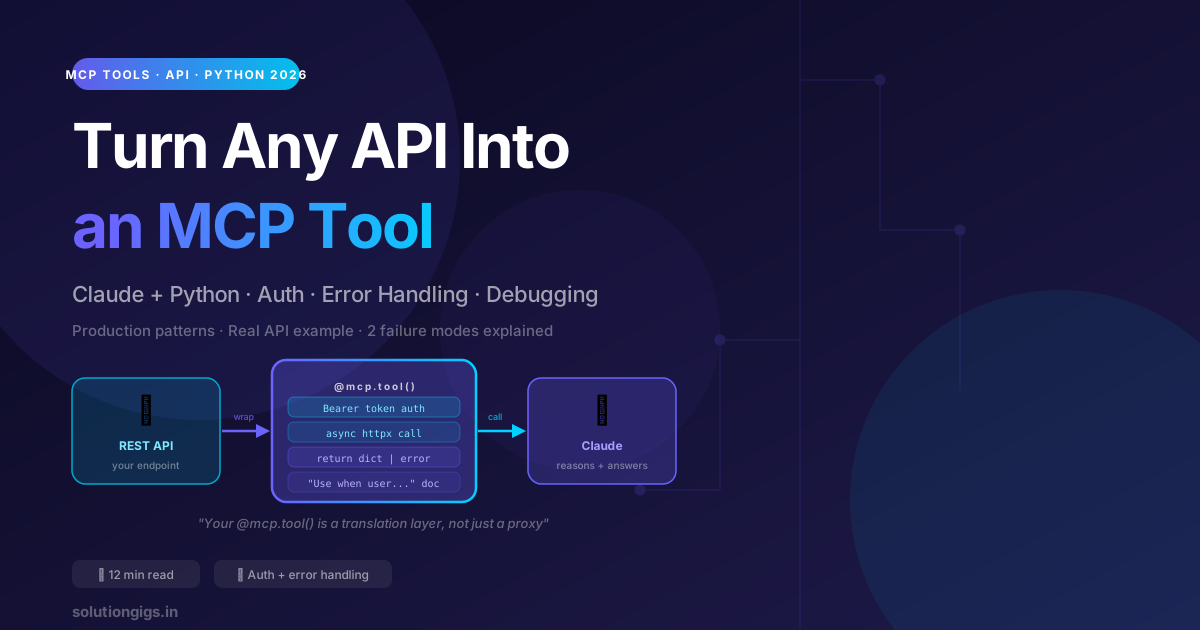
Before we go deep, here's the complete mental model. Every "wrap an API as an MCP tool" job follows this pattern:
- Claude calls your tool with typed parameters it read from your docstring
- Your
@mcp.tool()function validates the params, attaches auth, and fires an async HTTP request - Your API responds — you shape the response into a clean dict and return it
- Claude gets structured data it can reason over and present to the user
The key insight: your MCP tool is a translation layer, not just a proxy. Its job is to receive AI-friendly parameters and return AI-friendly structured data — not to blindly forward HTTP requests.
What We're Building
We'll wrap the Readability Checker API from solutiongigs.in — a real endpoint that scores text for reading ease (Flesch-Kincaid grade level, Flesch Reading Ease, and more). It's a great example because:
- It takes a non-trivial text payload (not just a query param)
- It returns a multi-field structured response worth reasoning over
- It demonstrates why returning structured data matters — Claude can say "Your text reads at a 9th-grade level, here are the 3 sentences dragging it down" rather than just echoing a number
Step 1 — Project Setup
mkdir readability-mcp && cd readability-mcp
pip install fastmcp httpx python-dotenv
Create a .env file for your API key (never hardcode credentials):
SG_API_KEY=your-api-key-here
Create your main server file server.py:
import os
import httpx
from fastmcp import FastMCP
from dotenv import load_dotenv

load_dotenv()

API_KEY = os.environ.get("SG_API_KEY", "")
BASE_URL = "https://api.solutiongigs.in/v1"

mcp = FastMCP("SolutionGigs Dev Tools")
Why load_dotenv() at module level? It runs once when the server starts. The API_KEY variable is set globally so every tool in this server can use it without re-reading the environment on each call.
Step 2 — Write Your First Real Tool
@mcp.tool()
async def check_readability(text: str, target_grade: int = 8) -> dict:
    """
    Analyse the readability of a piece of writing and return detailed scores.

    Use when the user wants to:
    - Check if their writing is too complex or too simple
    - Get a reading grade level for an article, email, or document
    - Find which sentences are dragging down the readability score
    - Compare their text's reading ease to a target audience level

    Parameters:
        text: The full text to analyse. Can be a paragraph, full article, or any length.
        target_grade: The target US grade level (1–16). Default 8 = accessible adult writing.

    Returns a dict with:
        - flesch_ease (0–100, higher = easier)
        - grade_level (US grade, lower = more accessible)
        - avg_sentence_length
        - hard_sentences: list of the 3 most complex sentences with their scores
        - verdict: plain-English summary Claude can show directly to the user
    """
    if not text.strip():
        return {"success": False, "error": "No text provided. Pass the writing you want analysed."}

    if not API_KEY:
        return {"success": False, "error": "SG_API_KEY environment variable not set. Add it to your .env file."}

    async with httpx.AsyncClient(timeout=20) as client:
        try:
            resp = await client.post(
                f"{BASE_URL}/readability",
                json={"text": text, "target_grade": target_grade},
                headers={
                    "Authorization": f"Bearer {API_KEY}",
                    "Content-Type": "application/json",
                },
            )
            resp.raise_for_status()
            data = resp.json()
            return {
                "success": True,
                "flesch_ease": data["flesch_ease"],
                "grade_level": data["grade_level"],
                "avg_sentence_length": data["avg_sentence_length"],
                "hard_sentences": data.get("hard_sentences", [])[:3],
                "verdict": data.get("verdict", ""),
                "meets_target": data["grade_level"] <= target_grade,
            }
        except httpx.HTTPStatusError as e:
            return {
                "success": False,
                "error": f"API returned {e.response.status_code}",
                "detail": e.response.text[:300],
            }
        except httpx.TimeoutException:
            return {"success": False, "error": "Request timed out after 20 seconds. Try with shorter text."}
        except Exception as e:
            return {"success": False, "error": str(e)}
There's a lot happening here. Let me break down the parts that are non-obvious.
The 4 Things That Make This Tool Production-Ready
1. A docstring Claude can actually use
The docstring is the most important part of any MCP tool — it's the only thing Claude reads to decide when and how to use it. A good docstring answers four questions:
| Question | Where in the docstring |
|---|---|
| What does this tool do? | First line (one sentence) |
| When should Claude use it? | Use when the user wants to: list |
| What parameters does it take? | Parameters: block |
| What does it return? | Returns a dict with: block |
The Use when the user wants to: pattern is especially important. Without it, Claude may never call your tool because it can't figure out when it's appropriate. With it, Claude will call the tool every time it's relevant — without you needing to prompt for it.
2. Auth via environment variable
headers={"Authorization": f"Bearer {API_KEY}"}
Never hardcode API keys in an MCP server. The server process inherits the environment from where it's launched, so .env + python-dotenv is the cleanest approach. For production deployments:
- Claude Desktop: set the env var in your shell profile (
~/.zshrcor~/.bashrc) — Claude Desktop picks it up at launch - Claude Code: add
"env": {"SG_API_KEY": "..."}to your.mcp.jsonserver entry - Server deployment: use your platform's secret manager (AWS Secrets Manager, Railway env vars, etc.)
3. Structured error returns — never raise exceptions
except httpx.HTTPStatusError as e:
    return {
        "success": False,
        "error": f"API returned {e.response.status_code}",
        "detail": e.response.text[:300],
    }
If your tool raises an unhandled exception, Claude receives a generic Tool execution failed error with no context. It can't tell the user what went wrong.
If your tool returns {"success": false, "error": "API returned 429", "detail": "Rate limit exceeded"}, Claude can say: "The readability check hit a rate limit. Try again in a few seconds."
Always return errors as structured dicts. Always.
4. Returning less data, shaped better
Notice we return hard_sentences[:3] — not the full list. Claude has a context window, and dumping 50 sentences into it is wasteful. Your tool should be opinionated: return only what Claude needs to give a useful answer.
Similarly, "meets_target": data["grade_level"] <= target_grade is computed on our side so Claude doesn't have to do the arithmetic. Shape the data so Claude can reason over it directly.
Step 3 — Add a Second Tool to the Same Server
Multiple @mcp.tool() decorators on the same FastMCP instance are just multiple tools. Here's a second tool that shows a different pattern — accepting a URL instead of raw text:
@mcp.tool()
async def check_url_readability(url: str, target_grade: int = 8) -> dict:
    """
    Fetch a web page and check its readability score.

    Use when the user provides a URL and wants to know how readable
    the page content is — for SEO audits, content reviews, or competitor
    analysis. Automatically strips HTML and scores the visible text.

    Parameters:
        url: Full URL of the page to analyse (must include https://).
        target_grade: Target reading grade level (default 8).
    """
    if not url.startswith("http"):
        return {"success": False, "error": "URL must start with https:// or http://"}

    async with httpx.AsyncClient(timeout=30) as client:
        try:
            page_resp = await client.get(url, follow_redirects=True)
            page_resp.raise_for_status()
        except httpx.TimeoutException:
            return {"success": False, "error": f"Could not fetch {url} — page timed out."}
        except httpx.HTTPStatusError as e:
            return {"success": False, "error": f"Page returned {e.response.status_code}"}

        try:
            api_resp = await client.post(
                f"{BASE_URL}/readability/html",
                json={"html": page_resp.text, "target_grade": target_grade},
                headers={"Authorization": f"Bearer {API_KEY}"},
            )
            api_resp.raise_for_status()
            data = api_resp.json()
            return {
                "success": True,
                "url": url,
                "flesch_ease": data["flesch_ease"],
                "grade_level": data["grade_level"],
                "word_count": data.get("word_count", 0),
                "verdict": data.get("verdict", ""),
                "meets_target": data["grade_level"] <= target_grade,
            }
        except Exception as e:
            return {"success": False, "error": str(e)}


if __name__ == "__main__":
    mcp.run()
One server, two tools. Claude sees both at startup and chooses between them based on whether the user provides raw text or a URL.
Step 4 — Connect to Claude
Claude Desktop
Add to your MCP config (Settings → Developer → Edit Config):
{
  "mcpServers": {
    "sg-dev-tools": {
      "command": "python",
      "args": ["/absolute/path/to/readability-mcp/server.py"],
      "env": {
        "SG_API_KEY": "your-key-here"
      }
    }
  }
}
Restart Claude Desktop. Try: "Can you check the readability of this paragraph for an 8th-grade audience?"
Claude Code (CLI)
Add a .mcp.json in your project root:
{
  "mcpServers": {
    "sg-dev-tools": {
      "type": "stdio",
      "command": "python",
      "args": ["server.py"],
      "env": {
        "SG_API_KEY": "your-key-here"
      }
    }
  }
}
Claude Code discovers the server at session start. Every conversation in that project has access to your tools.
The 2 Failure Modes That Break MCP Servers in Production
These are the two bugs I see most often when people first wrap real APIs as MCP tools.
Failure Mode 1 — The Tool Never Gets Called
Symptom: You've built and connected your MCP server. You ask Claude something that should trigger the tool. Claude answers from its training data instead.
Root cause: Almost always a vague docstring. Claude's tool-selection logic is essentially: "read all docstrings, decide which tool — if any — is relevant." A docstring like "Get readability score." gives Claude almost no signal.
Diagnosis: Run the FastMCP dev inspector:
fastmcp dev server.py
This launches an interactive browser UI that lists all registered tools and their docstrings exactly as Claude sees them. If your docstring looks thin here, it looks thin to Claude.
Fix: Add a concrete Use when the user wants to: list and a Returns: block. Compare before and after:
# Before — Claude rarely calls this
"""Get readability score."""

# After — Claude calls it whenever it's relevant
"""
Analyse the readability of a piece of writing and return detailed scores.

Use when the user wants to:
- Check if their writing is too complex or too simple
- Get a reading grade level for an article, email, or document
- Find which sentences are dragging down the readability score
"""
Failure Mode 2 — The Tool Crashes Silently
Symptom: Claude says "I tried to call the tool but there was an error" with no useful detail. Or worse: the tool appears to succeed but returns nothing useful.
Root cause: Unhandled exception in the tool function, or returning a raw string instead of a dict.
What it looks like to Claude when your tool raises:
Tool execution error: HTTPStatusError: 401 Unauthorized
Claude gets one line of error text with no context. It can't tell if it passed wrong parameters, if the auth is broken, or if the API is down.
What it looks like when you return a structured error dict:
{
  "success": false,
  "error": "API returned 401",
  "detail": "Invalid API key. Check your SG_API_KEY environment variable."
}
Claude reads the detail and says: "It looks like the API key isn't set correctly in your environment. Check your .env file."
The fix: wrap every I/O call in a try/except and return structured errors — as shown in the complete example above.
Wrapping Your Own FastAPI Backend
If you already have a FastAPI backend, you have two choices for how to wrap it:
Option A — Direct import (faster, tighter)
# server.py
from fastmcp import FastMCP
from your_fastapi_app.services import readability_service  # import business logic directly

mcp = FastMCP("My App Tools")

@mcp.tool()
async def check_readability(text: str) -> dict:
    """Check readability of text using the app's readability service."""
    result = await readability_service.analyse(text)
    return result.to_dict()
No HTTP round-trip, no auth token needed, zero latency overhead. Best for internal tools where the MCP server and the API run in the same process or same machine.
Option B — HTTP call (cleaner separation)
# server.py  (separate process from your FastAPI app)
@mcp.tool()
async def check_readability(text: str) -> dict:
    """..."""
    async with httpx.AsyncClient() as client:
        resp = await client.post(
            "http://localhost:8000/v1/readability",
            json={"text": text},
            headers={"Authorization": f"Bearer {API_KEY}"},
        )
        return resp.json()
Cleaner boundary, easier to test independently, same port/auth as external callers. Best for production services where you want the MCP layer to be just another API consumer.
At solutiongigs.in, we use Option A for internal tools (the MCP server runs in the same container as the FastAPI app) and Option B for third-party API wrappers.
Checklist: Is Your MCP Tool Production-Ready?
Before connecting a tool to a real AI client, run through this list:
- Docstring has a
Use when the user wants to:block — without it, Claude may never call the tool - All API keys come from environment variables — never hardcode credentials
- Every
awaitcall is inside atry/except— unhandled exceptions give Claude nothing to work with - Errors return
{"success": False, "error": "..."}dicts — not raised exceptions, not raw error strings - Return value is a
dictorlist, not a formatted string - I/O-bound operations are
async— synchronousrequests.get()blocks the entire server - Tested with
fastmcp dev server.pybefore connecting to any AI client
Frequently Asked Questions
How do I turn a REST API into an MCP tool?
Use FastMCP's @mcp.tool() decorator to wrap an async function that calls your API with httpx. Pass credentials via environment variables, return a typed dict (not a raw string), and write a docstring with a Use when the user wants to: block. Install with pip install fastmcp httpx.
How do I pass authentication to an MCP tool?
Read credentials from os.environ at server startup. Pass them as Authorization: Bearer <token> headers in your httpx calls. For Claude Desktop, set env vars in your shell profile or in the "env" block of mcpServers config. Never hardcode keys in the source file.
Why is my MCP tool never called by Claude?
Almost always a vague or missing docstring. Claude reads your docstring to decide when a tool is relevant. Add a Use when the user wants to: list and a Returns: block. Run fastmcp dev server.py to inspect exactly what Claude sees.
What should an MCP tool return?
Always return a dict or list. Include a "success" key so Claude can tell immediately whether the call worked. Return errors as {"success": False, "error": "...", "detail": "..."} — not raised exceptions — so Claude can explain the failure to the user.
How do I debug an MCP server?
Run fastmcp dev server.py for an interactive inspector that lists all registered tools and lets you call them manually. This confirms the server starts, tools are registered, and your logic is correct before involving Claude Desktop or Claude Code.
Can I wrap a FastAPI backend as an MCP server?
Yes. Either import your business logic directly (no HTTP overhead) or call your own API via httpx for cleaner separation. Both work well; direct import is faster for internal tools.
How do I run multiple MCP tools in one server?
Add multiple @mcp.tool() functions to the same FastMCP instance. All tools register automatically at startup. Group related tools together and keep unrelated tools in separate servers to keep each server's tool list short and clear.
Conclusion
Wrapping a real API as an MCP tool isn't hard — but the gap between "it works in a demo" and "Claude uses it reliably" comes down to three things:
- Write docstrings for Claude, not for developers. The
Use when the user wants to:pattern is the single biggest factor in whether Claude calls your tool. - Return structured errors, not raised exceptions. Claude can explain a dict; it can't do anything useful with a stack trace.
- Shape the return value. Less data, better structured, is always better. Claude reasons over a clean dict far more effectively than it parses a noisy API response.
Ready to go deeper? Once your tools are reliable, the next step is giving an agent several of them and letting it decide which to call — see how to build a multi-agent AI system in Python, and how Claude Agent Skills package reusable capabilities on top of MCP. If you want to test your tools against free developer utilities (JSON formatter, regex tester, readability checker), everything at solutiongigs.in is available for free with no signup.
📹 Video Note: This post maps to Video 1.2 ("Turn Any API Into an MCP Tool") in the YouTube roadmap. Show 2 failure modes live on screen — a tool that never gets called (fix: docstring) and one that crashes silently (fix: structured error returns). Real debugging, not just working code, is what separates this from every other MCP tutorial.

Mohammed Yaseen
Founder, SolutionGigs
Full-stack developer and AI tools builder at solutiongigs.in. Mohammed builds MCP servers, FastAPI backends, and AI-powered developer utilities — and writes honest, no-fluff tutorials for developers who want to ship real things. LinkedIn →
More in AI Development
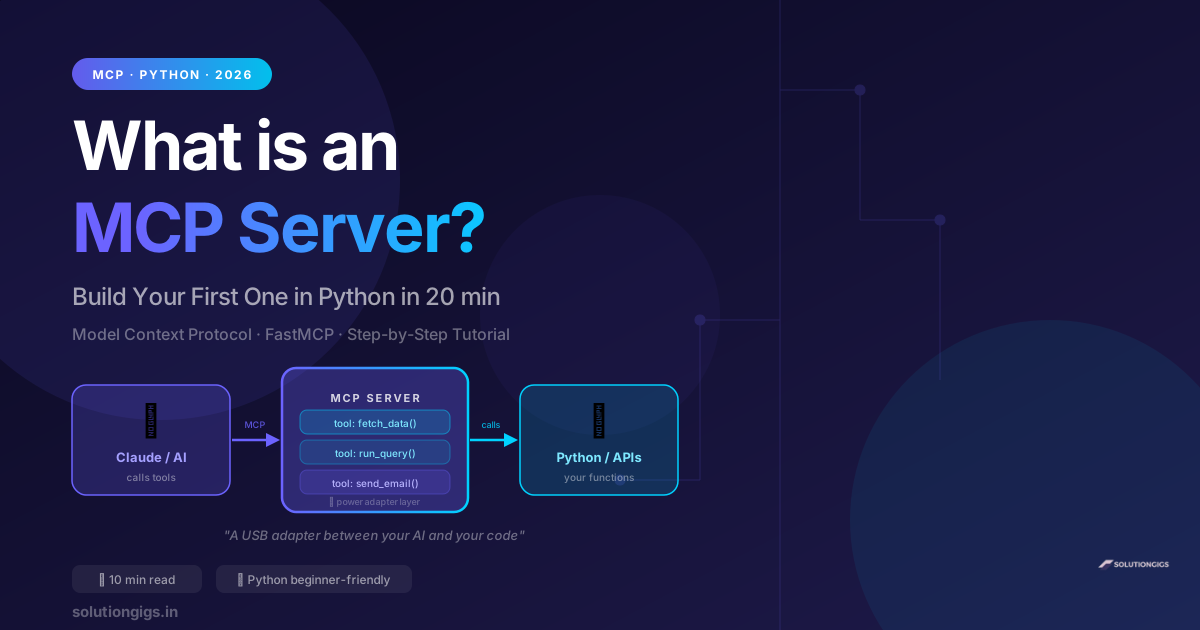
What Is an MCP Server? Build Your First One in Python
Learn what an MCP server is in plain English and build your first one in Python in 20 minutes. Step-by-step FastMCP tutorial — no prior MCP experience needed.
Vibe Coding: Build Apps With AI — Complete Guide
What is vibe coding? Learn how to build real apps using just AI prompts — no deep coding experience needed. Best tools (Cursor, Claude Code, Copilot), step-by-step guide, real examples, and how Indian freelancers are earning with vibe coding in 2026.
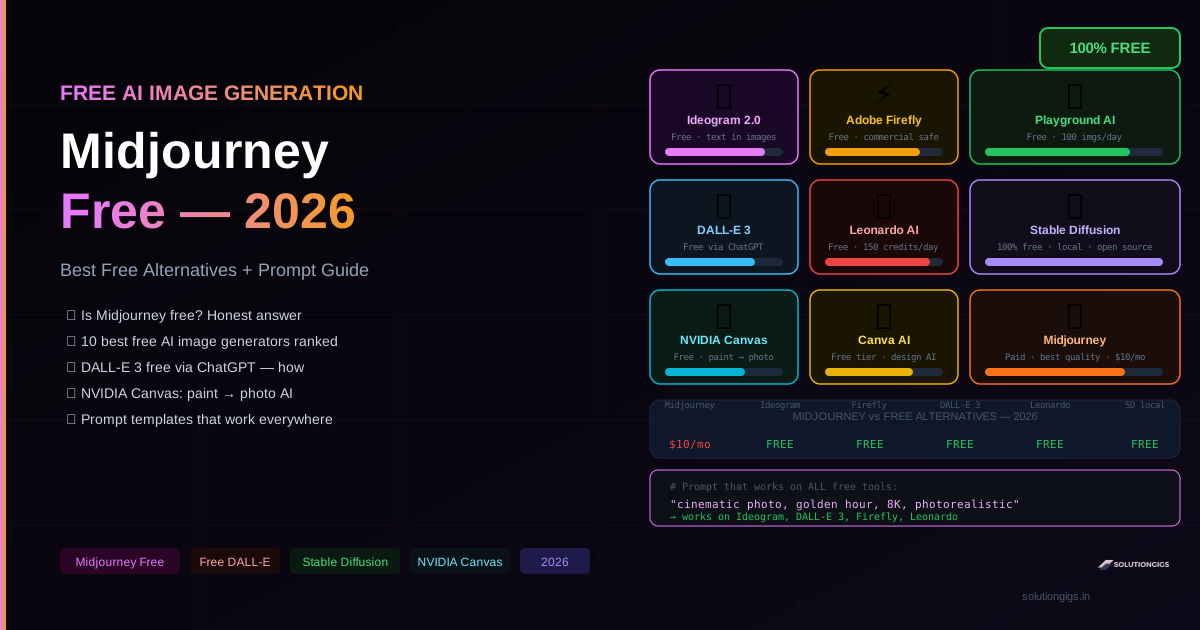
Midjourney: Is It Free? + 10 Best Free AI Image Generators
Is Midjourney free in 2026? Honest answer: no. But here are 10 free AI image generators that actually work — DALL-E 3, Ideogram, Adobe Firefly, Leonardo AI, Stable Diffusion, NVIDIA Canvas. Full prompt guide included.