
Snowflake vs BigQuery vs Redshift: How to Choose
Snowflake vs BigQuery vs Redshift, decided by the only thing that matters: what each one puts on the meter. Snowflake bills warehouse uptime, BigQuery bills bytes scanned, Redshift bills RPU-hours in use. This guide uses rates read straight from each vendor's own pricing documents, plus three break-even calculations nobody else publishes - the 1.35x Gen2 credit multiplier and the speedup it demands, BigQuery's logical-vs-physical storage crossover, and the on-demand-vs-reservation line - a worked monthly cost example, and what actually changed in 2026 with Redshift's Graviton RG nodes.
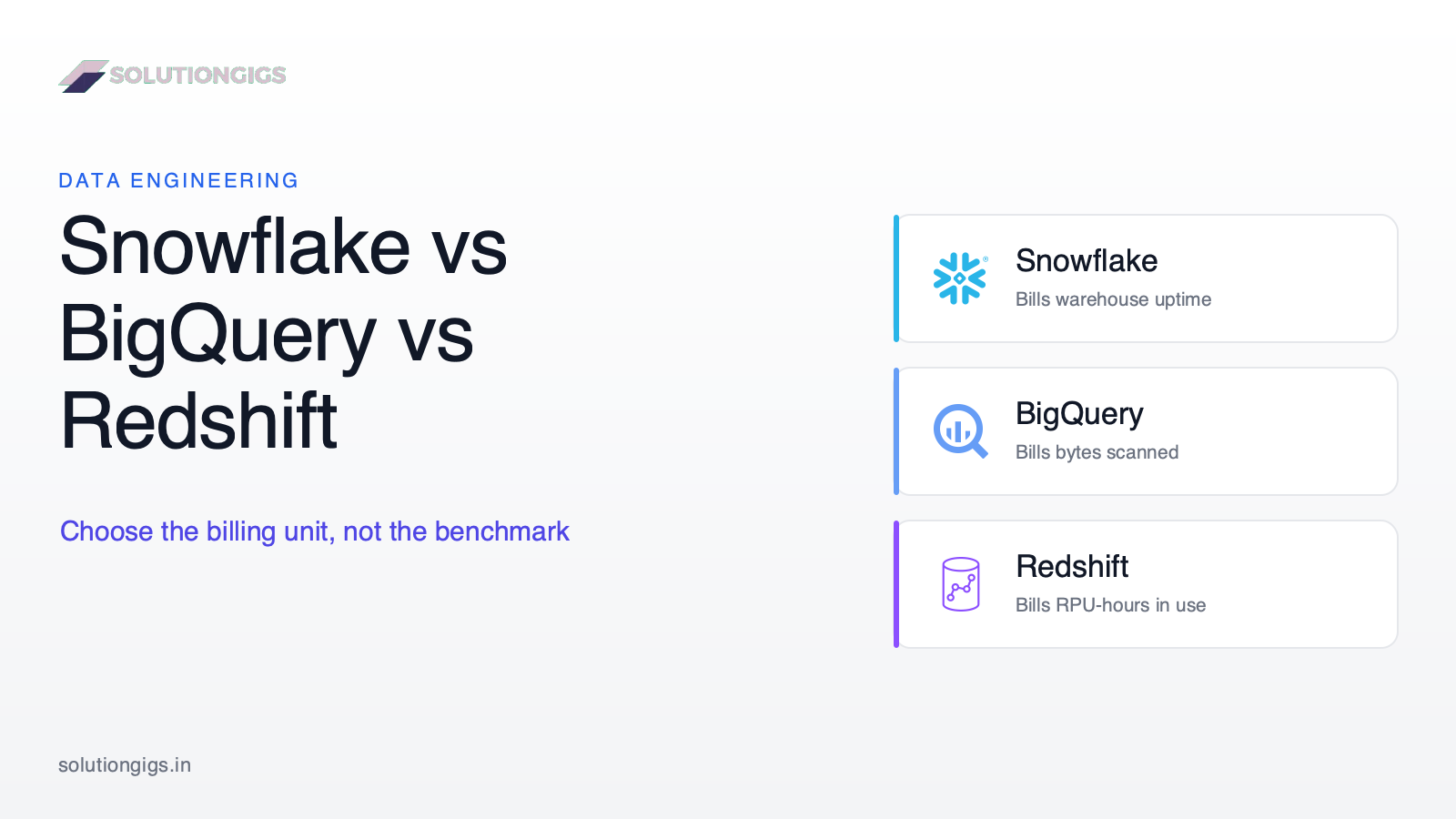
Quick Answer: Snowflake, BigQuery and Amazon Redshift are all columnar cloud data warehouses that separate storage from compute, so they converge on performance far more than vendor benchmarks suggest. The decision that actually matters is what each one puts on the meter: Snowflake bills virtual warehouse uptime in credits, BigQuery's on-demand model bills bytes scanned, and Redshift Serverless bills RPU-hours while queries run. Choose the billing unit your team can control — scan discipline, or uptime discipline — because that governs your bill far more than raw engine speed.
Search "Snowflake vs BigQuery vs Redshift" and you'll get a dozen near-identical tables that conclude Snowflake is good at multi-cloud, BigQuery is good for spiky workloads, and Redshift is good if you're on AWS. That's not wrong. It's just not a decision — and it hasn't been updated in two years.
Two things changed in 2026 that most of those articles miss. AWS launched Graviton-based RG nodes in May, which removed the per-TB Redshift Spectrum scanning charge that half the "Redshift is expensive" arguments rest on. And Snowflake's Gen2 warehouses carry a 1.35× credit multiplier that quietly sets a performance break-even nobody talks about.
This guide is built around the one thing that decides your bill, backed by rates read straight from each vendor's own pricing documents. You'll get the billing-model diagram, a full comparison table, three break-even calculations you can apply to your own numbers, a worked monthly cost example, a decision guide, and an honest section on what actually locks you in.
The one idea: you're choosing a billing unit, not a query engine
All three warehouses store data column by column, compress it, prune what they can, and run distributed SQL over it — so on typical workloads they land within the same performance band. What differs is the meter. Get the meter wrong and no amount of tuning saves you.
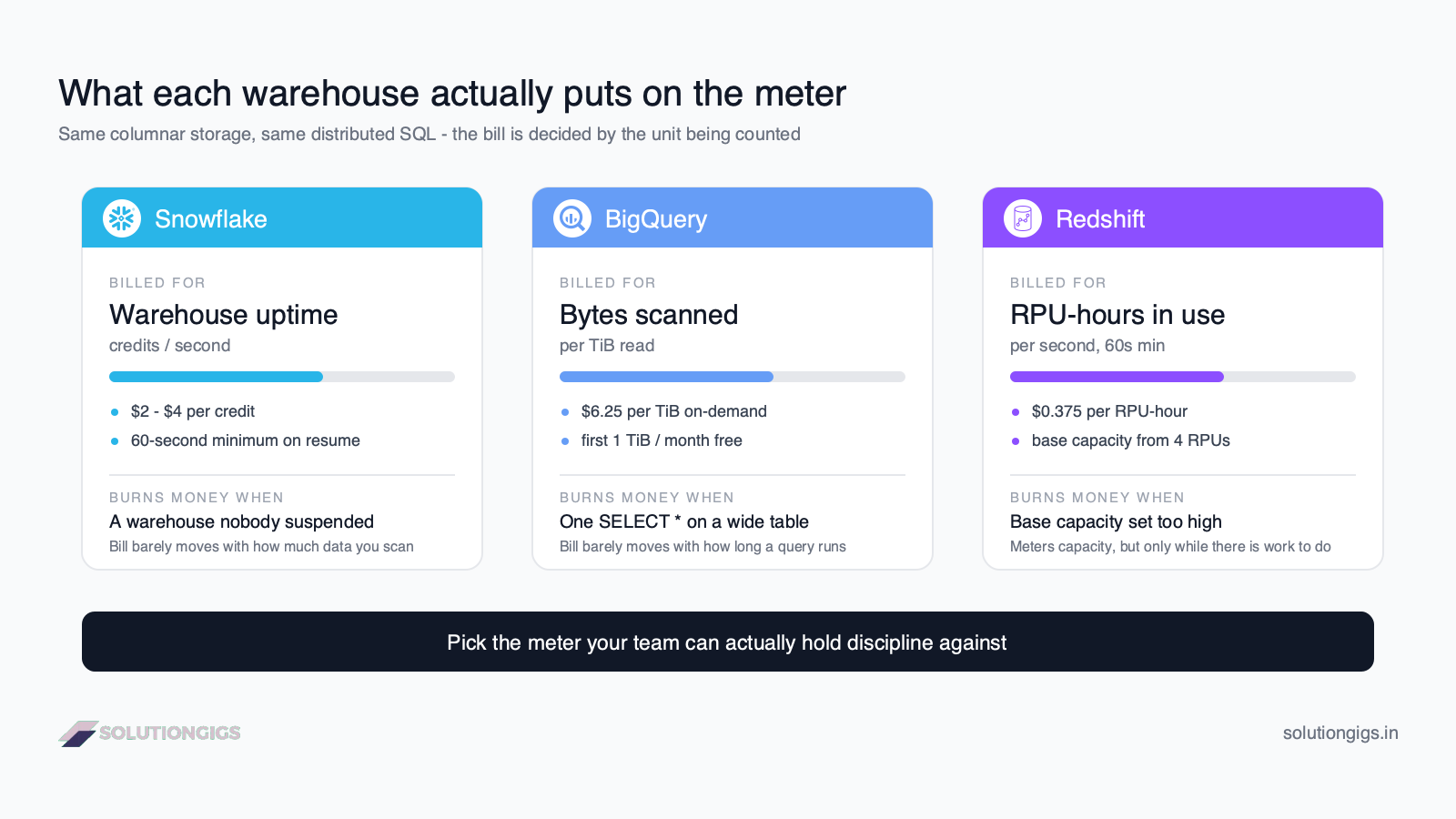
Here is the entire comparison compressed into three lines:
| Platform | What you're billed for | The failure mode that burns money |
|---|---|---|
| Snowflake | Virtual warehouse uptime, in credits per second (60-second minimum on resume) | A warehouse left running, or sized up "just in case" |
| BigQuery (on-demand) | Bytes scanned by each query, at $6.25 per TiB | One SELECT * on a wide, unpartitioned table |
| Redshift Serverless | RPU-hours consumed while queries are actually running | Base capacity set too high for the workload |
Notice these fail in different directions. A Snowflake bill is almost blind to how much data you scan — you can scan a petabyte in an hour and pay for one hour of that warehouse. A BigQuery on-demand bill is almost blind to time — a query can run for twenty minutes and cost nothing extra if it only touched 2 GB. Redshift Serverless sits between them, metering capacity but only while there's work to do.
So the real question isn't "which is fastest." It's: which discipline can your team actually sustain — turning compute off, or not scanning data you don't need?
Snowflake vs BigQuery vs Redshift: full comparison
Snowflake is the most portable and the most operationally hands-on; BigQuery is the most serverless and the most sensitive to query hygiene; Redshift is the most AWS-native and, since the RG launch, the most improved. The table below uses list rates from each vendor's own published pricing as of August 2026, US regions.
| Dimension | Snowflake | BigQuery | Amazon Redshift |
|---|---|---|---|
| Compute unit | Virtual warehouse (XS–6XL) | Slots (on-demand or reserved) | RPUs (Serverless) or nodes (RG/RA3) |
| Billing unit | Credits per second, 60s minimum | Bytes scanned, or slot-hours | RPU-hours per second, 60s minimum; or node-hours |
| Published compute rate | $2.00 / $3.00 / $4.00 per credit (Standard / Enterprise / Business Critical, AWS us-east-1) | $6.25 per TiB on-demand; ~$0.04 / $0.06 / $0.10 per slot-hour (Standard / Enterprise / Enterprise Plus) | $0.375 per RPU-hour Serverless |
| Free tier | Trial credits | First 1 TiB scanned per month, first 10 GiB storage | $300 credit, 90-day expiry |
| Storage rate | $23 per TB/month (on-demand, US) | ~$0.023 per GiB/month active logical | $0.024 per GB-month managed storage |
| Scale-to-zero | Yes, auto-suspend | Yes, inherently (on-demand) | Yes (Serverless), no (provisioned) |
| Lowest practical floor | XS warehouse, per-second after 1 min | $0 if you don't query | 4 RPUs ≈ $1.50/hour while active |
| Clouds | AWS, Azure, GCP | GCP (plus Omni on AWS/Azure at $9.125/TiB) | AWS only |
| Concurrency model | Multi-cluster warehouses (Enterprise+) | Automatic slot allocation | Concurrency scaling (1 free hour/day, up to 30 accrued) |
| Iceberg / open tables | Yes | Yes (BigLake) | Yes |
| In-database AI | Cortex AI | BigQuery ML + Gemini-backed AI functions | Amazon Q, Bedrock integration |
| Tuning knobs you own | Warehouse size, auto-suspend, clustering keys | Partitioning, clustering, reservations | Distribution/sort keys (provisioned), base RPUs |
Three notes on reading this table. First, the compute rates aren't comparable to each other — a credit, a slot-hour and an RPU-hour buy different amounts of work, which is exactly why headline-rate comparisons mislead. Second, all three now read Apache Iceberg tables, which changes the lock-in conversation considerably. Third, storage is nearly identical across all three and rarely decides anything: at $23–24 per TB per month, 10 TB costs about $240 a month everywhere.
What changed in Snowflake: Gen2 warehouses and the 1.35× break-even
Snowflake's Gen2 standard warehouses run on faster hardware, but they consume 1.35 credits per hour where a Gen1 warehouse of the same size consumes 1.0 — so Gen2 only saves money if it finishes the same work in under 74% of the time.
Straight from Snowflake's Service Consumption Table: a Gen1 XS warehouse is 1 credit per hour, doubling with each size step. A Gen2 XS is 1.35 credits/hour on AWS and GCP, and 1.25 on Azure. That sets a hard performance bar:
| Cloud | Gen2 credit multiplier | Runtime Gen2 must hit to break even | Required speedup |
|---|---|---|---|
| AWS | 1.35× | ≤ 74% of Gen1 runtime | ≥ 26% faster |
| GCP | 1.35× | ≤ 74% of Gen1 runtime | ≥ 26% faster |
| Azure | 1.25× | ≤ 80% of Gen1 runtime | ≥ 20% faster |
Snowflake's own documentation is careful here: it says most queries finish faster but that "the exact details depend on your configuration and workload," and recommends testing. Take that seriously. Query-heavy analytical workloads often clear the bar comfortably; small, latency-bound queries where runtime is dominated by planning and result delivery often don't. Convert a clone of your heaviest workload first, compare credits consumed rather than wall-clock time, and only then convert production.
Adaptive Compute changes the sizing question
Snowflake's Adaptive Compute (Enterprise edition and above) replaces the fixed warehouse with a workload-aware one that routes and scales queries automatically, billing per query rather than per second of uptime. Snowflake reports gains including up to 2.2× higher throughput on highly concurrent operational analytics and up to 3.5× faster execution on DML-heavy pipelines.
This matters strategically: Snowflake's classic weakness was that you had to get warehouse sizing and auto-suspend right, and most teams didn't. Adaptive Compute moves that burden onto the platform. It's GA in a limited set of regions across all three clouds, so check availability before designing around it.
The Snowflake cost line nobody budgets for
Cloud Services — the layer running metadata, compilation, and access control — is billed at 4.4 credits per hour, but waived on any day when cloud-services credits stay at or below 10% of that day's warehouse credits. Almost every team stays under the line and never sees a charge. The teams that don't are usually running thousands of tiny queries against a small warehouse, or hammering INFORMATION_SCHEMA from a BI tool. If a Snowflake bill has an unexplained line item, this is where to look first.
What changed in BigQuery: two break-evens worth knowing
BigQuery's model is the simplest to start with and the easiest to overspend on, because the meter runs on bytes scanned rather than time — and nothing in the query editor stops an analyst from scanning 4 TB by accident.
Per Google's BigQuery pricing page, the on-demand rate is $6.25 per TiB in the US multi-region, with the first 1 TiB per month free. Capacity pricing swaps that for slot-hours across three editions.
Break-even 1: on-demand vs a reservation
A 100-slot Enterprise reservation running continuously costs 100 × $0.06 × 730 hours = $4,380 a month. At $6.25 per TiB, that same spend buys about 700 TiB of on-demand scanning. So the rule of thumb is:
- Scanning well under ~700 TiB a month with 100 slots' worth of concurrency → stay on-demand.
- Scanning consistently more, or needing predictable spend → move to a reservation, and note that Enterprise commitments cut the rate to $0.054 (1-year) and $0.048 (3-year).
Scale the number to your own reservation size; the shape of the calculation doesn't change.
Break-even 2: logical vs physical storage billing
This one is quietly worth thousands a month and almost never explained with the actual numbers. BigQuery lets you bill a dataset on logical bytes (uncompressed, as the data appears to you) or physical bytes (what's actually stored after compression). Physical is a higher rate for a smaller number:
| Storage type | Logical rate ($/GiB-hour) | Physical rate ($/GiB-hour) | Ratio |
|---|---|---|---|
| Active (< 90 days) | 0.000031507 | 0.000054795 | 1.74× |
| Long-term (≥ 90 days) | 0.000021918 | 0.000027397 | 1.25× |
So: physical billing wins whenever your compression ratio beats the ratio in the right-hand column. For active data you need better than ~1.74:1 — common but not guaranteed. For long-term data you only need to beat ~1.25:1, which almost any columnar dataset clears, which makes physical billing the usual right answer for cold data. Check TABLE_STORAGE views for your real ratio per dataset first, because the choice is locked for 14 days after you switch.
Edition caps that bite later
BigQuery Standard edition is cheap at ~$0.04 per slot-hour, but it caps reservations at 1,600 slots, has no BigQuery ML, no row- or column-level security, no CMEK, no idle-slot sharing, and a 99.9% SLO instead of 99.99%. Teams that pick Standard for the rate and later need column-level security end up migrating editions mid-project. Read the edition table before, not after.
What changed in Redshift: RG nodes reset the argument
On 12 May 2026 AWS launched Graviton-based RG node types, which AWS states are up to 2.2× as fast for data warehouse workloads and 2.4× for data lake workloads at 30% lower price per vCPU than RA3 — and which remove the per-TB Redshift Spectrum scanning charge entirely.
That last clause matters more than the speed numbers. The standard criticism of Redshift — that querying data in S3 costs an extra $5 per TB scanned on top of your cluster — simply doesn't apply on RG. Any comparison written before mid-2026, which is most of them, is arguing against a product that changed.
RG comes in four sizes: rg.large (2 vCPU / 16 GB), rg.xlarge (4 / 32), rg.4xlarge (16 / 128) and rg.12xlarge (48 / 384), with the same Redshift Managed Storage model as RA3 at $0.024 per GB-month. Migration mostly maps 1:1 from the equivalent RA3 size, though faster nodes mean some clusters need fewer of them.
Serverless: a genuinely low floor
Per the Amazon Redshift pricing page, Redshift Serverless bills $0.375 per RPU-hour, per second, with a 60-second minimum, and base capacity now starts at 4 RPUs — about $1.50 an hour while active, and nothing while idle. There's also AI-driven scaling: you set a price-performance target and Redshift adjusts capacity against your workload patterns rather than you guessing at a base RPU number.
Add concurrency scaling (one free hour per day, accruable to 30) and zero-ETL integrations from Aurora, RDS and DynamoDB — which carry no separate charge beyond the underlying resources — and the AWS-native story is strong. If your data already lives in AWS, the pipeline you'd build to get it into Redshift is meaningfully shorter than the equivalent for another cloud's warehouse, and shorter pipelines are cheaper pipelines. This is also where a change data capture setup you'd otherwise build by hand comes free.
Worked example: what a real month actually costs
Assume a small analytics team: 5 TB stored, dashboards and dbt models running across an 8-hour working day, 22 days a month (176 hours), with a Medium-sized warehouse being roughly the right amount of compute. Here's how the same workload prices out under each meter, at list rates.
| Platform | Compute maths | Compute | Storage | Monthly total |
|---|---|---|---|---|
| Snowflake (Enterprise, Gen1 Medium, no auto-suspend) | 4 credits/hr × 176 hr × $3.00 | $2,112 | 5 TB × $23 | ≈ $2,227 |
| Redshift Serverless (32 RPU base, active the full 8 hr) | 32 × $0.375 × 176 hr | $2,112 | 5,000 GB × $0.024 | ≈ $2,232 |
| BigQuery on-demand (dashboards scanning 30 TiB/month) | (30 − 1) TiB × $6.25 | $181 | ~5,120 GiB × $0.023 | ≈ $299 |
| BigQuery on-demand (same team, undisciplined: 600 TiB/month) | (600 − 1) TiB × $6.25 | $3,744 | ~5,120 GiB × $0.023 | ≈ $3,862 |
Two things fall out of this, and they're the whole point of the article.
One: the Snowflake and Redshift numbers are nearly identical, and neither depends on how much data you scanned. You could double the query volume inside those same 176 hours and pay the same. That's the strength of an uptime meter — and its weakness, because a warehouse nobody remembered to suspend costs the same as a warehouse doing real work.
Two: BigQuery's number swings 13× based on nothing but query hygiene. Same team, same data, same dashboards — the difference between the third and fourth rows is whether the models scan pruned partitions or full tables. That's not a pricing quirk, it's a discipline requirement, and it's the single biggest predictor of whether a team is happy on BigQuery.
Caveats, stated honestly: these are list rates and illustrative volumes, and real bills move with region, edition, commitments, auto-suspend behaviour, and Redshift Serverless only billing while queries actually run (which typically pulls that row below the figure above). Use the shape of the calculation, not the absolute numbers, and price your own workload before committing.
How to choose: four questions, in order
Work through these in sequence. The first one that gives a clear answer is usually the right answer.
- Are you contractually or operationally committed to one cloud? If everything is on AWS with IAM, VPC and Glue already wired up, Redshift removes an entire integration surface. If you're on GCP, the same argument makes BigQuery the default. Multi-cloud, or explicitly avoiding a cloud vendor's data lock-in? Snowflake is the only one of the three that runs on all three clouds.
- Is your query volume spiky or steady? Spiky — a few analysts, bursty dashboards, long quiet stretches — favours a meter that goes to zero: BigQuery on-demand, or Redshift Serverless at a small base. Steady all-day pipelines favour uptime or reservation pricing, where the fixed cost gets amortised across real work.
- Which discipline can your team actually hold? Be honest. If your analysts write exploratory SQL against wide tables, a bytes-scanned meter will punish you every day. If your team is prone to leaving things running, an uptime meter will. Choose the failure mode you can defend against — and if the answer is "neither," that argues for BigQuery reservations or Redshift Serverless with a usage limit, both of which cap the damage.
- Do you need heavy concurrency isolation? Snowflake's multi-cluster warehouses let you give the finance team its own compute without copying data, which stays its cleanest differentiator. BigQuery handles concurrency by allocating slots and Redshift by concurrency scaling — both fine, both less explicit about who's paying for whose queries.
If none of those settle it, the tiebreaker is boring and correct: whichever one your team already knows. The migration cost of the platform you don't know exceeds every difference discussed above.
One boundary worth naming: this article compares warehouses. If your workload is mostly Spark, ML training and notebook-driven engineering rather than SQL analytics, the comparison you actually want is Snowflake vs Databricks, which is a different question with a different answer.
What actually locks you in (and the escape hatch)
Your data isn't what traps you — your SQL is. Table data in an open format moves in an afternoon. What doesn't move:
- SQL dialect drift — date functions,
QUALIFY, array and JSON handling, and window-function edge cases all differ enough to break a large dbt project. - Semi-structured handling — Snowflake's
VARIANTand BigQuery'sSTRUCT/ARRAYmodel the same problem differently; rewriting that logic is the expensive part. - Stored procedures, UDFs and scheduled jobs — the least portable code in the warehouse, and always the last to be migrated.
- The permission model — row/column-level security and masking policies are expressed in vendor-specific DDL.
- Everything pointed at the warehouse — BI dashboards, reverse-ETL syncs, notebooks.
The practical mitigation is architectural, not contractual: keep raw and curated data in Apache Iceberg on your own object storage, and let the warehouse be a compute engine over it. All three platforms read Iceberg now. That turns a migration from "export 40 TB and rebuild everything" into "point a different engine at the same tables and port the SQL" — still work, but survivable. If you're weighing that pattern more broadly, our data lake vs data warehouse vs lakehouse breakdown covers the trade-offs, and ETL vs ELT covers where the transformation should live once you've picked.
Seven mistakes teams make choosing between them
- Comparing headline rates directly. A credit, a slot-hour and an RPU-hour aren't the same unit of work. Compare total monthly cost on your workload, or don't compare.
- Benchmarking on someone else's data. Vendor benchmarks are tuned by vendors. Run your ten heaviest real queries on a real copy of your data; a two-day proof of concept beats two weeks of reading.
- Ignoring auto-suspend on Snowflake. The single most common source of a shocking Snowflake bill. Set it aggressively — 60 seconds is reasonable for interactive warehouses — and revisit warehouse sizes quarterly.
- Letting BigQuery run without guardrails. Set custom quotas, require partition filters on large tables, and teach
--dry_run(or the query-validator byte estimate) as a habit. Nearly every BigQuery horror story is one unbounded query. - Oversizing Redshift Serverless base capacity. Base RPUs are a floor, not a target. Start low, watch queue times, and set a max-RPU usage limit so a runaway workload can't scale into a five-figure surprise.
- Choosing on features you'll use in year three. Cortex, BQML and Amazon Q are all real, and none of them matter if your loading pipeline doesn't work. Optimise for the first six months.
- Skipping the storage-layout work. Partitioning and clustering cut cost on every one of these platforms, because they cut bytes read. A well-partitioned table is cheaper on all three; a badly partitioned one is expensive on all three.
What we run at SolutionGigs, and why
On Telemetrix, our infrastructure-monitoring product, the ingest side is Kafka into Spark, landing in Iceberg tables on S3 — that part was never a warehouse question. The warehouse question was the serving layer: the dashboards and the customer-facing usage reports.
Our first instinct was to compare engine benchmarks. That turned out to be the wrong axis entirely. The telemetry workload is bursty by nature — quiet for hours, then heavy when a customer opens a report — and once we plotted our own query pattern, the whole decision collapsed into one line: a meter that bills for uptime would spend most of the month billing us for silence.
The lesson generalised further than the choice itself. When we finally cut spend on that layer, none of the savings came from the platform. They came from partition pruning, from killing three dashboards nobody opened, and from a materialised aggregate that replaced a repeated scan over raw events. Query hygiene moved the bill; the vendor logo didn't. If you take one thing from this article, take that.
Working through this decision for your own stack? SolutionGigs works with teams on exactly these calls — it's free to start a conversation.
Frequently Asked Questions
Which is faster, Snowflake, BigQuery or Redshift?
On typical analytical workloads all three land in the same performance band, because they share the same fundamentals: columnar storage, compression, partition pruning and distributed execution. Differences in published benchmarks usually reflect tuning, data layout and warehouse sizing rather than a genuine engine gap. The reliable way to answer this for yourself is to run your ten heaviest real queries on a real copy of your data on each platform.
Is BigQuery really cheaper than Snowflake?
For spiky workloads, usually yes, because BigQuery on-demand charges nothing between queries while a running Snowflake warehouse charges regardless. For steady, high-volume workloads the advantage often flips, since scanning hundreds of TiB on demand costs more than a reservation or a busy warehouse. The crossover point is roughly where a reservation's monthly cost equals your monthly scan volume at $6.25 per TiB.
Do I need a data warehouse at all if I have a lakehouse?
Increasingly, no — but usually yes for serving. Query engines over Iceberg or Delta tables handle large-scale transformation well, while warehouses still win on interactive concurrency, fine-grained governance and BI-tool compatibility. The common 2026 pattern is a lakehouse for raw and curated layers and a warehouse over the serving layer, with Iceberg as the shared format so the same tables serve both.
What is the cheapest way to start with each platform?
BigQuery gives you the first 1 TiB scanned and first 10 GiB stored free each month, with no cluster to size — the lowest-friction start. Redshift offers a $300 credit expiring in 90 days and a 4 RPU Serverless base at about $1.50 an hour while active. Snowflake offers trial credits, then bills from $2.00 per credit on Standard edition in US regions, so an XS warehouse costs $2.00 per running hour.
Does Snowflake run on AWS?
Yes. Snowflake runs on AWS, Microsoft Azure and Google Cloud, and you choose the cloud and region per account. Rates vary by both: an Enterprise credit is $3.00 in AWS US East and AWS Mumbai, but $4.30 in AWS Tokyo. This portability is Snowflake's clearest structural advantage over BigQuery and Redshift, which are tied to GCP and AWS respectively.
How does Redshift Spectrum pricing work now?
On RA3 nodes, Redshift Spectrum charges $5.00 per TB scanned in external S3 data, with a 10 MB per-query minimum. On the Graviton-based RG node types launched in May 2026, those per-TB scanning charges are removed. This is the main reason older Redshift cost comparisons overstate what querying a data lake from Redshift costs today.
Can I use all three?
Technically yes, and some large organisations do — but for most teams it's a mistake. Every extra platform is another dialect, another permission model, another cost dashboard and another set of on-call knowledge. Unless separate business units have genuinely separate clouds and budgets, consolidating on one warehouse with an open table format underneath is cheaper in both money and attention.
Conclusion
Snowflake vs BigQuery vs Redshift looks like a performance question and almost never is. The three engines converged years ago; what didn't converge is what each one puts on the meter. Snowflake charges for the time your compute is awake. BigQuery on-demand charges for the bytes your queries touch. Redshift Serverless charges for capacity while there's work to do. Every "surprise bill" story is someone who picked a meter their team couldn't hold discipline against.
The 2026 details sharpen that, and they're worth checking against whatever comparison you read next: Snowflake's Gen2 warehouses need to be at least 26% faster on AWS and GCP to be worth their 1.35× credit rate; BigQuery's physical storage billing wins once compression beats about 1.74:1 on active data and 1.25:1 on long-term data; and Redshift's RG nodes removed the Spectrum scanning charge that most cost critiques of Redshift were built on.
Pick the meter you can control, keep your data in an open format so the choice stays reversible, and put your energy into partitioning and query hygiene — that's where the savings actually live, on every one of these platforms.
Weighing this decision for a real workload, or trying to cut a warehouse bill that's already out of hand? Get matched with a vetted data engineer on SolutionGigs — it's free to post your project.

Mohammed Yaseen
Founder, SolutionGigs
Mohammed builds production data platforms on Spark, Kafka and Iceberg, and has sized, tuned and argued about cloud warehouse bills on all three major clouds. He writes about the architecture decisions that actually move the needle for data teams. LinkedIn →
More in Data Engineering
PySpark Interview Questions and Answers: Senior-Level Guide
PySpark interview questions with senior-level answers, six real debugging scenarios, how to read a physical plan, and the Spark 4.x facts most guides miss. Most guides hand you definitions — but definitions are only the screening filter. Roughly two-thirds of a mid-to-senior PySpark interview is some form of "this job got slow, what do you do?", and what scores is naming the evidence you'd look for before touching a config. Inside: every core answer in screening form and senior form side by side, six real scenarios (the 3-hour regression, the one slow task, the OOM that isn't a heap problem, 50,000 tiny files, growing Kafka lag, and a design round), and the six commonly-taught answers that are actually wrong.
Spark vs Flink: Which Stream Processing Engine to Choose
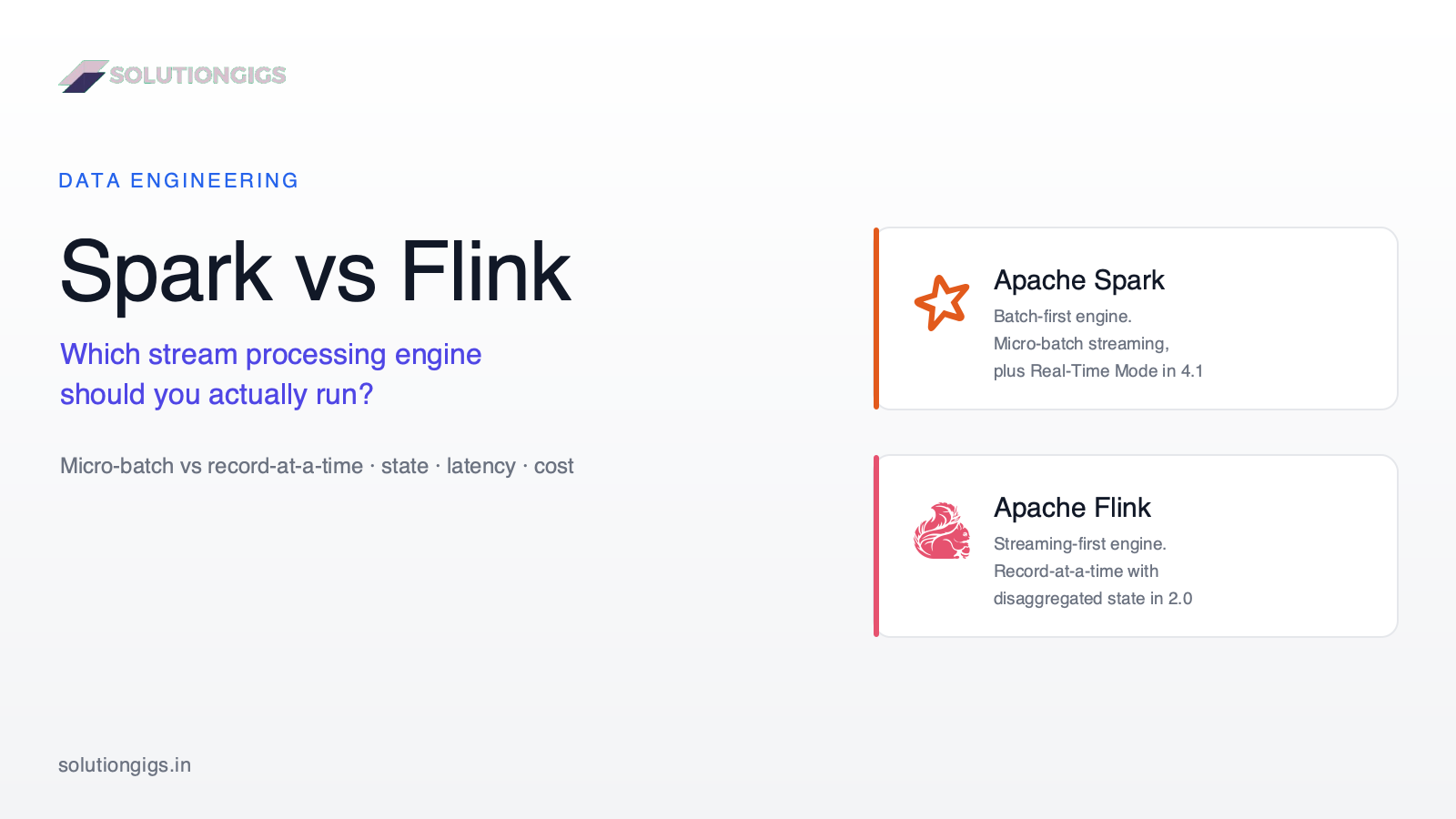
Every Spark vs Flink comparison online rests on the same claim — Spark micro-batches, Flink truly streams, so pick Flink for low latency. That claim expired: Spark 4.1 shipped Real-Time Mode with millisecond-range p99 latency, and Flink 2.0 moved state to object storage. This guide gives you the one architectural idea behind both engines, an original diagram of how a record travels through three execution models, the differences that did not converge (state, timers, recovery blast radius, backpressure), a latency ladder to test whether you need per-event processing at all, and the honest cost of running two engines — including why we chose not to adopt Flink.
Normalization vs Denormalization: When to Break the Rules
Normalization vs denormalization isn't a debate about table counts — it's a decision about where you pay for a relationship. Normalized schemas pay on every read (a join); denormalized schemas pay on every write, and the bill is the fan-out: how many rows must be rewritten when one source value changes. This guide gives the cost model, the normal forms and the three anomalies on a real table, the five denormalization patterns with the maintenance cost of each, why columnar engines changed the classic advice, the escalation ladder to climb before duplicating anything, and the one rule that has saved us the most pain: denormalize the key, join the label.