
Kafka vs Kinesis vs Pub/Sub: How to Actually Choose
Kafka, Kinesis and Pub/Sub now sell the same durable, replayable log, so the real decision is the unit of ordering and the shape of the bill. This guide costs all three at 1, 10 and 100 MB/s with the assumptions shown, explains why provisioned Kinesis wins on price but not on risk, why batching records from 1 KB to 25 KB cuts the PUT charge 25x, and why a Pub/Sub topic with five subscribers costs six times one with none - plus the three dated changes (Kafka 4.0 dropping ZooKeeper, Kinesis On-demand Advantage, the Pub/Sub Lite turndown) that make most existing comparisons wrong.

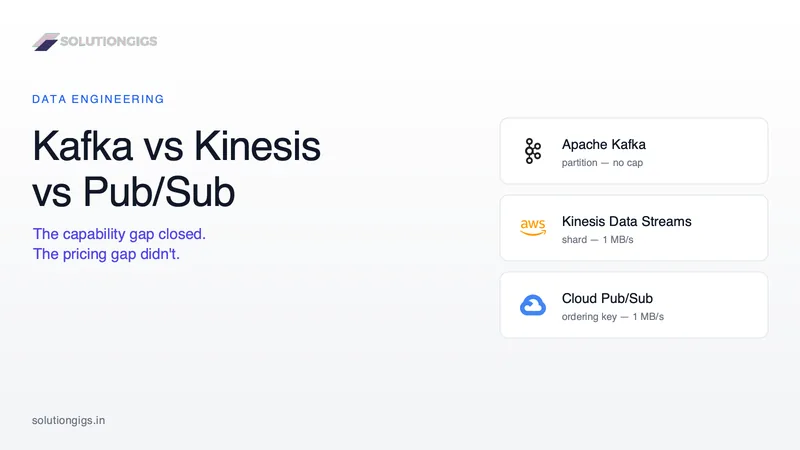
Quick Answer: Apache Kafka, Amazon Kinesis Data Streams and Google Cloud Pub/Sub all now sell the same thing — a durable, replayable, partitioned log — so the decision is no longer about capability. It is about two things: the unit of ordering (a Kafka partition has no throughput cap, a Kinesis shard is hard-capped at 1 MB/s, a Pub/Sub ordering key at 1 MB/s but you can have unlimited keys) and the billing shape (Kafka bills capacity, Kinesis and Pub/Sub bill volume). Match the billing shape to your traffic shape and the answer usually falls out on its own.
Almost every "Kafka vs Kinesis vs Pub/Sub" comparison you can find describes three products that no longer exist in the form described. They tell you Kafka is powerful but operationally heavy because of ZooKeeper. They quote Kinesis at $0.08 per GB. And a striking number still recommend Pub/Sub Lite as the cheap, partition-based option on Google Cloud.
All three of those statements are now wrong, and each one was invalidated by a specific, dated change. This article costs the three platforms out at real traffic levels, shows where the crossovers actually sit, and names the three billing traps that turn a cheap-looking choice into a five-figure invoice.
The short verdict
If you want the answer before the reasoning:
| Choose | When |
|---|---|
| Apache Kafka (self-managed, MSK, Confluent Cloud, Google Managed Kafka) | You need more than 1 MB/s inside a single ordering unit, you depend on Kafka Connect / Kafka Streams / ksqlDB, you fan out to many independent consumers, or you want the option to move clouds later |
| Amazon Kinesis Data Streams | You are on AWS, your traffic is predictable enough to provision, your records are large or you can batch them, and you want the lowest bill with the least operational surface |
| Google Cloud Pub/Sub | You are on Google Cloud, you have very many low-rate ordering units (per-device, per-user, per-tenant), and you would rather pay a premium per byte than think about capacity ever again |
The rest of this article is the evidence for that table, and the cases where it is wrong.
What changed since most comparison articles were written
Three dated changes broke the standard version of this comparison. If your mental model predates them, you are choosing on facts that expired.
1. Kafka stopped needing ZooKeeper. Apache Kafka 4.0 shipped on 18 March 2025 and runs only in KRaft mode — ZooKeeper support was removed, not deprecated. The "Kafka means running two distributed systems" argument, which is the single most-repeated reason to pick a managed alternative, describes Kafka 3.x and earlier. The same release also made the KIP-848 rebalance protocol generally available, which ended stop-the-world consumer rebalances — the thing that made every deploy of a large consumer group a small outage.
2. Kinesis got a cheaper tier with a nasty floor. Alongside provisioned and on-demand mode, Kinesis now has On-demand Advantage, which per the Kinesis pricing page drops data-in to $0.032/GB and data-out to $0.016/GB, removes the per-stream hourly charge, and includes Enhanced Fan-Out for free. That is roughly 60% off On-demand Standard. The catch is a minimum billed 25 MB/s of ingest and 25 MB/s of retrieval across all on-demand streams in the region. Below that line it is the most expensive option on this page by a factor of ten.
3. Pub/Sub Lite is on the way out. Google closed it to new customers on 24 September 2024, and the Pub/Sub Lite documentation now states plainly that the service will be turned down on 31 January 2027. Google's recommended migration targets are Pub/Sub or Google Cloud Managed Service for Apache Kafka. That second recommendation is worth sitting with: when a customer wants cheap, partition-based, capacity-priced streaming, Google's own answer is now use Kafka.
The difference that still matters: the unit of ordering
Every one of these platforms guarantees ordering inside one unit and nothing across units. The platforms differ in how big that unit can get and how many of them you can have — and that single property decides more architectures than latency or price.
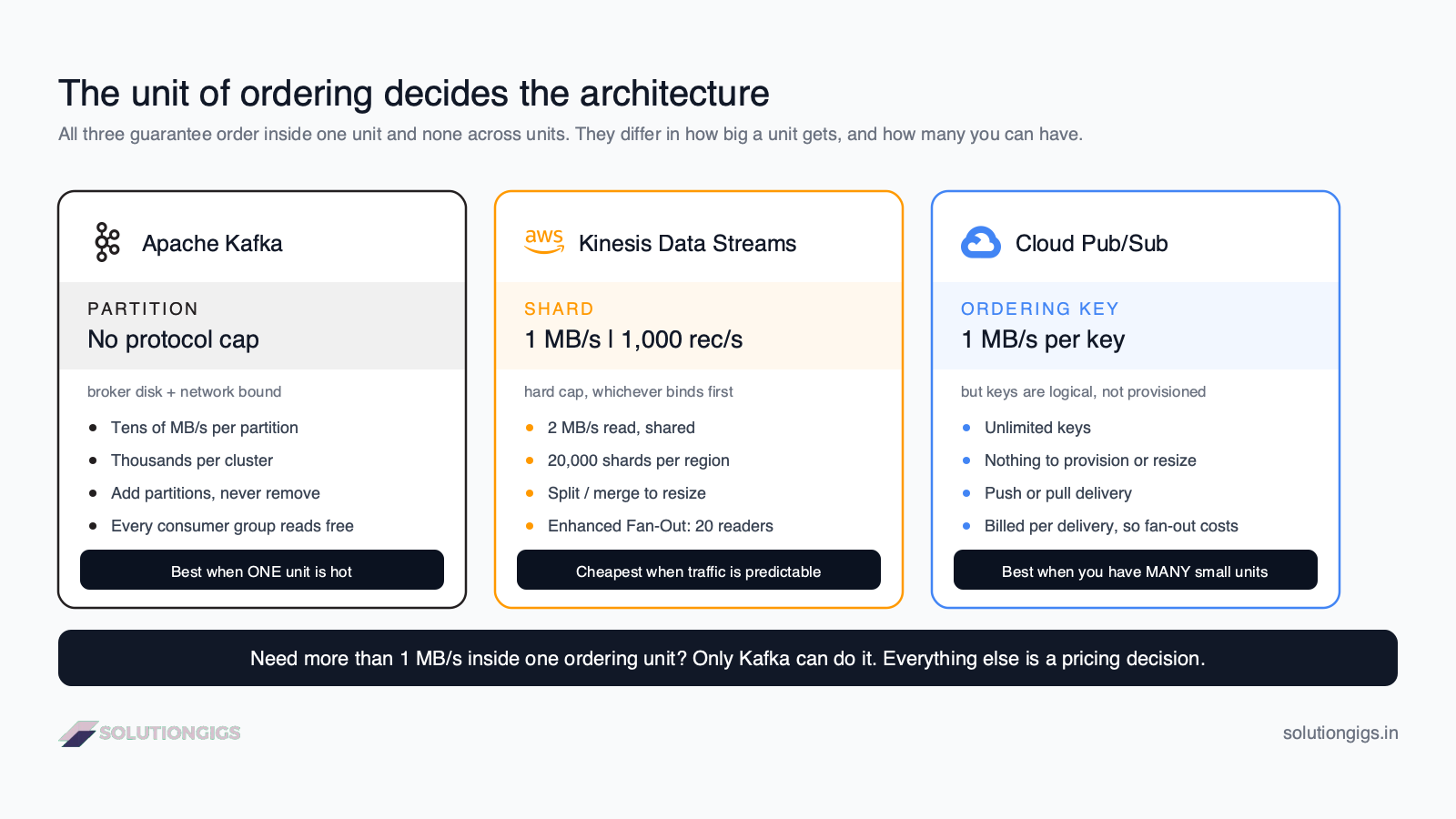
Work out your ordering requirement first, because it eliminates options before price ever enters the conversation.
| Apache Kafka | Kinesis Data Streams | Google Cloud Pub/Sub | |
|---|---|---|---|
| Ordering unit | Partition | Shard | Ordering key |
| Write cap per unit | No protocol cap — bound by broker disk and network, commonly tens of MB/s | 1 MB/s or 1,000 records/s, whichever binds first | 1 MB/s per key |
| Read cap per unit | Bound by broker network; every consumer group reads independently | 2 MB/s shared, or 2 MB/s each for up to 20 Enhanced Fan-Out consumers | No per-key read cap |
| How many units | Thousands per cluster; MSK Express brokers support up to 5× more partitions than standard | 20,000 shards per account per region by default | Effectively unlimited — keys are logical, not provisioned |
| Changing the count | Add partitions (never remove); remaps key → partition | Split or merge shards, or let on-demand do it | Nothing to change |
Read that table as three different answers to the same question, each right for a different traffic shape:
- One million IoT devices, each publishing 5 KB/s, ordered per device. Pub/Sub wins outright. A million ordering keys costs nothing to create and each is far under the 1 MB/s cap. Doing this on Kinesis means a million partition keys hashed across shards, and on Kafka it means a partition count you then have to live with forever.
- Twelve high-volume tenants, each pushing 20 MB/s, ordered per tenant. Only Kafka can do it. 20 MB/s exceeds a Kinesis shard by 20× and a Pub/Sub ordering key by 20×. You would have to break ordering to fit, which usually means you did not really need it.
- A moderate event stream where ordering is nice but not load-bearing. All three work. Now the decision is genuinely about cost, and the next section is the one that matters.
The mistake to avoid: deciding you need strict global ordering when you actually need ordering per entity. Global ordering means one partition, one shard or one key — a hard 1 MB/s ceiling on two of these three platforms, and a single-threaded consumer on all three. Per-entity ordering scales; global ordering does not.
What each platform actually costs
Kinesis and Pub/Sub bill you for volume; Kafka bills you for capacity. That is the entire reason a crossover exists — and it is why the cheapest option changes as your traffic grows.
Here is the same workload priced across all three, at list prices, in August 2026.
Assumptions, stated so you can check them: us-east-1 for AWS and us-central1 for Google Cloud · 1 KB average message · 730-hour month · one consumer · list prices with no committed-use or reserved discounts · storage beyond default retention, support plans and internet egress excluded. Your bill will differ; the shape of the curves is the point.
| Option | 1 MB/s (≈2.6 TB/mo) | 10 MB/s (≈26 TB/mo) | 100 MB/s (≈263 TB/mo) |
|---|---|---|---|
| Kinesis — Provisioned | $59 | $510 | $5,103 |
| Kinesis — On-demand Standard | $345 | $3,183 | $31,565 |
| Kinesis — On-demand Advantage | $3,154 | $3,154 | $12,614 |
| Pub/Sub | $191 | $1,912 | $19,121 |
| MSK Serverless | $948 | $4,525 | $40,248 |
| MSK Express (3 × msk.m7g.large) | $920 | $1,156 | needs larger brokers |
Four things in that table are worth more than the numbers themselves.
Provisioned Kinesis is the cheapest option at every tier — and that is not a free lunch
$59 against $191 and $920 looks decisive, and at 1 MB/s it is. But provisioned mode is the only row in the table that throws ProvisionedThroughputExceededException and drops your producers' data when you undersize it. The discount is not a discount; it is the price of taking on capacity risk. If your traffic has a 10× daily peak, you provision for the peak and the effective rate lands much closer to the on-demand row.
Kinesis punishes small records brutally
Provisioned Kinesis charges a PUT payload unit per 25 KB of every record. In the 1 MB/s row above, PUT units are $37 of the $59 — 63% of the bill — purely because 1 KB records each consume a whole 25 KB unit.
Batch 25 messages into one record and you pay the same $37 for 25× the data. That single change is the largest cost lever on this page:
| Record size at 1 MB/s | Records/s | PUT unit cost/mo |
|---|---|---|
| 1 KB | 1,000 | $36.79 |
| 5 KB | 200 | $7.36 |
| 25 KB | 40 | $1.47 |
If you are on Kinesis and not aggregating with the Kinesis Producer Library or your own batching, you are very likely paying 5–25× more than you need to. This is also why Kinesis looks expensive in benchmarks written around single-event telemetry.
On-demand Advantage has a cliff, not a slope
The 25 MB/s account-level minimum means On-demand Advantage costs the same $3,154 at 1 MB/s as it does at 25 MB/s. Below the floor it is the worst choice available. Above roughly 30 MB/s it becomes the best on-demand option and beats On-demand Standard by around 60%, exactly as advertised. There is no gradual transition — it is a step function, and the step is at 25 MB/s aggregated across every on-demand stream in the region.
Pub/Sub's price doubles the moment you add a second consumer
The table prices Pub/Sub with one subscription. Pub/Sub charges $40/TiB for message delivery, and both publishing and each subscription's delivery count toward it. So a topic read by five services is billed as one publish plus five deliveries:
| Subscriptions on the topic | Billable TiB at 10 MB/s | Monthly cost |
|---|---|---|
| 1 | 47.8 | $1,912 |
| 3 | 95.6 | $3,824 |
| 5 | 143.4 | $5,736 |
This is the single most common way a Pub/Sub bill surprises people, and it is precisely backwards from Kafka, where an extra consumer group costs you some broker read bandwidth and nothing on the invoice. If fan-out is central to your architecture, that fan-out is a pricing decision on Pub/Sub and an architectural free lunch on Kafka. Retries and dead-letter redelivery count too.
Feature comparison
Beyond ordering and cost, the platforms diverge on retention, delivery semantics and how much of your design leaves with you if you switch clouds.
| Apache Kafka | Kinesis Data Streams | Google Cloud Pub/Sub | |
|---|---|---|---|
| Default retention | Configurable, unlimited with tiered storage | 24 hours | 7 days |
| Max retention | Unbounded (tiered storage to S3/GCS) | 365 days | 31 days |
| Delivery semantics | At-least-once; exactly-once within transactions | At-least-once only | At-least-once; exactly-once per subscription |
| Max message size | Configurable (1 MB default, commonly raised) | 1 MB | 10 MB |
| Replay | Seek to any offset or timestamp | Seek to any sequence number in retention | Seek to a timestamp or snapshot |
| Consumer model | Pull, consumer groups | Pull, or push to Lambda | Push or pull |
| Ecosystem | Kafka Connect, Kafka Streams, ksqlDB, Flink, Spark, Debezium | Firehose, Lambda, Managed Flink, Glue | Dataflow, Cloud Run, Cloud Functions, BigQuery subscriptions |
| Portability | Runs anywhere; wire protocol is a de-facto standard | AWS only, proprietary API | Google Cloud only, proprietary API |
Two rows deserve emphasis.
Kinesis defaults to 24 hours of retention, and that default has caused more incidents than any other setting on this page. A consumer that falls behind on a Friday evening has lost data by Saturday evening. Extended retention to 7 days is a cheap change and should be day-one configuration, not something you discover during a postmortem. Our guide to Kafka consumer lag covers the monitoring side of this, and the reasoning transfers to all three platforms.
Pub/Sub is the only one with native push delivery. If your consumers are Cloud Run services or Cloud Functions, Pub/Sub will POST events to an HTTPS endpoint and you never write a consumer loop, manage offsets, or think about rebalancing. For event-driven application plumbing rather than data-pipeline ingest, this alone is often decisive.
The portability question nobody prices
Kafka's real advantage over both managed services is not throughput — it is that the Kafka wire protocol is a de-facto standard implemented by at least six vendors, so switching providers is a config change rather than a rewrite.
You can run the identical producer and consumer code against self-managed Kafka, Amazon MSK, Confluent Cloud, Google Cloud Managed Service for Apache Kafka, Aiven, Redpanda or WarpStream. Moving between them changes a bootstrap server string and some auth config.
Kinesis and Pub/Sub have proprietary APIs. Moving off either one means rewriting every producer and consumer, re-testing every delivery guarantee, and running both in parallel through a cutover. On a platform with fifty services attached to a stream, that is a quarter of engineering time, and it is exactly the kind of cost that never appears in the comparison table you used to make the decision three years earlier.
That is worth something real — but it is not worth everything. If you are a five-person team on AWS with no multi-cloud plan, paying a Kafka operations tax to preserve an optionality you will never use is its own kind of mistake.
How to choose: the decision path
Run these in order. The first one that gives an answer is your answer.
- Do you need more than 1 MB/s inside a single ordering unit? → Kafka. Kinesis shards and Pub/Sub ordering keys both cap at 1 MB/s. Nothing else in the decision matters.
- Do you depend on the Kafka ecosystem — Kafka Connect, Kafka Streams, ksqlDB, Debezium for change data capture, or any Kafka-protocol tool? → Kafka. Rebuilding those on a proprietary API costs far more than the operational difference.
- Do you have very many ordering units at low individual rates (per device, per user, per tenant)? → Pub/Sub. Unlimited logical ordering keys is a genuinely different capability, not a marginal one.
- Are your consumers Cloud Run, Cloud Functions or HTTP endpoints? → Pub/Sub, for push delivery.
- Is fan-out to five or more independent consumers central to the design? → Kafka, on invoice arithmetic alone. Pub/Sub multiplies; Kafka does not.
- Are you on AWS with predictable traffic and records you can batch to 5 KB or more? → Kinesis provisioned. It is the cheapest row in the table and the operational surface is near zero.
- Still undecided? → Pick the managed service native to your cloud. At moderate scale the cost difference is smaller than one engineer-week per year, and the integration savings are real.
Common mistakes
- Choosing on the ZooKeeper argument. It has not applied since March 2025. If a comparison you are reading still makes it, everything else in that article is at least eighteen months stale.
- Leaving Kinesis retention at 24 hours. Extend it to 7 days on day one. It is cheap; the incident is not.
- Not batching records into Kinesis. At 1 KB records you are paying up to 25× the necessary PUT charge. This is the highest-leverage fix on the entire page.
- Turning on On-demand Advantage below 25 MB/s. The floor is charged whether you use it or not, and it is aggregated across every on-demand stream in the region — so one small experimental stream can pull your whole account onto the floor.
- Pricing Pub/Sub with one subscription and then building for five. Model your real fan-out before committing.
- Provisioning Kinesis for average traffic instead of peak. You get throttling exceptions and dropped writes at exactly the moment your product is doing well. And when
ProvisionedThroughputExceededExceptiondoes fire, the default SDK retries make it worse before they make it better — the break-fix runbook covers stopping that retry storm and its Kafka-side twin, consumer lag. - Assuming Kafka's cost is broker-hours. On a three-AZ cluster, cross-AZ replication traffic frequently exceeds the compute bill. Rack-aware
follower.fetchand closest-replica reads are worth configuring before you argue about instance types. - Reaching for streaming when a scheduled batch job would do. We wrote a whole guide on batch vs streaming precisely because this is the most expensive architectural mistake of the three-way choice — and it happens before the three-way choice.
Building on one of these?
We build and review streaming platforms on all three — Kafka on MSK and Confluent, Kinesis pipelines feeding Lambda and Firehose, and Pub/Sub into Dataflow and BigQuery. The single most common thing we find in a review is not a wrong platform choice; it is a right platform choice configured with the defaults, which is how a stream ends up with 24-hour retention, unbatched 800-byte records and a partition count that no longer fits the traffic.
If you want a second pair of eyes on a design before it carries production traffic, tell us what you're building — we've run all three in production and the operational cost differs far more than the feature tables suggest.
Frequently Asked Questions
Which is cheapest: Kafka, Kinesis or Pub/Sub?
At list prices, Kinesis in provisioned mode is cheapest at almost every volume, provided you can predict capacity. At 1 MB/s with one consumer it costs roughly $59/month against $191 for Pub/Sub and $920 for a three-broker MSK Express cluster. The catch is that provisioned mode is the only one that drops data when undersized, so the saving is really payment for accepting capacity risk.
Is Amazon Kinesis just AWS's version of Kafka?
No. Kinesis offers the same core abstraction — a durable, replayable, partitioned log — but it is a different product with different limits and no Kafka API. A Kinesis shard is hard-capped at 1 MB/s or 1,000 records/s for writes; a Kafka partition has no protocol-level cap and is bound only by broker disk and network. If you want the actual Kafka API on AWS, the product is Amazon MSK, not Kinesis.
Is Pub/Sub Lite still available in 2026?
No, not for new projects. Google closed Pub/Sub Lite to new customers on 24 September 2024, and its documentation states the service will be turned down on 31 January 2027. Google's recommended migration targets are Pub/Sub or Managed Service for Apache Kafka. Any article still listing Pub/Sub Lite as the cheap partitioned option on Google Cloud is recommending a service you cannot sign up for.
Can Google Cloud Pub/Sub replace Kafka?
For most event-delivery workloads, yes — Pub/Sub gives you durability, replay, ordering keys and exactly-once delivery with no capacity to size. Where it cannot replace Kafka is when you need high throughput inside a single ordering unit, since Pub/Sub caps publishing at 1 MB/s per ordering key, or when you depend on Kafka Streams, Kafka Connect, ksqlDB or anything speaking the Kafka wire protocol.
Does Kinesis support exactly-once processing?
Kinesis gives you at-least-once delivery, not exactly-once. Producers retry and create duplicates; consumers reprocess after a failed checkpoint. Exactly-once is something you build on top, usually with an idempotent sink keyed on a deterministic record ID, or by using an engine that handles it — see our guide to exactly-once processing in Spark Structured Streaming. Pub/Sub does offer exactly-once per subscription.
How many consumers can read the same stream on each platform?
Kafka is the most generous: any number of consumer groups read the same topic independently, and the only cost is broker read load. Kinesis gives 2 MB/s of shared read throughput per shard, or up to 20 Enhanced Fan-Out consumers each with a dedicated 2 MB/s. Pub/Sub allows many subscriptions with no throughput penalty, but bills every delivery — five subscriptions means five times the subscribe volume.
Is Kafka still hard to operate now that ZooKeeper is gone?
It is meaningfully easier than the version most comparisons describe. Kafka 4.0 removed ZooKeeper entirely and runs only in KRaft mode, so there is no second distributed system to install, secure, monitor and upgrade, and KIP-848 ended stop-the-world rebalances. Partition sizing, cross-AZ replication cost and upgrades are still real work, but the most-cited argument against Kafka no longer applies.
Conclusion
The honest summary of Kafka vs Kinesis vs Pub/Sub in 2026 is that the capability gap has mostly closed and the pricing gap has not. All three give you a durable, replayable, partitioned log with ordering guarantees and multi-consumer reads. What separates them is how big one ordering unit can get, and what shape your invoice takes as traffic grows.
So make the decision in that order. Size your ordering unit first — if any single unit needs more than 1 MB/s, you are choosing Kafka and the rest is noise. Count your ordering units second — if you have hundreds of thousands of low-rate ones, Pub/Sub is doing something the other two cannot. Only then look at price, and when you do, price your real workload: your record size, your peak rather than your average, and your actual fan-out.
Two numbers from this article are worth carrying around. Batching Kinesis records from 1 KB to 25 KB cuts the PUT charge by 25× for the same bytes — the largest single cost lever here. And Pub/Sub bills publish plus every delivery, so a topic with five subscribers costs six times a topic with none. Both are configuration decisions, both are usually made by accident, and both move the bill more than the platform choice itself.
If you are standing up a streaming platform, migrating between two of these, or want the design reviewed before it carries production traffic, tell us what you're moving — you get a scope and a price within one business day.
Mohammed Yaseen
Founder, SolutionGigs
Mohammed builds streaming data platforms on Kafka, Kinesis and Pub/Sub, and has spent enough time reading cloud invoices line by line to be suspicious of any platform comparison that doesn't show its arithmetic. LinkedIn →
Learn Data Engineering — Free Course
Free, no signup — right in your browser.
Learn Data Engineering — Free Course →More in Data Engineering
Data Lake vs Data Warehouse vs Lakehouse: The Real Differences
Data lake, data warehouse, and lakehouse aren't three products you pick off a shelf — they're three stages in how the industry solved the same problem, each born because the last one hit a wall. The one idea that separates them: when and where structure is applied to your data. This guide gives the one-line difference, a full side-by-side comparison table, the history that explains why the lakehouse exists (the “two-system tax”), a decision framework, and the mistakes that quietly cost teams money — written from the data-engineering trenches, not a vendor brochure.
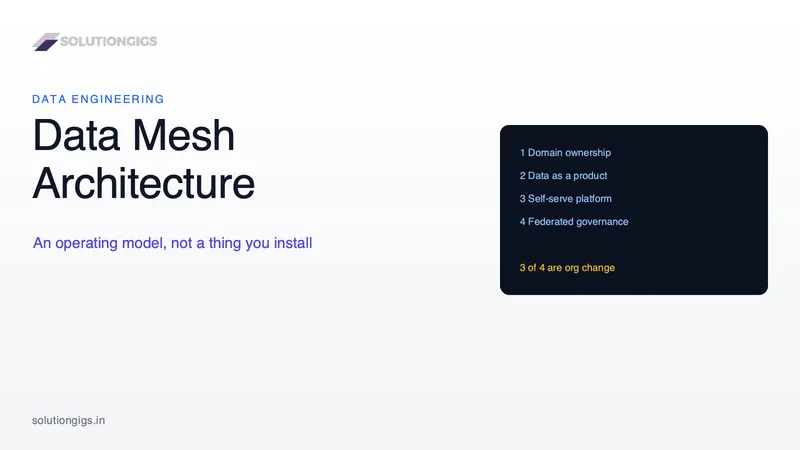
Data Mesh Architecture: What It Is and When It Actually Works
Data mesh is an operating model, not an architecture you can install — it moves data ownership to the business domains and holds them to a product standard. This guide skips the hype and answers the question every other one dodges: should you actually do this? Inside: the four principles stated plainly, an honest verdict on what survived after five years of real adoption (the data product model went mainstream; full decentralization mostly didn't), the 8-item spec a dataset must meet to be a data product, a readiness gate scored on six signals, the data mesh vs data fabric vs lakehouse table, the hybrid shape teams actually run, and a 90-day path that starts with one product instead of a domain-boundary workshop.
Data Partitioning Strategies for Spark & Data Lakes
Partitioning is the highest-leverage decision you make about a table: get it right and queries prune to seconds, get it wrong and you invent 2 million tiny files. Learn how partition pruning works, how to pick a key (date, ~1 GB minimum per partition), why tables under 1 TB shouldn't be partitioned at all, repartition vs partitionBy, and when bucketing, Z-order, liquid clustering, or Iceberg hidden partitioning beats directories — with real PySpark and decision rules.