
PySpark Fundamentals: DataFrames & Transformations
PySpark fundamentals for data engineers — DataFrames, transformations vs actions, lazy evaluation, and the core operations (select, filter, groupBy, join) with runnable code.

📚 Lesson 1 of the Spark track in our free Learn Data Engineering course. Builds on pandas — PySpark scales those same ideas across a cluster.
Quick Answer: PySpark is the Python API for Apache Spark, a distributed engine that processes data across many machines. Its core abstraction is the DataFrame — a distributed, table-like collection you reshape with operations like select, filter, groupBy, and join. The crucial concept is lazy evaluation: transformations build a plan but run nothing, and only an action (show, count, write) triggers Spark to execute the whole chain. Master that split and PySpark stops being mysterious.
When your data outgrows a single machine, pandas hits a wall — and Spark is where most data engineers go next. But Spark behaves differently from pandas in one fundamental way (laziness) that trips up everyone at first. This lesson gives you the mental model and the core operations, with runnable code, so you can read and write real PySpark confidently.
What is PySpark?
PySpark lets you write Python that runs across a cluster to process data too big for one computer. Apache Spark is the distributed engine; PySpark is its Python interface. You write familiar-looking DataFrame code, and Spark splits the work across many machines (executors) automatically.
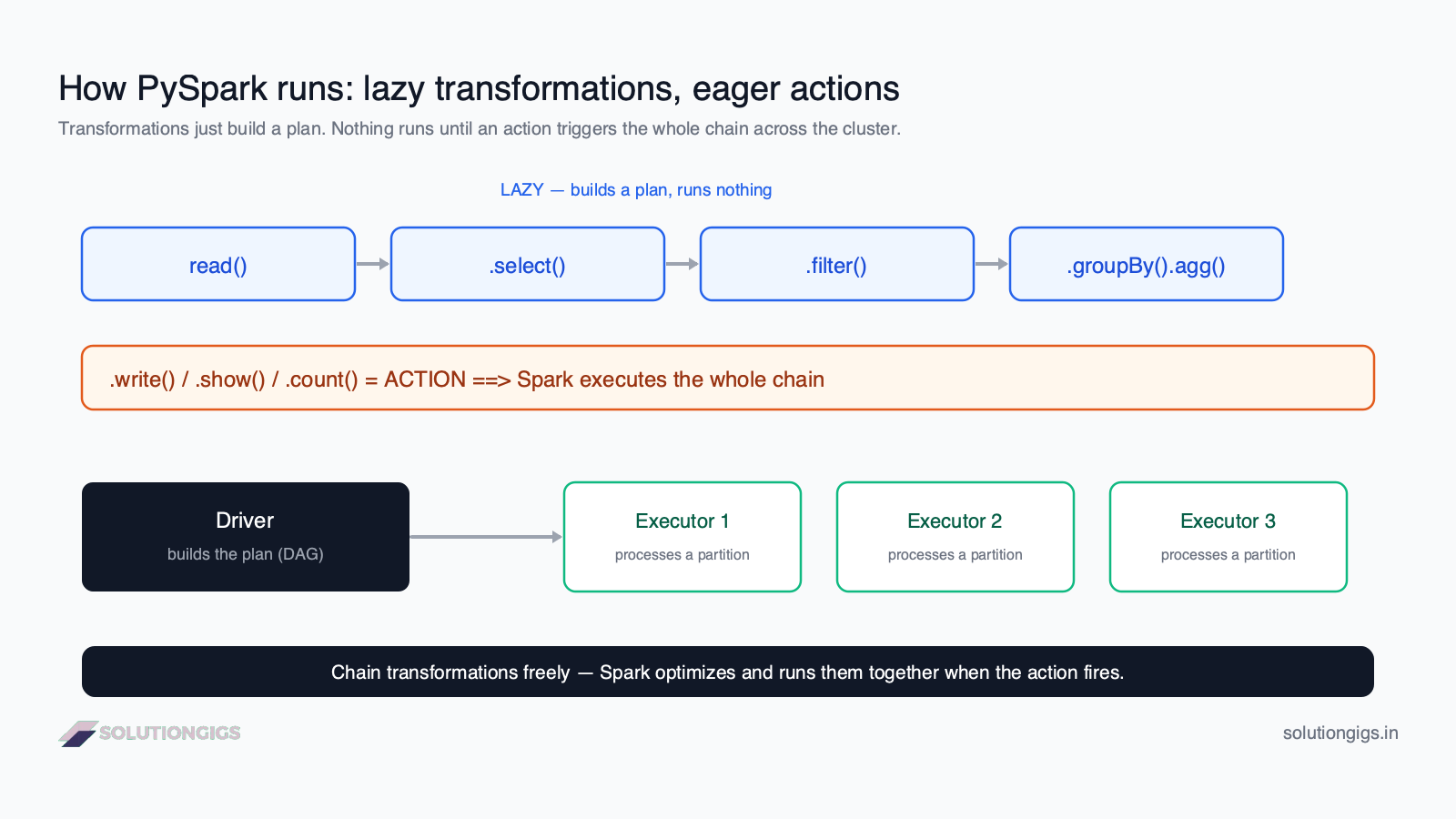
The distributed model has two roles:
- Driver — the coordinator. It builds the execution plan (a DAG) from your code.
- Executors — the workers. Each processes a partition (a chunk) of the data in parallel.
You don't manage this by hand — you write DataFrame operations, and Spark handles the distribution. But knowing the shape helps you understand why Spark is lazy.
The DataFrame: PySpark's core abstraction
A PySpark DataFrame is a distributed, immutable, table-like collection of rows with named columns. It looks like a pandas DataFrame, but it's spread across the cluster and it never mutates — every operation returns a new DataFrame.
Everything starts with a SparkSession, the entry point to PySpark:
from pyspark.sql import SparkSession

spark = SparkSession.builder.appName("learn").getOrCreate()

# read data into a DataFrame
df = spark.read.csv("orders.csv", header=True, inferSchema=True)
df.printSchema()      # inspect columns and types
Transformations vs actions: the key distinction
Transformations build a plan and run nothing; actions trigger Spark to execute the whole plan. This is the single most important concept in Spark, and the diagram above shows it: read → select → filter → groupBy are all lazy, then .write() or .show() fires the execution.
| Transformations | Actions | |
|---|---|---|
| What they do | Define a new DataFrame | Return a result / write output |
| When they run | Never on their own (lazy) | Immediately (eager) |
| Examples | select, filter, groupBy, join, withColumn |
show, count, collect, write |
| Result | A new DataFrame (a plan) | Data, a number, or files |
Why laziness is a feature: because Spark sees the whole chain before running it, its Catalyst optimizer can reorder, combine, and prune operations — pushing filters down, skipping unused columns, and minimizing data shuffled between machines. Eager execution couldn't do this.
The core operations you'll use daily
Four transformations cover most PySpark work: select, filter, groupBy, and join. They map almost one-to-one onto SQL, which is why SQL fluency transfers directly.
Select columns (like SQL SELECT):
from pyspark.sql import functions as F

df.select("order_id", "amount", "country")
Filter rows (like SQL WHERE):
df.filter(F.col("amount") > 0)
Add or derive a column with withColumn:
df = df.withColumn("total", F.round(F.col("amount") * 1.18, 2))
Aggregate with groupBy (like SQL GROUP BY):
df.groupBy("country").agg(
    F.sum("amount").alias("revenue"),
    F.count("*").alias("orders"),
)
Join two DataFrames (like SQL JOIN):
orders.join(customers, on="customer_id", how="left")
Notice everything returns a new DataFrame — nothing has actually run yet.
A complete example: from lazy chain to action
Here's a full transformation chain that executes only on the final action:
from pyspark.sql import functions as F

result = (
    spark.read.parquet("orders.parquet")     # transformation
    .filter(F.col("status") == "paid")        # transformation
    .withColumn("total", F.col("amount") * 1.18)  # transformation
    .groupBy("country")                       # transformation
    .agg(F.sum("total").alias("revenue"))     # transformation
)

result.show()        # ACTION → NOW Spark runs the entire chain
Up to .show(), result is just a plan. The action triggers Spark to read the data, apply every step across the cluster in an optimized pass, and return the output. This is the rhythm of all PySpark: chain transformations freely, then fire one action.
PySpark vs pandas: when to use which
Use pandas until your data won't fit in memory; move to PySpark when it won't. They share a DataFrame concept but differ fundamentally:
| pandas | PySpark | |
|---|---|---|
| Runs on | One machine, in memory | A distributed cluster |
| Scale | Up to a few million rows | Billions of rows / TBs |
| Execution | Eager (runs immediately) | Lazy (plan, then action) |
| Best for | Local analysis, small ETL | Big-data ETL, large joins |
Many pipelines start in pandas and graduate to PySpark only when data volume demands it. (A faster single-node step in between is Polars, whose lazy, expression-based API feels a lot like Spark's.) The good news: because the operations mirror each other (and SQL), the concepts carry over.
The same DataFrame API also does streaming
One of PySpark's biggest practical advantages is that the API you just learned is also Spark's streaming API. Swap spark.read for spark.readStream and the select, filter, withColumn and groupBy calls above work unchanged on an unbounded stream — Spark treats the stream as a table that keeps growing and incrementalises your plan for you.
# Batch
df = spark.read.parquet("s3://bucket/events/")

# Streaming — same transformations below this line
stream = spark.readStream.format("kafka").option("subscribe", "events").load()
That is a real productivity difference from streaming-first engines, where the batch and streaming programming models are more distinct. If you're weighing engines for a real-time pipeline, Spark vs Flink covers where that convenience is worth trading away. To go deeper on the streaming side, start with Spark Structured Streaming tuning.
Try it yourself — PySpark exercises
Given df with columns order_id, amount, status, country:
- Write a transformation that keeps only rows where
status == "paid". - Add a column
netequal toamountminus a 2% fee. - Which of these actually runs on the cluster:
df.filter(...),df.count(),df.select(...)?
Show answers
from pyspark.sql import functions as F

# 1
df.filter(F.col("status") == "paid")

# 2
df.withColumn("net", F.round(F.col("amount") * 0.98, 2))
- Only
df.count()runs on the cluster — it's an action.filterandselectare transformations (lazy), so they run nothing until an action is called.
Common mistakes with PySpark
- Expecting transformations to run immediately. They don't — nothing happens until an action. This confuses every beginner.
- Calling
collect()on a huge DataFrame. It pulls all data to the driver and can crash it. Useshow()ortake(n)to peek. - Using pandas habits like in-place mutation. PySpark DataFrames are immutable; every operation returns a new one — reassign it.
- Triggering many actions in a loop. Each action re-runs the chain. Cache with
.cache()if you'll reuse a DataFrame across actions. - Ignoring the small files problem. Writing thousands of tiny files cripples Spark performance — a classic production pitfall.
Frequently Asked Questions
What is PySpark?
PySpark is the Python API for Apache Spark, a distributed data-processing engine. It lets you write Python that runs across a cluster to process data larger than one machine can hold. The main abstraction is the DataFrame — a distributed, table-like collection you transform with select, filter, groupBy, and join, in code similar to pandas but scaling to terabytes.
What is the difference between a transformation and an action in Spark?
A transformation defines a new DataFrame (select, filter, groupBy, join) but runs nothing — it adds to a plan. An action (show, count, collect, write) triggers execution, running the whole chain across the cluster. Transformations are lazy; actions are eager. This split is the key to Spark performance.
What is lazy evaluation in Spark?
Lazy evaluation means Spark doesn't execute transformations when you call them — it records a plan and waits. Only an action triggers Spark to optimize the full chain and run it. This lets the Catalyst optimizer combine operations, skip unnecessary work, and minimize data movement, so chaining many transformations before one action is efficient.
Is PySpark the same as pandas?
No. Both offer a DataFrame, but pandas runs on one machine in memory while PySpark distributes data and computation across a cluster. pandas is ideal up to a few million rows; PySpark handles data too big for one machine. PySpark is also lazy and distributed, whereas pandas executes immediately in one process.
How do I create a DataFrame in PySpark?
Create a SparkSession, then read data: spark.read.csv('file.csv', header=True, inferSchema=True) or spark.read.parquet('path'). You can also build one from Python data with spark.createDataFrame(rows, schema). The SparkSession is the entry point to all PySpark functionality.
Conclusion
PySpark is pandas-like DataFrames that scale across a cluster — with one twist that changes everything: laziness. Transformations (select, filter, groupBy, join) build a plan and run nothing; an action (show, count, write) fires the whole optimized chain. Internalize that split and the core operations, and you can read and write real PySpark for production big-data pipelines.
Next in the Spark track of the free Learn Data Engineering course you'll tune Spark for production — including the small files problem and streaming. Preparing for a role that needs this? Start with PySpark interview questions and answers.
Moving these fundamentals onto a real cluster and finding it behaves nothing like it did locally? That gap is where most Spark time goes. Describe the job and I'll help you close it.
Mohammed Yaseen
Founder, SolutionGigs
Mohammed writes and tunes PySpark pipelines on large datasets in production and teaches the Spark track of the free Learn Data Engineering course. LinkedIn →
Try Free Spark Config Optimizer
Free, no signup — right in your browser.
Try Free Spark Config Optimizer →More in Data Engineering
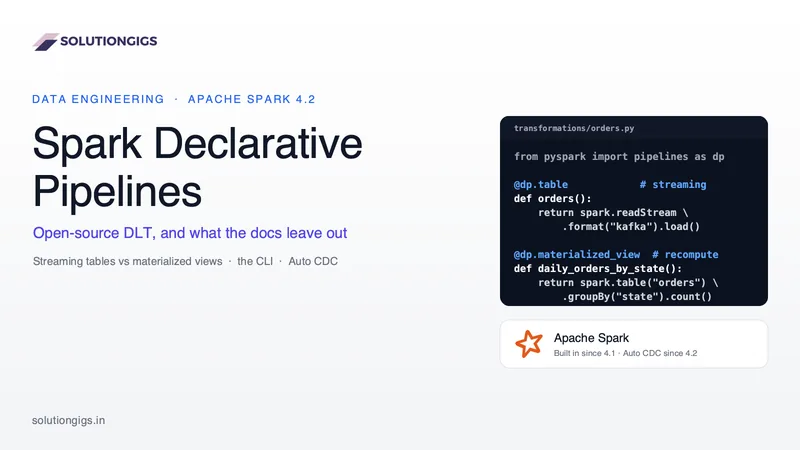
Spark Declarative Pipelines: Open-Source DLT, and What the Docs Leave Out
Spark Declarative Pipelines bring the engine behind Databricks DLT to open-source Spark 4.1+: streaming tables vs materialized views, the CLI, Spark 4.2 Auto CDC, and what stays Databricks-only. You stop writing df.write and stop owning the DAG — but a materialized view is a full recompute every run, so the dataset type you pick is a cost decision, not a syntax preference.
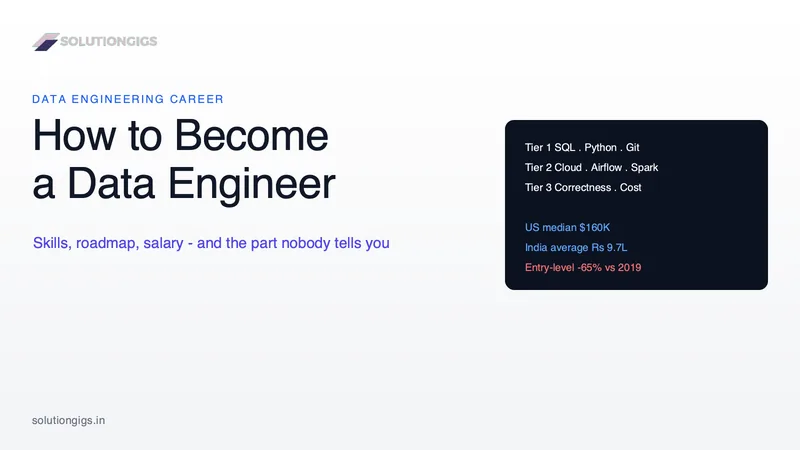
How to Become a Data Engineer: Skills, Roadmap & Salary
How to become a data engineer: the four real entry paths, a six-month roadmap with stop conditions, current US and India salary data, and the honest catch. Demand is real - Robert Half puts the US starting midpoint at $156,250 and 78% of tech leaders are adding headcount - but entry-level hiring is down about 65% against 2019, which is why finishing a course and getting no callbacks are both normal. Inside: what the primary sources actually say (including the BLS stat every guide miscites), the four doors into the field and which is shortest, a three-tier skill order, a month-by-month roadmap with stop conditions, US and India salary tables with collection dates, and the portfolio bar that gets callbacks.
Kafka Fundamentals: Topics, Partitions & Offsets
Kafka fundamentals explained — topics, partitions, offsets, producers, consumers, and consumer groups, with the mental model you need to build real streaming pipelines.