
Spark Small Files Problem: Causes & How to Fix It
The Spark small files problem quietly wrecks query speed and inflates cloud bills. Learn why it happens, how to detect it, and 5 proven fixes with real code — repartition vs coalesce, maxRecordsPerFile, AQE, and Delta/Iceberg compaction.

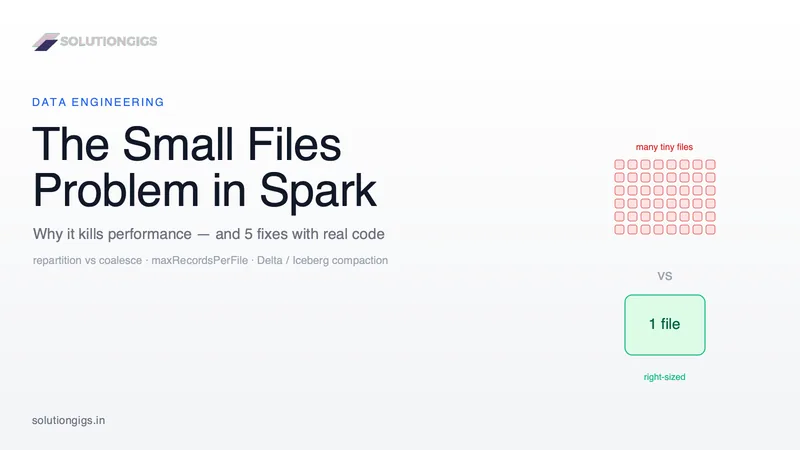
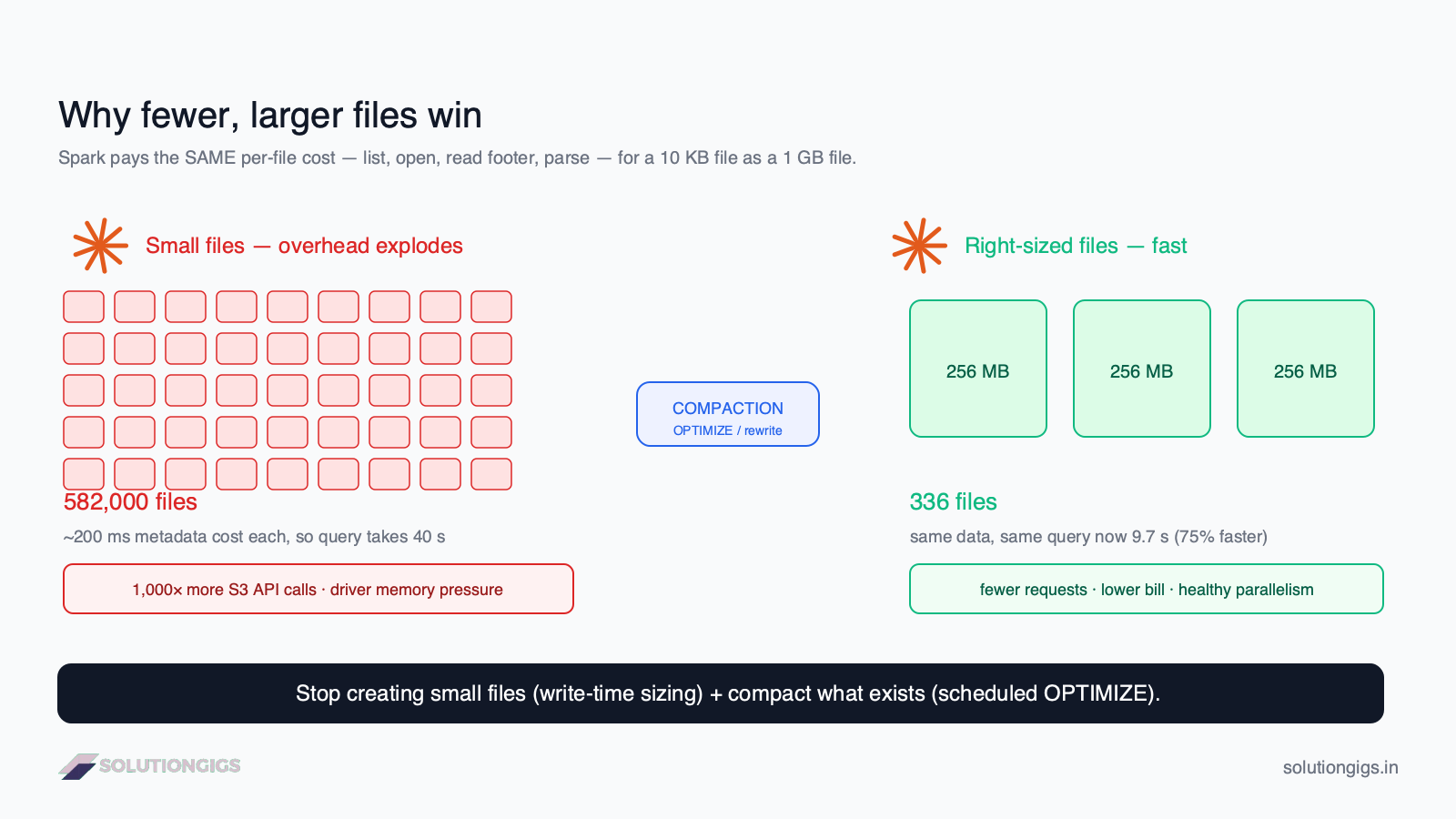
Quick Answer: The small files problem happens when a dataset is spread across thousands of tiny files (KB–MB each) instead of fewer large ones. Spark pays a fixed cost — list, open, read footer, parse — for every file, so the overhead explodes even when total data is small. AWS measured an Athena query over 582,000 small files at 40 seconds; after compacting to 336 files the same query ran in 9.7 seconds — a 75% cut. Fix it by writing correctly sized files (128 MB–1 GB) with repartition/coalesce + maxRecordsPerFile, and compacting existing tables with Delta OPTIMIZE or Iceberg rewrite_data_files.
If your Spark jobs have quietly gotten slower and your S3 bill has quietly gotten bigger, there's a good chance the small files problem is the culprit — and almost nobody profiles for it until it hurts. Having run Spark on EMR across pipelines processing hundreds of millions of events per day, I've watched this single issue turn a 3-minute query into a 30-minute one without a single line of business logic changing. This guide is the definitive, code-level walkthrough I wish existed in one place: what the problem actually is, how to detect it, the five ways it creeps in, and five proven fixes with real numbers. It complements our guides on Apache Iceberg tables and Spark Structured Streaming tuning.
What is the small files problem?
The small files problem is a mismatch between how data is stored and how distributed engines read it: many tiny files instead of fewer, appropriately sized ones. A "small" file is typically anything well below the storage block size — think 1 KB to 10 MB when it should be 128 MB to 1 GB.
The trap is that it's invisible in aggregate. A table can be a modest 50 GB total and still be a disaster if that 50 GB is split into 500,000 files of ~100 KB each. Total volume looks fine; the file count is what wrecks you. Every engine that touches the table — Spark, Hive, Presto/Trino, Athena — pays a per-file tax that has nothing to do with how much data you actually need.
Why small files kill performance
The core reason is fixed per-file overhead: Spark does the same expensive metadata dance for a 10 KB file as for a 1 GB file. For each file it must issue a storage request, open the file, read the Parquet/ORC footer, parse the schema, and extract column statistics before it reads a single row you care about.
Three separate costs stack up:
- Metadata & I/O overhead. On cloud object storage, listing and opening a file costs roughly ~200 ms of latency per file. Multiply by a million files and the setup alone is days of wall-clock work spread across your executors. On HDFS, seeks and open/close cycles add a few milliseconds each — trivial per file, brutal at scale.
- Driver & NameNode memory pressure. On HDFS, the NameNode holds ~150 bytes of RAM per file/block object — millions of files can exhaust NameNode heap and destabilize the whole cluster. In Spark, huge file listings inflate the driver's task metadata and can trigger driver OOMs before the job even starts.
- Cloud API cost. S3 charges about $0.005 per 1,000 LIST requests and $0.0004 per 1,000 GET requests. Reading a million small files can cost roughly 1,000× more in API calls than reading the same data as well-sized files — a line item most teams never trace back to file layout.
Here's the impact in one table, using AWS's published Athena benchmark:
| Metric | 582,000 small files | 336 compacted files | Change |
|---|---|---|---|
| Query runtime | 40 s | 9.7 s | −75% |
| Files opened | 582,000 | 336 | ~1,700× fewer |
| Relative API cost | High | Negligible | Large saving |
Source: AWS — top 10 performance tuning tips for Athena. The lesson generalizes to Spark, Hive, and Trino: fewer, larger files is almost always faster and cheaper.
How to detect the small files problem
Before fixing anything, measure your file count and average file size — you can't tune what you don't quantify. The fastest signal is dividing total table size by file count; if the average is under ~64 MB, you have a problem.
On the storage layer, a quick check:
# HDFS: count files and total size for a table path
hdfs dfs -count -h /warehouse/events/
#   dir_count   file_count   content_size   path

# S3: count objects and total bytes under a prefix
aws s3 ls s3://my-bucket/events/ --recursive --summarize | tail -3
From inside Spark, inspect how many files feed a DataFrame and their average size:
# Average input file size for a table — the single most useful diagnostic
paths = spark.read.parquet("s3://my-bucket/events/")
files = paths.inputFiles()
total_bytes = sum(
    f.getLen() for f in
    spark._jvm.org.apache.hadoop.fs.FileSystem
        .get(spark._jsc.hadoopConfiguration())
        .globStatus(spark._jvm.org.apache.hadoop.fs.Path("s3://my-bucket/events/*"))
)
print(f"file_count = {len(files)}")
print(f"avg_MB     = {total_bytes / len(files) / 1024 / 1024:.1f}")
If avg_MB is in single or low double digits, you've confirmed it. On Delta or Iceberg you can query the metadata tables directly (DESCRIBE DETAIL in Delta shows numFiles and sizeInBytes; Iceberg's .files metadata table lists file_size_in_bytes).
What causes small files in the first place
Small files are almost always a side effect of how you write, not what you write. The five usual culprits:
- Over-partitioning the table. Partitioning by a high-cardinality column (e.g.
event_id, ordate+hour+user_bucket) creates thousands of directories, each holding a sliver of data. This is the #1 cause. - High
spark.sql.shuffle.partitions. The default is 200. If your final stage has 200 shuffle partitions and you write partitioned output, you can get 200 files per partition directory — most of them tiny. - Streaming micro-batches. Structured Streaming writes at least one file per partition per trigger. A 10-second trigger running for a day produces ~8,600 write cycles — a classic small-files factory. (See our streaming tuning guide.)
- Change Data Capture (CDC) and frequent appends. Merging small CDC batches every few minutes appends tiny files continuously.
maxRecordsPerFileset too low, or many small input tasks carried straight through to the writer.
The fix splits into two halves: stop creating them (write-time control) and clean up what exists (compaction). Let's do both.
Fix #1 — repartition vs coalesce (control partitions at write time)
Match the number of output partitions to your data volume, choosing coalesce for a cheap reduction and repartition for evenly sized files. These two are the workhorses, and picking the wrong one causes its own problems.
# coalesce: merges partitions with NO shuffle — fast, but can be uneven / skewed
df.coalesce(10).write.mode("overwrite").parquet("s3://my-bucket/events/")

# repartition: full shuffle — evenly sized files, higher cost
df.repartition(10).write.mode("overwrite").parquet("s3://my-bucket/events/")
coalesce(n) |
repartition(n) |
|
|---|---|---|
| Shuffle | No (merges partitions) | Yes (full shuffle) |
| Speed | Fast | Slower |
| File size evenness | Can be skewed | Uniform |
| Can increase partitions? | No (decrease only) | Yes |
| Use when | Partitions already balanced, just reducing count | You need uniform files or more partitions |
Gotcha:
coalesce(1)on a large DataFrame funnels all data through a single task and will OOM. To collapse to one file safely, userepartition(1)(it shuffles but distributes the work), and only for genuinely small outputs.
Fix #2 — size files precisely with the partition math + maxRecordsPerFile
Compute the right partition count from your data size, then cap file size with maxRecordsPerFile so varying row sizes don't blow past your target. Guessing partition counts is why people end up with 30 MB or 3 GB files; the math removes the guesswork.
The formula:
target_partitions = ceil(total_uncompressed_size / target_file_size)
Example: writing 34.3 GB of data at a 128 MB target:
34,300 MB / 128 MB ≈ 268 partitions
target_file_mb = 256
total_mb = 34_300
n = -(-total_mb // target_file_mb)          # ceil division → 134 partitions

(df
   .repartition(n)
   .write
   .option("maxRecordsPerFile", 2_000_000)  # hard cap per file, regardless of n
   .mode("overwrite")
   .parquet("s3://my-bucket/events/"))
maxRecordsPerFile is the safety net: even if a partition ends up heavier than expected, Spark rolls to a new file every N rows, so no single file balloons. Combine the two and you get predictable, right-sized output.
Fix #3 — let Adaptive Query Execution coalesce shuffle partitions
Enable AQE so Spark automatically merges small shuffle partitions at runtime instead of emitting 200 tiny ones. Since Spark 3.0, Adaptive Query Execution (AQE) can coalesce post-shuffle partitions based on actual data size — often eliminating small files with zero code changes.
spark.conf.set("spark.sql.adaptive.enabled", "true")
spark.conf.set("spark.sql.adaptive.coalescePartitions.enabled", "true")
# target size per coalesced shuffle partition
spark.conf.set("spark.sql.adaptive.advisoryPartitionSizeInBytes", "256m")
This won't fix an over-partitioned table layout, but it's the cheapest win for shuffle-driven small files — turn it on in every job.
Fix #4 — compact existing tables (Delta OPTIMIZE / Iceberg rewrite_data_files)
For tables that already have millions of small files, use the table format's built-in compaction rather than rewriting by hand. Modern lakehouse formats bin-pack small files into optimally sized ones as a maintenance operation.
Delta Lake:
-- Bin-pack small files into ~1 GB files
OPTIMIZE events;

-- Or compact only recent partitions
OPTIMIZE events WHERE event_date >= '2026-07-01';
# Prevent them going forward — enable auto-optimize at the table level
spark.sql("""
  ALTER TABLE events SET TBLPROPERTIES (
    'delta.autoOptimize.optimizeWrite' = 'true',
    'delta.autoOptimize.autoCompact'   = 'true'
  )
""")
Apache Iceberg:
-- Combine small files; target 512 MB by default (bin-pack strategy)
CALL catalog.system.rewrite_data_files(
  table => 'db.events',
  options => map('target-file-size-bytes', '536870912')
);
Run compaction as a scheduled job (nightly or weekly), not on every write — compaction rewrites data and competes with your ingestion for resources. For deeper Iceberg mechanics, see our Iceberg tables guide.
⚠️ On Databricks, check before you schedule anything. Predictive optimization now runs
OPTIMIZE,VACUUMandANALYZEautomatically on Unity Catalog managed tables. It is enabled by default for accounts created on or after 11 November 2024, and the rollout to existing AWS and Azure accounts was expected to complete by August 2026. If it is active on your tables, a hand-scheduled nightlyOPTIMIZEjob is duplicated work — it bills on your cluster while predictive optimization bills again under the serverless jobs SKU. Confirm withbilling_origin_product = 'PREDICTIVE_OPTIMIZATION'insystem.billing.usage, then delete the redundant job. We cover the billing side in how to reduce Databricks costs. This does not apply to external tables or to open-source Delta/Iceberg outside Databricks — there, you still schedule it yourself.
Fix #5 — prevent small files in streaming and CDC
In streaming, the cure is to write less often and compact continuously: widen the trigger interval and enable auto-compaction. A 10-second trigger is a small-files machine; most pipelines tolerate 1–5 minutes with no real freshness loss.
(stream
  .writeStream
  .trigger(processingTime="2 minutes")     # fewer, larger write cycles
  .option("checkpointLocation", "s3://my-bucket/_chk/events/")
  .toTable("events"))
Pair the wider trigger with Delta autoCompact (or a periodic Iceberg rewrite_data_files) so the trickle of files gets rolled up automatically. For CDC, batch merges into larger windows instead of merging every micro-batch.
Target file size cheat sheet
| Engine / format | Recommended target file size |
|---|---|
| HDFS (block-aligned) | 128 MB |
| Parquet on S3 (general) | 256 MB – 1 GB |
| Apache Iceberg | 512 MB (default) |
| Delta Lake | ~1 GB |
| Streaming output (pre-compaction) | Accept small; compact on schedule |
When unsure, 256 MB is a safe default on cloud object storage — big enough to amortize request latency, small enough to keep parallelism healthy.
Common mistakes to avoid
- Using
coalesce(1)to make one file — it funnels everything through one task and OOMs on anything non-trivial. Userepartition(1)for small outputs only. - Over-partitioning by high-cardinality columns — partition by low-cardinality access patterns (date, region), not by IDs.
- Compacting on every write — compaction is a maintenance job; schedule it, don't inline it.
- Forgetting AQE — leaving
spark.sql.adaptive.enabledoff means you hand-tune what Spark could do for free. - Fixing the symptom, not the cause — if your table keeps regrowing small files after every OPTIMIZE, the write path (partitioning, triggers, shuffle partitions) is the real bug.
Decision framework: which fix do I use?
Walk top to bottom and stop at your first match:
- Table already has millions of small files? → Compact now: Delta
OPTIMIZEor Icebergrewrite_data_files(Fix #4). - Small files from a streaming/CDC job? → Widen trigger + auto-compact (Fix #5).
- Batch job emitting 200 tiny files per partition? → Turn on AQE coalescing (Fix #3).
- Need precise, uniform output files? → Partition math +
maxRecordsPerFile(Fix #2). - Just reducing an already-balanced partition count? →
coalesce(Fix #1).
Most production setups combine three: AQE on everywhere, correct write-time sizing, and a scheduled compaction job as the safety net.
If you're wrestling with Spark performance or a data lake that's slowed to a crawl, small files are the usual suspect and the easiest to confirm. Send me a file count per partition and I'll tell you if that's it.
Frequently Asked Questions
What is the small files problem in Spark?
It's when a dataset is stored across a very large number of tiny files (KB to a few MB) instead of fewer, larger files. Spark pays a fixed per-file cost to list, open, read the footer, and parse each file, so thousands of small files add huge overhead — slower queries, higher driver/NameNode memory use, and inflated cloud storage API bills — even when total data volume is modest.
What is the ideal file size for Spark and Parquet?
Target 128 MB to 1 GB per file. 128 MB matches the HDFS block size; on cloud object stores like S3, 256 MB to 1 GB is better because it amortizes per-file request latency. Apache Iceberg defaults to a 512 MB target and Delta Lake targets roughly 1 GB. Files below ~64 MB usually cost you performance and money.
What is the difference between coalesce and repartition?
coalesce(n) reduces partition count without a full shuffle by merging partitions — fast, but file sizes can be uneven. repartition(n) does a full shuffle, producing evenly sized files at higher cost, and can also increase partition count. Use coalesce for a cheap reduction when data is already balanced; use repartition when you need uniform files or more partitions.
How do I control the output file size in Spark?
Compute target partitions as total data size divided by target file size, apply repartition or coalesce, then set df.write.option("maxRecordsPerFile", N) so Spark rolls to a new file every N rows. The row cap keeps file sizes predictable even when row sizes vary, so you don't have to guess the exact partition count.
How do I fix small files in Delta Lake or Iceberg?
Use built-in compaction. In Delta Lake, run OPTIMIZE to bin-pack files, or enable delta.autoOptimize.optimizeWrite and autoCompact. In Apache Iceberg, call the rewrite_data_files procedure. Run these as scheduled maintenance jobs (nightly or weekly) rather than compacting on every write, since compaction rewrites data and competes with ingestion. On Databricks, check first whether predictive optimization is already compacting your Unity Catalog managed tables — if it is, your own scheduled job is duplicated spend.
Does the small files problem affect cloud costs?
Yes, significantly. Object stores like S3 charge per request — about $0.005 per 1,000 LIST and $0.0004 per 1,000 GET requests. Reading a million small files can cost roughly 1,000× more in API calls than reading the same data as well-sized files, on top of the wasted compute time spent opening and parsing each file.
Conclusion
The small files problem is one of the highest-leverage, lowest-glamour fixes in data engineering: no new features, no business logic, just faster queries and smaller bills. It creeps in through over-partitioning, high shuffle-partition counts, and frequent streaming or CDC writes — and it stays invisible until a query that used to take minutes takes half an hour. The path out is always the same two moves: stop creating small files with correct write-time sizing (partition math, maxRecordsPerFile, AQE) and clean up what exists with scheduled compaction (Delta OPTIMIZE, Iceberg rewrite_data_files).
Start by measuring your average file size today — if it's under 64 MB, you have money and minutes to reclaim. Fix the write path first so the problem doesn't come back, then compact the historical mess. Do both and your storage layer goes back to being invisible infrastructure, which is exactly where it belongs.
Fighting a slow Spark pipeline or a bloated data lake? Tell me what the layout looks like — compaction, write-side sizing, or a partition key chosen too finely, and it matters which.
Mohammed Yaseen
Founder, SolutionGigs
Mohammed builds and tunes Spark pipelines on AWS EMR processing hundreds of millions of events per day, where fixing small files is a routine performance and cost win. LinkedIn →
Try Free Parquet to CSV Converter
Free, no signup — right in your browser.
Try Free Parquet to CSV Converter →More in Data Engineering
Apache Iceberg Table Maintenance: Compaction & Cleanup
Your Iceberg table was fast for the first month. Now the same query takes 4x longer and your S3 bill quietly doubled — and nobody changed the code. The table just accumulated the cost of every write: thousands of small files, a snapshot per commit, and bloated metadata. This guide covers the four maintenance jobs (compaction, expire_snapshots, remove_orphan_files, rewrite_manifests), the exact Spark SQL, the order they must run in, and the retention gotchas that can silently delete your ability to roll back.
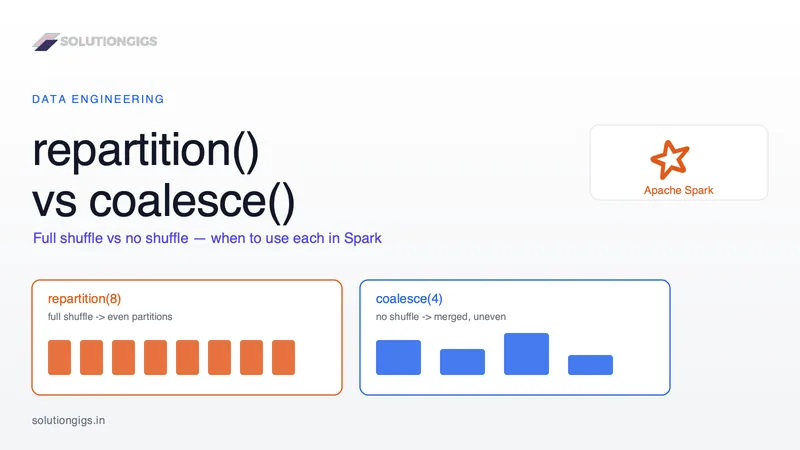
Spark repartition() vs coalesce(): When to Use Each
repartition() vs coalesce() is one of the most-asked Spark questions — in interviews and in real 2 a.m. debugging. The usual one-liner ("coalesce is cheaper") hides the detail that bites you: repartition() does a full shuffle for even partitions, coalesce() skips the shuffle but can only shrink and may leave skew. Pick wrong and you either waste a shuffle or silently throttle the whole job to one core. This guide covers what each does under the hood, a decision rule, the coalesce(1) trap, and how AQE fits in — with real PySpark.
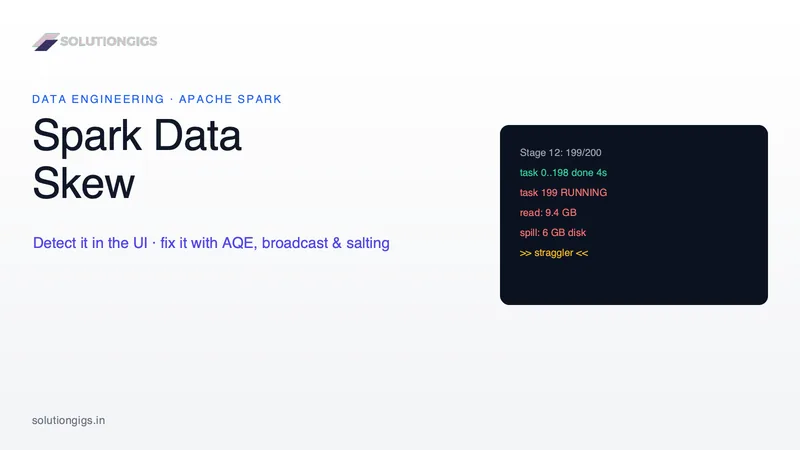
Spark Data Skew: How to Detect and Fix It
Data skew is the #1 hidden cause of slow Spark jobs — one hot key floods a single partition and stalls a whole stage at 99%. Learn how to detect skew in the Spark UI and fix it with AQE skew join, broadcast joins, null-key handling, and salting — with real PySpark code.