
Model Context Protocol (MCP) Explained: The Complete Beginner's Guide
New to the Model Context Protocol? This beginner's guide explains what MCP is, how it works, why it matters for AI in 2026, and how to get started fast.

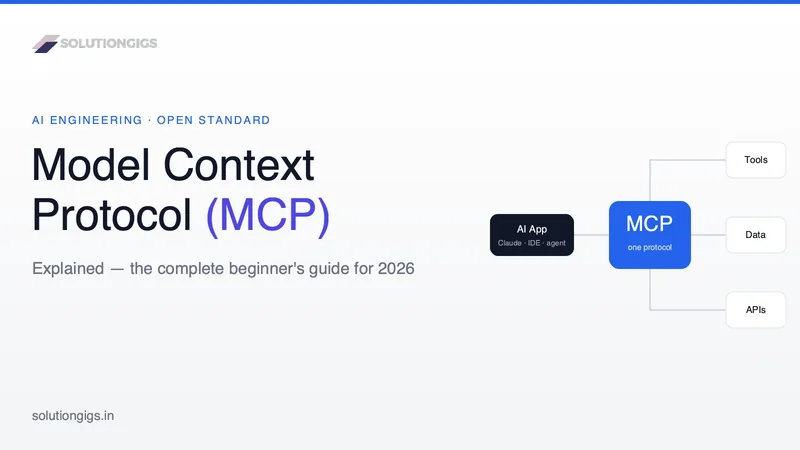
Quick Answer: The Model Context Protocol (MCP) is an open standard that lets AI applications connect to external tools, data, and services through one common interface. Instead of building a separate custom integration for every app-and-tool combination, a developer builds one MCP server and any MCP-compatible AI app can use it. Created by Anthropic and now widely adopted, MCP is best understood as "USB-C for AI" — a single connector standard that replaces a tangle of one-off integrations.
If you've used an AI assistant, you've hit its main limitation: it only knows what it was trained on and what you paste into the chat. It can't read your files, query your database, or open a pull request on its own. The Model Context Protocol is the standard that fixes this — and in 2026 it has quietly become one of the most important building blocks in AI engineering.
This beginner's guide explains what MCP is, why it exists, how it actually works, and how to get started — in plain English, with no prior AI-integration experience assumed.
What is the Model Context Protocol (MCP)?
The Model Context Protocol (MCP) is an open standard for connecting AI models to the outside world. It defines a common way for an AI application to discover and use external capabilities — running actions, reading data, and reusing prompt templates — without a custom integration for each one.
MCP was introduced by Anthropic in late 2024 and published as an open specification with official SDKs. Because it's open, it isn't locked to any single vendor: the same MCP server can be used by many different AI apps, and the same AI app can plug into many different servers.
The official analogy is USB-C for AI. Before USB-C, every device needed its own cable and port. MCP plays the same role for AI: one standard "port" so any compliant model can connect to any compliant tool. You'll find the full spec at modelcontextprotocol.io.
Why MCP matters: the M×N integration problem
MCP matters because it collapses the integration explosion — turning an M×N problem into M+N. To see why it took off, picture the problem it solves.
Say you have M AI applications (Claude, a coding IDE, an internal agent) and N systems you want them to reach (GitHub, Postgres, Slack, Google Drive, your billing API). Without a standard, every app needs a bespoke integration for every system. That's M × N custom integrations to build and maintain — and each new tool or app multiplies the work.
MCP turns that into an M + N problem. Each AI app implements MCP once. Each tool exposes an MCP server once. Now any app talks to any tool through the shared protocol. Build a GitHub MCP server, and every MCP-compatible assistant can use it — you didn't write app-specific code at all.
That shift — from a combinatorial mess to a plug-in ecosystem — is why, by 2026, MCP is supported across AI vendors, IDEs, and thousands of community servers. It's the same network effect that made USB, HTTP, and language servers (LSP) succeed.
How MCP works: hosts, clients, and servers
MCP has three roles. Understanding them is 80% of understanding the protocol.
1. The MCP host
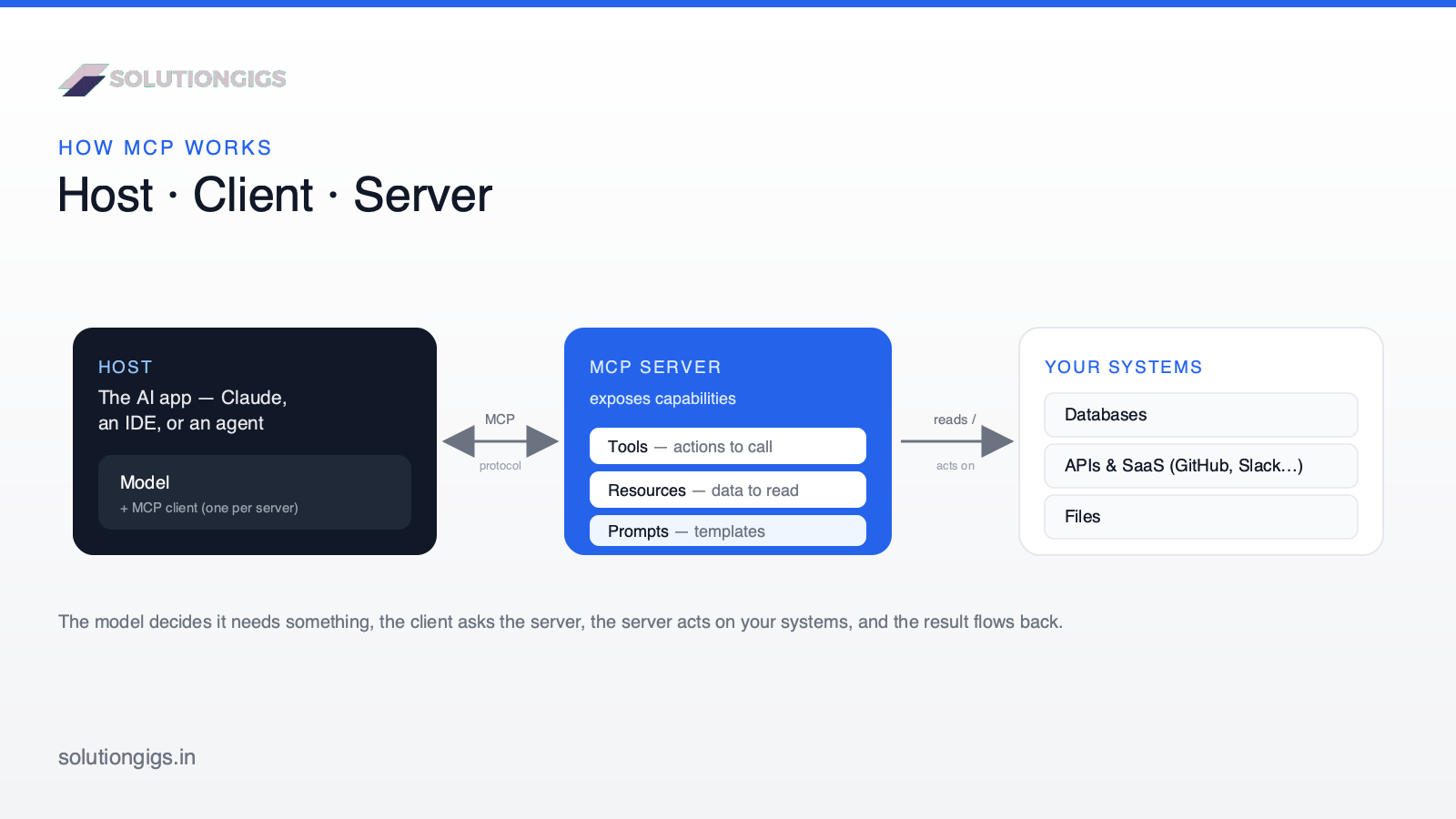
The host is the AI application the user interacts with — for example Claude Desktop, an AI-enabled IDE, or a custom agent you've built. The host contains the language model and decides when to reach for an external capability.
2. The MCP client
Inside the host sits one or more clients. A client is the connector that maintains a dedicated one-to-one connection to a single server. If the host connects to three servers, it runs three clients. You rarely think about clients directly — they're plumbing the host manages.
3. The MCP server
The server is the star of the show. An MCP server is a small, standalone program that exposes capabilities to the AI. A server might wrap the GitHub API, connect to your database, read a folder on your machine, or call an internal service. It advertises what it can do in a structured, self-describing format, and the model picks from that menu.
Here's the flow in one sentence: the host's model decides it needs something, the client asks the server, the server does the work and returns a result, and the model uses that result to answer you.
The three building blocks of MCP
An MCP server exposes capabilities as three primitive types. Knowing these makes any server easy to read.
| Primitive | What it is | The model can… | Example |
|---|---|---|---|
| Tools | Actions, like functions | Call them (can change things) | Create a GitHub issue, run a SQL query, send a message |
| Resources | Read-only data / context | Read them | A file, a database record, an API response |
| Prompts | Reusable prompt templates | Reuse them | "Summarize this PR in our house style" |
Tools are the most powerful and most sensitive primitive because they can change the world; resources are read-only reference material; prompts are shortcuts for common workflows. A single server can offer any mix of the three — a GitHub server, for instance, might expose tools (open a PR), resources (read a file's contents), and prompts (a standard code-review template).
See how SolutionGigs can help → If you're weighing whether MCP fits your stack, an experienced engineer can save you weeks. Post a project on solutiongigs.in and get matched with vetted AI talent.
A real example: MCP in action
Say you ask your AI assistant: "What were our top 5 customers by revenue last month?"
Without MCP, the model has no idea — that data lives in your database, which it can't touch. With a database MCP server connected, here's what happens:
- Discovery. When the host starts, its client connects to the database server and asks what it offers. The server replies with a
run_querytool and a schema resource. - Decision. You ask your question. The model recognizes it needs live data and chooses the
run_querytool. - Execution. The client sends the tool call to the server. The server runs the SQL against your database and returns the rows.
- Answer. The result flows back to the model, which turns the raw rows into a clean, human-readable answer.
You never wrote integration code. You installed a server, and the model figured out the rest. That's the beginner-friendly magic of MCP — and it's exactly how modern AI agents get their hands on real systems. The server itself is not the agent, though — it holds no model and runs no loop, a boundary the July 2026 revision made explicit and which we unpack in MCP servers vs AI agents.
MCP vs traditional APIs
Beginners often ask how MCP differs from a normal API. They're complementary, not competing — MCP usually wraps an existing API. The difference is who the interface is designed for.
| Aspect | Traditional API | Model Context Protocol (MCP) |
|---|---|---|
| Designed for | Human developers writing code | AI models calling tools at runtime |
| Discovery | Read the docs, then hardcode calls | Server self-describes; model discovers tools live |
| Integration effort | Custom code per app + per tool (M×N) | One server, reused by every client (M+N) |
| Interface style | Endpoints, params, auth headers | Standard tools, resources, prompts |
| Who calls it | Your application code | The AI, guided by your prompt |
| Best when | Fixed, well-known workflows | You want the model to choose the right action |
In short: an API is a set of endpoints for programmers; an MCP server is a self-describing menu of capabilities for an AI. If you already have an API, turning it into an MCP tool is straightforward — we cover that in how to turn any API into an MCP tool.
One correction worth carrying with you: a lot of writing on this comparison says the dividing line is that APIs are stateless while MCP holds a stateful session. That stopped being true on 28 July 2026, when the specification removed protocol-level sessions outright. MCP vs API covers what changed and which differences actually survive.
Common MCP use cases
MCP shines anywhere an AI needs to act on real systems:
- Coding assistants that read your repo, run tests, and open pull requests.
- Data analysis where the model queries a warehouse and explains the results.
- Knowledge retrieval from internal docs, wikis, or Google Drive.
- DevOps agents that check logs, inspect deployments, and file incidents.
- Customer support bots that look up orders and update tickets safely.
- Personal automation — your files, calendar, and notes, wired into one assistant.
The pattern is always the same: wrap the system in a server, and any MCP client can use it.
How to get started with MCP (step by step)
You can start using MCP today without writing a line of code, then graduate to building your own server.
- Pick an MCP-compatible host. Claude Desktop and several AI-enabled IDEs support MCP out of the box. This is where servers will plug in.
- Install a ready-made server. Browse the official and community server directories, pick one (say, a filesystem or GitHub server), and add it to your host's configuration — usually a few lines of JSON specifying how to launch it.
- Grant only the access it needs. Point a filesystem server at one project folder, not your whole drive. Use tokens scoped to the minimum permissions.
- Test with a real question. Ask the assistant to do something only that server enables — "list the open issues in this repo" — and confirm it works.
- Build your own (optional). When you're ready, use the official Python or TypeScript SDK to expose a custom tool. Start with our walkthrough on what an MCP server is and how to build one in Python, or scaffold one instantly with the free MCP Server Generator.
A quick note on transports: local servers typically communicate over standard input/output (stdio), while remote servers use Streamable HTTP. As a beginner you rarely choose this manually — the server's setup instructions handle it.
Common MCP mistakes to avoid
- Installing untrusted servers. An MCP server runs code and can access data. Only install servers from sources you trust, and read what permissions they request. Note that a tool's description is context the model reads, so a malicious server can hide instructions where you never see them — see AI agent security and prompt injection for how tool poisoning and rug pulls work.
- Over-granting access. Don't give a server broad file or database access "just in case." Scope it to exactly what the task needs.
- No confirmation on destructive tools. For actions that delete data, spend money, or send messages, require human approval before the model executes them.
- Hardcoding secrets. Never paste API keys into prompts or commit them into server configs. Use environment variables or a secrets manager.
- Expecting magic. MCP gives a model access, not perfect judgment. A well-written prompt and clear tool descriptions still matter — the model has to choose the right tool for the job.
- Connecting every server you might need. Each connected server's tool schemas sit in the model's context window on every turn, so a handful of servers can cost thousands of tokens before the user has said anything. Connect what the task needs and defer the rest — see our guide to context engineering.
The SolutionGigs advantage
MCP is simple to demo and surprisingly deep to do well in production — auth, permissions, error handling, and choosing which tools to expose all take judgment. At solutiongigs.in, we connect teams with vetted engineers who've built real MCP integrations and AI agents, so you get past the prototype and into something you can trust with live data.
Whether you need a single custom server or a full agent platform, you can describe the project and get matched fast — it's free to post.
Frequently Asked Questions
What is the Model Context Protocol in simple terms?
The Model Context Protocol (MCP) is an open standard that lets AI apps connect to external tools, data, and services through one common interface. Rather than building a custom integration for every app-and-tool pairing, you build one MCP server and any MCP-compatible app can use it. It's often called "USB-C for AI."
Who created MCP and is it open source?
MCP was created by Anthropic and released as an open standard in late 2024. The specification and official SDKs (Python, TypeScript and more) are open source, and adoption has spread well beyond Anthropic to other AI vendors, IDEs, and thousands of community-built servers.
What is the difference between MCP and a regular API?
A regular API targets developers who read docs and write code. MCP targets AI models: a server self-describes its tools so a model can discover and call them at runtime, with no custom glue code. MCP usually wraps existing APIs rather than replacing them.
Isn't MCP just plugins or an API with a new name?
Not quite. A plugin or API integration is wired up at build time by a developer. MCP works at runtime: a server describes its tools in a standard, self-describing format, and the model discovers and calls them live — with no per-integration glue code. It sits one level above your existing APIs (it usually wraps them), rather than replacing them.
What is an MCP server?
An MCP server is a small program that exposes capabilities — tools (actions), resources (data), and prompts (templates) — over the MCP protocol. An AI app connects to it and can then read that data or call those actions. Common examples wrap GitHub, a database, your file system, or an internal API.
Do I need to know how to code to use MCP?
No. You can install ready-made servers into an app like Claude Desktop or an AI-enabled IDE with a few lines of configuration. Coding is only needed if you want to build a custom server, and the official SDKs make even that beginner-friendly.
Is MCP only for Claude?
No. MCP started at Anthropic and works with Claude, but it's an open standard many AI apps, IDEs, and agent frameworks now support. Any MCP-compatible client can connect to any MCP server — that's the entire point of a shared protocol.
Is MCP secure?
It can be, but MCP expands what a model can do, which expands risk. Only install trusted servers, grant the least access needed, require confirmation before destructive actions, and never hardcode secrets. Treat an MCP server like any other software with access to your data.
Conclusion
The Model Context Protocol solves a problem that held AI back for years: giving models safe, standardized access to the tools and data they need to be genuinely useful. By turning a combinatorial mess of custom integrations into a simple plug-in ecosystem — one server, reused by every client — MCP has become the connective tissue of modern AI applications in 2026.
You now know the essentials: what MCP is, the host–client–server model, the three building blocks (tools, resources, prompts), how it compares to a regular API, and how to start safely. The best next step is hands-on — install a server in an MCP-compatible host, then read what an MCP server is and how to build one when you're ready to expose your own tool.
And when your MCP project grows beyond a prototype into a production system, that's where the right engineer makes the difference. Post your project on solutiongigs.in today — it's free to post → and get matched with a vetted AI engineer who can take it live.
Mohammed Yaseen
Founder, SolutionGigs
Mohammed builds AI tools and the production systems behind them, and founded SolutionGigs to connect teams with vetted engineers who ship real MCP integrations and AI agents. LinkedIn →
Try Free MCP Server Generator
Free, no signup — right in your browser.
Try Free MCP Server Generator →More in AI & Machine Learning
MCP vs API: What's Actually Different
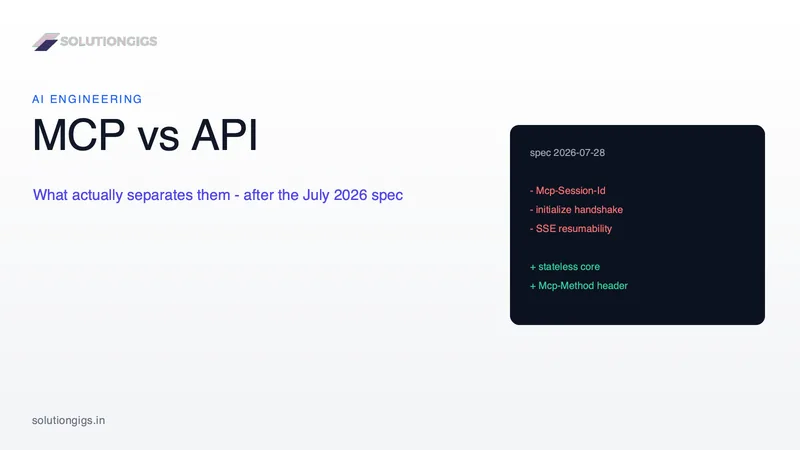
The usual answer - APIs are stateless, MCP holds a stateful session - stopped being true on 28 July 2026, when the specification removed protocol-level sessions outright. This guide gives the difference that actually holds: who reads the contract, and when. It covers what the 2026-07-28 revision removed, answers the live "is stateless MCP just an API again" argument honestly, and includes a decider for the fork you really face - build an MCP server, or just write tool definitions.
MCP Servers vs AI Agents: Who Owns the Agent Loop
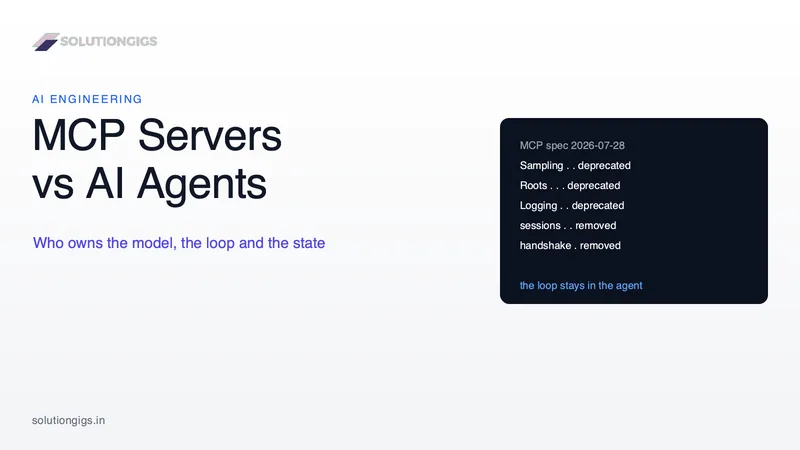
An MCP server has no model and no loop. An AI agent has both. They are layers, not alternatives — and on 28 July 2026 the specification made that boundary official by deprecating Sampling, Roots and Logging and removing protocol sessions. This guide gives the four questions that tell you which layer you are building, the control-inversion proof hiding in Multi Round-Trip Requests, and exactly what breaks when you hide an agent loop inside an MCP tool handler.
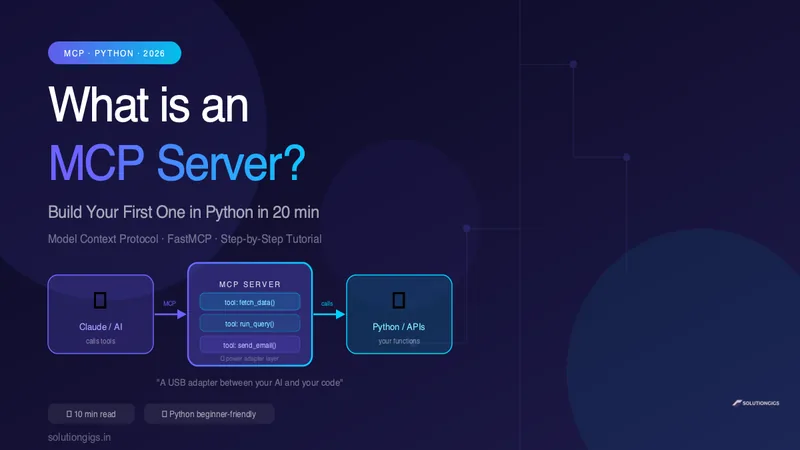
What Is an MCP Server? Build Your First One in Python
Learn what an MCP server is in plain English and build your first one in Python in 20 minutes. Step-by-step FastMCP tutorial — no prior MCP experience needed.