
SQL vs NoSQL: Differences, Examples & When to Use Each
SQL vs NoSQL explained simply — the real differences between relational and non-relational databases, examples, scaling, and a clear framework for choosing the right database in 2026.

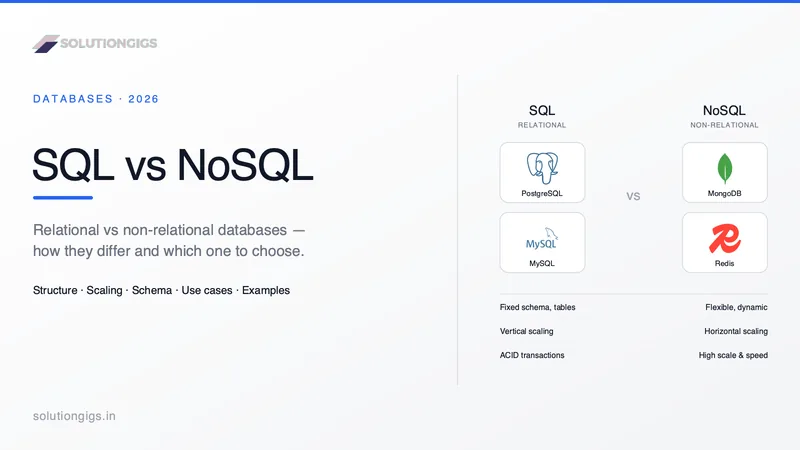
Quick Answer: The SQL vs NoSQL difference comes down to structure. SQL databases are relational — they store data in tables with a fixed schema and use SQL to query structured, related data with strong consistency (ACID). NoSQL databases are non-relational — they store data in flexible formats (documents, key-value, wide-column, or graph) with dynamic schemas and scale horizontally across many servers. Choose SQL when your data is structured and consistency is critical; choose NoSQL when you need flexibility, unstructured data, or massive scale. Most large systems use both.
The SQL vs NoSQL question is one of the most searched decisions in all of software — and one of the most misunderstood. It's often framed as a war with a winner, when in reality they're different tools for different data problems.
Pick the wrong one and you'll fight your database for years: forcing rigid tables onto messy data, or bolting complex transactions onto a store that was never built for them. Pick the right one and the database quietly disappears into the background, doing exactly what you need.
This guide explains the real differences in plain language, shows concrete examples of each, covers scaling and consistency, and gives you a simple framework to choose confidently.
What Is a SQL Database?
A SQL database is a relational database that stores data in tables of rows and columns with a predefined schema, queried using Structured Query Language (SQL).
Invented in the 1970s and still dominant today, relational databases organize data into tables that relate to each other through keys. A users table links to an orders table, which links to a products table. This structure enforces consistency and makes complex queries — joining data across tables — powerful and reliable.
SQL databases are ACID-compliant (Atomicity, Consistency, Isolation, Durability), which guarantees that transactions are processed reliably. When a bank moves money between accounts, ACID ensures the operation either fully completes or fully fails — never halfway.
Popular SQL databases: PostgreSQL, MySQL, Microsoft SQL Server, Oracle, SQLite.
-- SQL: structured, relational, joined
SELECT u.name, o.total
FROM users u
JOIN orders o ON o.user_id = u.id
WHERE o.total > 1000;
What Is a NoSQL Database?
A NoSQL database is a non-relational database that stores data in flexible, schema-less structures — documents, key-value pairs, wide columns, or graphs.
NoSQL ("Not Only SQL") emerged in the late 2000s when companies like Google, Amazon, and Facebook hit the limits of relational databases at internet scale. They needed to store enormous volumes of varied, fast-changing data across many servers — and rigid schemas got in the way.
Instead of tables, NoSQL databases use models suited to different needs, and most are designed to scale horizontally — you add more cheap servers rather than upgrading to one giant machine.
The four main NoSQL types:
| Type | Stores data as | Examples | Best for |
|---|---|---|---|
| Document | JSON-like documents | MongoDB, Couchbase | Flexible app data, content |
| Key-Value | Simple key → value pairs | Redis, DynamoDB | Caching, sessions, real-time |
| Wide-Column | Rows with dynamic columns | Cassandra, HBase | Huge write-heavy workloads |
| Graph | Nodes and relationships | Neo4j, Neptune | Social networks, recommendations |
// NoSQL (MongoDB): flexible document, no fixed schema
{
  "_id": "u123",
  "name": "Priya",
  "orders": [
    { "total": 1500, "items": ["laptop"] }
  ],
  "preferences": { "theme": "dark" }
}
SQL vs NoSQL: Head-to-Head Comparison
| Factor | SQL (Relational) | NoSQL (Non-Relational) |
|---|---|---|
| Data model | Tables (rows & columns) | Documents, key-value, wide-column, graph |
| Schema | Fixed, predefined | Flexible, dynamic |
| Scaling | Vertical (bigger server) | Horizontal (more servers) |
| Query language | SQL (standardized) | Varies by database |
| Consistency | Strong (ACID) | Often eventual (BASE) |
| Relationships | Joins, foreign keys | Denormalized / embedded |
| Best data type | Structured | Structured, semi- & unstructured |
| Maturity | Decades, battle-tested | Newer, rapidly evolving |
| Examples | PostgreSQL, MySQL | MongoDB, Redis, Cassandra |
The Core Differences That Actually Matter
1. Schema: Fixed vs Flexible
In SQL, you define your schema upfront — every row in a table has the same columns. This enforces data integrity but makes changes slower; altering a table with millions of rows is a real operation.
In NoSQL, the schema is flexible. Two documents in the same collection can have different fields. This is perfect for fast-moving products where the data shape keeps evolving — but it pushes responsibility for consistency onto your application code.
2. Scaling: Vertical vs Horizontal
SQL databases traditionally scale vertically — you make the server bigger (more CPU, RAM). There's a ceiling, and big servers get expensive. (Modern SQL databases increasingly support horizontal scaling too, but it's harder.)
NoSQL databases are built to scale horizontally — spread data across many commodity servers. This is how they handle internet-scale workloads with billions of records.
3. Consistency: ACID vs BASE
SQL favors ACID — strong consistency. Every read sees the latest write. Essential for finance, inventory, and anything where correctness is non-negotiable.
NoSQL often favors BASE (Basically Available, Soft state, Eventual consistency) — it may return slightly stale data for a moment in exchange for availability and speed at scale. Perfectly fine for a social feed; not fine for a bank balance.
Choosing a database and worried about painting yourself into a corner? Tell us about the access patterns — that's the question that actually settles this, and it settles it quickly.
When to Use SQL
Choose a SQL database when:
- ✅ Your data is structured and relationships matter (users, orders, payments)
- ✅ You need strong consistency and transactions (finance, inventory, bookings)
- ✅ You'll run complex queries and reporting with joins and aggregations
- ✅ Your data model is stable and well understood
- ✅ You want a mature, proven technology with deep tooling
Great default: For most applications, a relational database like PostgreSQL is an outstanding starting point — it's powerful, reliable, and even handles JSON and vector search for AI when you need it.
When to Use NoSQL
Choose a NoSQL database when:
- ✅ You handle large volumes of unstructured or semi-structured data
- ✅ You need to scale horizontally to massive read/write throughput
- ✅ Your schema changes frequently and you iterate fast
- ✅ You have specific patterns: caching (Redis), real-time feeds, IoT, logs
- ✅ Relationships are simple or handled in the application layer
SQL vs NoSQL: Real-World Examples
- Banking / e-commerce checkout → SQL (PostgreSQL/MySQL). Money and orders demand ACID transactions.
- Caching & sessions → NoSQL key-value (Redis). Millisecond lookups at huge scale.
- Product catalog / CMS → NoSQL document (MongoDB). Flexible, evolving content structures.
- Social network connections → NoSQL graph (Neo4j). Relationships are the data.
- Time-series / IoT at scale → NoSQL wide-column (Cassandra). Massive write throughput.
Notice most real systems mix these — which brings us to the most important point.
The Truth: Most Systems Use Both (Polyglot Persistence)
The SQL vs NoSQL debate has a mature answer: use the right database for each job. This approach — called polyglot persistence — is standard in modern architecture.
A typical application might run:
- PostgreSQL for core transactional data (users, orders)
- Redis for caching and session storage
- MongoDB or a search engine for flexible or full-text content
This pairs naturally with modern backends. If you're breaking a system into services, each service often owns the database best suited to it — see our guide on microservices vs monolith. And these databases are usually run in containers today, which our Docker vs Kubernetes guide covers.
SQL vs NoSQL is a data-model question — not a workload question
One distinction worth making explicit, because it trips up a lot of teams: SQL vs NoSQL tells you how your data is shaped. It doesn't tell you whether the database is good at analytics.
Both PostgreSQL (SQL) and MongoDB (NoSQL) are built for transactional workloads — many small reads and writes touching a few records each. Neither is designed to scan and aggregate hundreds of millions of rows for a dashboard, because both store records together rather than storing each field's values together. That's a completely separate axis, and it's the one that decides whether your reporting query takes 40 milliseconds or 40 seconds. We cover it in OLAP vs OLTP.
So the practical rule is: pick SQL or NoSQL based on your data model and access patterns, and add an analytical (columnar) database separately when your reporting workload outgrows the operational one. Swapping Postgres for MongoDB will not make your dashboards faster.
Common Mistakes to Avoid
| ❌ Mistake | ✅ Fix |
|---|---|
| Choosing NoSQL just because it's trendy | Match the database to your data and access patterns |
| Forcing relational data into a document store | Use SQL when relationships and joins matter |
| Assuming NoSQL means "no schema design" | Design your data model deliberately either way |
| Using NoSQL to avoid learning SQL | SQL is a fundamental, evergreen skill worth learning |
| Ignoring consistency needs | Use ACID (SQL) when correctness is critical |
| Picking one database for everything | Consider polyglot persistence |
Frequently Asked Questions
Is PostgreSQL or MongoDB better for analytics?
Neither, in their default form. Both are transactional databases optimized for reads and writes touching few records, and both store records together on disk — so an analytical query scanning millions of rows reads far more data than it needs. For dashboards and aggregations at scale you want a columnar analytical engine (ClickHouse, DuckDB, a warehouse, or a lakehouse) alongside your operational database, not a different operational database.
What is the difference between SQL and NoSQL?
SQL databases are relational: they store data in tables with rows and columns and a fixed schema, queried with SQL. NoSQL databases are non-relational: they store data in flexible formats like documents, key-value pairs, wide columns, or graphs, with dynamic schemas. SQL prioritizes consistency and structured relationships; NoSQL prioritizes flexibility and horizontal scale.
When should you use NoSQL instead of SQL?
Use NoSQL when you have large volumes of rapidly changing or unstructured data, need to scale horizontally across many servers, or want schema flexibility for fast iteration. It fits real-time analytics, IoT, content management, caching, and massive-scale apps. Use SQL when data is structured and consistency matters most.
Is SQL faster than NoSQL?
Neither is universally faster — it depends on the workload. SQL databases are highly optimized for complex queries and joins on structured data. NoSQL databases are typically faster for simple reads and writes at massive scale, especially key-value lookups. The right question is which is faster for your specific access patterns.
Is MongoDB SQL or NoSQL?
MongoDB is a NoSQL database — specifically a document database that stores data as flexible JSON-like documents (BSON) instead of rigid tables. This makes it popular for apps needing schema flexibility. Other NoSQL databases include Redis (key-value), Cassandra (wide-column), and Neo4j (graph).
Can you use SQL and NoSQL together?
Yes. Using multiple database types in one system is called polyglot persistence and is very common. An app might use PostgreSQL for core transactional data, Redis for caching and sessions, and MongoDB for flexible content. Each database handles the job it does best.
What are examples of SQL and NoSQL databases?
Popular SQL databases include PostgreSQL, MySQL, Microsoft SQL Server, and Oracle. Popular NoSQL databases include MongoDB (document), Redis (key-value), Cassandra (wide-column), DynamoDB (key-value/document), and Neo4j (graph). Most modern applications combine several to match each data type to the best-suited database.
Conclusion
SQL vs NoSQL was never really a war — it's a toolbox. SQL databases give you structure, relationships, and rock-solid consistency, making them the right default for most structured, transactional data. NoSQL databases give you flexibility, horizontal scale, and specialized models for documents, caching, wide-column, and graph data.
The best engineers don't pick a side — they pick the right tool for each job. Start with a relational database like PostgreSQL for your core data, reach for NoSQL where its strengths clearly fit, and don't be afraid to run both. Match the database to your data's shape, your scale, and your consistency needs, and the technology will serve you for years.
Choosing or migrating databases and want a second opinion before you commit? We've shipped production systems on SQL and NoSQL alike, and we'll tell you when the boring choice is the right one. Tell us about the workload →
Mohammed Yaseen
Founder, SolutionGigs
Mohammed has designed database layers on PostgreSQL, MySQL, MongoDB, and Redis across products of every scale. He founded SolutionGigs to connect teams with engineers who choose the right database for the job — not the trendiest one. LinkedIn →
More in Databases
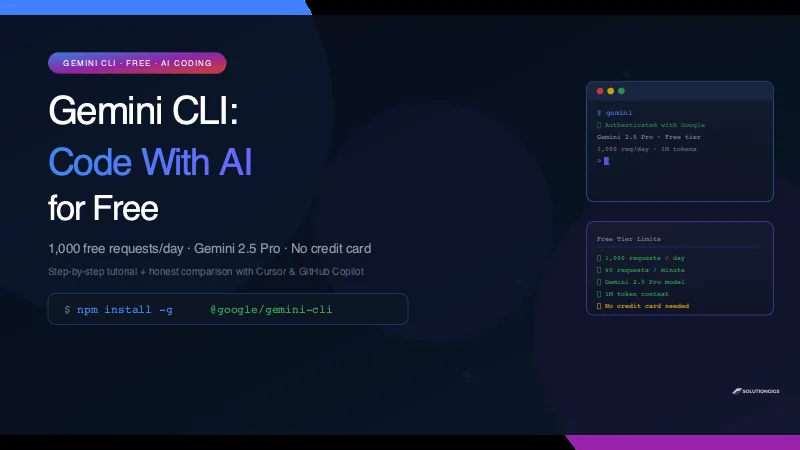
Gemini CLI Tutorial — Code With AI Free (1,000 Requests/Day)
Gemini CLI gives you Gemini 2.5 Pro in your terminal — 1,000 free requests per day, no credit card. Install in 5 minutes, use it on a real codebase, and see an honest comparison with Cursor and GitHub Copilot.
How to Convert MP4 to MP3 Online – Free, No Sign-up
Want to extract audio from a video file? Learn how to convert any MP4 to high-quality MP3 in seconds — completely free, no software needed, no sign-up required.
HTML to MP4 — Convert Any Web Page or Animation to Video Free
Turn any HTML animation, CSS effect, or JavaScript visualization into a crisp MP4 video. Real Chromium rendering, up to 4K, 60 fps. No install, no watermark, no sign-up.