
Interactive Programming: Learn by Doing
Learn programming by doing with free in-browser interactive handbooks. Run Python, JavaScript, Go and Rust with zero setup. Start coding interactively today. Features instant WebAssembly and Pyodide execution, line-by-line runtime scope and memory tracing, realistic enterprise bug scenarios, decision frameworks, and free verifiable developer certifications across 10 modern languages.

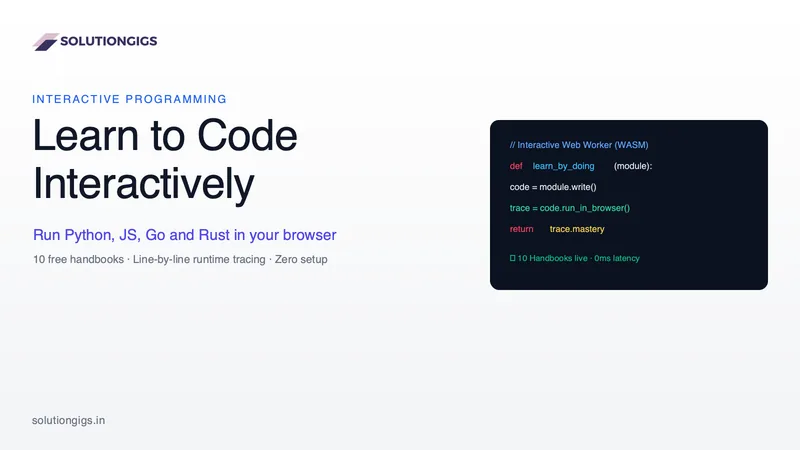
Quick Answer: Interactive programming is a hands-on learning methodology where developers write, execute, and debug real code directly inside their browser rather than passively reading textbooks or watching video tutorials. By providing instant feedback, line-by-line runtime execution traces, and practical challenge sandboxes, interactive learning cuts debugging comprehension time in half.
Every developer remembers the moment they realized they were trapped in tutorial hell.
You spend three weeks watching a 40-hour video playlist on YouTube or Udemy. The instructor's code compiles cleanly, the architecture looks effortless, and you nod along with every explanation. But the minute you close the video, open an empty editor, and stare at line one, your mind goes completely blank. You do not know how to start, how to structure the first function, or how to diagnose the syntax error staring back at you.
Learning to code from passive media is like trying to learn how to swim by reading a maritime textbook. Syntax is not memorized through observation—it is internalized through immediate tactile feedback, friction, error diagnostics, and recovery.
To solve this gap, we built /learn/programming: a comprehensive suite of 10 free interactive programming handbooks where every single code block can be edited, executed, and traced line by line directly inside your browser—with zero environment setup, zero server queues, and zero paywalls.
Here is why interactive programming works, how modern in-browser execution runtimes operate under the hood, and how you can master languages like Python, JavaScript, TypeScript, Go, and Rust by doing rather than watching.
The "Tutorial Hell" Dilemma: Why 80% of Beginners Quit
Passive learning fails aspiring developers for three fundamental physiological and cognitive reasons:
- The Recognition vs. Recall Trap: When an instructor explains a concept like closures or recursive tree traversals, your brain experiences cognitive fluency. You recognize the logic, which tricks you into believing you understand it. But recognition is passive; writing code requires active recall, where you must pull syntax, semantic rules, and data structures out of your memory under constraints.
- Environment Setup Fatigue: Traditional learning begins with a nightmare checklist: download Python 3.12, install VS Code, configure
$PATHvariables, fix PowerShell execution policies, resolve broken Homebrew symlinks, and configure virtual environments. Research shows that over 40% of beginners give up before writing their first loop simply because their local machine environment refused to compile. - Delayed Error Feedback: In video courses, you do not see the 20 compile errors the instructor edited out of the recording. When you inevitably typo a colon or misplace an indentation, you are met with a wall of cryptographic terminal errors and no guidance on what the interpreter actually did before dying.
Interactive coding eliminates all three bottlenecks. By embedding runtime execution directly into the lesson content, your cognitive budget is spent 100% on logic, algorithmic thinking, and structural debugging.
How In-Browser Client-Side Execution Works
Early interactive coding websites (from the 2012–2020 era) ran user code on remote server clusters. When you pressed "Run", your code was bundled into an HTTP POST request, transmitted to a cloud server, queued inside a Docker container, executed against a timer, and the stdout string was sent back over the wire.
That legacy model suffered from high network latency (1.5 to 4 seconds per run), frequent queue outages during peak traffic hours, and massive server compute bills that forced platforms to place lessons behind aggressive paywalls.
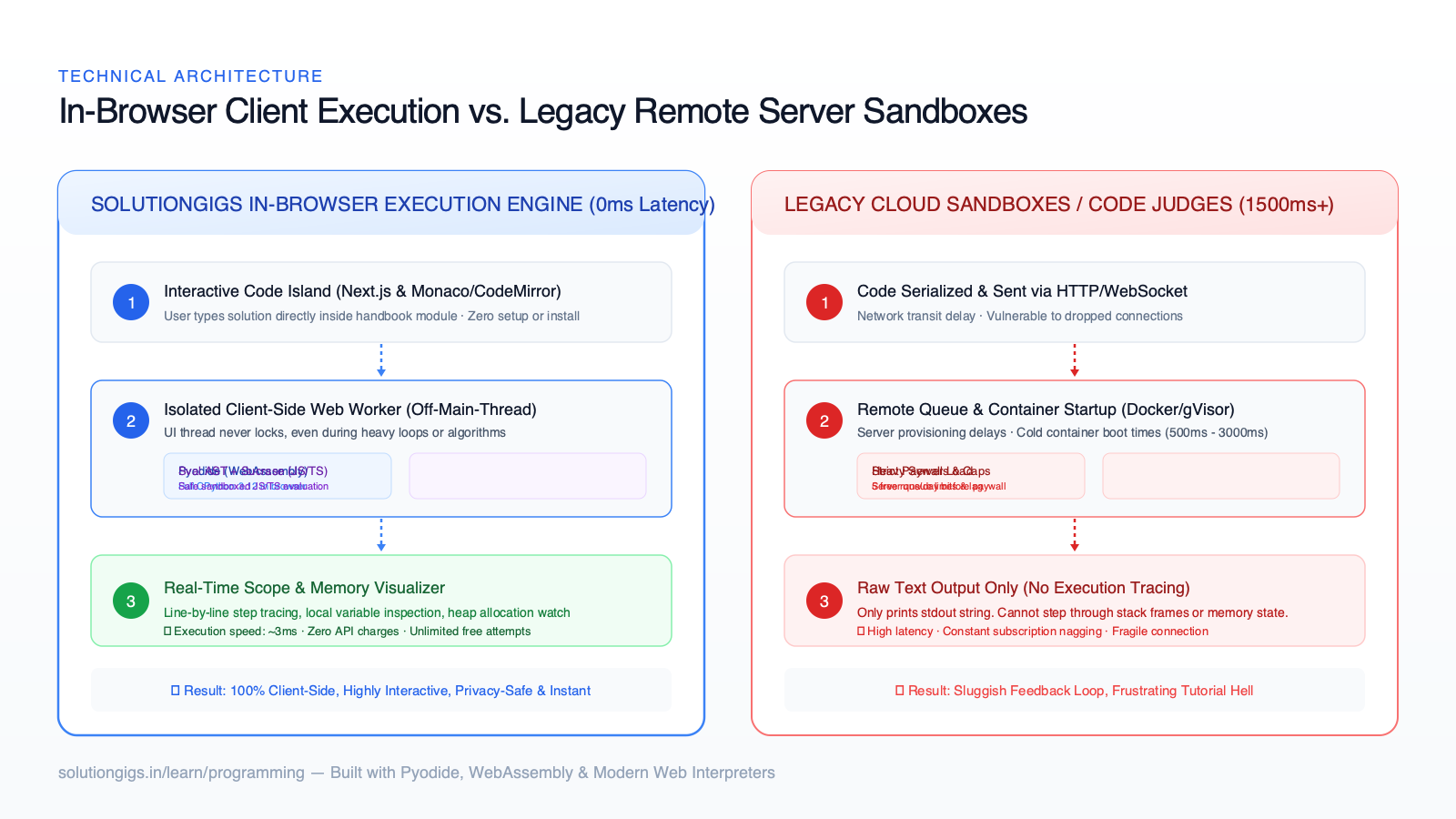
At SolutionGigs, our /learn/programming handbooks take advantage of modern browser capabilities, WebAssembly, and sandboxed AST execution:
- Python via Pyodide (WebAssembly): The Python Handbook runs a full CPython 3.12 runtime compiled to WebAssembly. When you click Run, the Python code executes locally on your CPU inside a dedicated background Web Worker. Execution is instantaneous (~3ms), completely private, works offline once loaded, and consumes zero server resources.
- JavaScript & TypeScript via Sval AST Interpreters: The JavaScript Handbook and TypeScript Handbook use custom Sucrase transpilers and patched Sval AST interpreters running in isolated workers. TypeScript types are stripped in microseconds, and the resulting code is executed in an environment that intercepts console outputs, detects infinite loops automatically, and protects your browser window from freezing.
- Compiled & Systems Languages (Go, Rust, Java, C++, C#): Compiled systems languages require heavy LLVM or JVM toolchains that are impractical to ship as 200 MB browser downloads. For these handbooks, we engineered custom Execution Trace Engines. Instead of merely printing raw terminal text, our runtimes simulate memory stacks, register allocations, borrow checker lifetimes, and step-by-step state mutations visually.
The result is a friction-free coding experience where you can experiment, break things, modify variables, and inspect outputs with zero latency.
The 10 Interactive Handbooks: What You Can Learn Today
Our interactive platform is structured into modular language handbooks. Each handbook begins with fundamentals, advances through idiomatic language patterns, tackles real enterprise scenarios (APIs, asynchronous operations, memory bottlenecks), and culminates in a timed certification exam.
| Language | Primary Domain | Browser Runtime | Key Interactive Modules | Live Handbook |
|---|---|---|---|---|
| Python | AI, Data Engineering, Automation | Pyodide (WASM CPython) | Variables, Slicing, OOP, Pyodide Worker, DSA, Interview Prep | Start Python → |
| JavaScript | Web Dev, Frontend, Node.js | Sval AST Sandbox | Closures, Event Loop, Promises, DOM, Async/Await, ES6+ | Start JavaScript → |
| TypeScript | Full-Stack Enterprise SaaS | Sucrase + Sval Runner | Type Inference, Generics, Discriminated Unions, Utility Types | Start TypeScript → |
| Go (Golang) | Cloud Infrastructure, Microservices | Execution Trace Engine | Goroutines, Channels, Pointers, Structs, Mutexes, Interfaces | Start Go → |
| Rust | High-Performance Systems, WebAssembly | Memory Model Tracer | Ownership, Borrowing, Lifetimes, Pattern Matching, Traits | Start Rust → |
| Java | Enterprise Backend, Distributed Systems | JVM AST Simulator | Classes, Generics, Streams API, Concurrency, Spring Patterns | Start Java → |
| C++ | Game Engines, Low-Latency Systems | Memory Stack Simulator | Pointers, References, RAII, Smart Pointers, Templates, STL | Start C++ → |
| C# | .NET Ecosystem, Enterprise, Unity | CLR Execution Tracer | LINQ, Async Tasks, Value vs Reference Types, Records | Start C# → |
| Kotlin | Modern Android, Multiplatform | Coroutine Flow Simulator | Null Safety, Data Classes, Extension Functions, Coroutines | Start Kotlin → |
| Scala | Big Data, Apache Spark, Functional | Functional AST Engine | Immutability, Higher-Order Functions, Case Classes, Monads | Start Scala → |
Every single handbook follows our strict progressive-learning layout: the left sidebar provides persistent module navigation, the center column delivers concise conceptual explanations, and the right interactive pane provides code editors, execution buttons, and live trace visualizers.
The Execution Trace Inspector: Seeing Memory in Real Time
The single biggest breakthrough in our interactive handbooks is the Execution Trace Inspector.
When a beginner writes a loop:
numbers = [10, 20, 30]
total = 0
for n in numbers:
    total += n
A standard online compiler simply outputs 60. If the code had an off-by-one error or an unexpected mutation, the student has no idea when or why the calculation went off course.
Our interactive islands record each step of the interpreter's internal state. You can click through each execution step to watch:
- Which line of code is actively executing (highlighted in real time).
- The current values stored inside local scope variables (
totalevolving from0→10→30→60). - Call stack depth as recursive functions push and pop stack frames.
- Memory pointer references and heap allocations.
By transforming abstract syntax into a visible, moving machine, concepts that take weeks to grasp in textbooks (such as recursion, variable scope, pointer dereferencing, and the JavaScript event loop) click in minutes.
Real-World Bug Scenarios vs. Toy Synthetic Exercises
Most coding websites test students with absurd, contrived puzzles: "Calculate if a string is an anagram of a palindrome while juggling three strings."
Real software engineering looks nothing like that. In production, 80% of your time is spent reading other people's code, handling unexpected null values, parsing malformed API responses, debugging concurrency deadlocks, and optimizing memory leaks.
Our handbooks teach through real-world failure modes:
- Python: You do not just learn dictionary syntax—you learn how to handle
KeyErrorexceptions when parsing nested JSON from third-party APIs, and how to use list comprehensions to filter telemetry data without exhausting RAM. - JavaScript & TypeScript: You debug real unhandled promise rejections, race conditions in asynchronous
fetchcalls, and TypeScript type narrowing failures on discriminated union responses. - Go & Rust: You see what happens when a Goroutine leaks because a channel has no reader, and how Rust's borrow checker prevents data races at compile time before you ever deploy to production.
When you finish a module, you have written the exact patterns and handled the exact edge cases you will encounter in an enterprise engineering job.
Which Programming Language Should You Learn First?
If you are just getting started, picking your first language can feel paralyzing. Here is an honest, practical decision framework based on your ultimate career objective:
What is your primary career goal?
│
├── AI, Machine Learning, Data Engineering, Automation
│   └── Choose PYTHON: Cleanest syntax, universal standard for PyTorch, Pandas, and GenAI.
│
├── Web Development, Full-Stack SaaS, Startup Engineering
│   └── Choose JAVASCRIPT & TYPESCRIPT: The native runtime of the web; builds frontend & backend.
│
├── High-Throughput Cloud Backends, DevOps, Distributed Microservices
│   └── Choose GO: Unmatched simplicity, built-in concurrency, powers Docker & Kubernetes.
│
├── Systems Programming, Game Engines, Safety-Critical Infrastructure
│   └── Choose RUST or C++: Maximum hardware control, zero-cost abstractions, no garbage collector.
│
└── Enterprise Backends, Financial Systems, Corporate Platforms
    └── Choose JAVA or C#: Ubiquitous in Fortune 500 tech stacks, massive global hiring market.
No matter which path you select, the foundational concepts of programming—control flow, data structures, state management, algorithm efficiency, and modular architecture—are universal. Once you master your first language interactively, picking up a second or third language takes a fraction of the time.
Free Verifiable Developer Certifications
Learning should be rewarding, measurable, and shareable.
Each handbook in /learn/programming includes:
- Interactive Checkpoints: Code sandboxes at the end of each lesson to verify that you can write the code independently without copying.
- Progress Persistence: Your completed lessons and code snippets are automatically saved locally in your browser so you can pick up exactly where you left off.
- Comprehensive Final Exam: A timed assessment covering real-world debugging, architecture choices, and algorithmic reasoning.
- Verifiable Certificate: When you score 80% or higher, the platform generates a unique, tamper-proof certificate URL hosted at
solutiongigs.in/verify/[cert-id]that you can attach directly to your LinkedIn profile, portfolio, and resume.
Unlike traditional platforms that charge $49 to $299 just to unlock a certificate PDF, our certifications are 100% free forever.
6 Costly Mistakes to Avoid When Learning to Code
Over the years of mentoring thousands of developers, we have seen the same six mistakes derail ambitious learners. Avoid them at all costs:
- Copying and Pasting Without Tracing: If you copy code from Stack Overflow, documentation, or an AI prompt without understanding what each parameter does, you learn nothing. Always type the solution manually and step through it using an execution tracer.
- Skipping Error Messages: When the compiler throws an error, beginners often panic and blindly change random lines. In reality, the error message is a diagnostic report telling you the exact line number and unexpected token. Read every stack trace carefully.
- Optimizing for Syntax Memorization: You do not need to memorize every standard library method name. Senior engineers look up syntax daily. Focus on understanding mechanisms (how memory is allocated, how asynchronous tasks queue up, how algorithms scale with Big-O notation) rather than memorizing method signatures.
- Waiting to Build Real Projects: Do not wait until you "know everything" to build. You will never know everything. Build tiny utility scripts, command-line calculators, and API scrapers from week two.
- Switching Languages Every Two Weeks: Learning Python for two weeks, jumping to Rust because of Twitter hype, and then switching to Go gets you nowhere. Pick one primary language and stick with it until you can build a complete backend service with database persistence.
- Neglecting Data Structures & Git: Knowing syntax is only step one. Understanding arrays, hash maps, queues, trees, and basic Git version control workflows is what transforms a hobbyist into a job-ready software engineer.
The SolutionGigs Advantage
Here is how our interactive learning environment compares to traditional education alternatives:
| Feature | SolutionGigs Handbooks | Codecademy / LeetCode | Video Courses (Udemy/YouTube) |
|---|---|---|---|
| Cost | 100% Free Forever | $35/mo subscription paywall | $15–$150 per course |
| Execution Latency | Instant (~3ms WASM) | 2–5 seconds remote judge | No execution (passive) |
| Line-by-Line Tracing | Built-in Scope & Heap Tracer | Raw console stdout only | None |
| Account Required | Zero login needed to code | Mandatory sign-up wall | Mandatory account & payment |
| Real Error Scenarios | Realistic production bugs | Rigid "fill in blank" tests | Polished, edited code |
| Verifiable Credentials | Free hosted verification links | Paywalled behind Pro tier | Completion certificate only |
Frequently Asked Questions
Is interactive programming suitable for absolute beginners?
Yes. Interactive programming is especially beneficial for beginners because it eliminates the intimidating barrier of local environment installation. You start writing code on minute one, receive immediate visual confirmation when you get it right, and get helpful inline explanations when you make a mistake.
Can I run Python libraries like NumPy and Pandas in the browser?
Yes. Because our Python handbook runs on Pyodide, you can import and run core scientific and data analysis packages like NumPy, Pandas, and Matplotlib directly within the client-side WebAssembly environment without installing pip packages locally.
How are the compiled handbooks (Go, Rust, C++) tested in the browser?
Our compiled language handbooks utilize high-fidelity client-side AST simulators and execution trace engines. These engines simulate memory stacks, register allocations, borrow checking rules, and standard output without requiring a heavy multi-gigabyte compiler toolchain on your device.
Can I learn on my mobile phone or tablet?
Yes. Our code editors and execution engines are fully responsive and touch-friendly. You can read lesson modules, edit code, press Run, and inspect variable traces seamlessly on an iPad, Android tablet, or mobile phone.
How do employers verify my SolutionGigs certificate?
Every certificate issued by SolutionGigs contains a unique cryptographic hash and a permanent verification URL (e.g., solutiongigs.in/verify/[cert-id]). Anyone—including hiring managers and recruiters—can visit the URL to verify your name, completion date, language track, and examination score.
Ready to Write Your First Line of Code?
Stop watching other people code. Break out of tutorial hell, build muscle memory, and understand how programming languages actually execute.
Choose your language and start coding in your browser right now:
- 🐍 Launch the Python Handbook — From your first
print()to production data pipelines and algorithms. - ⚡ Launch the JavaScript Handbook — Master the language of the browser, closures, and the event loop.
- 🛡️ Launch the TypeScript Handbook — Enterprise typing, generics, and robust application architecture.
- 🚀 Launch the Go Handbook — Cloud microservices, Goroutines, and high-concurrency systems.
- 🦀 Launch the Rust Handbook — Zero-cost abstractions, memory safety without a garbage collector.
- 🌐 Browse All 10 Interactive Handbooks — Explore Java, C++, C#, Kotlin, Scala, and PHP.
Zero installs. Zero credit cards. Just open a tab, hit RUN, and learn by doing.
Explore Interactive Handbooks
Free, no signup — right in your browser.
Explore Interactive Handbooks →More in Engineering & Developer Guides
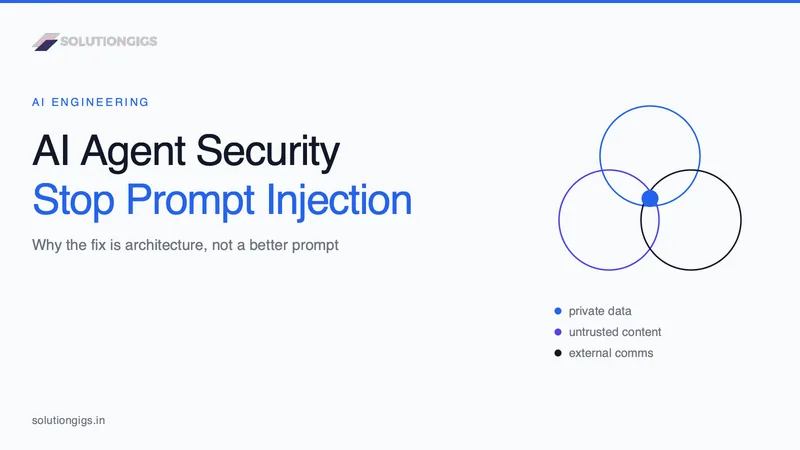
AI Agent Security: Stopping Prompt Injection
Prompt injection is the number one AI agent risk, and no prompt or filter fixes it. This guide covers the lethal trifecta, the arithmetic showing why a 99%-accurate guardrail is not a control, a decision table for which leg to cut in six common agent shapes, the exfiltration channels teams forget to audit, the MCP tool-poisoning and rug-pull attacks, the six research-backed design patterns that provably constrain agents, and how our own auto-publishing gate is built so a successful injection can flip at most one enum.
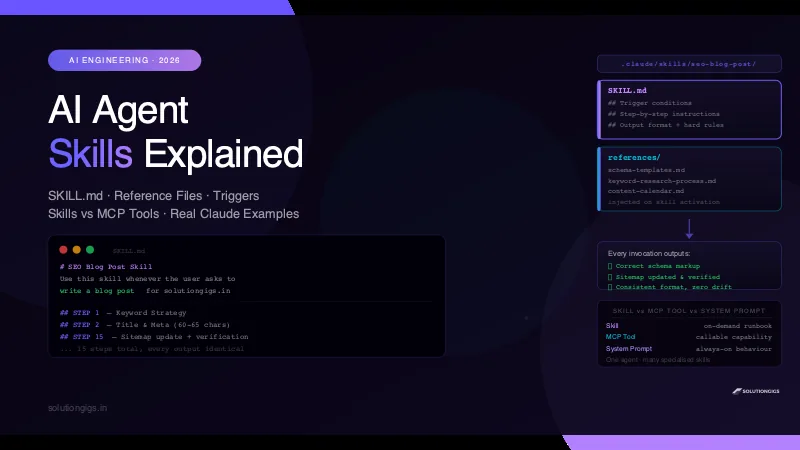
AI Agent Skills Explained: Build Reusable Claude Skills
AI agent skills turn good one-off AI interactions into repeatable systems. Learn what skills are, how Claude Code loads SKILL.md files, how to write your own skill with reference files, and when to use skills vs MCP tools vs system prompts — with real examples.
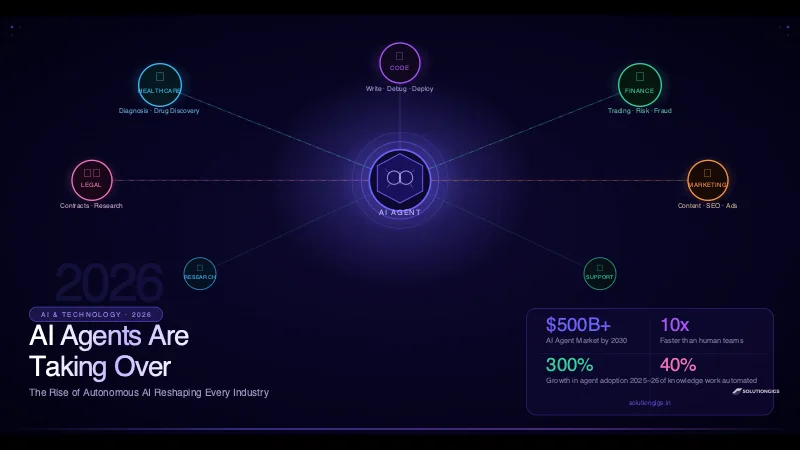
AI Agents: How Autonomous AI Is Changing the World
AI agents are autonomously handling healthcare, finance, legal, and software tasks in 2026. Learn how they work, which industries they're transforming, the top platforms, and how to build your first agent.