
Kafka vs RabbitMQ: Which to Use (With Real Code)
Kafka vs RabbitMQ in 2026 — the real difference between a log and a queue, throughput benchmarks, producer/consumer code for both, failure modes, and a clear decision framework for choosing a message queue.

Quick Answer: Kafka vs RabbitMQ comes down to one distinction: Kafka is a durable log you can re-read; RabbitMQ is a queue that empties as messages are consumed. Choose Kafka for high-throughput event streaming, replay, long retention, and many independent consumers (a single broker handles ~1M msgs/sec). Choose RabbitMQ for task distribution, complex routing, and per-message acknowledgement at moderate scale (tens of thousands of msgs/sec, far simpler to operate). Most teams under ~50 MB/s are better served by RabbitMQ; teams building data pipelines and event-sourced systems need Kafka.
Picking the wrong message broker is one of the most expensive early architecture mistakes a team can make — you don't feel it on day one, you feel it eighteen months later when you're fighting the tool instead of shipping. Having run Kafka in production processing hundreds of millions of events per day, and having reached for RabbitMQ on plenty of smaller services, I want to give you the honest, code-level comparison that most "X vs Y" articles skip. By the end you'll know exactly which one fits your workload, see working producer and consumer code for both, understand the failure modes that bite people in production, and have a decision tree you can apply in five minutes.
This guide pairs with our deep dives on Kafka consumer lag and Spark Structured Streaming tuning — read those next if Kafka turns out to be your answer.
The core difference: a log vs a queue
The single most important thing to understand is the persistence model. Kafka is an append-only, distributed commit log. RabbitMQ is a message broker built around queues that drain as consumers acknowledge messages.
That one architectural choice explains almost every other difference:
- In Kafka, a message (a "record") is written to a partition and stays there for a configured retention period — days, weeks, or forever — regardless of whether anyone read it. Consumers track their own position (offset). Ten different consumer groups can read the same record independently, and any of them can rewind and re-read.
- In RabbitMQ, a message is pushed to consumers and, once acknowledged, is removed from the queue. The broker's job is to route each message to the right consumer(s) and then forget it. There is no built-in "rewind and replay last Tuesday."
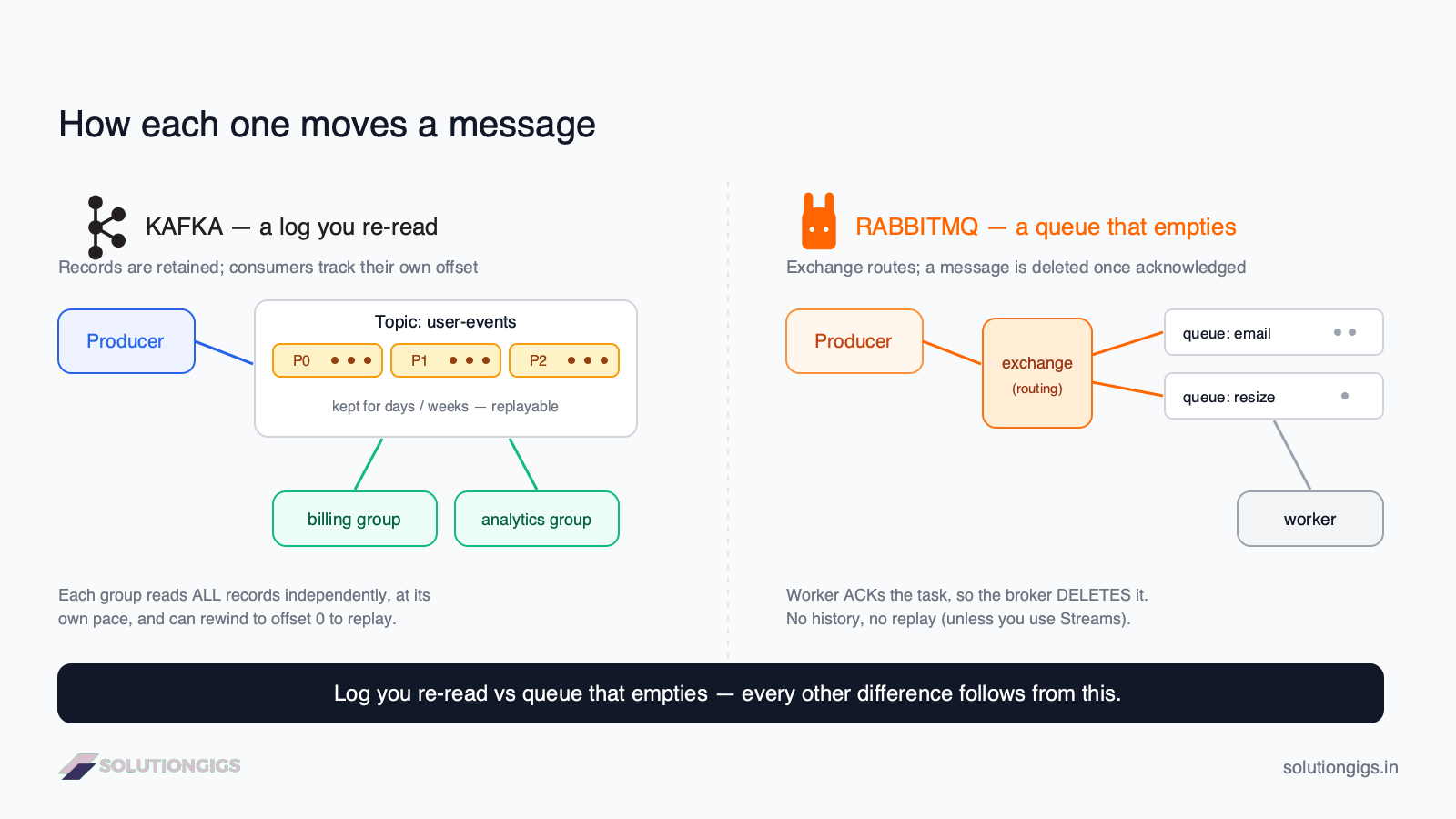
Everything downstream — throughput ceilings, replay, routing flexibility, operational cost — flows from "log you re-read" versus "queue that empties." Keep that sentence in your head and most decisions become obvious.
Kafka vs RabbitMQ at a glance
Here is the comparison most teams actually need, based on current stable releases (Kafka 4.x, RabbitMQ 4.x) as of 2026.
| Dimension | Apache Kafka | RabbitMQ |
|---|---|---|
| Model | Distributed commit log | Message broker / queues |
| Peak throughput | ~1,000,000 msgs/sec per broker | ~40,000–50,000 msgs/sec per node (classic queues) |
| Message lifetime | Retained for a set period; re-readable | Deleted on acknowledgement |
| Replay | Native (seek to any offset) | Only with RabbitMQ Streams |
| Routing | Simple (topic + partition key) | Rich (direct, topic, fanout, headers exchanges) |
| Delivery model | Consumer pulls | Broker pushes (with prefetch) |
| Ordering | Per-partition ordering | Per-queue ordering |
| Best-fit scale | High volume, sustained streams | Moderate volume, task workloads |
| Operational complexity | Higher (partitions, offsets, retention) | Lower (queues, bindings) |
| Protocol | Custom binary (TCP) | AMQP 0-9-1 (also MQTT, STOMP) |
| Killer feature | Replay + fan-out + retention | Flexible routing + per-message ack |
The verdict in one line: if you need to replay history or fan the same data out to many consumers, Kafka; if you need flexible routing and per-message acknowledgement for tasks, RabbitMQ.
One caveat on that "operational complexity" row. It closed noticeably in Kafka 4.0 (18 March 2025), which removed ZooKeeper entirely — Kafka now runs only in KRaft mode, so there is no second distributed system to install, secure and upgrade — and made the KIP-848 rebalance protocol generally available, ending stop-the-world consumer rebalances. Kafka is still the more complex of the two, but if the last comparison you read cited ZooKeeper as the reason, it was describing Kafka 3.x. And if you are weighing a managed service rather than self-hosting, the ops argument largely evaporates: see Kafka vs Kinesis vs Pub/Sub for how the three managed options actually price out.
Throughput figures are drawn from vendor and independent benchmarks including Confluent's messaging benchmark and AWS's own Kafka vs RabbitMQ comparison. Treat any single "1M vs 40K" headline as directional — your real numbers depend on message size, replication, and acknowledgement settings.
How Kafka works (and what the code looks like)
Kafka organizes messages into topics, and each topic is split into partitions — the unit of parallelism and ordering. A producer chooses a partition (usually by hashing a key), and each partition is an ordered, immutable log. Consumers join a consumer group; Kafka assigns partitions across the group so each partition is read by exactly one consumer in that group.
Here is a minimal producer and consumer using the confluent-kafka Python client:
# producer.py — write events to a Kafka topic
from confluent_kafka import Producer

producer = Producer({"bootstrap.servers": "localhost:9092"})

def delivery_report(err, msg):
    if err:
        print(f"Delivery failed: {err}")
    else:
        print(f"Delivered to {msg.topic()} [partition {msg.partition()}] @ offset {msg.offset()}")

# The key ("user-42") decides the partition, so all events for one user
# stay in order on the same partition.
producer.produce(
    topic="user-events",
    key="user-42",
    value='{"action": "checkout", "amount": 4999}',
    callback=delivery_report,
)
producer.flush()   # block until delivery callbacks fire
# consumer.py — read events, committing offsets as you go
from confluent_kafka import Consumer

consumer = Consumer({
    "bootstrap.servers": "localhost:9092",
    "group.id": "billing-service",      # consumer group
    "auto.offset.reset": "earliest",    # start from the beginning on first run
    "enable.auto.commit": False,        # commit manually after processing
})
consumer.subscribe(["user-events"])

try:
    while True:
        msg = consumer.poll(timeout=1.0)
        if msg is None:
            continue
        if msg.error():
            print(f"Consumer error: {msg.error()}")
            continue

        process(msg.value())          # your business logic
        consumer.commit(msg)          # commit only after success → at-least-once
finally:
    consumer.close()
The detail that trips people up: enable.auto.commit=False plus committing after processing gives you at-least-once delivery. If your service crashes between processing and commit, the message is redelivered — so your process() must be idempotent. Commit before processing and you get at-most-once (you can lose messages). There is no free lunch; you pick the trade-off explicitly.
To add a second, independent reader — say an analytics pipeline — you just start a consumer with a different group.id. It gets its own copy of every message with its own offsets, and it can start from earliest to replay all of history. That fan-out-with-replay is the thing RabbitMQ classic queues fundamentally cannot do.
How RabbitMQ works (and what the code looks like)
RabbitMQ routes messages through exchanges to queues using bindings — this routing layer is its superpower. A producer publishes to an exchange, not a queue. The exchange type (direct, topic, fanout, headers) plus a routing key decides which queue(s) receive the message. Consumers then pull from queues with acknowledgement.
Here is the equivalent producer and consumer using pika:
# producer.py — publish a task through a direct exchange
import pika, json

conn = pika.BlockingConnection(pika.ConnectionParameters("localhost"))
channel = conn.channel()

channel.exchange_declare(exchange="tasks", exchange_type="direct", durable=True)
channel.queue_declare(queue="email", durable=True)          # survives broker restart
channel.queue_bind(queue="email", exchange="tasks", routing_key="send_email")

channel.basic_publish(
    exchange="tasks",
    routing_key="send_email",
    body=json.dumps({"to": "[email protected]", "template": "welcome"}),
    properties=pika.BasicProperties(delivery_mode=2),        # persist message to disk
)
conn.close()
# consumer.py — a worker that acknowledges each task after doing the work
import pika, json

conn = pika.BlockingConnection(pika.ConnectionParameters("localhost"))
channel = conn.channel()
channel.queue_declare(queue="email", durable=True)

channel.basic_qos(prefetch_count=10)   # don't push more than 10 unacked msgs to one worker

def handle(ch, method, properties, body):
    task = json.loads(body)
    send_email(task)                              # your business logic
    ch.basic_ack(delivery_tag=method.delivery_tag)  # ack only after success

channel.basic_consume(queue="email", on_message_callback=handle)
channel.start_consuming()
Two RabbitMQ details worth internalizing:
prefetch_count(QoS) is how you get fair task distribution. Without it, RabbitMQ shovels messages to whichever consumer connected first, and one worker gets buried while others idle. Settingprefetch_count=10means a worker won't receive an 11th task until it acks one — this is the single most common RabbitMQ tuning fix.durable=Trueon the queue plusdelivery_mode=2on the message is what makes tasks survive a broker restart. Forgetting either one is the classic "we lost all our jobs when RabbitMQ rebooted" incident.
Want three different behaviors — email, image resize, and audit log — from one published event? Bind three queues to a fanout exchange and each gets a copy. That routing expressiveness, with per-message ack, is exactly what Kafka makes you build yourself.
Performance: what the throughput numbers really mean
Kafka wins raw throughput decisively, but the headline "1M vs 40K" number hides the nuance that matters for your workload. Kafka's sequential disk writes and zero-copy reads let a single broker sustain around 1 million messages per second; RabbitMQ classic queues land near 40,000–50,000 per node.
But three caveats change the picture:
- Latency is different from throughput. At moderate load, RabbitMQ often delivers lower per-message latency because it pushes messages immediately rather than waiting for consumers to poll. If your requirement is "deliver this one task in under 5 ms," RabbitMQ frequently feels snappier.
- RabbitMQ Streams closed part of the gap. Introduced in RabbitMQ 3.9, Streams use an append-only log (like Kafka) and reach the ~1M msgs/sec range on tuned clusters — while keeping the familiar RabbitMQ operational model.
- Message size and replication dominate. A benchmark of tiny 100-byte messages with replication off is not your production reality. With
acks=alland replication factor 3 (what you actually run for durability), Kafka's numbers come down too. Benchmark your payload.
The honest takeaway: if you're doing thousands to low-tens-of-thousands of messages per second, both tools handle it comfortably and throughput should not decide your choice. Throughput only becomes the deciding factor above ~50 MB/s sustained, where Kafka's architecture is simply built for it.
When to use Kafka
Choose Kafka when one or more of these is a core requirement:
- Sustained high throughput above ~50 MB/s.
- Event replay / event sourcing — you need to reprocess history after a bug fix or to rebuild a read model.
- Long retention — keeping events for weeks or months as a source of truth.
- High fan-out — many independent services need the same stream (clickstream feeding billing, analytics, ML features, and fraud detection at once).
- Stream processing — you'll use Kafka Streams or Apache Flink for windowed aggregations and joins.
- Data-pipeline integration — feeding a data lake, warehouse, or lakehouse table format like Apache Iceberg.
Real-world Kafka use cases: user activity tracking, log aggregation, IoT/sensor telemetry, financial transaction streams, and the backbone of event-driven microservices.
When to use RabbitMQ
Choose RabbitMQ when your problem looks like task distribution rather than event streaming:
- Background job / task queues — send email, generate a PDF, resize an image, run a report.
- Complex routing — different message types must reach different consumers based on content or pattern.
- Request/reply (RPC) — a service sends a request and waits for a correlated response.
- Per-message acknowledgement and priority — you need fine-grained control over redelivery, dead-lettering, and message priority.
- Moderate scale with minimal ops — thousands of messages per second on a single node with little tuning.
Real-world RabbitMQ use cases: web app background workers (Celery on RabbitMQ is a classic pairing), order-processing pipelines, notification fan-out, and microservice-to-microservice commands.
Rule of thumb from the trenches: if you find yourself saying "I need to re-read these messages later" or "five different teams want this data," that's Kafka. If you're saying "do this job once, route it to the right worker, and tell me if it failed," that's RabbitMQ.
Can you use both? Yes — and often should
Running Kafka and RabbitMQ together is a mature pattern, not a contradiction. They occupy different layers of the architecture, and the boundary is usually clean:
- Kafka carries the high-volume event backbone — every user action, transaction, and log line — with retention and replay.
- RabbitMQ handles internal command-and-task routing — "this specific worker should send this specific email now."
A concrete example: an e-commerce platform streams all order.* events into Kafka (so analytics, inventory, and ML each consume independently and can replay), while a downstream service publishes discrete send_confirmation_email and generate_invoice_pdf tasks to RabbitMQ where flexible routing and per-task acks matter. Each tool does what it's best at. Don't force one tool to cover both jobs just to reduce your infrastructure count — that's how you end up fighting the tool.
Common mistakes teams make
- Using Kafka as a task queue. People reach for Kafka because it's trendy, then reinvent routing, priorities, and dead-lettering that RabbitMQ gives for free. If you don't need replay or fan-out, Kafka is overkill.
- Using RabbitMQ as an event store. Treating a classic queue as a durable log means you lose messages the moment they're acked — there's no history to replay. Use Kafka (or RabbitMQ Streams) for that.
- Ignoring consumer lag on Kafka. Kafka won't push back; it just accumulates. If consumers fall behind, you find out when data is hours stale. Monitor lag from day one — see our Kafka consumer lag guide.
- Forgetting RabbitMQ durability flags. A non-durable queue or a non-persistent message vanishes on broker restart. Set
durable=Trueanddelivery_mode=2for anything you can't afford to lose. - Benchmarking toy payloads. Testing with 100-byte messages and no replication tells you nothing about production. Benchmark your real message size with your real durability settings.
Decision framework: pick in 5 minutes
Walk this top to bottom and stop at your first "yes":
- Do you need to replay messages or keep them for weeks/months? → Kafka.
- Do multiple independent consumers need the same data? → Kafka.
- Are you sustaining more than ~50 MB/s? → Kafka.
- Do you need complex routing (topic/fanout/headers) or per-message priority? → RabbitMQ.
- Is this background task distribution at moderate scale? → RabbitMQ.
- Do you want the simplest thing to operate right now? → RabbitMQ.
- Do both #1–3 and #4–5 describe you? → Run both, Kafka for streams, RabbitMQ for tasks.
There is no universally "better" broker in 2026 — both are excellent, both now offer managed cloud options, and both have converged on features like replay. The right answer is the one that fits your workload, team skills, and operational budget.
If you're standing up event-driven infrastructure and want a second pair of hands from engineers who have run these systems in production, tell us what you're building — the choice usually turns on replay and retention, not throughput.
Frequently Asked Questions
Is Kafka faster than RabbitMQ?
For raw throughput, yes — a single Kafka broker sustains roughly 1 million messages per second using sequential disk I/O, while RabbitMQ classic queues peak near 40,000–50,000 per node. But RabbitMQ often delivers lower per-message latency at moderate load because it pushes messages immediately. "Faster" depends on whether you mean throughput or latency.
Can I use Kafka and RabbitMQ together?
Yes, and many production systems do. Use Kafka for high-volume event streams that need replay and multiple consumers (clickstreams, transactions, logs), and RabbitMQ for internal task distribution needing flexible routing and per-message acknowledgement (send email, resize image, trigger a workflow). They solve different problems, so running both is normal.
Does RabbitMQ support message replay like Kafka?
Classic RabbitMQ queues do not — once a message is acknowledged, it's deleted. RabbitMQ Streams (added in version 3.9) do support replay via an append-only log, similar to Kafka. But if replay and long retention are core requirements, Kafka's log model is purpose-built for it with a more mature ecosystem.
Which is easier to operate, Kafka or RabbitMQ?
RabbitMQ is simpler for small-to-medium workloads — a single node handles thousands of messages per second with minimal tuning. Kafka has more moving parts (partitions, consumer groups, offsets, retention) and rewards teams that monitor consumer lag. For most teams under ~50 MB/s, managed RabbitMQ is the lower-operational-cost choice.
When should I choose Kafka over RabbitMQ?
Choose Kafka when you need sustained high throughput (above ~50 MB/s), event replay or event sourcing, long retention (weeks or months), stream processing with Kafka Streams or Flink, or high fan-out where many consumers read the same data. If none of those apply, RabbitMQ is usually the faster path to production.
Is RabbitMQ or Kafka better for microservices?
Both work for microservices, but for different communication styles. Use Kafka for event-driven microservices where services react to a shared stream of events and may need replay. Use RabbitMQ for command-style, request/reply, or task-based communication where flexible routing and per-message acknowledgement matter more than throughput.
Conclusion
Kafka vs RabbitMQ is not a contest to crown one winner — it's a matter of matching the tool to the shape of your problem. Kafka is a durable, replayable log built for high-throughput event streaming and fan-out to many consumers. RabbitMQ is a flexible, easy-to-operate broker built for task distribution, rich routing, and per-message acknowledgement. If you need to re-read history or feed many teams the same data, reach for Kafka. If you need to route tasks to the right worker and know when they fail, reach for RabbitMQ. And when your architecture genuinely spans both — high-volume streams and task routing — running both is the pragmatic, production-proven answer.
Start from the decision framework above, benchmark with your real message sizes, and resist the pull to use the trendier tool for a job the simpler one does better. Get that choice right and your message broker becomes invisible infrastructure — exactly what it should be.
Building event-driven or streaming infrastructure and want it scoped properly? Tell us what you're standing up — a scope and a price within one business day, or a straight no.
Mohammed Yaseen
Founder, SolutionGigs
Mohammed builds and operates real-time data pipelines on Kafka and Spark processing hundreds of millions of events per day, and has shipped services on both Kafka and RabbitMQ. LinkedIn →
More in Data Engineering

Polars vs Pandas: Which DataFrame Library to Use
For fifteen years, working with data in Python meant Pandas. But if you've watched a Pandas script crawl through a 5 GB CSV on a single core while fifteen others sit idle, you've felt its limits. Polars is the Rust-powered answer — built on Apache Arrow with multi-threaded, lazy execution that runs 5-50x faster on far less memory. This is the honest comparison: how they differ, the same code in both, when to use each, and how to migrate without leaving the Pandas ecosystem behind.
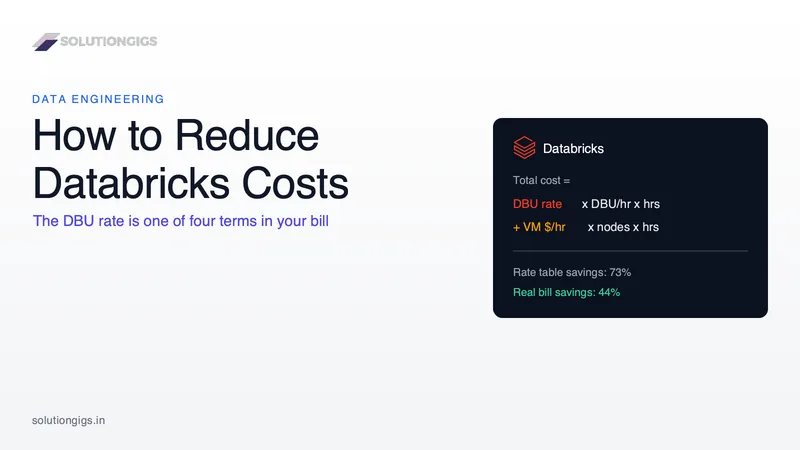
How to Reduce Databricks Costs Without Slowing Pipelines Down
Most guides to reducing Databricks costs open with a DBU rate table, but the rate is only one of four terms in your bill and the one you control least. This guide works a real cluster through all four - showing why moving scheduled jobs off All-Purpose Compute cuts the actual invoice by 44% rather than the 73% the rate table implies, why Photon must make a job 23% faster just to break even and does nothing at all for UDF-heavy code, why spot never touches the DBU line, and why a published TPC-DS benchmark found the highest-rate SKU produced the cheapest run. Plus the August 2026 predictive optimization rollout that may already be billing you twice for the same table maintenance.
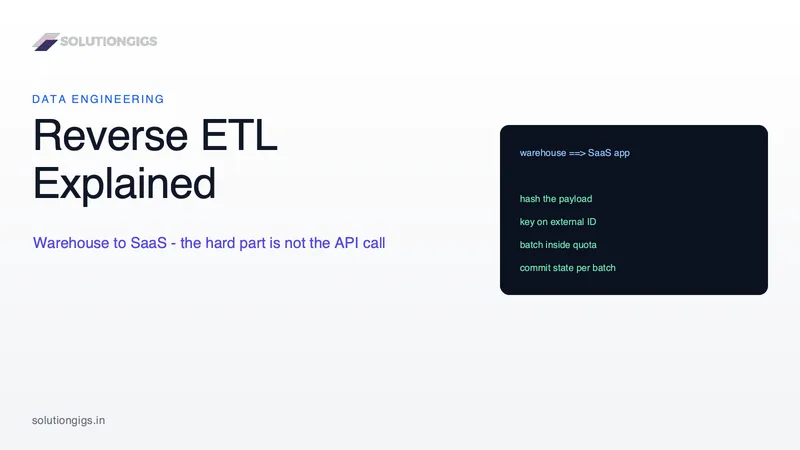
Reverse ETL Explained: Warehouse to SaaS Data Activation
Reverse ETL pushes modeled data out of your warehouse and into the SaaS tools people actually work in — Salesforce, HubSpot, Braze. It's your ELT pipeline run backwards, and the arrow in the diagram hides everything that's hard about it. This guide covers the part after the arrow: the five engineering problems every sync must solve (change detection by payload hash, stable external IDs, rate-limit math, per-batch idempotency, per-record failure handling), each with the exact way it fails; a build-vs-buy table; where the tooling market went after Fivetran absorbed Census and merged with dbt Labs; and the latency floor that tells you when reverse ETL is the wrong tool entirely.