
How to Learn Design Patterns Without Memorising 23 UML Diagrams
Most developers learn design patterns twice: once from a book, and again two years later in a code review. This guide closes that gap with a six-week path through all 23 Gang of Four patterns — the order to take them in, the six mechanisms that turn 23 concepts into 6, a 40-minute study loop per pattern, the nine confusion pairs you must learn together, and a four-question test for whether one actually stuck.

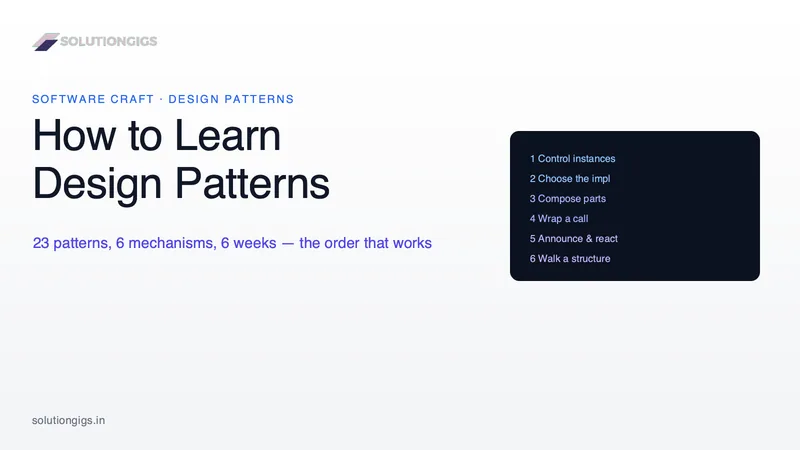
Quick Answer: To learn design patterns, work through all 23 Gang of Four patterns over about six weeks at 30–40 minutes a day, but group them by mechanism rather than by the book's creational/structural/behavioural categories. There are only six mechanisms behind the 23 patterns, so learning them in mechanism order turns twenty-three separate lessons into six. Start with Strategy, Observer, Adapter, Factory Method and Singleton, because those five are already in the frameworks you use today.
Most developers learn design patterns twice. The first attempt is a weekend with a book, twenty-three UML diagrams, and a vague feeling that Bridge and Strategy are the same thing. The second attempt happens two years later during a code review, when someone says "that's a Decorator" and it finally lands.
This guide is an attempt to skip the gap between those two moments. It gives you a specific order, a schedule, a 40-minute study loop for each pattern, and a test you can apply to know whether you actually learned one — because "I read it" and "I can use it" are very different states.
It comes out of building something specific: we implemented all 23 patterns in seven languages — 161 code samples — for the interactive Design Patterns handbook on SolutionGigs. Doing that exposed a structure in the catalogue that no tutorial had told us about, and that structure is what makes six weeks realistic.
Why most people fail to learn design patterns
The usual failure is not laziness — it is learning the catalogue in the order the catalogue is printed in. Three specific traps do most of the damage.
Trap 1: The GoF categories are a filing system, not a learning path. "Creational, structural, behavioural" tells you what a pattern is about, which is useless when you are trying to remember what it does. Composite and Decorator sit in the same category and do completely different things; Strategy and State sit in different chapters and have identical class diagrams. Studying in that order means the two patterns you are most likely to confuse are separated by eighty pages.
Trap 2: Learning patterns as diagrams instead of as changes. A pattern is not a shape. A pattern is an answer to "what part of this is going to change?" Strategy absorbs a change of algorithm. Adapter absorbs a change of vendor. Observer absorbs a change in who cares about an event. If you memorise the boxes and arrows without naming the change, you get a developer who applies patterns because they know them — which is the origin of most over-engineered code.
Trap 3: Learning them in a language you don't ship. Almost every tutorial is written in Java or C#, because the classic implementations read most naturally there. If you write Go, five of the patterns you carefully memorised have no inheritance to hang on, and several others are one function. You will faithfully port a class hierarchy that your language pointedly does not want.
The single best predictor of whether pattern study sticks: whether you can say, in one sentence, what change each pattern absorbs — before you can draw its diagram.
There are 23 design patterns but only 6 mechanisms
This is the finding that shortens the whole exercise. When we built a runnable simulator for every one of the 23 patterns, we expected to write 23 different widgets. We wrote six, and every pattern fitted one of them. Reused with a different configuration, the same six interactions covered the entire catalogue.
That is not a UI convenience. It means the 23 patterns are 23 answers built from six underlying moves, and once you know the six, each new pattern is a variation rather than a fresh concept.
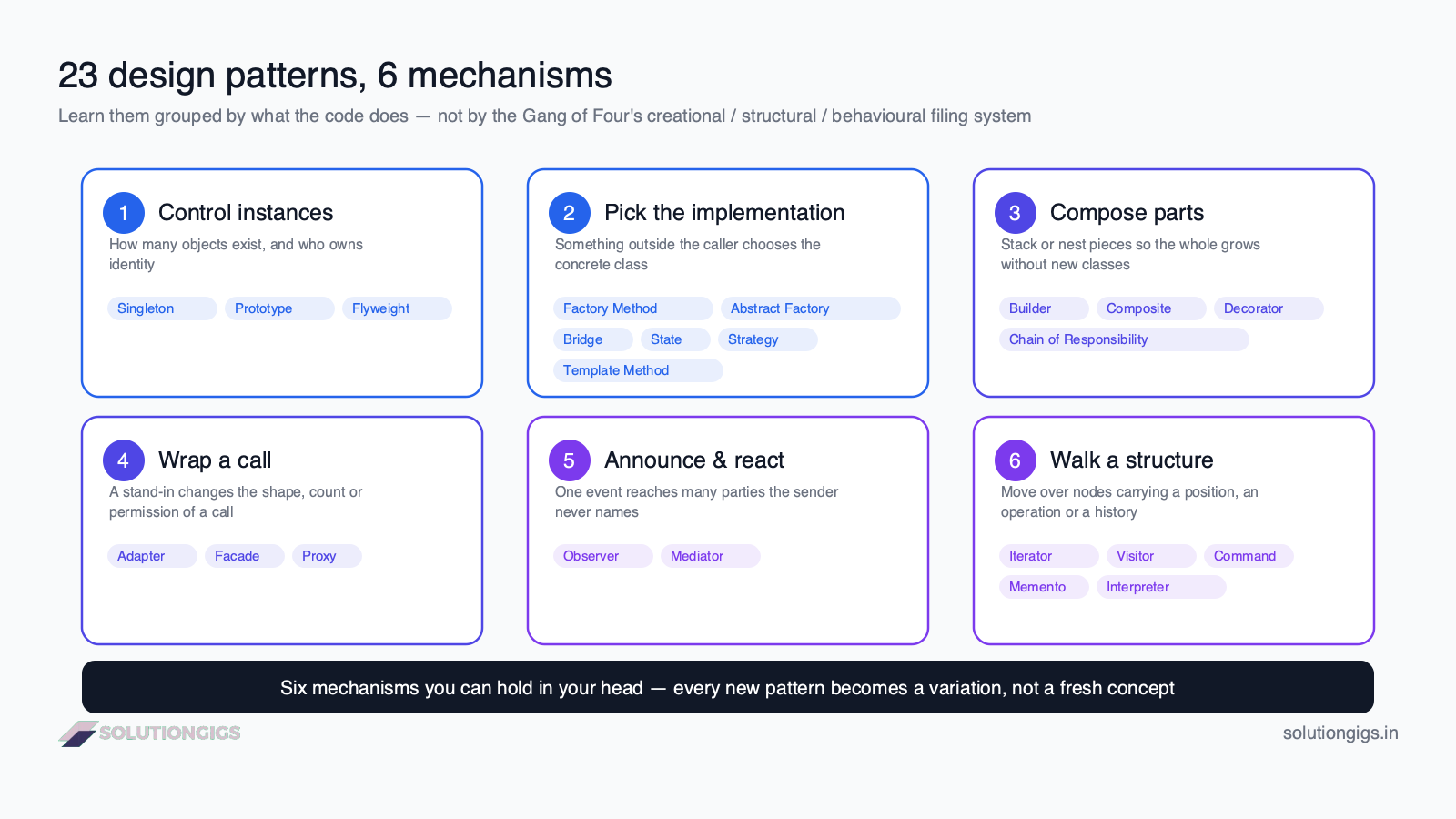
| # | Mechanism | What the code actually does | Patterns |
|---|---|---|---|
| 1 | Control instances | Decide how many objects exist and who owns identity | Singleton, Prototype, Flyweight |
| 2 | Pick the implementation | Something outside the caller chooses which concrete class runs | Factory Method, Abstract Factory, Bridge, State, Strategy, Template Method |
| 3 | Compose parts into a whole | Stack or nest pieces so the assembly grows without new classes | Builder, Composite, Decorator, Chain of Responsibility |
| 4 | Wrap a call | A stand-in changes the shape, the count, or the permission of a call | Adapter, Facade, Proxy |
| 5 | Announce and react | One event reaches many interested parties without the sender knowing them | Observer, Mediator |
| 6 | Walk a structure | Move over nodes carrying something along — a position, an operation, a history | Iterator, Visitor, Command, Memento, Interpreter |
Six is a number you can hold in your head. Twenty-three is not.
The practical payoff arrives the first time you meet an unfamiliar pattern: instead of learning it cold, you ask "which of the six is this?" and immediately have three-quarters of the answer. Mediator is mechanism 5, so you already know it is about who finds out when something changes — the only new thing to learn is that the routing is centralised rather than broadcast.
The order to learn design patterns in
Not the book's order. This one is sequenced by two rules: frequency first (learn the patterns already in your dependencies, so study becomes recognition), and confusable patterns adjacent (learn Strategy and State in the same fortnight, not four chapters apart).
| Week | Focus | Patterns | Why here |
|---|---|---|---|
| 1 | The five you already use | Strategy, Observer, Adapter, Factory Method, Singleton | Every one of these is in a framework you have open right now. You start by naming things you have already used |
| 2 | Everything that wraps | Decorator, Proxy, Facade, Chain of Responsibility, Composite | These five are the most-confused cluster in the catalogue. Learned together, the differences are obvious; learned apart, they never resolve |
| 3 | Creation in depth | Builder, Abstract Factory, Prototype, Flyweight | Now that Factory Method is solid, the other creational patterns are variations on it rather than four new ideas |
| 4 | Behaviour that changes over time | State, Template Method, Command, Memento | State lands the week after Strategy is fully absorbed — deliberately, since the pair is the classic interview question |
| 5 | Structure and traversal | Iterator, Visitor, Mediator, Bridge | The abstract ones. They need the earlier weeks as scaffolding, and Bridge only makes sense once Strategy is second nature |
| 6 | The rare one, then consolidate | Interpreter + the confusion pairs + one real refactor | Interpreter is the one you will use least and should still meet once. The rest of the week is proving to yourself the other 22 stuck |
Four patterns a week, 30–40 minutes a day, five days a week. That is the whole commitment: roughly 15 hours. It is not a small number, but it is a knowable one, and it is far less than the time most teams lose to a single argument about whether something should be a factory.
If a week slips, slip it. The order matters much more than the pace.
How to study one design pattern in 40 minutes
Reading a pattern takes ten minutes. Learning one takes forty. The difference is entirely in what you do after the reading, and this five-step loop is the one we ended up designing the whole handbook around.
- Read the problem before the solution (10 min). Cover the class diagram. Read only the scenario the pattern was invented to fix, and do not move on until you can state that problem in one sentence. If the problem does not feel like something you have hit, the pattern will not stick — find a version of the problem in your own codebase first.
- Predict the mechanism (2 min). Which of the six is this? Guessing before you are told is what turns reading into learning; being wrong is more useful than being right, because the correction is what you remember.
- Run it — then break it (8 min). Use the pattern in a working example, then take it out and watch what changes. This is the step tutorials skip, and it is where the actual understanding lives. Remove the Flyweight and watch memory go from 24 MB to 2 TB. Remove the Adapter and watch three calls fail for three unrelated reasons. Remove the Proxy and watch a call that should have been blocked go through.
- Write it in the language you actually ship (15 min). Not Java, unless you write Java. In Python your Singleton is a module. In Go your Template Method inverts into a function plus an interface. In TypeScript your Visitor becomes a discriminated union that fails to compile when you miss a case. Noticing that the code shrank is the lesson, not a distraction from it.
- Write the rejection rule (5 min). One sentence: when would I refuse to use this? A base class with one subclass. A bridge with one implementor. A factory that only ever makes one type. A pattern you cannot reject is a pattern you will over-apply, and over-application is what gave patterns their bad reputation.
Step 5 is the one that separates a developer who knows patterns from one who is trusted with them. Seniority in this topic is mostly the ability to say "no, that's just a function."
The pairs you have to learn together
Nine patterns are only ever learned properly in pairs, because each one is defined by what it is not. Studying them a month apart is why so many developers reach five years of experience still unsure about Strategy and State.
| Confused pair | The one-line test |
|---|---|
| Strategy vs State | Who picks the next object? The client picks a strategy from outside; a state replaces itself and knows its legal successors |
| Adapter vs Facade | Was it forced on you or chosen? An adapter fixes a mismatch you did not create and usually wraps one thing; a facade is a convenience you chose and usually wraps several |
| Decorator vs Proxy | Does the inner call always happen? A decorator always delegates and adds; a proxy decides whether the call happens at all |
| Decorator vs Chain of Responsibility | Can a link stop the request? A decorator must pass it on; a chain link may consume it and end the chain |
| Factory Method vs Abstract Factory | One product or a family? Factory Method makes one thing; Abstract Factory makes a matched set that must not be mixed |
| Composite vs Decorator | How many children? A composite has many and is about tree shape; a decorator has exactly one and is about added behaviour |
| Command vs Memento | How does undo work? Command reverses by applying an inverse operation; Memento restores a whole saved snapshot |
| Bridge vs Strategy | How long does the choice last? A strategy can swap per call; a bridge is an axis of variation fixed at construction |
| Mediator vs Observer | Does the hub know its members? An observer's subject never learns about new listeners; a mediator does, deliberately, and that is the trade |
Learning nine of these one-liners is worth more in a real code review than being able to draw all 23 diagrams from memory.
How to know you have actually learned a pattern
Reading comprehension is a trap here: everything feels obvious while the explanation is still on screen. Use a fixed four-question test instead. If you cannot answer all four without looking, you have read the pattern, not learned it.
- What change does it absorb? Name the axis of variation in one sentence. ("Adapter absorbs a change of vendor.")
- What does it cost? Every pattern buys flexibility with something — indirection, an extra allocation, a hidden network call, a harder stack trace. If you cannot name the cost, you cannot decide whether to pay it.
- Which pattern is it confused with, and what is the one-line difference? Straight from the table above.
- What does it look like in your language — is it still a class? For a good number of the 23, the honest answer in a modern language is "no, it's a function", and knowing which ones is the difference between using patterns and cosplaying them.
Run this test at the end of each week on the four patterns you just covered. It takes six minutes and it is the only reliable signal that a week worked.
Learn design patterns in the language you actually ship
This deserves its own step because it is the most common way pattern knowledge goes stale on contact with real code.
Writing all 23 patterns across Java, Python, C++, C#, JavaScript, Go and TypeScript made one thing unmistakable: a tutorial that shows identical code in seven languages is teaching you Java with different keywords. The real differences are large and they change what you should write.
- Go has no inheritance, so Template Method inverts into a function plus an interface, and Adapter stops being optional — you cannot add methods to another package's type.
- Python and JavaScript need the fewest patterns and give the least help when you get one wrong; duck typing removes the naming problem but not unit mismatches or argument order.
- C++ makes several patterns stricter rather than shorter —
std::variantplusstd::visitrefuses to compile a Visitor that misses a case. - TypeScript and C# turn "you forgot a case" from a production surprise into a build error, which is a genuinely better version of the pattern rather than a smaller one.
- Java and C# are where the classic implementations read most naturally, which is exactly why most tutorials use them — and why they give a misleading impression of the other five.
We wrote up the full verdict pattern by pattern in which design patterns still matter, including the four your language already ships and the ten that collapse into a single function. Read it in week 6, not week 1 — it is much more useful as a consolidation pass than as an excuse to skip the material.
Books, sites and courses: what to actually use
An honest comparison, including the resources we think are excellent.
| Resource | Format | Languages | Cost | Best for | Weak spot |
|---|---|---|---|---|---|
| Design Patterns (GoF, 1994) | Book | C++, Smalltalk | Paid | The definitive source; the intent sections are still the best written | Thirty years old; the code is unrunnable for most readers |
| Head First Design Patterns | Book | Java | Paid | The friendliest first contact; genuinely good at building intuition | Java-only, and long — most people stall around Decorator |
| Refactoring.Guru | Website | Java, C#, C++, Go, PHP, Python, Ruby, Rust, Swift, TS | Free + paid book | Excellent diagrams and the best free reference on the web | Reference-shaped, not a path — it does not tell you what order to go in or when to stop |
| Video courses | Video | Usually Java | Paid | Good if you learn by watching someone type | Slow to revisit; you cannot skim a video during a code review |
| SolutionGigs handbook | Interactive | Java, Python, C++, C#, JS, Go, TS on one page | Free, no signup | Running the pattern, then turning it off | Newer, and no printed edition |
If you use nothing else, use Refactoring.Guru with the six-week order and the 40-minute loop from this article laid over the top. The order and the loop are what this guide adds; the reference material can come from anywhere good.
Why we built our handbook the way we did
Every design decision below came from a specific complaint we had while learning this material ourselves — and this section is really the answer to "why learn design patterns here".
One page per pattern, all seven languages on it. Not /singleton/java and /singleton/python as separate pages. Your language is a tab, your choice is remembered, and you can flip to another language to see how differently the same idea is expressed — which, per the section above, is half the lesson.
A simulator on every pattern, with an off switch. This is step 3 of the loop, built in. Every pattern page has something you can click that runs the mechanism and reports real counters, and a toggle that removes the pattern and re-runs it. Flyweight reports 24 MB with the pattern on and 2 TB with it off. Proxy reports one call reaching the server instead of three. Seeing the number move is what a diagram cannot do.
A "when not to use it" section on all 23. Written as bluntly as we could manage, because a catalogue that only tells you when to apply things produces exactly the over-engineering that patterns get blamed for.
Real APIs named on every page — java.lang.Runtime.getRuntime(), Go's iter.Seq, logging.getLogger, JavaScript's built-in Proxy — so each pattern is anchored to something you can go and read in a standard library rather than to a Shape and a Circle.
Free, no signup, progress stored in your own browser, with a certificate at 23/23 if you want proof you finished. It sits in our wider free learning hub alongside courses like SQL Mastery and Prompt Engineering.
Mistakes that waste weeks
- Starting with the book's chapter order. Abstract Factory in week one, before Factory Method is solid, is how people conclude that patterns are unnecessarily complicated.
- Studying patterns without code you own. Toy
Shape/Circleexamples hide the trade-off, and the trade-off is the actual content. Refactor something real — the switch statement that grows every sprint is a Strategy waiting to happen. - Trying to memorise the diagrams. Nobody in a code review will ask you to draw one. They will ask what changed and why, and the answer is a sentence, not a picture.
- Treating "I read all 23" as done. Run the four-question test. Weeks that felt fine routinely fail question 2 (the cost) and question 4 (what it looks like in your language).
- Applying a new pattern the week you learn it. There is a reliable spike of unnecessary indirection about ten days into pattern study. Learn the rejection rule at the same time as the pattern and it does not happen.
Frequently Asked Questions
How long does it take to learn design patterns?
Recognising all 23 Gang of Four patterns takes most working developers about six weeks at 30–40 minutes a day, roughly four patterns a week. Using them well takes longer, because the skill is not implementation but judgement: knowing which change a pattern absorbs and when the indirection is not worth it. Expect competence in weeks and instinct over a year or two of code review.
Which design patterns should I learn first?
Start with Strategy, Observer, Adapter, Factory Method and Singleton. These five appear in almost every framework you already use, so you can find live examples in your own dependencies on day one. Learning them first turns pattern study into recognition rather than memorisation, which is what makes the remaining eighteen much faster.
Do I need to learn all 23 design patterns?
You need to recognise all 23 and be able to implement about nine. Interpreter, Flyweight, Visitor and Bridge are rare enough that reading them once and knowing they exist is sufficient. The value of covering all 23 is the vocabulary — being able to name a change in one word so a code review takes two minutes instead of twenty.
Should I learn SOLID before design patterns?
Learn them together, not in sequence. SOLID principles are abstract until you see the patterns that implement them, and patterns look arbitrary until you see the principle they serve. The Open-Closed Principle only becomes concrete once you have written a Strategy, and Dependency Inversion is easiest to understand as the thing Abstract Factory is doing.
Are design patterns worth learning if I use Python or Go?
Yes, but learn the intent rather than the class diagrams. In Python and Go many patterns collapse into a function, a module or a closure, and writing the Java-style class hierarchy would be read as unfamiliarity with the language rather than knowledge of patterns. The problems the patterns name still occur; only the code shrinks.
What is the best way to practise design patterns?
Refactor code you already own rather than building toy examples. Find a switch statement that grows every sprint and convert it to Strategy, or a class with five constructor overloads and convert it to Builder. Practising on real code teaches you the trade-off, which is exactly the part toy examples hide.
How do I stop confusing Strategy and State?
Ask who chooses the next object. In Strategy the client picks the implementation from outside, and the strategies never reference one another. In State the object replaces itself, and each state knows its legal successors. The class diagrams are identical, so the direction of control is the only reliable test.
Conclusion
Design patterns have a reputation for being hard, and they are not — they are badly sequenced. Twenty-three items presented as equals, filed under categories that describe what they are about rather than what they do, mostly in a language you may not write, with no indication of which four you will use every week and which one you may never use at all.
Fix the sequence and the material shrinks fast. Six mechanisms instead of twenty-three concepts. Frequency-first ordering so week one is recognition rather than memorisation. Confusable pairs studied together. Forty minutes per pattern, of which thirty are doing rather than reading. A four-question test so you know what stuck. That is six weeks and about fifteen hours, which is a genuinely small price for the vocabulary that makes every future design conversation shorter.
If you want the path with the runnable part already built, all 23 patterns are live and free at solutiongigs.in/learn/design-patterns — each with the simulator, the honest pitfalls, and working code in Java, Python, C++, C#, JavaScript, Go and TypeScript on the same page. No signup, and your progress stays in your browser. Start with Strategy and see how much of week one you already knew.
Mohammed Yaseen
Founder, SolutionGigs
Mohammed built the SolutionGigs Design Patterns handbook — all 23 Gang of Four patterns, 161 code samples across seven languages, and a clickable simulator on every page. He writes about software design, data engineering and the parts of both that tutorials leave out. LinkedIn →
Design Patterns: The Interactive Handbook
Free, no signup — right in your browser.
Design Patterns: The Interactive Handbook →More in Software Architecture
Which Design Patterns Still Matter — and Which Your Language Already Absorbed
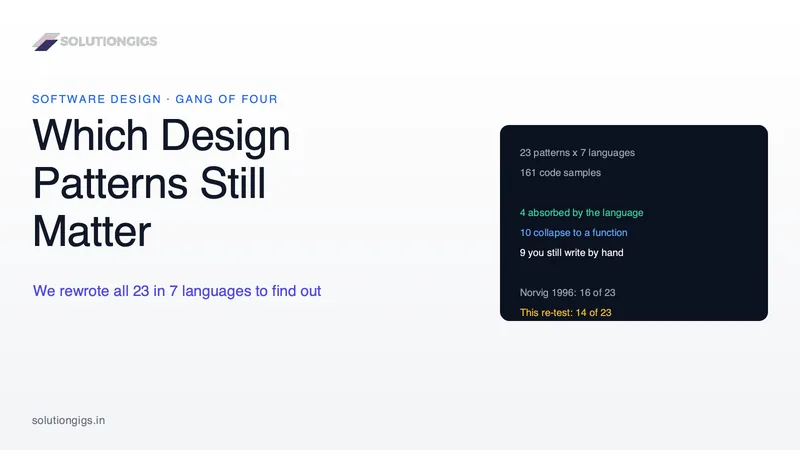
Peter Norvig said 16 of 23 GoF design patterns vanish in a dynamic language. We rewrote all 23 in 7 languages to check, and counted 14. This guide gives the verdict pattern by pattern — the 4 your language already ships, the 10 that collapse into a single function, and the 9 you still have to write by hand — plus why those 9 survived, what changes when you switch language, and the three comparisons interviewers actually ask about.

Microservices vs Monolith: Which to Choose (Full Guide)
Microservices vs monolith — which architecture should you choose? A practical 2026 decision guide covering trade-offs, scaling, team size, cost, and when a monolith still beats microservices.
How to Auto Caption a Video Free Online — Subtitles, SRT & Animated Captions
Add word-by-word animated captions to any video automatically — free, no account, no watermark. Also auto generate SRT files for YouTube, Premiere Pro, and DaVinci Resolve.