
Stop Bot Traffic & Protect Your AdSense Account from Suspension
Stop bot traffic from triggering AdSense invalid traffic limits and suspension. Step-by-step Cloudflare WAF rules, script deferral, and server fixes → Learn how to identify bot signatures in GA4, challenge datacenter scrapers, defer ad scripts, and eliminate crawl traps.

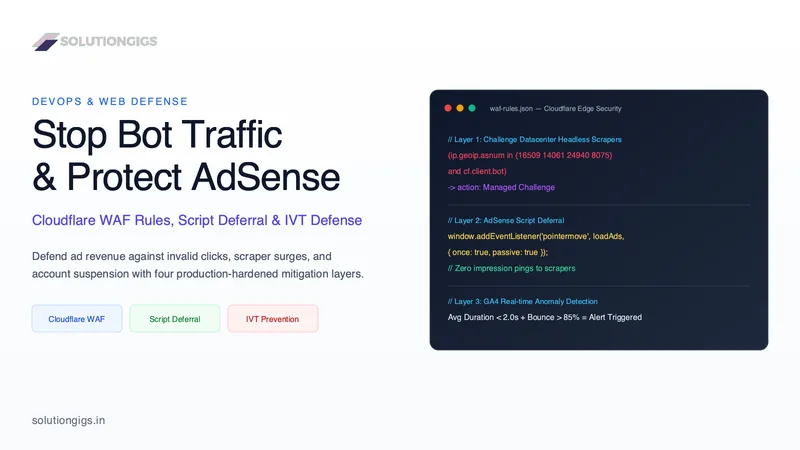
Quick Answer: Bot traffic triggers Google AdSense invalid traffic penalties, ad serving limits, and account suspension by generating automated ad impressions, zero-second bounce sessions, and unnatural click patterns. Protect your account by deploying Cloudflare WAF managed challenges on datacenter ASNs, deferring ad scripts until human interaction, and rate-limiting scraper endpoints.
Publishers and content platform operators who monetize through Google AdSense dread waking up to the message: "Ad serving on your account is currently limited due to invalid traffic concerns." In severe cases, an influx of rogue web crawlers and scraping bots leads directly to permanent account suspension and complete loss of unpaid earnings.
Most site owners assume that bot traffic is harmless background noise that merely inflates their pageview counter. To Google's sophisticated ad fraud detection systems, however, automated scraper hits and headless browsers loading ad tags represent a critical threat to advertiser ROI. When bots load your pages without interacting, they dilute your click-through rates, trigger fraud alerts, and jeopardize your publisher standing.
Below is our tested, production-grade playbook for identifying bot traffic, deploying edge-level Cloudflare Web Application Firewall (WAF) rules, configuring client-side script deferral, and hardening your server to eliminate invalid traffic permanently.
What Triggers AdSense Invalid Traffic (IVT) Penalties
Invalid Traffic (IVT) in Google AdSense refers to any clicks or ad impressions that artificially inflate advertiser costs or publisher earnings without genuine user interest. Google classifies invalid traffic into two tiers: General Invalid Traffic (GIVT), which includes routine search crawlers and routine automated checks, and Sophisticated Invalid Traffic (SIVT), which encompasses headless scrapers, click farms, botnets, and malware.
When automated scrapers crawl your site, they frequently execute client-side JavaScript or load entire DOM elements using headless browser runtimes like Puppeteer, Playwright, or Selenium. This triggers automated calls to pagead2.googlesyndication.com. Because these bots generate thousands of impressions within seconds without genuine mouse movement or dwell time, Google's ad verification models flag the behavior as ad fraud.
The consequences of unmitigated bot surges follow a predictable, escalating timeline:
- Revenue Clawbacks: Google deducts "Invalid Traffic" deductions from your monthly finalized earnings report.
- Ad Serving Limits: Ad delivery drops by 80% to 95% while Google observes your traffic quality over a 7- to 30-day probationary window.
- Account Suspension: If bot spikes continue unchecked, Google terminates your AdSense account under Policy Violation: Invalid Activity, with forfeiture of all unpaid balances.
How to Identify Bot Signatures in Google Analytics 4 (GA4)
You cannot stop what you cannot measure. Before configuring firewall rules, inspect your Google Analytics 4 (GA4) metrics to identify whether your traffic surge is human or robotic. Automated scrapers leave distinct statistical fingerprints in analytics reporting.
To audit your traffic anomalies in GA4, examine these four critical metrics:
| Metric Indicator | Normal Human Behavior | Bot / Scraper Signature | Threat Level to AdSense |
|---|---|---|---|
| Average Session Duration | 45s – 300s+ | < 2.0s (frequently 0.2s – 0.4s) | CRITICAL: Triggers immediate IVT alarms |
| Bounce Rate | 25% – 55% | > 85% | High risk of ad impression dilution |
| Device & Operating System | Balanced Mobile + Desktop mix | 100% Desktop Linux or Macintosh | Headless scripts spoofing generic desktop strings |
| Targeted Landing Route | Distributed organically across blog posts | > 90% concentrated on a single route (e.g., /jobs, /search) |
Scrapers iterating pagination and filter parameters |
If you notice thousands of sessions originating from a single country or city with an average engagement time under 2 seconds, your site is actively being targeted by automated scrapers.
The 4-Tier Bot Defense Pipeline
Stopping bot traffic without accidentally blocking genuine users or search engine crawlers requires a defense-in-depth architecture. A single layer of defense is rarely sufficient:
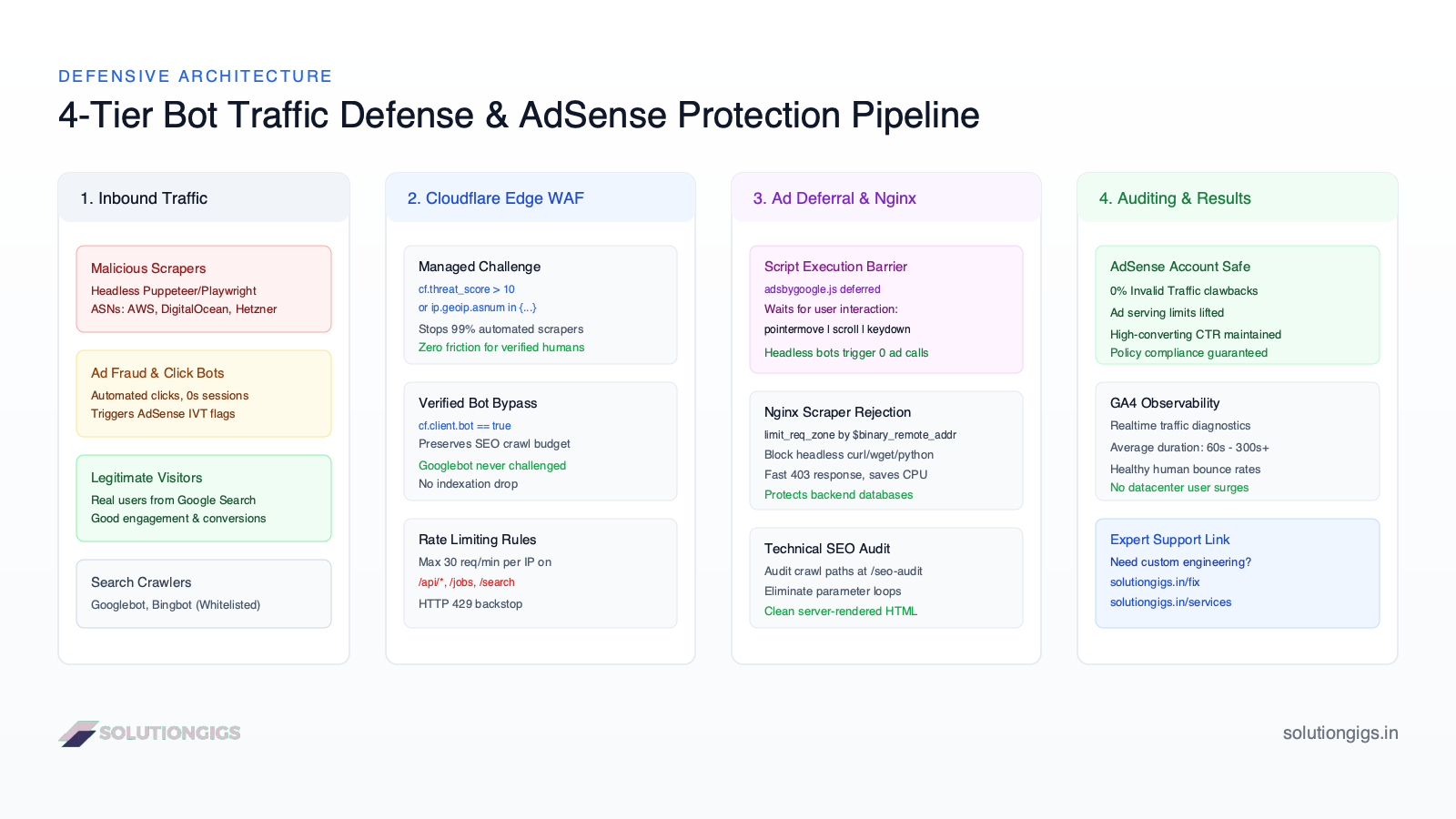
This pipeline filters traffic across four sequential stages:
- Edge Firewall (Cloudflare WAF): Challenges malicious bots before they ever reach your server.
- Client-Side Ad Deferral: Prevents ad code from executing until human interaction is verified.
- Web Server Hardening (Nginx): Rate-limits scraper bots and blocks known abusive user agents.
- Technical SEO Crawl Hygiene: Eliminates bot traps, parameter loops, and orphan routes.
Layer 1: Production Cloudflare WAF Rules for AdSense Protection
The most efficient place to stop bot traffic is at the Content Delivery Network (CDN) edge. When Cloudflare blocks or challenges a bot, the request never reaches your origin server, saving bandwidth and preventing ad tags from rendering.
To configure these rules, navigate to Cloudflare Dashboard > Security > WAF > Custom Rules and apply the following production configurations.
Rule A: Managed Challenge for Commercial Datacenter ASNs
Automated scrapers rarely run on residential ISP connections. Over 90% of malicious scraping traffic originates from cloud hosting providers like Amazon Web Services (AWS), DigitalOcean, Hetzner, and OVH.
Use this Cloudflare expression rule to issue a lightweight, invisible JavaScript challenge to datacenter visitors while ensuring verified bots (like Googlebot) pass through:
(ip.geoip.asnum in {16509 14061 24940 16276 8075} and not cf.client.bot)
Action: Managed Challenge
Note: AS16509 (Amazon AWS), AS14061 (DigitalOcean), AS24940 (Hetzner), AS16276 (OVH), and AS8075 (Microsoft Azure). Legitimate human visitors rarely browse from these networks, making them safe to challenge.
Rule B: Threat Score Challenge for Suspicious Visitors
Cloudflare scores IP reputation based on global threat telemetry. Visitors with a high threat score should always be challenged:
(cf.threat_score gt 10 and not cf.client.bot)
Action: Managed Challenge
Rule C: Protect Dynamic Endpoints with Rate Limiting
Scrapers target high-cardinality endpoints like job listings, search bars, and directory pagination. In Cloudflare Rate Limiting Rules, create a protection threshold:
- Endpoint:
(http.request.uri.path contains "/api/" or http.request.uri.path contains "/search") - Rate Threshold: More than 30 requests per 10 seconds per IP address.
- Action:
Block (HTTP 429)orManaged Challengefor 10 minutes.
Layer 2: Client-Side AdSense Script Deferral
Edge firewall rules catch known datacenter ranges, but sophisticated scrapers running on residential proxies can bypass simple IP filters. To prevent these headless browsers from generating invalid ad impressions, never load adsbygoogle.js on initial page load.
Instead, defer the execution of the Google AdSense script until a real human interacts with the browser viewport.
Headless scrapers and automated bots execute the page HTML, crawl DOM nodes, and terminate the session within 500 milliseconds. They do not trigger pointer movements, scroll events, or keyboard inputs. Deferring the script ensures that bots never fire an impression ping to Google.
Implementation in Next.js and Vanilla JavaScript
Here is the production-tested human-interaction loader:
/**
 * Defer Google AdSense until verified human interaction
 * Prevents headless crawlers and scrapers from triggering ad calls
 */
(function() {
  let adsLoaded = false;

  function loadAdSense() {
    if (adsLoaded) return;
    adsLoaded = true;

    // Remove interaction listeners once triggered
    ['pointermove', 'scroll', 'keydown', 'touchstart'].forEach(function(event) {
      window.removeEventListener(event, loadAdSense, { passive: true });
    });

    const script = document.createElement('script');
    script.src = 'https://pagead2.googlesyndication.com/pagead/js/adsbygoogle.js?client=ca-pub-XXXXXXXXXXXXXXXX';
    script.async = true;
    script.crossOrigin = 'anonymous';
    document.head.appendChild(script);
  }

  // Bind passive listeners for real human interaction
  ['pointermove', 'scroll', 'keydown', 'touchstart'].forEach(function(event) {
    window.addEventListener(event, loadAdSense, { passive: true, once: true });
  });

  // Fallback timer: load after 5 seconds only if user is actively engaged
  setTimeout(function() {
    if (!adsLoaded && document.visibilityState === 'visible') {
      loadAdSense();
    }
  }, 5000);
})();
By decoupling ad loading from the critical rendering path, you achieve two significant benefits:
- AdSense Compliance: Scrapers and bots bounce without ever executing ad tags, reducing IVT to zero.
- Core Web Vitals Improvement: Deferring 120KB+ of external ad scripts dramatically improves Largest Contentful Paint (LCP) and Total Blocking Time (TBT).
Layer 3: Web Server & Nginx Hardening
If a scraper manages to bypass the CDN edge, your origin web server must reject it cleanly without consuming database or application memory.
Configure your nginx.conf to block known scraper user agents and enforce connection limits:
# Define rate limiting zone based on binary client IP
limit_req_zone $binary_remote_addr zone=scraper_limit:10m rate=10r/s;

# Block common scraper user agents
map $http_user_agent $bad_bot {
    default 0;
    ~*(headlesschrome|phantomjs|puppeteer|playwright|selenium|wget|curl|python-requests) 1;
}

server {
    server_name solutiongigs.in;

    # Reject abusive user agents immediately
    if ($bad_bot) {
        return 403 "Access Denied: Automated scraping prohibited.";
    }

    location / {
        limit_req zone=scraper_limit burst=20 nodelay;
        proxy_pass http://localhost:3000;
        proxy_set_header Host $host;
        proxy_set_header X-Real-IP $remote_addr;
        proxy_set_header X-Forwarded-For $proxy_add_x_forwarded_for;
    }
}
Layer 4: Technical SEO Crawl Hygiene & Bot Traps
Many publishers unwittingly invite bot traffic due to poor technical SEO hygiene. When search scrapers encounter infinite parameter loops, uncanonicalized filter permutations, or broken internal links, they spawn dozens of concurrent crawler threads trying to discover non-existent content.
To verify that your site does not contain crawl traps that bait scraping bots:
- Eliminate URL Traps: Ensure faceted search parameters (e.g.,
?sort=date&filter=price) include<meta name="robots" content="noindex, follow">or are blocked inrobots.txt. - Fix Broken Internal Links: 404 errors force scrapers and search bots to retry endpoints repeatedly.
- Audit Server-Rendered HTML: Run an automated audit to verify how search engines and bots interpret your pages before hydration.
You can inspect your site's on-page health, canonical tags, and indexability for free using the SolutionGigs SEO Audit Tool. It analyzes your server-rendered HTML and provides an ordered fix plan to eliminate crawl traps and strengthen your ranking signals.
Need Expert Assistance With Bot Traffic or AdSense Limits?
Diagnosing server logs, configuring Cloudflare WAF expressions, and restoring AdSense accounts requiring deep infrastructure and DevOps experience. If you are struggling with active ad serving limits, invalid traffic deductions, or scraper attacks:
- Get Hands-On Technical Support: Submit your stack details, server logs, or error reports to our forward deployed engineering team at solutiongigs.in/fix. We investigate your traffic anomalies, deploy custom edge rules, and harden your application.
- Production DevOps & Infrastructure Hardening: For complete CI/CD, Nginx reverse proxy configurations, and real-time observability pipelines in Datadog or Grafana, explore our engineering offerings at solutiongigs.in/services.
Frequently Asked Questions
Can bot traffic cause Google AdSense account suspension?
Yes. Google AdSense algorithms monitor traffic quality continuously. Unfiltered bot traffic, automated crawlers, and scraper hits generate invalid impressions and zero-second sessions that trigger Google's automated Invalid Traffic (IVT) filters, resulting in ad serving limits, earnings deductions, or permanent account bans.
How long does an AdSense ad serving limit last due to invalid traffic?
AdSense ad serving limits typically last between 7 to 30 days while Google reassesses your traffic quality. The limit is only lifted after your live traffic consistently demonstrates clean human engagement metrics, verified real user sessions, and near-zero bot activity.
What are the best Cloudflare WAF rules to block invalid traffic?
The most effective Cloudflare WAF rules combine threat score thresholds (cf.threat_score > 10), ASN matching on public cloud datacenters (AWS, DigitalOcean, Hetzner, OVH) running headless scrapers, and bypass exceptions for verified search engine bots (cf.client.bot).
How does deferring the AdSense script prevent bot penalties?
By waiting to inject adsbygoogle.js until genuine user interaction occurs (pointermove, scroll, or keydown), automated headless bots and curl scrapers never execute the ad script or request ad creative, preventing invalid impressions from ever hitting Google's ad servers.
Does blocking bots hurt Google Search rankings or SEO?
No, provided you whitelist verified search crawlers using Cloudflare's cf.client.bot or reverse DNS validation. Blocking malicious scrapers actually improves SEO by preserving server resources, lowering TTFB, and preventing duplicate content scrapers from outranking your original content.
What should I do if Google AdSense has already limited my ads?
Immediately audit your server logs and GA4 traffic for bot spikes, deploy Cloudflare Managed Challenges on non-human ASN ranges, defer ad loading until user interaction, and eliminate crawl traps using an SEO audit tool like SolutionGigs SEO Audit.
Conclusion
Protecting your Google AdSense account from invalid traffic penalties is not optional for serious web publishers. Left unmanaged, automated scrapers and malicious crawler bursts will erode your ad revenue, trigger punitive ad serving limits, and destroy years of hard-earned domain authority.
By establishing edge-level Cloudflare WAF rules against datacenter ASNs, deferring ad execution until genuine human input, hardening your web server against automated agents, and maintaining spotless technical SEO, you safeguard your monetization while accelerating page speed.
If you need a dedicated engineer to audit your traffic logs, configure your firewall, or restore your site performance, reach out directly at solutiongigs.in/fix or explore our comprehensive infrastructure services at solutiongigs.in/services.
Mohammed Yaseen
Founder, SolutionGigs
Full-stack and cloud engineer specializing in Next.js, distributed systems, and web infrastructure security. Helping founders and engineering teams build, harden, and scale performant web platforms. LinkedIn →
More in Cloud & DevOps
AWS vs GCP vs Azure for Startups: Which to Pick
AWS vs GCP vs Azure for startups in 2026 — startup credits compared, real pricing, provider strengths, and a clear decision framework to pick the right cloud without vendor lock-in.
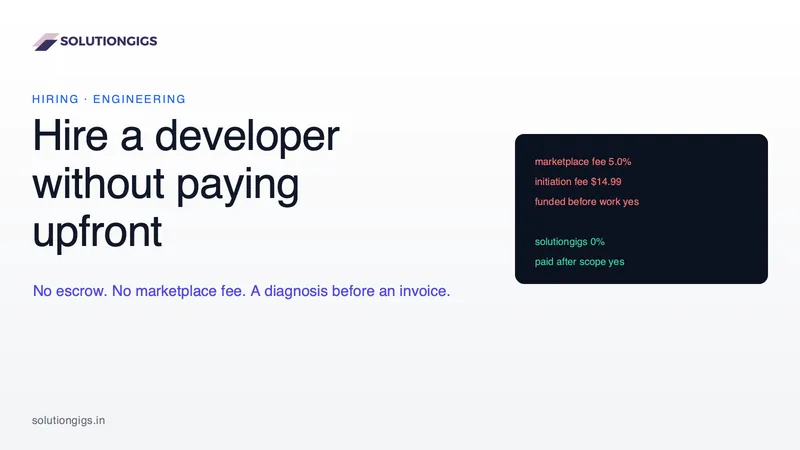
How to Hire a Developer Without Paying Upfront
Marketplace fees, escrow funded before anyone opens your problem, and six to fifteen unpaid hours screening candidates — the rate is the one cost you can see. This puts real figures on all three, explains why escrow exists and when it is right, and shows how to structure a pay-after engagement safely, including if you never hire us.
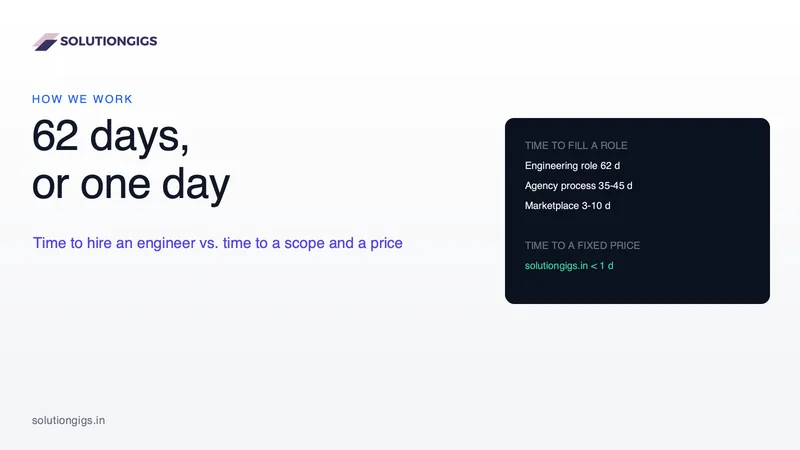
How Long It Takes to Hire a Freelance Developer — and How to Skip the Wait
Hiring an engineer averages 62 days, and almost none of them are engineering. This breaks down where the time actually goes across the job-posting, agency and marketplace routes, what the delay costs you, and exactly what happens on the /fix and /services intake pages — including what a one-day ETL does and does not buy, and what “ten times faster” honestly measures.