
Free Invoice Generator Online — Download PDF, No Login, No Watermark
Create and download professional invoices in seconds — completely free, no account, no watermark. Add line items, set tax and discount, and export to PDF with one click.

Freelancers, consultants, and small businesses spend hours creating invoices in Word, Google Docs, or expensive software — and then dealing with formatting issues, version control headaches, and watermarked PDFs from so-called "free" tools. Our free invoice generator needs no account, adds no watermark, and lets you download a professional PDF with one click. All your data stays in your browser.
What Makes a Professional Invoice?
A legally sufficient invoice typically includes:
| Element | Required? | Notes |
|---|---|---|
| Invoice number | Essential | Sequential, unique per invoice |
| Invoice date | Essential | Date of issue |
| Due date | Strongly recommended | "Due upon receipt" or net 15/30/60 |
| Your name/business | Essential | Legal name or registered business |
| Your address | Recommended | Required for VAT invoices in EU/UK |
| Your email | Recommended | For payment queries |
| Client name/company | Essential | Who you're billing |
| Client address | Recommended | Required for B2B accounting |
| Line items | Essential | Description, quantity, unit price |
| Subtotal | Essential | Sum of line items before tax |
| Tax | Country-dependent | GST, VAT, sales tax |
| Discount | Optional | Percentage or fixed amount |
| Total | Essential | Final amount due |
| Payment terms/notes | Recommended | Bank details, late fees policy |
Invoice Numbering Systems
A good invoice number system makes bookkeeping easier and looks professional:
| System | Example | Notes |
|---|---|---|
| Sequential | INV-001, INV-002 | Simple, most common |
| Date-based | INV-20260518-01 | Easy to sort by date |
| Client-based | ACME-001, GOOGLE-001 | Useful with many clients |
| Year + sequence | 2026-001, 2026-002 | Resets each year |
Payment Terms Explained
| Term | Meaning |
|---|---|
| Net 15 | Payment due 15 days after invoice date |
| Net 30 | Payment due 30 days after invoice date (most common for B2B) |
| Net 60 | Payment due 60 days after invoice date |
| Due upon receipt | Payment expected immediately |
| 2/10 Net 30 | 2% discount if paid within 10 days; otherwise due in 30 |
For freelancers and small businesses, Net 15 or Due upon receipt is recommended to maintain healthy cash flow.
Tax Rates by Region
Depending on where you're invoicing from or to, you may need to apply tax:
| Country/Region | Tax Name | Standard Rate |
|---|---|---|
| United States | Sales tax (varies by state) | 0–10.25% |
| European Union | VAT | 20–25% (varies by country) |
| United Kingdom | VAT | 20% |
| India | GST | 18% (most services) |
| Canada | GST/HST | 5–15% (varies by province) |
| Australia | GST | 10% |
Our free invoice generator has a tax percentage field. Enter your applicable rate and the tax amount is calculated automatically.
Supported Currencies
The invoice generator supports:
| Currency | Symbol |
|---|---|
| USD | $ |
| EUR | € |
| GBP | £ |
| INR | ₹ |
| CAD | CA$ |
| AUD | A$ |
| JPY | ¥ |
The currency symbol updates throughout the invoice — in line items, subtotal, tax, and total.
How to Download Your Invoice as a PDF
- Fill in your business and client details
- Add your line items with description, quantity, and price
- Set tax and discount percentages (or leave at 0%)
- Add notes/payment terms
- Click Download PDF
- In the print dialog, change the destination to "Save as PDF"
- Click Save — your professional invoice is ready
All major browsers support "Save as PDF":
- Chrome: More settings → Save as PDF
- Firefox: Print → Microsoft Print to PDF
- Safari: Show Details → PDF
- Edge: More settings → Save as PDF
Free vs Paid Invoice Software
| Feature | Our Free Tool | QuickBooks | FreshBooks | Wave |
|---|---|---|---|---|
| Price | Free forever | $15+/month | $17+/month | Free (limited) |
| No signup | ✅ | ❌ | ❌ | ❌ |
| No watermark | ✅ | ✅ | ✅ | ❌ (free plan) |
| PDF download | ✅ | ✅ | ✅ | ✅ |
| Client portal | ❌ | ✅ | ✅ | ✅ |
| Invoice tracking | ❌ | ✅ | ✅ | ✅ |
| Recurring invoices | ❌ | ✅ | ✅ | ✅ |
| Accounting integration | ❌ | ✅ | ✅ | ✅ |
Our tool is perfect if you need to create a quick, professional invoice without signing up for a subscription or dealing with paywalls.
Invoice Late Payment Policy
Consider adding late payment terms to your notes field:
Invoices unpaid after [due date] are subject to a 1.5% monthly late fee (18% annually). For questions, contact [your email].
This is legally enforceable in most jurisdictions and encourages on-time payment.
How to Create a Free Invoice Online
- Go to SolutionGigs Free Invoice Generator
- Fill in your business name, address, and client details
- Set invoice number, date, due date, and currency
- Add line items (services, products, hours)
- Set tax and discount rates
- Add payment terms in the notes field
- Click Preview Invoice to see it, or Download PDF to save directly
- No signup, no watermark, 100% free
Try the Free Invoice Generator
SolutionGigs Free Invoice Generator — create professional invoices in 2 minutes. Download PDF, no login, no watermark. 100% free.
Frequently Asked Questions
Is the invoice generator really free? Yes — 100% free, no account required, no watermarks, no monthly limits. Create and download professional PDF invoices at no cost, forever.
What currencies does the invoice generator support? The generator supports all major currencies including USD, EUR, GBP, INR, AUD, CAD, JPY, AED, and more. Select your currency from the dropdown and all amounts update automatically.
Can I add tax and discounts to the invoice? Yes — add a percentage or fixed-amount tax, and apply a line-item or total discount. The invoice automatically calculates subtotals, tax, discounts, and the final amount due.
Are my invoices stored on your servers? No — invoices are generated entirely in your browser and never stored on our servers. Download the PDF immediately. Nothing is saved between sessions, so download before closing the tab.
Can I reuse an invoice template? Currently the form resets when you close the tab. For recurring invoices, fill in the details, download, and save the PDF as a reference for next time. Saved templates are on our roadmap.
Mohammed Yaseen
Founder, SolutionGigs
Mohammed has been building developer tools since 2018 and writes about JSON, JWT, regex, SQL, APIs, and web development utilities. LinkedIn →
More in Developer
Free SSL Certificate Checker — Check Expiry, Issuer & SANs Online
Check any website's SSL certificate expiry date, issuer, Subject Alternative Names, and validity in seconds. Free online SSL checker — no login, instant results.
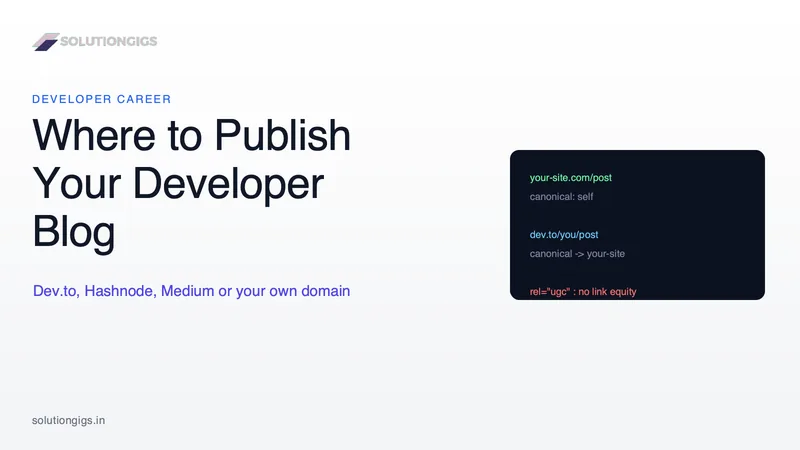
Where to Publish Your Developer Blog: Dev.to, Hashnode, Medium or Your Own Domain
Dev.to, Hashnode, Medium or your own domain? The real decision is who owns the audience and where the search credit lands. A practical guide to picking a home base, syndicating with canonical tags so your own site keeps the ranking, and why platform links are not backlinks.
Resume Keyword Match Score: Check Your Resume Against Any Job Description
See exactly how well your resume matches a job posting with our free ATS checker. Get a keyword match percentage, list of missing skills, and actionable tips — no signup, runs in browser.