
Docker vs Podman: Should You Switch?
Last Updated: July 2026 | 11 min read
Quick Answer: Docker and Podman both build and run the same OCI container images, but differ in architecture: Docker uses a central background daemon (dockerd) that runs containers as root, while Podman is daemonless and rootless by default, running each container as a child of your user process. Podman's CLI is a near drop-in for Docker's (alias docker=podman works for most commands). Switch to Podman for stronger default security, systemd/RHEL hosts, and Kubernetes alignment; stay on Docker for its Compose-centric ecosystem and widest tooling support.
If you've typed docker run a thousand times, the pitch for Podman sounds almost too convenient: same commands, same images, but no root daemon and no Docker Desktop license. So is Podman actually a Docker replacement, or a lateral move with hidden costs? This Docker vs Podman comparison cuts through it — the daemon-vs-daemonless architecture that drives every other difference, rootless security, what breaks with Docker Compose, Kubernetes alignment, licensing, and a clear decision framework. It's based on real migration experience, including the parts that don't "just work."
Docker vs Podman at a glance
Docker and Podman are both OCI-compliant container engines; the defining difference is that Docker is daemon-based and Podman is daemonless. Everything else — security defaults, systemd integration, how Compose works — follows from that one architectural choice.
| Dimension | Docker | Podman |
|---|---|---|
| Architecture | Central daemon (dockerd) |
Daemonless (fork-exec) |
| Root by default | Yes (rootless is opt-in) | No — rootless by default |
| CLI | docker |
podman (same syntax) |
| Image format | OCI | OCI (interchangeable) |
| Multi-container | Docker Compose | Quadlet / podman-compose |
| Kubernetes YAML | No native generation | podman generate kube |
| Desktop app | Docker Desktop (paid for big cos) | Podman Desktop (free) |
| License | Apache 2.0 engine; Desktop subscription | Apache 2.0 throughout |
Verdict in one line: Podman wins on default security and licensing; Docker wins on ecosystem maturity and Compose-centric workflows.
What is Podman?
Podman (Pod Manager) is an open-source, daemonless container engine from Red Hat for building, running, and managing OCI containers and pods. It's part of a modular toolset alongside Buildah (image building) and Skopeo (image transfer), all governed by the Open Container Initiative (OCI) standard.
Instead of a long-running root service, Podman launches containers as direct child processes of the invoking user via a fork-exec model. That single design decision is why it's rootless by default and integrates cleanly with systemd. Full details are in the official Podman documentation.
The core difference: daemon vs daemonless
Docker relies on a persistent root-owned daemon; Podman runs containers directly with no daemon at all. This is the root of every practical difference between them.
With Docker, the docker CLI is a thin client that sends commands to dockerd, which runs as root and owns all containers. That daemon is convenient — but it's also a single point of failure (kill it and every container's management is affected) and a privileged attack surface.
Podman has no middleman. Each container is a child of your shell, tracked by the OS like any other process. The trade-offs:
- Resilience: no daemon means no daemon to crash; containers keep running independently.
- Security: no always-on root service to exploit.
- systemd-native: because containers are just processes,
systemdcan supervise them directly (this is what Quadlet builds on). - The cost: some tooling expects a daemon socket, so it needs the Podman-provided compatibility socket.
Rootless and security: Podman's biggest advantage
Podman runs rootless by default, so a container breakout lands as an unprivileged user rather than host root — a materially smaller blast radius. This is the headline reason security-conscious teams evaluate it.
Docker can do rootless mode and user-namespace remapping, but they're opt-in and still commonly run with a root daemon in practice. Podman inverts the default: unprivileged first. On multi-tenant hosts, CI runners, or anything internet-facing, that default meaningfully reduces risk with zero extra configuration. Red Hat's container security guidance covers the model in depth.
Nuance: rootless isn't magic. Rootless containers have constraints (binding ports below 1024, some networking and storage drivers). Most teams hit few of these, but test your workload — don't assume.
Docker Compose vs Quadlet: where switching actually bites
The real migration cost from Docker to Podman is not the CLI — it's multi-container orchestration. Single docker run commands map 1:1; docker-compose.yml files do not, cleanly.
You have three options on Podman:
- Docker-compatible socket — Podman exposes a socket so the real
docker composecan drive it. Best for reusing existing Compose files with minimal change. podman-compose— a separate Python tool that reads Compose files. Convenient, but not 100% feature-parity.- Quadlet — the Red Hat-recommended production path: declare containers/pods as
systemdunits. More robust and native, but a different mental model than Compose.
If your team lives in docker compose up, budget real time for this. Our Docker Compose generator can scaffold Compose files that work through Podman's socket while you migrate.
Kubernetes alignment
Podman aligns more naturally with Kubernetes because it understands pods and can emit Kubernetes YAML directly. Podman borrowed the pod concept — a group of containers sharing a network namespace — straight from Kubernetes.
podman generate kube turns running containers into Kubernetes manifests, and podman kube play runs Kubernetes YAML locally. Docker has no equivalent native path. If your production target is Kubernetes, this shortens the local-to-cluster gap — and pairs well with our Kubernetes YAML generator. For the bigger picture of where single-host container tools stop and orchestration begins, see Docker vs Kubernetes: when to use which.
Performance and licensing
Performance between Docker and Podman is close enough that it's rarely the deciding factor; licensing often is. Both use the same underlying runtime (runc/crun) and OCI images, so container runtime performance is comparable. Podman can even show slightly lower idle overhead because there's no persistent daemon.
Licensing is more clear-cut. Docker Engine is free, but Docker Desktop requires a paid subscription for larger organizations. Podman and Podman Desktop are Apache 2.0, free for commercial use. For teams standardizing tooling across many developers, that difference adds up — it's frequently the trigger for a Podman evaluation, much like cloud cost drives platform choices for startups.
Which should you use? A decision framework
Choose based on your host OS, orchestration workflow, and security requirements — not on hype. The decision card below summarizes it.
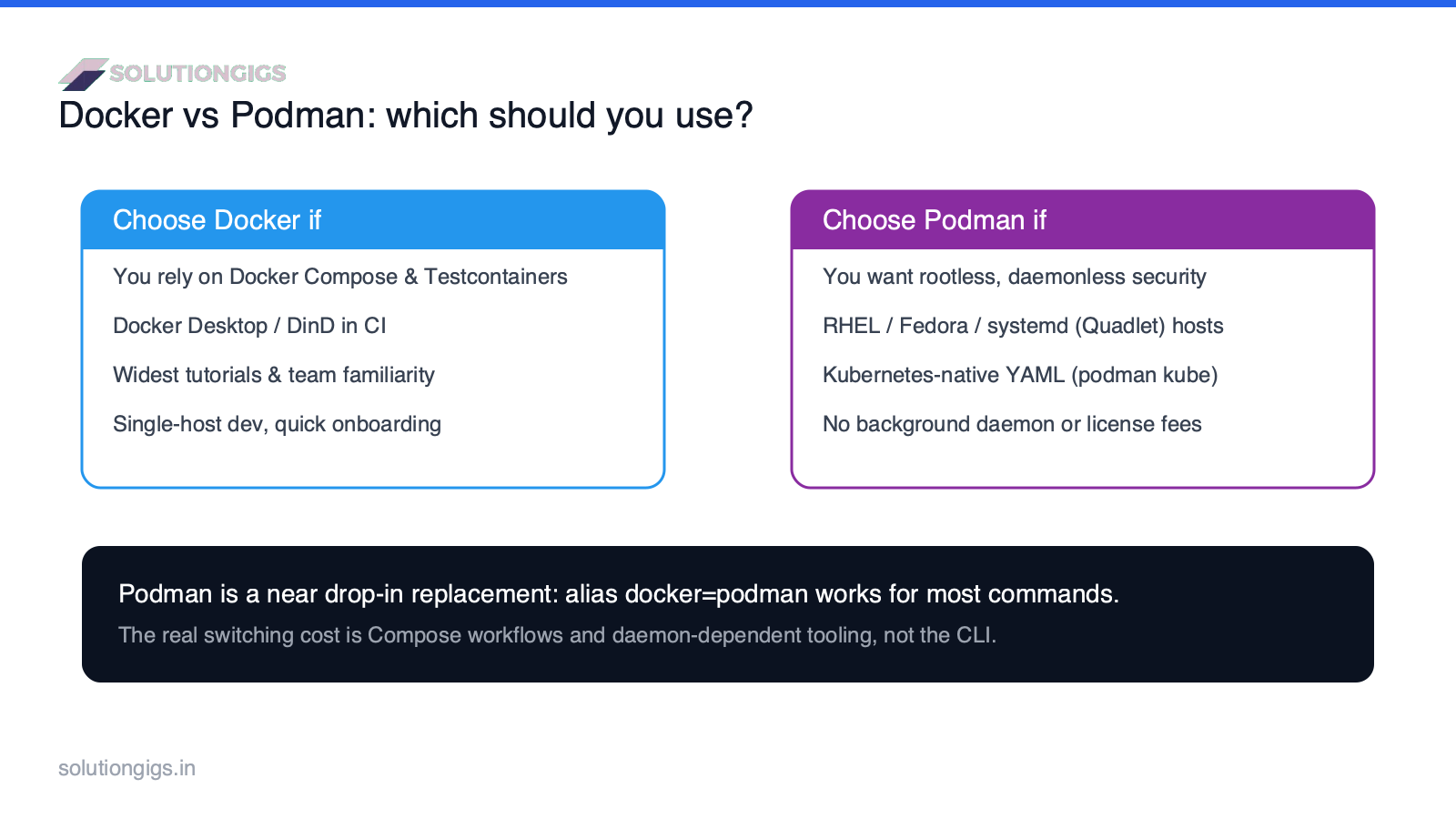
Pick Docker if you depend on Docker Compose, Docker-in-Docker, or Testcontainers; you want the widest tutorials and third-party tooling; or your team already knows it and you value the shortest onboarding.
Pick Podman if you want rootless, daemonless security by default; you run on RHEL, Fedora, or systemd-managed hosts; you want Kubernetes-native YAML; or you want to avoid Docker Desktop licensing.
Or run both. Because images are OCI-compatible, many teams keep Docker on developer laptops and use Podman on hardened servers and CI — no image rebuilds needed.
Common mistakes when switching to Podman
- Assuming Compose "just works." It often does for simple files, but daemon-specific features break. Test before you commit.
- Forgetting the socket. Tools like Testcontainers expect a Docker socket — point them at Podman's compatibility socket.
- Ignoring rootless port limits. Binding port 80/443 rootless needs config; plan for it.
- Running Podman as root anyway. That throws away the main security benefit. Embrace rootless.
- Migrating everything at once. Move CI or a single service first, learn the gaps, then expand.
Conclusion
Docker vs Podman isn't a fight one tool wins — it's a fit question. Podman is the better default for security (rootless, daemonless), for RHEL/systemd hosts, and for Kubernetes-bound workloads, and it sidesteps Docker Desktop licensing. Docker remains the pragmatic choice when your world revolves around Compose, Docker-in-Docker, and the deepest ecosystem of tutorials and integrations. Because both speak OCI, the smart move for most teams is not a hard cutover but coexistence: try Podman on a server or CI job, keep what works, and let the two live side by side. Start with one non-critical service this week and you'll learn more than any benchmark.
Building or modernizing your container and CI setup and want a second opinion? SolutionGigs can help → — and try our free Docker Compose generator and Kubernetes YAML generator while you're deciding.

Mohammed Yaseen
Founder, SolutionGigs
Mohammed builds and ships containerized data and monitoring workloads on Docker, Podman, and Kubernetes, and has migrated production CI from Docker to rootless Podman. LinkedIn →