
What Is Datadog? Architecture, Features, Pricing & Quota Limits
What Datadog is, how it works, and how to set it up — core features, honest pricing, and hands-on Python & Java video tutorials for sending custom metrics.

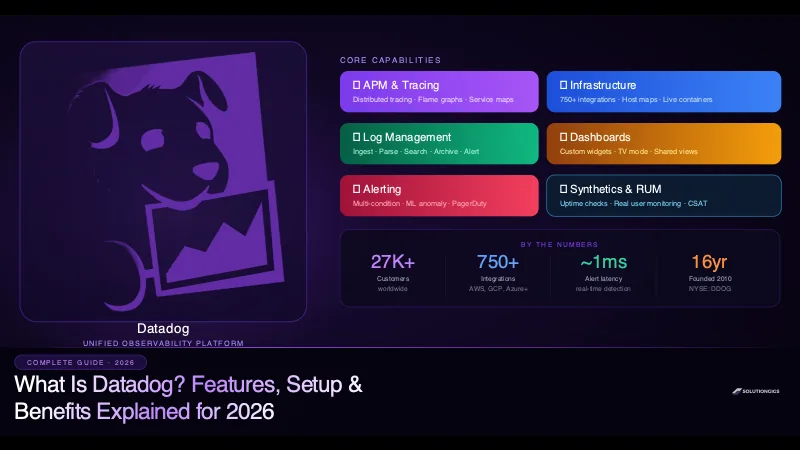
Quick Answer: Datadog is a cloud-based observability and monitoring platform that gives engineering teams a unified view of infrastructure, application performance, logs, security, and user experience. Founded in 2010 and trusted by over 27,000 companies including Samsung, Peloton, and Atlassian, Datadog collects telemetry data from across your entire stack — servers, containers, databases, cloud services — and surfaces it through real-time dashboards, intelligent alerts, and distributed traces.
When your application goes down at 2 AM, every second costs money and reputation. The question isn't if something will break — it's how fast you find it.
That's the exact problem Datadog was built to solve.
In this guide, you'll learn exactly what Datadog is, how it works, which features matter most, how to get started from scratch, and an honest look at its pricing. By the end, you'll know whether Datadog is the right fit for your team — and what to consider if the cost becomes a concern.
What Is Datadog?
Datadog is a cloud monitoring and observability platform that aggregates metrics, traces, and logs from every layer of your technology stack into a single pane of glass.
Think of it as mission control for your infrastructure and applications. Instead of logging into five different tools — one for server metrics, another for application traces, a third for logs, a fourth for uptime, a fifth for security — Datadog pulls all of that data together and correlates it automatically.
What Datadog is not: It is not a self-hosted tool. It is a fully managed SaaS platform. Your agents send data to Datadog's cloud, where it is stored, indexed, and visualised. This means zero infrastructure overhead on your side, but it also means ongoing subscription costs at scale.
A Brief History of Datadog
Datadog was founded in 2010 by Olivier Pomel and Alexis Lê-Quôc in New York City. The two co-founders met while working at Wireless Generation and built Datadog out of frustration with the fragmented DevOps tooling landscape of the time.
The platform grew rapidly as organisations began migrating workloads to the cloud and adopting microservices. What was once a single application on a single server became dozens of services spread across cloud regions, containers, and serverless functions — and existing monitoring tools couldn't keep up.
Datadog went public on the Nasdaq (ticker: DDOG) in September 2019, raising $648 million and valuing the company at over $7.8 billion. As of 2026, Datadog is valued at over $40 billion and serves 27,000+ customers globally.
How Datadog Works: The Architecture
Understanding how Datadog works makes it much easier to use effectively.
The Datadog Agent
The foundation of Datadog is the Datadog Agent — a lightweight, open-source daemon that runs on every host you want to monitor. The agent:
- Collects system-level metrics (CPU, memory, disk, network) every 15 seconds
- Scrapes application performance traces in real time
- Tails log files and forwards them to Datadog's log management pipeline
- Runs configured checks against local services (MySQL, Redis, Nginx, etc.)
The agent is written in Go and Python, consumes roughly 125 MB of RAM and less than 1% CPU in typical operation — low enough to run on production hosts without impacting performance.
The Collection Pipeline
Once the agent collects data, it sends it over HTTPS to Datadog's intake endpoints. The data flows through:
- Metrics pipeline — aggregated with DogStatsD and stored as time-series
- Traces pipeline — distributed traces are stored and indexed by service, resource, and custom tags
- Logs pipeline — log lines are parsed, enriched with attributes, and indexed for search
All three data types are correlated automatically using tags. A spike in CPU at 14:32 on host:web-01 is automatically linkable to slow traces and error logs from the same host and time window — without manual joining.
Integrations and the 750+ Ecosystem
Datadog has over 750 built-in integrations — pre-built connectors for cloud providers, databases, message queues, container orchestrators, and more:
| Category | Examples |
|---|---|
| Cloud Providers | AWS, Google Cloud, Azure, Alibaba Cloud |
| Containers | Docker, Kubernetes, ECS, EKS, GKE |
| Databases | PostgreSQL, MySQL, MongoDB, Redis, Cassandra |
| Message Queues | Kafka, RabbitMQ, SQS, Pub/Sub |
| Web Servers | Nginx, Apache, HAProxy, Envoy |
| CI/CD | GitHub Actions, Jenkins, CircleCI, GitLab |
| Languages | Python, Java, Node.js, Go, Ruby, .NET, PHP |
Each integration installs in minutes — you add credentials or install a check, and within seconds metrics start flowing.
Data teams get the most out of the queue and compute integrations. We have hands-on walkthroughs for Kafka consumer lag monitoring, monitoring Spark jobs, and Databricks monitoring.
Datadog Core Features Explained
1. Infrastructure Monitoring
Infrastructure monitoring is Datadog's original and most foundational feature. It gives you real-time visibility into every host, container, and cloud resource across your environment.
Key capabilities:
- Host Map — a visual overview of all monitored hosts, colour-coded by any metric (CPU usage, memory, request rate)
- Live Containers — real-time view of running containers with process-level resource usage
- Network Performance Monitoring — tracks traffic flows between services, pods, and hosts at the network level
- Cloud Integrations — pulls CloudWatch, Azure Monitor, and GCP Monitoring data automatically, eliminating the need to configure separate data collectors
Why it matters: When a host starts running hot or a container restarts unexpectedly, infrastructure monitoring catches it within 15 seconds. You can set thresholds, configure automated rollback triggers, and route alerts to Slack, PagerDuty, or OpsGenie.
Deep dive: everything here starts with the collector — see how to install the Datadog Agent, and if hosts stop reporting, work through the Datadog Agent not reporting checklist.
2. Application Performance Monitoring (APM)
Datadog APM — sometimes called Datadog Tracing — is its distributed tracing product. It instruments your application code and tracks every request as it flows through your services.
Key capabilities:
- Distributed Traces — follow a single user request from the frontend through every microservice to the database query and back
- Flame Graphs — visualise exactly which function calls are consuming the most time in a given trace
- Service Map — an auto-generated diagram of how your services connect and communicate, with real-time error rates and latency on each edge
- Error Tracking — groups similar errors into issues, tracks regression rates, and links directly to the offending trace
- Profiling — continuous code profiling at the function level without stopping your application
Practical example: A checkout API starts returning 5xx errors. Without APM, you're grepping logs. With Datadog APM, you click into the failing traces, see that 94% of errors occur in the payment-service → stripe-gateway span, and identify that a third-party API is timing out at 30 seconds. Total time to root cause: under 3 minutes.
Language support: Python, Java, Node.js, Go, Ruby, .NET, PHP, C++, Scala, and any language via the OpenTelemetry SDK.
Deep dive: our full guide to Datadog APM and distributed tracing covers instrumentation, span tags, sampling and trace-log correlation.
3. Log Management
Datadog Log Management ingests, parses, enriches, searches, and archives log data at any scale.
Key capabilities:
- Log Pipelines — apply parsing rules to extract structured fields from raw log lines (JSON, key-value, regex, Grok patterns)
- Log Explorer — Google-like search interface with facet filters, time range selection, and real-time tail
- Log-to-Metric — generate custom metrics from log patterns without storing the raw logs (significant cost saving)
- Log Anomaly Detection — ML-powered detection of sudden spikes or drops in log volume
- Archive and Rehydration — ship cold logs to S3/GCS at low cost, rehydrate specific time ranges for incident investigation
Correlation with traces: Every log line enriched with a trace ID automatically links to the corresponding APM trace in one click — this is the core value of having metrics, traces, and logs in a single platform.
Pricing note: Log ingestion is billed at $1.70/GB ingested and $0.10/GB/day indexed. For high-volume teams, this is where bills grow fastest. Use Log-to-Metric and exclusion filters aggressively to control costs.
Deep dive: Datadog Log Management walks through pipelines, indexes, exclusion filters and archives with a concrete cost-control rollout.
4. Dashboards & Visualisation
Datadog's dashboards are the interface through which your entire team understands system health.
Types of dashboards:
- Screenboards — freeform layout, great for operations TV displays and NOC walls
- Timeboards — all graphs share the same time range, ideal for incident investigation
- SLO Dashboards — track Service Level Objectives with error budget burn-rate widgets
What makes Datadog dashboards powerful:
- Template Variables — create one dashboard and filter it by environment, service, region, or team dynamically
- Formulas and Functions — combine multiple metrics in a single graph (e.g.,
(errors / total_requests) * 100for error rate) - Annotations — mark deployment events or incidents directly on time-series graphs to correlate spikes with code changes
- Sharing — share dashboards publicly (no login required) or embed them in Confluence, Notion, or internal wikis
Deep dive: see how to build Datadog dashboards for widget choices, template variables and a dashboard that survives an on-call rotation.
5. Alerting & Monitors
Datadog Monitors are the alerting engine. They evaluate metric queries on a schedule and fire notifications when conditions are met.
Monitor types:
| Type | Use Case |
|---|---|
| Metric Monitor | Alert when CPU > 90% for 5 minutes |
| Log Monitor | Alert when error log count > 100 in 10 min |
| APM Monitor | Alert when p99 latency > 2s on checkout service |
| Anomaly Monitor | ML-based: alert when metric deviates from baseline |
| Composite Monitor | Alert only when two conditions are true simultaneously |
| SLO Monitor | Alert when error budget burn rate is too high |
| Synthetics Monitor | Alert when an uptime check fails from multiple regions |
Alert routing: Notifications go to Slack, PagerDuty, OpsGenie, email, webhooks, and more. You can configure escalation policies, maintenance windows (silence alerts during deployments), and alert grouping to reduce noise.
Deep dive: Datadog monitors and alerting covers each monitor type, thresholds and recovery windows, and how to cut alert noise.
6. Synthetics & Real User Monitoring (RUM)
Synthetics runs automated browser and API tests from Datadog's global network of checkpoints. Even when no real users are on your site, Datadog is checking:
- Is the login page loading in < 2 seconds from Tokyo?
- Does the checkout API return 200 from Frankfurt?
- Is the SSL certificate expiring in the next 7 days?
Real User Monitoring (RUM) collects performance data from actual users' browsers or mobile apps:
- Core Web Vitals (LCP, FID, CLS)
- JavaScript error rates
- Session replays — watch exactly what a user did before they hit an error
- User journey funnel analysis
Together, Synthetics and RUM give you both proactive (test before users hit it) and reactive (understand real user impact) observability.
Deep dive: Datadog Synthetic Monitoring covers API, browser and multistep tests, locations and what each test costs; Datadog RUM covers Core Web Vitals, session replay and frontend error tracking.
7. Security Monitoring (Cloud SIEM)
Datadog expanded beyond observability into Cloud Security with three products:
- Cloud SIEM — correlates security signals from logs (failed login attempts, privilege escalation, unusual API calls) into threats
- Cloud Security Posture Management (CSPM) — continuously checks cloud configurations against CIS benchmarks and compliance frameworks (SOC 2, PCI DSS, HIPAA)
- Workload Security — runtime threat detection at the kernel level using eBPF
This matters because your DevOps and security teams can now work from the same platform — an infrastructure alert and a security signal from the same host are visible in a single timeline.
Key Benefits of Using Datadog
Benefit 1: Single Pane of Glass
The most frequently cited reason teams adopt Datadog is the elimination of tool sprawl. Before Datadog, a typical engineering team runs:
- Nagios or Zabbix for host monitoring
- Jaeger or Zipkin for tracing
- ELK Stack for logs
- Grafana for dashboards
- PagerDuty with its own alerting logic
Each tool has its own data model, alert syntax, and dashboard language. Correlating an alert from Nagios with a trace in Jaeger and a log in Kibana requires mental gymnastics — and in an incident, every minute of confusion is downtime.
Datadog replaces all five with one product, one query language, and automatic correlation between metrics, traces, and logs.
Benefit 2: Fast Time to Value
Most teams are emitting useful metrics within 20 minutes of installing the agent. The 750+ integrations mean you don't write custom collectors — you flip a switch and data flows.
Compare this to self-hosted Prometheus + Grafana, which requires:
- Setting up Prometheus targets and scrape configs
- Writing or importing dashboards
- Configuring Alertmanager and routing rules
- Maintaining the infrastructure itself
Datadog trades cost for speed of setup and ongoing operational burden.
Benefit 3: Auto-Discovery in Dynamic Environments
In Kubernetes environments, pods spin up and down constantly. Static monitoring configurations break immediately. Datadog's Autodiscovery feature automatically detects new containers and services, applies the right integration configuration based on labels or annotations, and starts collecting metrics without any manual step.
This is critical for teams running CI/CD pipelines that deploy dozens of times per day.
Benefit 4: Intelligent Alerting with ML
Standard threshold-based alerting is noisy. Alert on CPU > 80%? You'll get paged every time a batch job runs. Datadog's Anomaly Detection monitors learn the normal patterns of a metric — including time-of-day seasonality and weekly cycles — and alert only when the metric genuinely deviates from expected behaviour.
Watchdog, Datadog's AI engine, proactively surfaces anomalies across your entire fleet without requiring you to configure an alert first. It noticed a problem you didn't know to watch for.
Benefit 5: Collaboration-Ready
Incidents are team sports. Datadog is built for collaboration:
- Notebooks — live documents that embed Datadog graphs and support markdown, used for postmortems and runbooks
- Incident Management — declare an incident, auto-populate a timeline, assign responders, and track resolution — all inside Datadog
- Sharing — share a snapshot of any graph or dashboard at a specific time range with a permanent link
How to Set Up Datadog: Step-by-Step
Step 1: Create a Datadog Account
Go to datadoghq.com and sign up for a free trial (14 days, full Pro access). No credit card required initially.
Step 2: Install the Datadog Agent
On Linux (Ubuntu/Debian):
DD_API_KEY=<YOUR_API_KEY> DD_SITE="datadoghq.com" \
  bash -c "$(curl -L https://install.datadoghq.com/scripts/install_script_agent7.sh)"
On Docker:
docker run -d --name datadog-agent \
  -e DD_API_KEY=<YOUR_API_KEY> \
  -e DD_SITE="datadoghq.com" \
  -v /var/run/docker.sock:/var/run/docker.sock:ro \
  -v /proc/:/host/proc/:ro \
  -v /sys/fs/cgroup/:/host/sys/fs/cgroup:ro \
  gcr.io/datadoghq/agent:7
On Kubernetes (Helm):
helm repo add datadog https://helm.datadoghq.com
helm install datadog-agent datadog/datadog \
  --set datadog.apiKey=<YOUR_API_KEY> \
  --set datadog.site=datadoghq.com \
  --set datadog.apm.portEnabled=true \
  --set datadog.logs.enabled=true \
  --set datadog.logs.containerCollectAll=true
Within 30 seconds of installation, your host appears in the Datadog Infrastructure List.
Step 3: Enable APM
To instrument a Python application:
pip install ddtrace
Start your app with the ddtrace wrapper:
DD_SERVICE="my-api" DD_ENV="production" DD_VERSION="1.2.0" \
  ddtrace-run python app.py
For Node.js:
// Add at the very top of your entry file (before any require)
require('dd-trace').init({
  service: 'my-api',
  env: 'production',
  version: '1.2.0',
});
For Java (add to JVM startup):
-javaagent:/path/to/dd-java-agent.jar \
  -Ddd.service=my-api \
  -Ddd.env=production \
  -Ddd.version=1.2.0
Step 4: Enable Log Collection
In the Datadog agent configuration (/etc/datadog-agent/datadog.yaml):
logs_enabled: true
For a specific application, create /etc/datadog-agent/conf.d/myapp.d/conf.yaml:
logs:
  - type: file
    path: /var/log/myapp/*.log
    service: my-api
    source: python
    env: production
Restart the agent: sudo systemctl restart datadog-agent
Step 5: Create Your First Dashboard
- Navigate to Dashboards → New Dashboard
- Add a Timeseries widget
- Set the query:
avg:system.cpu.user{*} by {host} - Add a title and save
Your first dashboard is live. From here, add memory, disk, request rate, and error rate widgets to build a comprehensive service health overview in under 10 minutes.
Step 6: Set Up Your First Alert
- Go to Monitors → New Monitor → Metric
- Set the query:
avg(last_5m):avg:system.cpu.user{*} > 90 - Set the notification:
@slack-ops-alerts CPU high on {{host.name}} - Save the monitor
You'll receive a Slack notification whenever any host's CPU exceeds 90% for 5 minutes — with a direct link back to the relevant dashboard.
Sending Custom Metrics to Datadog (Hands-On Video)
The default Agent metrics are only half the story. In real production systems, the metrics that matter most are the ones your own application emits — orders processed, queue depth, cache hit rate, model inference latency. These are custom metrics, and you push them to Datadog from your code using DogStatsD or the API, tagged so you can slice them by service, environment, or region.
I recorded two full walkthroughs on our YouTube channel showing exactly how to do this — real code, real Datadog dashboards, start to finish.
Python: Send Custom Metrics & Tags with DogStatsD
This 17-minute walkthrough covers instrumenting a Python app, emitting counters and gauges through DogStatsD, attaching tags, and watching them land on a Datadog dashboard.
Java: Send Unique Application Metrics to Datadog
Prefer the JVM? This walkthrough does the same thing for a Java service — emitting unique application metrics and tags to Datadog so you can monitor JVM-based workloads with the same precision.
Once your custom metrics are flowing, you can build them into the dashboards and alerts from the previous steps — the same way you'd use any built-in metric. If Datadog's per-metric pricing starts to add up as you add custom metrics, the next section breaks down the cost, and our Datadog alternatives guide covers cheaper options.
Datadog Pricing: Honest Breakdown (2026)
Datadog has a powerful free tier and granular per-feature pricing. Here's the honest view:
| Product | Free Tier | Paid |
|---|---|---|
| Infrastructure | 5 hosts, 1-day retention | $15/host/mo (Starter) · $23 (Pro) |
| APM + Profiling | Included with Infra trial | $38/host/mo (Pro) |
| Log Management | None | $1.70/GB ingested · $0.10/GB/day indexed |
| Synthetics | 5 tests | $5/10K test runs |
| RUM | 1,000 sessions | $1.50/1,000 sessions |
| Custom Metrics | 100/host | $0.05/metric/month above quota |
The three billing traps to know about:
Custom metrics — each unique tag combination in a metric counts as a separate custom metric. A metric
api.response_timewith 50 endpoints × 5 environments = 250 custom metrics. At $0.05 each, these add up fast. This is the Datadog high cardinality problem, and it's the single most common reason a bill triples without traffic changing.Log indexing — ingesting logs is one cost, but searching them requires indexing. Many teams ingest 500 GB/day but only need to search the last hour — use tiered retention and Log-to-Metric to reduce indexing costs dramatically.
APM host count — Datadog counts the maximum number of active APM hosts in a given hour during the billing period (the "high watermark"). Auto-scaling clusters can dramatically increase your APM bill during traffic spikes.
For teams where cost becomes a concern at scale, we've done a full comparison of Datadog alternatives including Grafana Stack (open source), New Relic, and Elastic APM.
Who Should Use Datadog?
Datadog is the right choice when:
- ✅ You operate a multi-cloud or hybrid environment with AWS, GCP, and Azure workloads
- ✅ Your team has limited DevOps bandwidth and needs a fully managed solution
- ✅ You need compliance-ready auditing (SOC 2, HIPAA, PCI DSS) with minimal setup
- ✅ Speed of setup and time to insight matters more than cost optimisation
- ✅ You're running Kubernetes at scale and need Autodiscovery and the Cluster Agent
Datadog may not be the best fit when:
- ❌ You have a tight budget and fewer than 50 hosts (open source alternatives deliver 80% of the value at 10% of the cost)
- ❌ You need full data sovereignty — all telemetry goes to Datadog's cloud
- ❌ Your primary need is long-term metric retention (Datadog retains metrics for 15 months, but log retention is expensive)
Datadog vs. Traditional Monitoring Tools
| Capability | Datadog | Nagios / Zabbix | Prometheus + Grafana |
|---|---|---|---|
| Setup time | 20 minutes | Days–weeks | Hours |
| Distributed tracing | ✅ Built-in APM | ❌ | Requires Jaeger/Tempo |
| Log management | ✅ Built-in | ❌ | Requires Loki |
| Auto-discovery (K8s) | ✅ Native | Limited | Manual scrape configs |
| ML alerting | ✅ Watchdog | ❌ | ❌ |
| Infrastructure cost | $0 (managed) | High (self-host) | Medium (self-host) |
| License cost | High | Low/Free | Free |
| Mobile app | ✅ | Limited | ✅ (Grafana) |
The pattern is clear: Datadog wins on features and setup speed; open-source alternatives win on total cost of ownership.
Frequently Asked Questions
What is Datadog used for?
Datadog is a cloud monitoring and observability platform used to monitor infrastructure, application performance (APM), logs, security, and user experience in real time. It aggregates data from servers, containers, databases, and cloud services into a single unified dashboard, enabling engineering teams to detect incidents faster and resolve them with full context.
Is Datadog free to use?
Datadog offers a free plan supporting up to 5 hosts with 1-day metric retention. Paid plans start at $15/host/month for Infrastructure and scale up to $38/host/month for Pro (includes APM). Log management is billed separately at $1.70 per GB ingested. A 14-day free trial gives access to all Pro features.
What programming languages does Datadog support?
Datadog's APM agent officially supports Python, Java, Node.js, Ruby, Go, .NET, PHP, C++, and Scala. Custom metrics can be emitted from any language via the DogStatsD UDP protocol or the HTTP API. OpenTelemetry SDK traces are also natively ingested by Datadog.
How does Datadog collect metrics?
Datadog collects metrics through a lightweight agent daemon running on each host. The agent scrapes system metrics every 15 seconds, sends APM traces in real time, and tails log files continuously. It also polls 750+ integrations — databases, cloud services, web servers — using configured checks that run at defined intervals.
What is the difference between Datadog APM and infrastructure monitoring?
Infrastructure monitoring tracks host-level system metrics: CPU, memory, disk I/O, and network throughput. APM (Application Performance Monitoring) instruments application code to trace individual requests through each service, database query, and external call, identifying latency bottlenecks at the code level. Both are complementary and both are billed separately.
Can Datadog monitor Kubernetes?
Yes. Datadog has first-class Kubernetes support through its Cluster Agent, which provides a scalable way to collect cluster-level metadata without overloading the Kubernetes API server. It supports Autodiscovery (auto-detects pods and applies the right integration), live container views, HPA metrics, Kubernetes events, and full control plane monitoring.
What are the best alternatives to Datadog?
The top Datadog alternatives in 2026 are: Grafana Stack (100% open source, free to self-host), New Relic (100 GB free tier per month), Elastic APM (native ELK integration, ~$95/mo on Elastic Cloud), and SigNoz (OpenTelemetry-native, open source, ~$199/mo on cloud). Read the full Datadog alternatives comparison on solutiongigs.in.
Conclusion
Datadog is, without question, one of the most powerful observability platforms available today. The ability to correlate infrastructure metrics, distributed traces, and logs in a single interface — with intelligent ML-powered alerting and 750+ integrations — makes it the go-to choice for teams that value fast setup and deep visibility over cost.
For growing startups and mid-size engineering teams, Datadog's 14-day free trial is worth exploring. The time saved during your next production incident will justify the evaluation.
If you've outgrown the free tier and are feeling the pricing pressure at scale, our guide on Datadog alternatives for 2026 walks through exactly how to migrate to Grafana Stack, New Relic, or SigNoz without losing observability coverage.
Need monitoring set up, or the right observability stack chosen for your infrastructure? We build Datadog dashboards, monitors, APM traces and SLOs per service — and cut alert noise back to the pages that need a human. Tell us what you're running →
Mohammed Yaseen
Founder, SolutionGigs
Mohammed has 8+ years of experience in cloud infrastructure, DevOps tooling, and platform engineering. He founded SolutionGigs to connect startups with elite freelance engineers for exactly the kind of work covered in this guide. LinkedIn →
Try Free Datadog Cost Estimator
Free, no signup — right in your browser.
Try Free Datadog Cost Estimator →More in DevOps & Monitoring
How to Install the Datadog Agent on Linux, Docker & Kubernetes
The Datadog Agent install is usually a five-minute job — unless you set the wrong DD_SITE, in which case the Agent runs happily and ships your data into the void. This copy-paste guide covers installing the Datadog Agent the right way on Linux (one-line script), Docker (gcr.io/datadoghq/agent:7 with the socket and host mounts), and Kubernetes (Helm chart / Operator as a DaemonSet), how to verify it's actually reporting with datadog-agent status and the Infrastructure list, the three causes behind 90% of 'installed but no data' problems, and how to keep custom-metric cost from surprising you on day one.
Datadog Log Management: Pipeline Setup, Filtering & Cost Control
Logs are the first thing engineers reach for in an incident and the first line item that blows up a monitoring budget. Datadog Log Management is powerful, but teams routinely index everything, watch the bill 5x, then rip logs out entirely — losing visibility to save money. The whole platform is built around one idea: decouple ingesting a log from making it searchable. This in-depth guide covers the full log lifecycle — collection and Agent config, pipelines and processors (grok parsing, remappers, the Sensitive Data Scanner), the Log Explorer and facets, indexes and exclusion filters, log-based metrics, archives and rehydration to cheap cloud storage, and a concrete ingestion-vs-indexing cost-control playbook so you can collect everything and still keep the bill flat.
Datadog Monitors & Alerting: Production Runbook & Alert Fatigue Fixes
Dashboards tell you something is wrong when you're looking. Datadog monitors tell you while you're asleep — which is exactly why bad ones are so destructive: a monitor that pages on every harmless blip trains your team to ignore alerts, so the one that matters gets swiped away at 3 AM. This guide covers Datadog monitors and alerting end to end: the monitor types (metric, anomaly, forecast, outlier, log, APM, composite, watchdog), how to create one with Warning/Alert thresholds and an evaluation window, thresholds vs anomaly detection, composite monitors, notification routing with @slack/@pagerduty, and a concrete playbook for killing alert fatigue by tying every alert to an SLO and a runbook.