
The average knowledge worker sits through 23 hours of meetings every week — and walks away remembering less than 10% of what was discussed. That's not a people problem. That's a tooling problem.
A free AI meeting summarizer changes that in minutes. Upload your Zoom, Teams, or Google Meet recording, and within a few minutes you get structured meeting notes, a prioritized action item list, key decisions, and the topics covered — automatically, at no cost.
Quick Answer: A free AI meeting summarizer is a web tool that transcribes your meeting recording using Whisper AI, then uses a large language model to extract the summary, action items, decisions, and key topics — saving you 30–60 minutes of manual note-taking per meeting. The best free option in 2026 requires no signup and processes the audio entirely on-server with no long-term storage.
This guide covers how these tools work, what separates the good ones from the bad, and how to start summarizing your meetings for free right now.
What Is an AI Meeting Summarizer?
An AI meeting summarizer is a software tool that turns raw meeting audio or video into structured, actionable notes using two layers of AI:
- Speech-to-text transcription — Converts spoken words into text (usually powered by Whisper AI or a similar model)
- Language model analysis — Reads the full transcript and extracts what matters: the summary, who is doing what, decisions made, and topics covered
The output replaces the need for a designated note-taker or a manual review of the full recording. Instead of rewatching a 90-minute call, you read a two-paragraph summary and a bulleted action list in under two minutes.
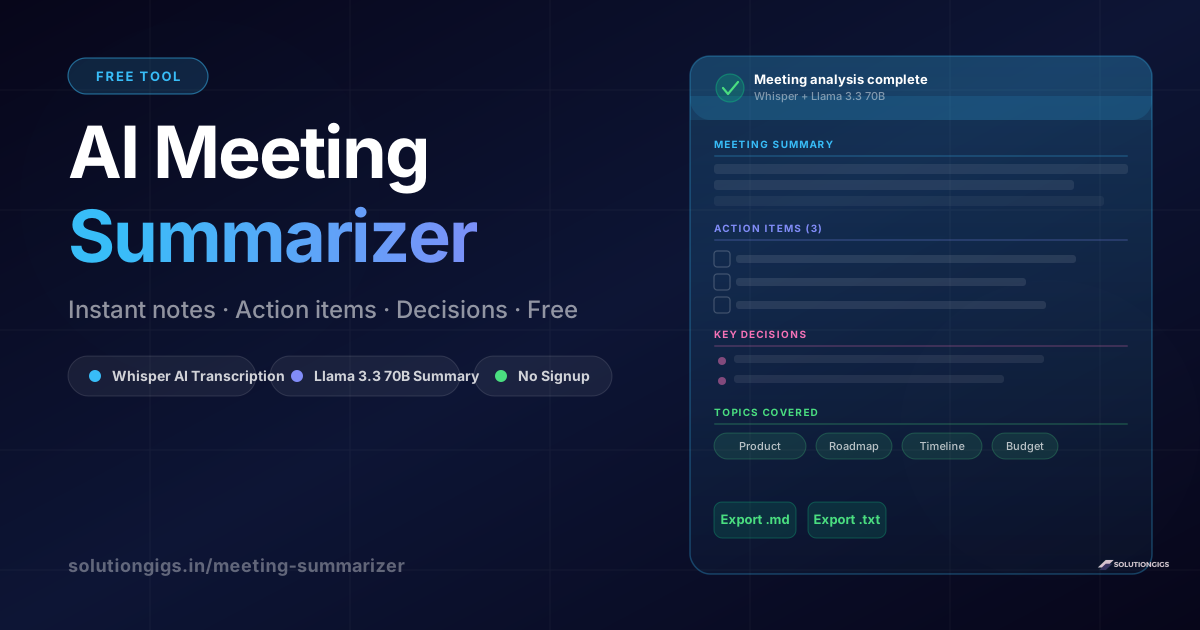
What AI meeting summarizers can extract: - Meeting summary (2–4 sentence overview) - Action items with assigned owners - Key decisions made during the call - Topics and themes discussed - Attendees mentioned by name - Full searchable transcript
In 2026, these tools have become essential for remote and hybrid teams where meetings are recorded by default but rarely reviewed.
Why Traditional Meeting Notes Always Fail
Manual meeting notes have three fundamental problems that no amount of discipline solves:
1. Whoever takes notes misses the meeting
When someone is designated as the note-taker, their attention splits between listening and writing. They capture fragments, not substance. Studies show note-takers retain 40% less content than passive listeners.
2. Notes are biased toward the note-taker's priorities
Every person has filters. What they write down reflects what matters to them, not necessarily what the team agreed on. This creates subtle misalignment that only surfaces weeks later.
3. Distribution is manual and inconsistent
Someone has to clean up the notes, format them, and send them to the right people. In practice, this takes 15–30 minutes and is often skipped entirely — leaving decisions undocumented and action items orphaned.
AI meeting summarizers eliminate all three problems. The AI has no cognitive load during the recording, no bias in what it flags as important, and delivers the output instantly to whoever needs it.
How the SolutionGigs AI Meeting Summarizer Works
The SolutionGigs Meeting Summarizer is completely free — no account, no monthly plan, no watermarks. Here's exactly what happens when you upload a recording:
Step 1: Upload Your Recording
Drop any audio or video file into the upload area. Supported formats include:
- Audio: MP3, M4A, WAV, OGG, FLAC, OPUS, WMA, AIFF
- Video: MP4, MKV, MOV, WEBM, AVI (the audio track is automatically extracted)
- Max file size: 500 MB — covers most 1–2 hour meetings
Zoom cloud recordings download as .mp4. Microsoft Teams saves recordings to OneDrive or SharePoint as .mp4. Google Meet recordings land in Google Drive. Any of these work directly.
Step 2: Whisper AI Transcribes the Audio
Your file is sent to the server where OpenAI Whisper (running locally, not the API) converts every spoken word into text. Whisper is the same model powering the most accurate transcription services in the world. It:
- Handles 90+ languages automatically
- Handles accents and background noise well
- Adds natural sentence boundaries for clean reading
- Splits the transcript into timestamped chapters
This step typically takes 30 seconds to 3 minutes depending on file length. There is no size limitation beyond the 500 MB upload cap.
Step 3: Llama 3.3 70B Generates the Summary
Once transcription completes, the full transcript text is sent to Llama 3.3 70B (via Groq's inference API). This is a 70-billion parameter language model — the same scale as GPT-4 class models — running at exceptional speed due to Groq's hardware.
The model reads the entire transcript and returns structured JSON containing:
summary       → 2–3 sentence meeting overview
action_items  → tasks with assigned owners
decisions     → firm agreements made
key_topics    → 3–7 main topic phrases
attendees     → names explicitly mentioned
This step takes 5–15 seconds. The result is rendered instantly on screen.
Step 4: Export What You Need
Once the analysis is complete you can:
- Copy the summary directly
- Export the full meeting notes as Markdown (.md) — paste into Notion, Obsidian, Linear
- Export as plain text (.txt) — paste into email or Slack
- Expand the full transcript and copy individual sections
Your file is automatically deleted from our servers within one hour. No data is retained.
What You Get: A Full Breakdown of the Output
Meeting Summary
The summary section gives you a 2–3 sentence prose overview of what the meeting accomplished. It reads like something a thoughtful colleague would write — not a bullet list of fragments, but an actual narrative that captures the purpose and outcome.
Example output:
The team reviewed Q3 product roadmap priorities and aligned on delaying the mobile launch by six weeks to accommodate the backend refactor. Budget allocation for the design sprint was approved, and the team agreed to weekly status syncs through September to maintain visibility.
This alone eliminates the need to watch a 60-minute recording.
Action Items
Action items appear as a checklist with the task description and the owner's name when the transcript makes attribution clear. If someone says "Alice, can you handle the API documentation before Friday?" — the model captures task: API documentation, owner: Alice.
Action items without explicit owners appear without a name tag, flagged for manual assignment.
Key Decisions
Decisions are extracted separately from tasks. A decision is a firm agreement made during the meeting — not a to-do, but a settled conclusion. Examples:
- "We decided to use Redis for session storage"
- "The launch date is confirmed for September 15"
- "We're going with Option B on the pricing model"
Having these documented separately makes it easy to share the outcome with stakeholders who weren't in the meeting.
Topics Covered
Topics are rendered as clickable tags — a quick visual index of everything the meeting touched. Useful for searching your meeting history and tagging notes in a knowledge management system.
Full Transcript
The complete Whisper transcript is available in a collapsible section, organized by chapter. Each chapter covers roughly 3 minutes of audio and has a generated title. You can copy individual sections or expand the full text.
Free Plan, Starter, Pro, and Max: Which Do You Need?
SolutionGigs uses a straightforward summary-based model — one summary = one meeting analyzed by AI.
| Plan | Monthly price | Annual price | Summaries | Best for |
|---|---|---|---|---|
| Free | $0 | $0 | 30/month | Individuals, light users |
| Starter | $8.99/mo | $8/mo | 200/month | Professionals, small teams |
| Pro | $28/mo | $18.92/mo | Unlimited | Power users, growing teams |
| Max | $98/mo | $68/mo | Unlimited + 5 GB | Enterprises, large teams |
What counts as one summary?
Uploading a recording and running the AI analysis uses one summary. Transcription is always free and unlimited. The AI summary step (action items, decisions, key topics) is what counts against your plan.
Monthly reset
The Free plan resets on the 1st of each month. Unused summaries don't roll over. Paid plan summaries also reset monthly — you always start fresh.
Why sign in?
The Meeting Summarizer requires a Google sign-in to track your summary count. Sign-in is free, instant, no credit card. Your balance syncs across devices.
How to get unlimited usage
Upgrade to Pro at $28/month (or $18.92/month billed annually) for unlimited AI meeting summaries with no monthly cap. The Max plan ($98/month, $68 annually) adds 5 GB file support, 20 concurrent uploads, 20 team seats, full API access, and white-label exports.
Annual billing saves you roughly 20% — Pro drops from $28 to $18.92/month, just like paying for the year upfront.
👉 See all plans → solutiongigs.in/pricing
Free vs. Paid AI Meeting Summarizers: The Real Comparison
Several paid tools dominate this category. Here's how they compare to a free-first approach:
| Feature | SolutionGigs (Free) | Otter.ai | Fireflies.ai | Fathom |
|---|---|---|---|---|
| Price | Free | $10–$20/mo | $10–$19/mo | Free (limited) |
| Signup required | No | Yes | Yes | Yes |
| Works with any recorder | Yes | Bot joins calls | Bot joins calls | Zoom/Meet only |
| Action items | Yes | Yes | Yes | Yes |
| Decisions extracted | Yes | Partial | Partial | Yes |
| Export (MD, TXT) | Yes | Yes | Yes | Limited |
| File upload (offline) | Yes | Yes (paid) | Yes (paid) | No |
| Data storage | 1 hour, deleted | Stored long-term | Stored long-term | Stored long-term |
| Privacy | High — local processing | Cloud-stored | Cloud-stored | Cloud-stored |
The critical difference: bot-based tools (Otter, Fireflies, Fathom) require a meeting bot to join your call in real-time. Many organizations have policies against third-party bots. Many clients find them disruptive. The upload-based approach — like SolutionGigs — works on any recording from any platform without those constraints.
How to Summarize Meetings from Zoom, Teams, and Google Meet
Zoom Cloud Recordings
- Open the Zoom web portal → Recordings → Cloud Recordings
- Click the meeting you want → Download → select the
.mp4file - Upload to solutiongigs.in/meeting-summarizer
- Click Analyze Meeting — done
Zoom local recordings are saved directly to your computer (usually ~/Documents/Zoom/) as .mp4 files. These work identically.
Microsoft Teams Recordings
Teams saves recordings to SharePoint or OneDrive depending on your organization's settings.
- Open the meeting in Teams → Chat → find the recording link
- Open in SharePoint/OneDrive → Download
- Upload the
.mp4to the meeting summarizer
If your organization restricts downloads, use the Teams desktop app → Files tab to access the recording directly.
Google Meet Recordings
Meet recordings save automatically to the meeting organizer's Google Drive.
- Open Google Drive → find the recording (search "Meet" to filter)
- Right-click → Download → saves as
.mp4 - Upload to the summarizer
Voice Memos and Phone Calls
The tool works equally well on:
- iOS Voice Memos (.m4a)
- Android recording apps (.mp3, .ogg)
- Loom recordings (.mp4)
- Podcast recordings
- Client calls recorded via your phone system
If it has spoken words in it, the tool can summarize it.
5 Tips to Get Better Meeting Summaries
The quality of the AI output is directly linked to the quality of the recording and the clarity of what's said in the meeting.
1. Use a dedicated microphone. Phone speaker audio produces 20–40% more transcription errors than a USB or conference mic. Fewer errors mean a more accurate summary.
2. State action items explicitly. "Alice will handle the API docs by Friday" transcribes cleanly. "Someone should look at the docs" gives the AI nothing to extract. Train your team to close every action item with a name and a date.
3. Announce decisions clearly. "We've decided to go with Option B" is extracted perfectly. A 10-minute debate that ends with vague consensus gives the AI ambiguous signals.
4. Use a consistent agenda. Meetings that follow a structure (updates → discussion → decisions → actions) produce more accurate topic extraction than freeform conversations.
5. Remove music and video playback before summarizing. If your recording includes a shared screen with video or background music, trim those sections beforehand. Whisper will attempt to transcribe audio content it hears, which adds noise to the transcript.
Frequently Asked Questions
Is the SolutionGigs meeting summarizer really free?
The Free plan gives you 60 gigs per month at no cost — enough for most individuals and small teams. You sign in with Google (no credit card), and your gig count resets every month on the 1st. Transcription via Whisper AI is always free and unlimited regardless of plan — gigs only count when the AI summary runs. Starter ($4.99/mo) and Pro ($9.99/mo, unlimited) plans are available for power users.
How accurate are the action items and decisions?
Very accurate for clear, direct language. If your meeting participants say "I'll take care of X" or "we've decided Y," the model captures it reliably. Vague or implied commitments are harder — the model extracts only what's explicitly stated. A 45-minute meeting with 5–6 action items typically returns all of them correctly when the speakers are clear.
Is my meeting recording kept private?
Your audio file is processed on our server and automatically deleted within one hour. The transcript text is sent to Groq's API for summary generation — Groq's terms prohibit using API data for model training. Your recording is never stored, indexed, or shared with any third party.
What languages does it support?
Whisper AI supports 90+ languages including English, Hindi, Arabic, Spanish, French, German, Chinese, Japanese, Portuguese, and more. Language is auto-detected from the audio — no configuration needed. The AI summary is currently generated in English regardless of the original language.
Can I summarize phone calls and voice notes, not just video meetings?
Yes. The tool works on any audio with human speech. MP3, M4A, WAV, OGG, and FLAC files from voice memos, phone recordings, podcast interviews, or any other audio source are fully supported up to 500 MB.
How long does a 1-hour meeting take to analyze?
Typically 2–5 minutes total. Transcription usually takes 60–120 seconds for a one-hour file. Summary generation adds another 10–15 seconds. The exact time depends on file size and server load.
Do I need to install anything?
No. The meeting summarizer runs entirely in your browser. There is no app to install, no browser extension, and no account to create. Go to solutiongigs.in/meeting-summarizer, upload your file, and get your results.
Conclusion: Stop Losing What Happened in Your Meetings
Every meeting you leave without structured notes is a meeting that produced less than it could have. Action items get dropped. Decisions get re-debated. Time is wasted re-litigating what was agreed on two Tuesdays ago.
An AI meeting summarizer turns a recording into a searchable, shareable document in minutes. The technology that used to cost $20/month per seat is now available for free, with no account required, and with better privacy guarantees than the paid alternatives.
At SolutionGigs, we built this tool because we were frustrated by the same thing you are — great meetings that left no trace. Whisper AI handles the transcription locally. Llama 3.3 70B handles the analysis. You get the output. Nothing is stored.
Try it now — sign in with Google, use your 60 free gigs, and get structured meeting notes in under 5 minutes:
👉 solutiongigs.in/meeting-summarizer — Free AI Meeting Summarizer
Free plan: 60 gigs/month, no credit card. Upgrade anytime at solutiongigs.in/pricing for 300 gigs or unlimited.
Also on SolutionGigs: free audio transcription for any audio file, YouTube chapter generator for video content, and audio noise reduction to clean up recordings before summarizing.

Mohammed Yaseen
Founder, SolutionGigs
Mohammed built the SolutionGigs Meeting Summarizer to solve a problem he faced daily — great meetings that produced no lasting record. He writes about AI tools, productivity, and software for knowledge workers. LinkedIn →