
Free SQL Formatter Online — Beautify & Minify SQL Queries
Format messy SQL instantly. Our free online SQL formatter beautifies, indents, and minifies SELECT, INSERT, UPDATE, and JOIN queries — no signup, works for MySQL, PostgreSQL, SQLite.

Raw SQL from production logs, ORM debug output, or a colleague's PR can be a wall of unreadable text. Our free online SQL formatter beautifies any SQL query in seconds — indenting nested clauses, capitalizing keywords, aligning columns, and adding line breaks exactly where they belong. No signup, no limits.
Why Format SQL?
Unformatted SQL is hard to read, hard to debug, and easy to misunderstand. Compare:
Before:
select u.id,u.email,o.total from users u inner join orders o on u.id=o.user_id where o.total>100 and u.created_at>'2026-01-01' order by o.total desc limit 50;
After formatting:
SELECT
  u.id,
  u.email,
  o.total
FROM users u
INNER JOIN orders o ON u.id = o.user_id
WHERE
  o.total > 100
  AND u.created_at > '2026-01-01'
ORDER BY o.total DESC
LIMIT 50;
The formatted version is easier to:
- Review in pull requests
- Debug when a query returns unexpected results
- Share with teammates or paste into documentation
- Understand the query structure at a glance
What Our Free SQL Formatter Does
- Uppercase keywords:
select→SELECT,inner join→INNER JOIN - Indent nested clauses:
WHERE,AND,OR,HAVING,ON - Break before major clauses:
FROM,JOIN,WHERE,GROUP BY,ORDER BY,LIMIT - Multi-word keyword detection:
INNER JOIN,LEFT OUTER JOIN,GROUP BY,ORDER BY,NOT IN - Minify mode: strips all whitespace for use in production queries or URL parameters
- Query type badge: auto-detects SELECT, INSERT, UPDATE, DELETE, CREATE, DROP, ALTER
- Uppercase toggle: optionally keep keywords lowercase
- Auto-format on paste: paste SQL and it formats immediately
SQL Keywords and Their Roles
| Clause | Purpose |
|---|---|
SELECT |
Choose which columns to return |
FROM |
Specify the source table |
JOIN / INNER JOIN |
Combine rows from two tables where condition is met |
LEFT JOIN |
All rows from left table, matching rows from right |
WHERE |
Filter rows before aggregation |
GROUP BY |
Aggregate rows into groups |
HAVING |
Filter groups after aggregation |
ORDER BY |
Sort the result set |
LIMIT / TOP |
Restrict number of results |
INSERT INTO |
Add new rows to a table |
UPDATE |
Modify existing rows |
DELETE |
Remove rows |
Common SQL Formatting Standards
Different teams have different preferences. Common conventions:
Uppercase keywords, lowercase identifiers (most common):
SELECT user_id, email FROM users WHERE active = 1;
Leading commas (popular in data teams):
SELECT
    user_id
  , email
  , created_at
FROM users
Trailing commas (most IDEs default):
SELECT
  user_id,
  email,
  created_at
FROM users
Our formatter uses the trailing comma style with 2-space indentation — the most widely used convention.
SQL Dialects Supported
Our formatter works with all major SQL dialects since it focuses on standard SQL keywords:
| Dialect | Used By |
|---|---|
| MySQL | Web apps, WordPress, Laravel |
| PostgreSQL | Data-heavy apps, Supabase |
| SQLite | Mobile apps, embedded databases |
| Microsoft SQL Server (T-SQL) | Enterprise applications |
| Oracle SQL | Legacy enterprise systems |
| BigQuery Standard SQL | Google Cloud analytics |
| Snowflake SQL | Cloud data warehouse |
| Redshift | AWS analytics |
SQL Minification Use Cases
The minify button strips all formatting to produce a single-line query. This is useful for:
- URL query parameters:
?query=SELECT+*+FROM+... - API payloads: compact JSON body
- ORM raw queries: inline in application code
- Analytics scripts: compact
.sqlfiles
How to Format SQL Free Online
- Go to SolutionGigs Free SQL Formatter
- Paste or type your SQL query
- The query auto-formats on input (or click Format SQL)
- Toggle Uppercase to control keyword capitalization
- Click Minify to get a compact single-line version
- Click Copy to copy the formatted result
Performance Tips for SQL Queries
While you're formatting, consider these best practices:
- Use explicit JOINs over implicit:
FROM a, b WHERE a.id = b.id→FROM a JOIN b ON a.id = b.id - Index your WHERE columns: columns in
WHERE,JOIN ON, andORDER BYbenefit from indexes - Avoid
SELECT *: specify only the columns you need to reduce bandwidth and improve query plans - Use
EXPLAIN/EXPLAIN ANALYZE: before running a slow query in production, check the execution plan - Avoid functions on indexed columns:
WHERE YEAR(created_at) = 2026can't use an index; useWHERE created_at >= '2026-01-01'instead
Try the Free SQL Formatter
SolutionGigs Free SQL Formatter — paste messy SQL, get clean, readable queries instantly. No signup, 100% free.
Frequently Asked Questions
What is SQL formatting? SQL formatting (beautification) adds consistent indentation, line breaks, and keyword capitalization to SQL queries — making them easier to read, review, and debug. A one-line mess becomes a clean, structured multi-line statement.
Does SQL formatting change how the query runs? No — SQL formatters only modify whitespace and capitalization, which database engines ignore completely. The query plan, execution time, and results are identical before and after formatting.
What SQL dialects does the formatter support? Our formatter supports standard SQL and is compatible with MySQL, PostgreSQL, SQLite, Microsoft SQL Server, and Oracle. Dialect-specific keywords and functions are recognized and preserved.
What is SQL minification and when should I use it? SQL minification strips all whitespace, comments, and newlines to produce the most compact version. Useful when embedding SQL in application configs, environment variables, or API payloads where size matters.
Is the SQL formatter free? Yes — paste any SQL query and get it beautified or minified instantly. No account, no file size limits. Works for SELECT, INSERT, UPDATE, DELETE, CREATE, and complex JOINs.
It also runs entirely client-side, so a query containing real table and column names never leaves your machine. See which free developer tools run in your browser and which upload your data for the offline test that proves it.
Mohammed Yaseen
Founder, SolutionGigs
Mohammed has been building developer tools since 2018 and writes about JSON, JWT, regex, SQL, APIs, and web development utilities. LinkedIn →
More in Developer
Free Regex Tester Online — Live Match, Groups & Replace
Test regular expressions instantly in your browser. Our free online regex tester highlights matches, shows capture groups, and previews replace output live — no signup.
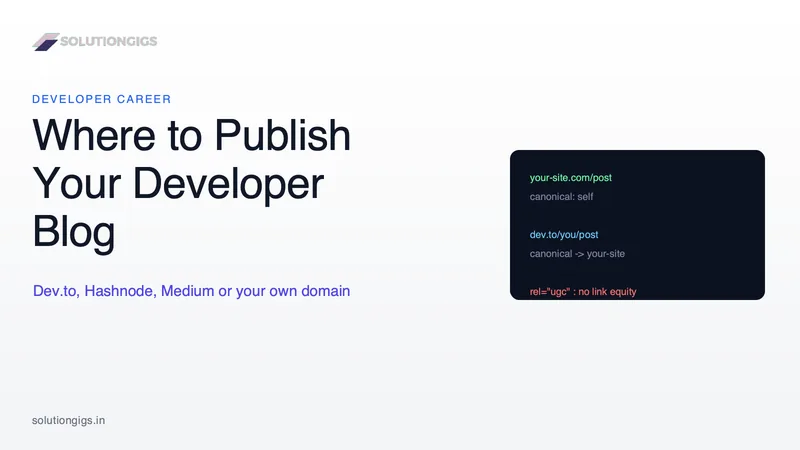
Where to Publish Your Developer Blog: Dev.to, Hashnode, Medium or Your Own Domain
Dev.to, Hashnode, Medium or your own domain? The real decision is who owns the audience and where the search credit lands. A practical guide to picking a home base, syndicating with canonical tags so your own site keeps the ranking, and why platform links are not backlinks.
Resume Keyword Match Score: Check Your Resume Against Any Job Description
See exactly how well your resume matches a job posting with our free ATS checker. Get a keyword match percentage, list of missing skills, and actionable tips — no signup, runs in browser.