
Free OG Image Generator — Create Open Graph Images for Social Sharing
Generate beautiful Open Graph preview images for your blog posts, articles, or landing pages free online. Choose a template, customize colors, download PNG — no signup.

Every time someone shares your blog post, article, or product page on Twitter, LinkedIn, Facebook, or Slack, the platform fetches your Open Graph image to display as a preview. Without an OG image, platforms show a blank gray box — or nothing at all. Our free OG image generator lets you create professional 1200×630 px preview images in seconds. No design skills, no Canva account, no signup.
What Is an Open Graph Image?
Open Graph (OG) is a protocol created by Facebook (now Meta) in 2010 that defines how URLs are displayed when shared on social platforms. The OG image is the preview thumbnail that appears in link cards across:
- Facebook / Instagram: Link preview cards
- Twitter / X: Twitter Cards
- LinkedIn: Article preview thumbnails
- Slack: Link unfurling previews
- WhatsApp: Link preview images
- Discord: Embed previews
- iMessage: Link previews on iOS
Without a proper OG image, you're leaving engagement on the table. Posts with compelling images get 2–3× more clicks than posts without.
Open Graph Image Specifications
| Platform | Recommended Size | Minimum Size | Aspect Ratio |
|---|---|---|---|
| 1200×630 px | 600×315 px | 1.91:1 | |
| 1200×630 px | 120×120 px | 1.91:1 (Summary Large) | |
| 1200×627 px | 1200×627 px | 1.91:1 | |
| 1200×630 px | 300×157 px | 1.91:1 | |
| Discord | 1200×630 px | — | 1.91:1 |
Universal recommendation: 1200×630 px at 72 DPI. This size works across all major platforms.
Open Graph Meta Tags You Need
Add these tags to your HTML <head>:
<meta property="og:title"       content="Your Page Title"/>
<meta property="og:description" content="A short description of your page."/>
<meta property="og:image"       content="https://yoursite.com/og/my-post.png"/>
<meta property="og:url"         content="https://yoursite.com/my-post"/>
<meta property="og:type"        content="article"/>
<meta property="og:site_name"   content="Your Site Name"/>

<!-- Twitter Card (also reads og: tags as fallback) -->
<meta name="twitter:card"        content="summary_large_image"/>
<meta name="twitter:title"       content="Your Page Title"/>
<meta name="twitter:description" content="A short description of your page."/>
<meta name="twitter:image"       content="https://yoursite.com/og/my-post.png"/>
Templates Available in Our Free OG Image Generator
| Template | Style | Best For |
|---|---|---|
| Dark | Navy/lavender gradient with dot grid | Tech blogs, developer content |
| Light | Clean white with subtle shadow | Business, editorial |
| Gradient | Purple-to-blue gradient | SaaS, modern brands |
| Green | Forest green professional | Environment, health, finance |
| Orange | Warm amber | Lifestyle, food, creative |
| Custom | User-defined gradient colors | Full brand control |
What You Can Customize
- Title: Your post or page title (auto word-wraps)
- Description: A 1–2 line subtitle
- Tag: A pill badge (e.g., "Tutorial", "News", "Free")
- Domain: Your website URL shown in the bottom bar
- Template: 6 pre-built color schemes
- Custom colors: Pick any two gradient colors for the background
OG Image Design Best Practices
1. Keep text short and scannable
OG images are displayed at thumbnail size (often 300–400 px wide). Long titles get hard to read. Aim for 5–8 words for the title, 10–15 for the description.
2. Use high contrast
Dark text on light backgrounds and light text on dark backgrounds both work. Avoid mid-gray text on mid-gray backgrounds — it disappears on small screens.
3. Include your brand
Add your domain or logo to every OG image. When someone scrolls past your shared link, they should recognize it as yours.
4. Be consistent
Use the same template across all posts. Consistency builds brand recognition and signals quality.
5. Match the content type
- Tutorial → use a tag pill saying "Tutorial" or "Free Guide"
- Product announcement → focus on the product name and key benefit
- Blog post → emphasize the headline and your domain
6. Test before publishing
After setting your OG tags, test with:
How to Generate an OG Image Free
- Go to SolutionGigs Free OG Image Generator
- Enter your title, description, tag, and domain
- Choose a template (or set custom colors)
- See a live preview — the image renders instantly
- Click Download PNG to save the 1200×630 px image
- Upload to your hosting (S3, Cloudflare R2, GitHub, etc.)
- Add the
og:imagemeta tag pointing to the file URL
All generation happens in your browser using HTML Canvas. No images are sent to our servers. 100% free, no signup, no watermark.
Where to Host Your OG Images
| Option | Free Plan | CDN | Notes |
|---|---|---|---|
| Cloudflare R2 | 10 GB/month free | Yes | Best option — free + fast |
| Amazon S3 | 5 GB + 20k requests/month | Needs CloudFront | Widely used |
| GitHub Pages | Unlimited | No built-in CDN | Simple for static sites |
| Vercel | Unlimited static assets | Yes | Great for Next.js/React |
| Netlify | 100 GB/month | Yes | Easy to use |
Try the Free OG Image Generator
SolutionGigs Free OG Image Generator — design and download professional 1200×630 px preview images. No signup, 100% free, no watermark.
Frequently Asked Questions
What is an OG image? An OG image (Open Graph image) is the preview thumbnail shown when your URL is shared on social media — Facebook, LinkedIn, WhatsApp, Twitter/X. It is defined by the og:image meta tag in your HTML head section.
What is the ideal OG image size? The recommended size is 1200×630 pixels at 72 DPI. Minimum is 600×315px. For Twitter/X summary cards, 1200×628px is optimal. Keep text and logo centered with at least 80px padding from edges to avoid cropping.
How do I add an OG image to my website? Add this inside your HTML head: and . Use absolute URLs, not relative paths.
Do I need separate images for Facebook and Twitter? Not necessarily — a 1200×630px image works for both. Twitter may display it slightly differently depending on the card type. Test with the Twitter Card Validator and Facebook Sharing Debugger after publishing.
Is the OG image generator free? Yes — generate and download unlimited Open Graph preview images for free. No account, no watermark, instant PNG download. Choose a template, enter your title and description, and download.
Mohammed Yaseen
Founder, SolutionGigs
Mohammed has been building developer tools since 2018 and writes about JSON, JWT, regex, SQL, APIs, and web development utilities. LinkedIn →
More in Developer
Free Invoice Generator Online — Download PDF, No Login, No Watermark
Create and download professional invoices in seconds — completely free, no account, no watermark. Add line items, set tax and discount, and export to PDF with one click.
Free JWT Decoder Online — Inspect Header, Payload & Expiry
Decode any JSON Web Token instantly. Our free online JWT decoder shows header algorithm, all payload claims, expiry countdown, and issuer — no signup, works in your browser.
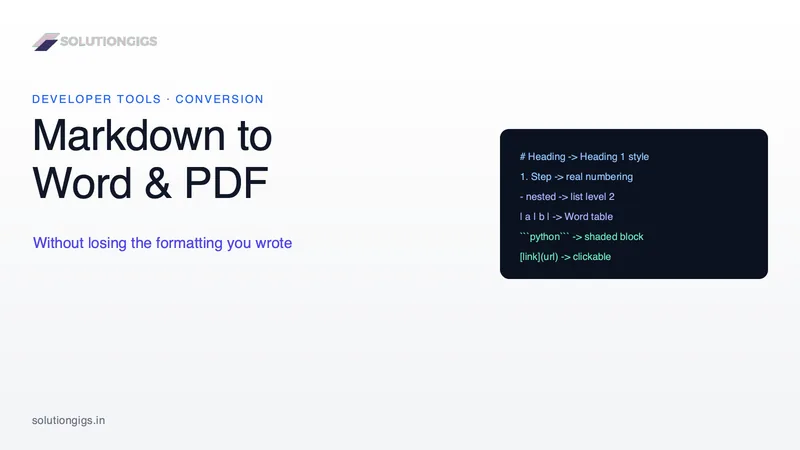
How to Convert Markdown to Word and PDF Without Losing Formatting
Nested lists collapse, numbering restarts and code blocks vanish when Markdown becomes a Word file. Here is why it happens, and six checks that catch it. Every guide tells you to reindent to four spaces — but your document was never wrong, the converter's indentation rule was.