
JSON Formatter & Prettifier — Free Online JSON Beautifier
Format, validate, minify, and fix broken JSON in your browser. Free online JSON formatter — no account, no server. Includes Fix JSON for repairing malformed JSON.

Raw JSON from APIs, databases, and configuration files is often minified — all on one line, no spaces, no indentation. It's efficient for machines but impossible for humans to read. A JSON formatter takes that dense blob and turns it into clean, indented, readable code. If you work with APIs, config files, or data pipelines, this tool will save you hours.
What Is a JSON Formatter / Prettifier?
A JSON formatter (also called a JSON prettifier or JSON beautifier) adds consistent indentation and newlines to JSON data, making it readable. The inverse — minification — removes all whitespace to produce the smallest possible output.
You need a JSON formatter when:
- Debugging an API response pasted from a network inspector
- Reading a large config file (package.json, tsconfig.json, etc.)
- Verifying the structure of a database export
- Copying JSON from a minified bundle to understand it
- Sharing JSON snippets with teammates
How to Use the JSON Formatter
Go to SolutionGigs JSON Formatter. It's free, runs entirely in your browser — no data is sent to any server.
- Paste your JSON into the input panel on the left
- Click Prettify — formatted output appears instantly on the right
- Adjust the indent size (2 or 4 spaces, or tabs)
- Click Copy Output to copy to clipboard
The formatter also includes:
- Minify — compress JSON to a single line
- Validate — check if JSON is syntactically valid
- Fix JSON — attempt to repair broken JSON (unquoted keys, trailing commas, single quotes, comments)
JSON Formatter Keyboard Shortcuts
| Action | Shortcut |
|---|---|
| Format / Prettify | Auto (600ms debounce) |
| Copy output | Click "Copy Output" |
| Clear all | Click "Clear" |
Fix Broken JSON
The Fix JSON button repairs common issues:
- Unquoted keys:
{name: "Alice"}→{"name": "Alice"} - Trailing commas:
[1, 2, 3,]→[1, 2, 3] - Single quotes:
{'key': 'value'}→{"key": "value"} - JS comments: strips
// commentand/* block */comments - JS-only values:
undefined→null,Infinity→null
This is especially useful for JSON exported from JavaScript code, config files with comments (like VS Code settings), or hand-written JSON with minor mistakes.
JSON Validation
The validator tells you exactly what's wrong with invalid JSON:
- The character position of the syntax error
- The line and column number
- The error type (unexpected token, expected comma, etc.)
This is faster than reading a stack trace from your code.
Indent Size — Which Should I Use?
| Indent | Style |
|---|---|
| 2 spaces | JavaScript standard (prettier default) |
| 4 spaces | Python standard (json.dumps default) |
| Tab | Some codebases, maximally compact horizontally |
For most web projects, 2 spaces is the standard (matches ESLint/Prettier defaults).
JSON Formatting in Code
JavaScript:
const formatted = JSON.stringify(data, null, 2);  // 2-space indent
const minified  = JSON.stringify(data);
Python:
import json
formatted = json.dumps(data, indent=4)
minified  = json.dumps(data, separators=(',', ':'))
curl + jq (command line):
curl https://api.example.com/data | jq .
Frequently Asked Questions
Is my data sent to a server? No — the formatter runs entirely in your browser using JavaScript. Your JSON never leaves your device.
What's the maximum size JSON I can format?
There's no enforced limit. In practice, very large JSON (10+ MB) may be slow in the browser. For large files, use jq on the command line.
Can it handle JSON with comments (JSONC)? Yes — use the Fix JSON button to strip comments and produce valid JSON.
What's the difference between JSON and JSONC? JSONC (JSON with Comments) is used by VS Code for config files. It's not valid JSON — the Fix JSON button converts it to valid JSON by removing comments.
Is there a JSON schema validator? Not in this tool. For schema validation, use AJV or JSON Schema Validator.
Related Tools
- JSON to CSV — convert JSON arrays to spreadsheet
- JSON to XML — convert JSON to XML
- CSV to JSON — spreadsheet to JSON
- XML to JSON — XML to JSON
Our JSON formatter runs entirely in your browser — your JSON is never uploaded. For the full list of which SolutionGigs tools are local-only and which upload your input, see free developer tools you can use without installing anything.
Mohammed Yaseen
Founder, SolutionGigs
Mohammed has been building developer tools since 2018 and writes about JSON, JWT, regex, SQL, APIs, and web development utilities. LinkedIn →
More in Developer
XML to JSON Converter — Free Online Tool for Developers
Convert XML to JSON (or JSON to XML) online for free. Perfect for migrating from SOAP/XML APIs to REST/JSON, or importing legacy data into modern systems.
How to Convert Markdown to Word and PDF Without Losing Formatting
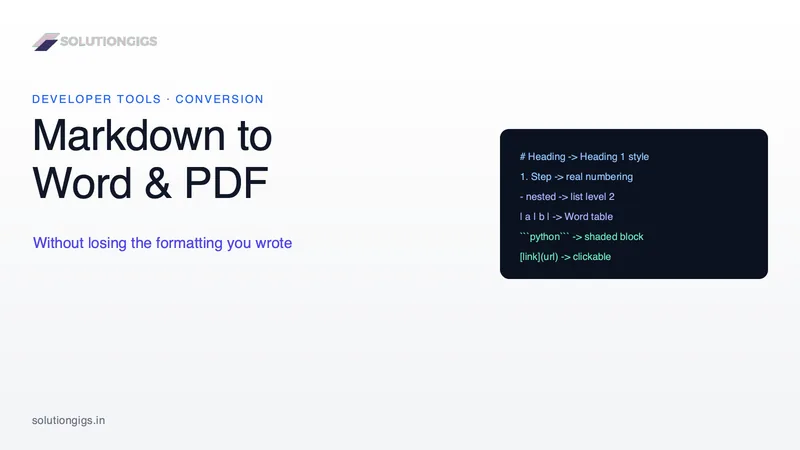
Nested lists collapse, numbering restarts and code blocks vanish when Markdown becomes a Word file. Here is why it happens, and six checks that catch it. Every guide tells you to reindent to four spaces — but your document was never wrong, the converter's indentation rule was.
Free Developer Tools You Can Use Without Installing Anything
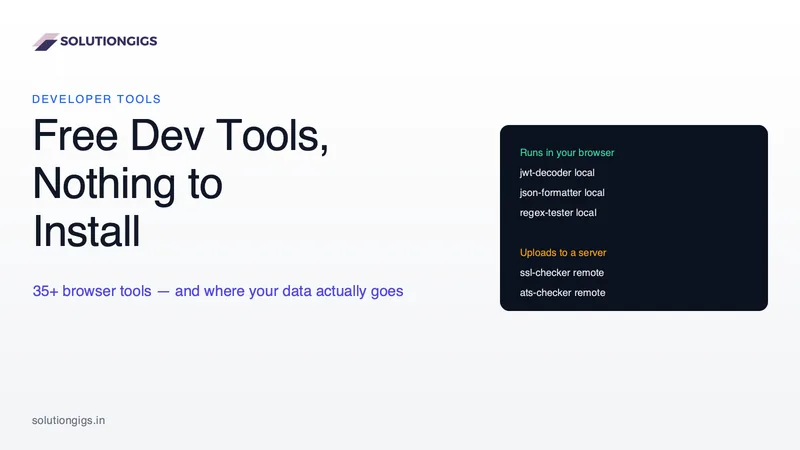
Most "best free developer tools" lists rank by features. The question that actually matters is where your data goes: 19 of these 63 browser tools issue zero network calls, so a production JWT or a passport photo never leaves your laptop. Here is the classification, taken from the source code, plus the 15-second offline test that settles it for any tool on the web.